3dpresso
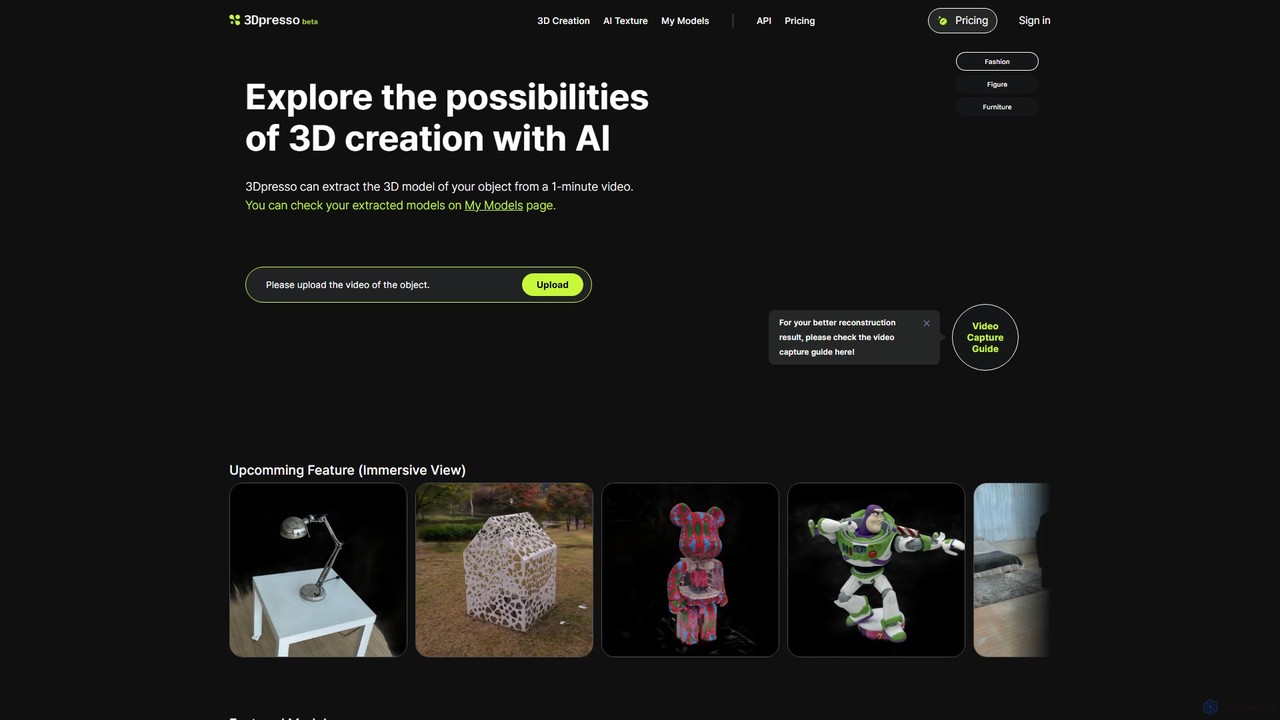
3dpresso is an AI-powered platform that transforms simple videos of real-world objects into high-quality 3D models. It also …
3dpresso is an AI-powered platform that transforms simple videos of real-world objects into high-quality 3D models. It also features a generative AI tool to change model textures using text prompts, making 3D creation fast and accessible for creators, designers, and developers.
About Video To 3D
Video To 3D tools are AI-powered applications that convert two-dimensional video footage into three-dimensional models, scenes, or assets. These tools leverage advanced computer vision and 3D reconstruction algorithms, often incorporating techniques like photogrammetry or Neural Radiance Fields (NeRF), to infer depth and spatial information from sequential video frames. They enable users to rapidly create realistic digital representations of real-world objects and environments, significantly streamlining workflows in various creative and industrial sectors. This technology offers a bridge between captured reality and immersive digital experiences.
Core Features
- 3D Model Generation: Automatically convert video sequences into textured 3D meshes or point clouds.
- Scene Reconstruction: Recreate entire physical environments or spaces as interactive 3D models from video input.
- Depth Estimation: Accurately infer and map depth information from 2D video frames to build spatial understanding.
- Texture Mapping: Apply high-fidelity visual details from the original video onto the generated 3D geometry.
- Object & Environment Capture: Capture and digitize real-world objects, structures, or landscapes into usable 3D formats.
Applicable Scenarios
Video To 3D tools are invaluable for professionals in game development, virtual and augmented reality content creation, architectural visualization, and visual effects. They allow artists and designers to quickly digitize real-world assets for integration into digital projects, reducing the need for manual 3D modeling. Engineers and surveyors also utilize these tools for creating digital twins of infrastructure or industrial sites for inspection and planning.
How to Choose
When selecting a Video To 3D tool, consider the desired output quality, including mesh density and texture resolution, and the processing speed for your typical video lengths. Evaluate the supported input video formats and the compatibility of output 3D formats (e.g., OBJ, FBX, GLB) with your existing software. Ease of use, automation capabilities, and the tool's ability to handle varying lighting conditions or object complexities are also crucial factors for an efficient workflow.
Video To 3DUse Cases
Create Game Assets from Real-World Objects
Game developers can capture video footage of real-world objects, such as unique rocks, ancient artifacts, or specific furniture pieces. Using Video To 3D tools, this footage is converted into high-fidelity 3D models with accurate textures and geometry. This process significantly reduces the time and effort required for manual 3D modeling, allowing developers to populate game environments with realistic assets quickly and efficiently, enhancing visual immersion and authenticity.
Generate VR/AR Environments from Footage
VR/AR content creators can record video of physical locations, such as historical sites, retail spaces, or natural landscapes. Video To 3D tools then process this footage to reconstruct immersive 3D environments suitable for virtual tours, augmented reality experiences, or digital twin applications. This allows for the rapid creation of realistic and interactive digital spaces, offering users a sense of presence and enabling new forms of engagement with real-world locations without physical travel.
Digital Twin Creation for Industrial Inspection
Engineers and facility managers can utilize drone video footage of industrial equipment, infrastructure, or construction sites. Video To 3D tools convert this aerial footage into highly accurate 3D digital twins. These digital twins enable remote visual inspection, precise measurement, and monitoring of assets without requiring physical access. This significantly enhances safety, reduces operational costs, and improves the efficiency of maintenance planning and progress tracking in complex industrial environments.
Architectural Site Documentation and Visualization
Architects and urban planners can record videos of construction sites, existing buildings, or urban areas. Video To 3D tools then process these videos to create detailed and accurate 3D models of the sites. These models are invaluable for progress tracking, client presentations, renovation planning, and historical preservation. They provide a comprehensive visual record and a precise spatial context, facilitating better communication and decision-making throughout a project's lifecycle.
VFX and Film Production for Realistic Set Extensions
Visual effects (VFX) artists and filmmakers can record video footage of partial sets or real-world locations. Video To 3D tools then transform this footage into accurate 3D models of the environment. This allows VFX teams to seamlessly extend sets with digital elements, create realistic camera movements within a reconstructed scene, or generate complex digital matte paintings. The ability to quickly digitize real environments enhances realism and significantly reduces the time and cost associated with traditional 3D asset creation for film and television.
E-commerce Product Visualization with 3D Models
Online retailers and product marketers can record videos of their products from multiple angles. Video To 3D tools then process these videos to generate interactive 3D models of the products. These 3D models can be embedded on e-commerce websites, allowing customers to view products from all angles, zoom in on details, and even place them in their own environment using AR. This enhances product presentation, boosts customer engagement, and can lead to higher conversion rates and reduced returns by providing a more comprehensive product understanding.