ToolMage
Sign in

Best 1 Animation AI tools for Visualization

Popular Animation AI tools in Visualization include Mathify, helping you work more efficiently.

Mathify
Freemium

Mathify

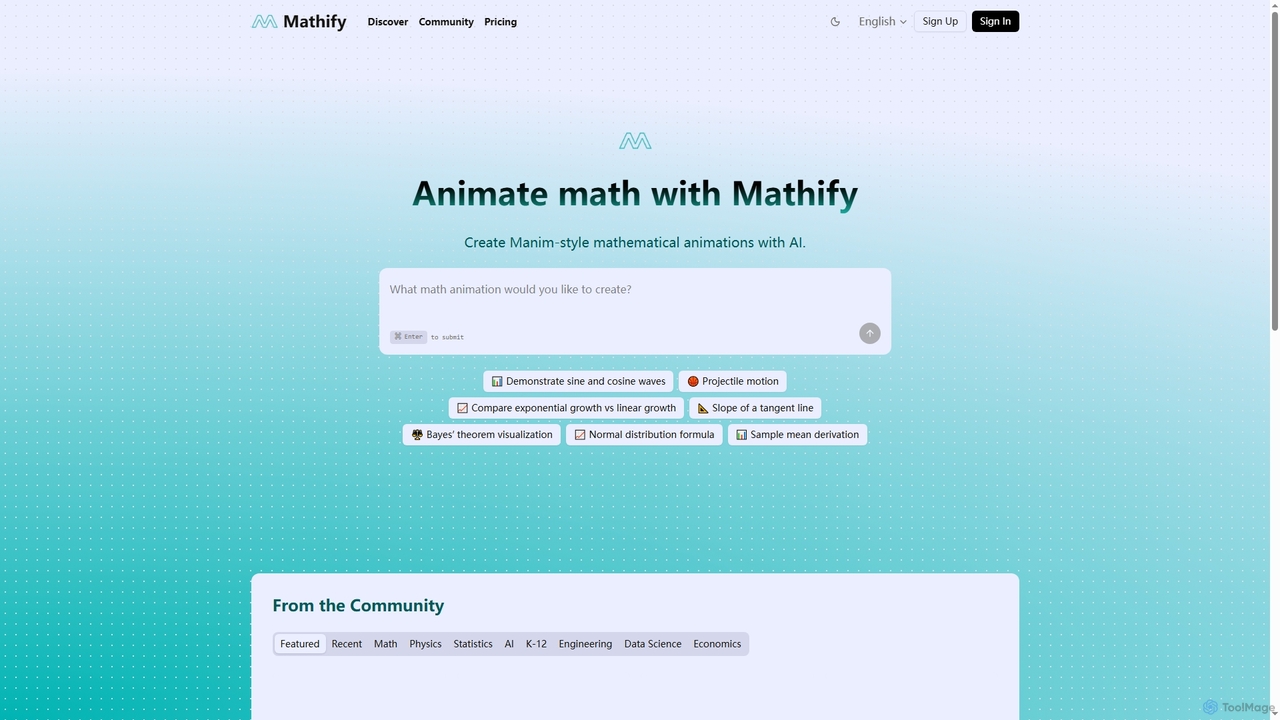
Mathify is an AI-powered tool that simplifies the creation of Manim-style mathematical animations. It enables users to visualize complex mathematical and scientific concepts, making abstract ideas more accessible for education, research, and content creation.

Ai Development Tools
Visits 11.1KFavorites 159Likes 141

About Animation

AI Animation tools are a specialized category within AI Visualization, leveraging artificial intelligence to streamline and enhance the creation of moving imagery. These tools utilize advanced algorithms for tasks like automated character rigging, motion generation, and scene composition, significantly reducing the time and complexity traditionally associated with animation production. They empower creators to bring stories and concepts to life with unprecedented speed and efficiency, from simple GIFs to complex cinematic sequences.

Core Features

  • Automated Rigging: AI automatically creates skeletal structures for characters, simplifying the animation process.
  • Motion Generation: Generates realistic or stylized character movements from text prompts, audio, or reference videos.
  • Lip-Syncing: Automatically synchronizes character mouth movements with spoken audio tracks.
  • Style Transfer: Applies artistic styles from images or videos to animated content, creating unique visual aesthetics.
  • Scene Composition: Assists in arranging elements, lighting, and camera angles within an animated scene.

Applicable Scenarios

AI animation tools are widely adopted by content creators, game developers, marketing professionals, and educators. They are ideal for accelerating the production of explainer videos, creating dynamic social media content, prototyping game animations, and developing engaging educational materials.

How to Choose

When selecting an AI animation tool, consider its core functionalities (e.g., 2D vs. 3D, character vs. motion graphics), ease of use, integration capabilities with existing workflows, output quality, and pricing model. Evaluate the learning curve and the availability of pre-built assets or templates to match your project's specific needs.

Animation use cases

1

Rapid Prototyping for Game Development

Game designers can quickly generate character animations and environmental movements from text descriptions or simple sketches. By leveraging AI animation tools, they can rapidly iterate on gameplay mechanics and visual concepts, testing multiple animation styles and sequences in a fraction of the time it would take with traditional methods, significantly accelerating the pre-production phase.

2

Automated Explainer Video Production

Marketing teams and small businesses can create engaging animated explainer videos for products or services without extensive animation expertise. By inputting scripts and visual assets, AI animation tools handle character movements, scene transitions, and even voice-over synchronization, enabling the production of high-quality marketing content quickly and cost-effectively, reaching target audiences faster.

3

Personalized Social Media Content Creation

Content creators and social media managers can generate short, dynamic animated clips or GIFs tailored for specific social media campaigns. AI tools allow for rapid customization of character styles, backgrounds, and motion sequences based on audience demographics or trending topics, enabling a constant stream of fresh, engaging content that boosts audience interaction and brand visibility.

4

Educational Content and E-learning Modules

Educators and instructional designers can produce engaging animated tutorials, simulations, and interactive e-learning modules. AI animation tools simplify the process of animating complex diagrams, illustrating scientific concepts, or demonstrating historical events, making learning more accessible and captivating for students across various age groups and subjects, improving comprehension and retention.

5

Virtual Character Performance for VTubers and Live Streams

VTubers, streamers, and content creators can use AI animation tools to drive real-time facial expressions, body movements, and gestures for their virtual avatars. By processing live camera input or audio, AI can translate human performance into dynamic character animation, enhancing audience engagement and allowing for more expressive and immersive virtual interactions during live broadcasts or pre-recorded content.

6

Architectural and Product Visualization Walkthroughs

Architects, interior designers, and product developers can generate animated walkthroughs and demonstrations of their designs from 3D models. AI animation tools can automate camera paths, add realistic environmental effects, and even animate user interactions with products, providing clients and stakeholders with dynamic, immersive previews that enhance understanding and facilitate decision-making before physical construction or manufacturing.

Animation FAQ

What are AI Animation tools?

AI Animation tools are software applications that use artificial intelligence to automate or assist in various stages of the animation production pipeline. They leverage machine learning algorithms to generate character movements, facial expressions, lip-syncing, scene compositions, and even entire animated sequences from text prompts or other inputs. These tools aim to make animation more accessible, faster, and more efficient for creators of all skill levels.

How do AI Animation tools differ from traditional animation software?

The primary difference lies in automation and assistance. Traditional animation software requires manual keyframing, rigging, and meticulous frame-by-frame adjustments. AI animation tools, conversely, automate many of these labor-intensive tasks. They can generate motions from simple commands, apply styles, or even create entire scenes with minimal human input, significantly reducing production time and lowering the barrier to entry for non-animators, while traditional tools offer granular control for seasoned professionals.

What are the main benefits of using AI for animation?

The main benefits of using AI for animation include significant time and cost savings by automating repetitive tasks like rigging and motion generation. It democratizes animation, making it accessible to individuals without extensive technical skills. AI also enables rapid prototyping and iteration, allowing creators to experiment with various styles and scenarios quickly. Furthermore, it can enhance realism through advanced physics simulations or generate unique artistic styles, pushing creative boundaries.

Who can benefit most from AI Animation tools?

A wide range of users can benefit from AI Animation tools. This includes independent content creators and YouTubers looking to produce engaging visuals quickly, marketing professionals needing dynamic explainer videos, game developers for rapid prototyping of character movements, and educators creating interactive e-learning materials. Even experienced animators can leverage AI to automate tedious tasks, freeing up time for more creative aspects of their projects.

What should I consider when choosing an AI Animation tool?

When choosing an AI Animation tool, prioritize features relevant to your specific needs, such as 2D or 3D animation capabilities, character rigging automation, motion generation from text/audio, and lip-syncing. Consider the tool's ease of use and learning curve, especially if you're new to animation. Evaluate its integration with other software in your workflow, output quality, available asset libraries, and pricing model (subscription vs. one-time purchase). Finally, check for community support and regular updates.