ToolMage
Sign in

Best 1 Status Page AI tools for Website Management

Popular Status Page AI tools in Website Management include Phare, helping you work more efficiently.

Phare
Freemium

Phare

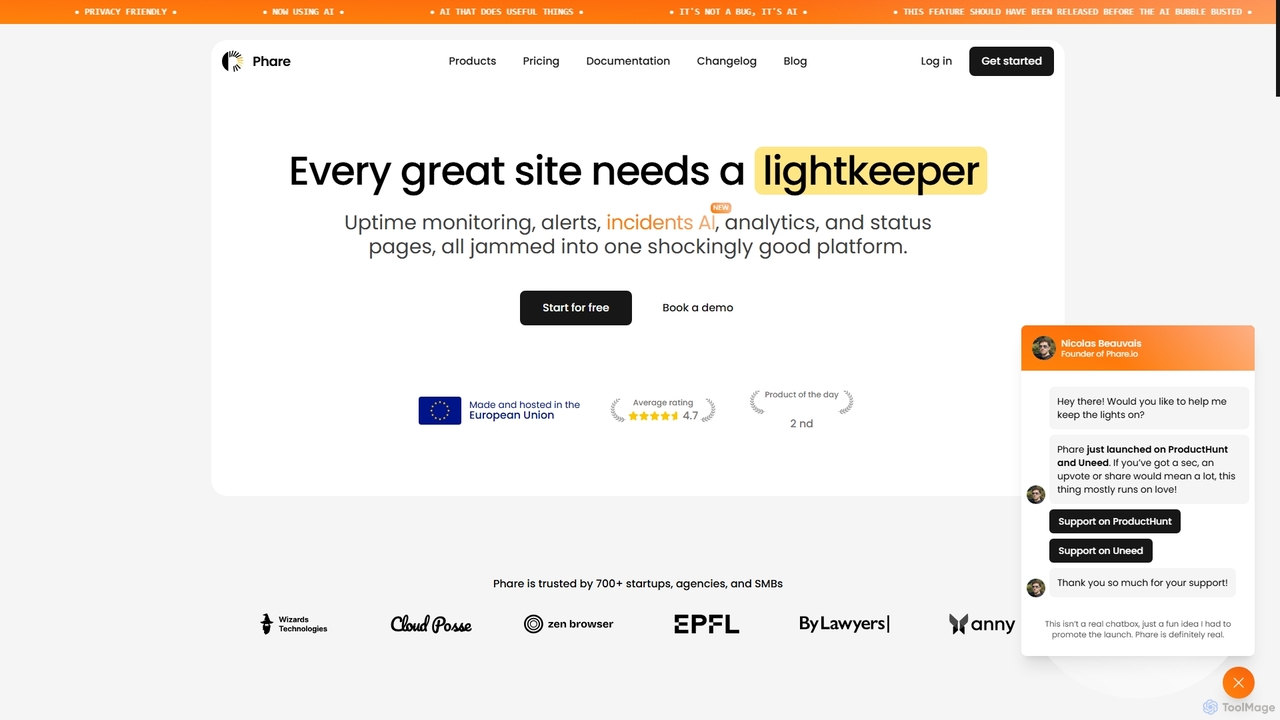
Phare is a comprehensive platform for website uptime monitoring, incident management, and custom status pages. It offers real-time alerts, AI-powered incident summaries, and a flexible pricing model to ensure your online services run successfully and reliably.

Api Monitoring
Visits 12.7KFavorites 109Likes 136

About Status Page

Status Page tools are specialized platforms for creating and managing real-time public pages that display the operational status of online services. These tools automatically track uptime and performance, allowing teams to communicate incidents, degradations, and scheduled maintenance transparently. By providing a single source of truth, they enhance user trust and significantly reduce the burden on support teams during outages. Many platforms integrate with monitoring systems to automate status updates for components like APIs, websites, and databases.

Core Features

  • Incident Communication: Create, update, and resolve incidents with detailed timelines and post-mortems.
  • Component Status Display: Visually represent the status (e.g., Operational, Degraded Performance, Major Outage) of individual services.
  • Subscriber Notifications: Send real-time updates to users via channels like email, SMS, Slack, and webhooks.
  • Scheduled Maintenance Management: Proactively inform users about planned downtime to minimize disruption.
  • Uptime & Performance Metrics: Display historical uptime data and key performance indicators (KPIs) like response time to demonstrate reliability.

Use Cases

Status Page tools are essential for any business with a critical online presence, particularly SaaS companies, API providers, e-commerce platforms, and financial services. They are primarily used by DevOps, Site Reliability Engineering (SRE), and IT operations teams to manage incident communication, while customer support teams use them to direct users for updates.

How to Choose

When selecting a Status Page tool, consider its integration capabilities with your existing monitoring systems (e.g., Datadog, PagerDuty) for automation. Evaluate the range of notification channels offered and the level of customization available to match your brand. Also, consider whether you need support for private status pages for internal or specific client use, and compare pricing models, which are often based on the number of components, subscribers, or team members.

Status Page use cases

1

Communicating a Major Service Outage

An SRE team at a SaaS company receives an alert that their primary API is unresponsive. They immediately use their Status Page tool to create a new incident, setting the status to 'Major Outage'. This action automatically sends an email and Slack notification to all subscribers. As they investigate, the team posts updates every 15 minutes, detailing their progress. This proactive communication prevents a flood of support tickets, manages customer expectations, and demonstrates transparency, ultimately preserving customer trust during a critical event.

2

Announcing Scheduled System Maintenance

An e-commerce platform needs to perform a database upgrade that requires 30 minutes of downtime. Two weeks in advance, the IT operations team schedules the maintenance on their Status Page. This automatically notifies all subscribers and displays a banner on the page. Reminders are sent out one day and one hour before the maintenance window. This proactive approach ensures customers and internal teams are aware of the planned disruption, reducing confusion and allowing them to plan accordingly, which minimizes the impact on business operations.

3

Building Trust with Enterprise Clients

A B2B software provider serves large enterprise clients who have strict SLAs. They use a Status Page tool to create private, password-protected status pages for each major client. These pages only show the status of services and infrastructure relevant to that specific client. When a performance degradation issue occurs that only affects one client, the support team can post updates to their private page without alarming other customers. This targeted communication provides a premium, transparent experience and helps in upholding service level agreements.

4

Displaying Historical Uptime for Sales Enablement

A cloud hosting provider's sales team frequently encounters questions about service reliability from potential customers. They leverage their public Status Page as a key sales asset. The page prominently displays a 99.99% uptime record for the past 12 months, backed by historical data for each service component. During sales calls, representatives share a link to the status page, using it as an objective, third-party-verified proof point of their platform's stability. This transparency helps overcome objections and builds confidence early in the sales cycle.

5

Automating Internal Incident Updates

A large tech company integrates its monitoring system (e.g., Datadog) with its Status Page tool via an API. When a critical performance threshold is breached on their production database, an alert automatically creates a draft incident on their internal-facing status page. The on-call engineer is notified, verifies the issue, and publishes the incident with one click. This instantly updates a dedicated Slack channel for all engineering and product managers, ensuring key internal stakeholders are informed immediately without manual intervention, streamlining the incident response process.

6

Managing Third-Party Service Dependencies

A fintech application relies heavily on a third-party payment gateway (e.g., Stripe) and cloud infrastructure (e.g., AWS). They list these external services as 'Third-Party Components' on their public status page. When AWS experiences a regional outage, the company's services are affected. Their team immediately updates the status of the AWS component on their page to 'Major Outage' and posts an incident explaining how this impacts their own application. This clarifies to users that the root cause is external, managing expectations and protecting the company's reputation for reliability.

Status Page FAQ

What is a Status Page tool?

A Status Page tool is a specialized software platform used to create a dedicated webpage that communicates the real-time operational status of a company's services. It provides a central place for users to check for uptime, performance issues, and scheduled maintenance. Key features include incident reporting, component status tracking (e.g., for APIs, websites), and subscriber notifications via email or SMS, helping businesses maintain transparency and trust with their customers, especially during service disruptions.

How to choose the right Status Page tool?

To choose the right Status Page tool, evaluate these key factors:

  • Automation & Integrations: Does it integrate with your monitoring tools (like Datadog, PagerDuty, Pingdom) to automate incident creation and status updates?
  • Notification Channels: Does it support the channels your users prefer, such as email, SMS, Slack, Microsoft Teams, or webhooks?
  • Customization: Can you customize the page with your own domain (CNAME) and branding (logo, colors) to provide a seamless user experience?
  • Public vs. Private Pages: Do you need the ability to create private, access-restricted pages for internal teams or specific enterprise clients?
  • Pricing Model: Compare costs, which are often based on the number of components, team members, or subscribers. Ensure the plan aligns with your scale and budget.
What's the difference between a Status Page and a monitoring tool?

The primary difference lies in their purpose and audience. A monitoring tool (like Datadog or UptimeRobot) is for an internal audience (DevOps, SREs). Its job is to detect problems, collect performance data, and send alerts to technical teams. In contrast, a Status Page is for an external audience (customers, end-users). Its job is to communicate the status of services and incidents in a clear, non-technical way. While they are different, they work together: a monitoring tool detects an issue, and a status page communicates it to the public.

Who should use a Status Page?

Any business that provides an online service, application, or API where reliability is important should use a Status Page. This is especially critical for:

  • SaaS Companies: To communicate the status of their software to paying customers.
  • E-commerce Platforms: To inform shoppers about website or payment gateway issues.
  • API Providers: To provide developers with real-time status of API endpoints.
  • Financial Institutions: To maintain trust during outages of online banking or trading platforms.
  • Internal IT Teams: To communicate the status of internal systems (like email, VPN) to employees.
Why is a public Status Page important for a business?

A public Status Page is crucial for several reasons. First, it builds trust and transparency by proactively communicating issues instead of waiting for customers to report them. Second, it significantly reduces support load during an incident, as users can self-serve information instead of contacting support. Third, it provides a single source of truth, ensuring consistent messaging across all teams and to all customers. Finally, it demonstrates a commitment to reliability and professionalism, which can be a competitive advantage and a key factor in customer retention.