Anse
Ai Client
AI TOOL COMPARISON
What is the difference, and which fits your workflow? Compare features, usage, pricing models and traffic side by side.
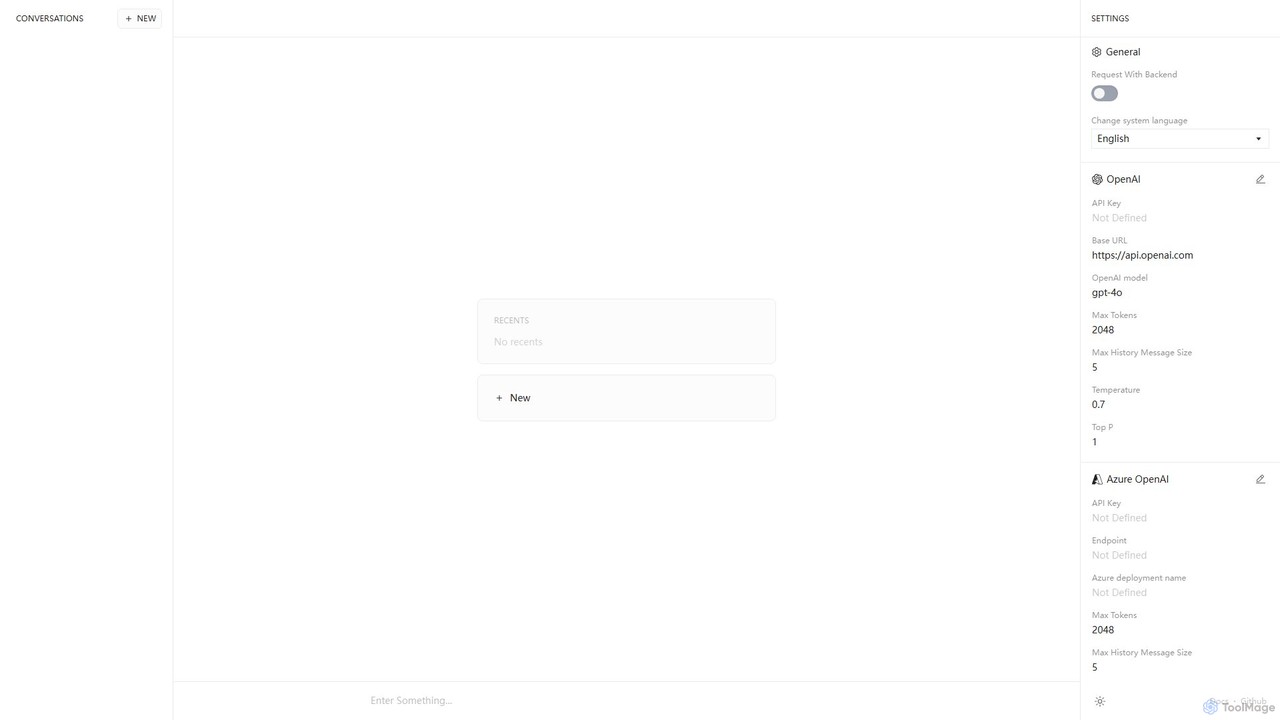
Anse is a free, open-source, and privacy-focused desktop AI client. It provides a unified interface to interact with various large language models from providers like OpenAI, Google, and Azure. By using your own API keys, you maintain full control over your data and costs, while enjoying advanced features and model customization in a sleek, minimalist application.
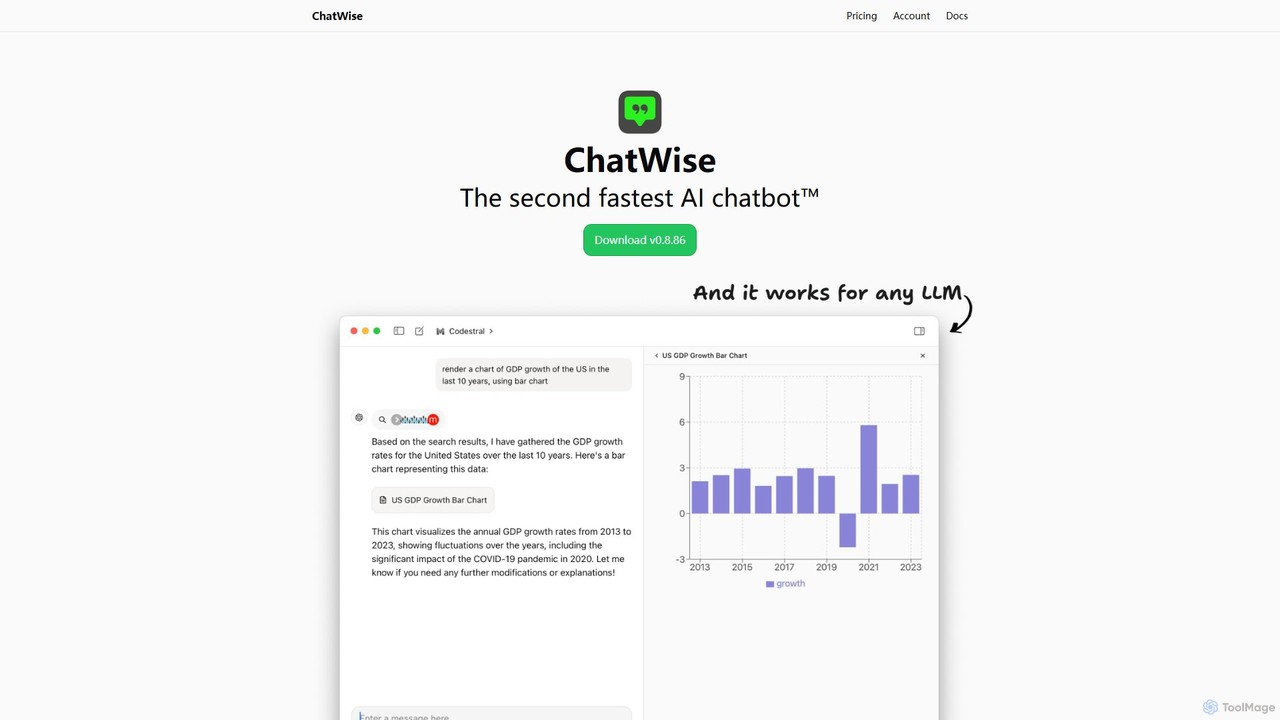
ChatWise is a high-performance, privacy-focused desktop application that provides a unified interface for interacting with various LLMs like ChatGPT, Claude, Gemini, and Llama. It supports multi-modal inputs, web search, and tool integration, storing all your data locally.
Compare product focus, pricing models and audiences. Highlighted rows indicate different listed information; unknown pricing does not mean free.
| Quick facts | Anse | ChatWise |
|---|---|---|
| Pricing model | Free | Free |
| Product type | App | App |
| Primary focus | Ai Client | Api Management |
| Audience and roles | No data available | No data available |
| Categories | Ai Client · Api Management · Chatbot | Api Management · Chatbot · Desktop Application |
| Added | Aug 6, 2025 | Aug 16, 2025 |
| Updated | Nov 19, 2026 | Nov 19, 2026 |
Explore the listed product descriptions, features and workflows. Taxonomy labels alone are not feature evaluations.
Anse is a powerful, open-source, and privacy-centric desktop application designed to be a unified front-end for various leading AI models. It acts as a versatile AI chatbot client, allowing users to connect to multiple Large Language Model (LLM) providers, including OpenAI, Google, Microsoft Azure, and Replicate, all from a single, clean interface. The core philosophy of Anse is "Bring Your Own Key" (BYOK). This means users provide their own API keys for the services they wish to use, ensuring that all conversations and data remain private and are processed directly between their machine and the AI provider. Anse itself does not store or have access to user data, making it an ideal choice for developers, researchers, and privacy-conscious individuals who want to leverage the power of state-of-the-art AI without compromising on security or flexibility.
Getting started with Anse is straightforward, designed for both technical and non-technical users.
1. **Download and Install:** First, download the Anse application for your operating system (Windows, macOS, or Linux) from its official website or GitHub repository.
2. **Obtain API Keys:** You will need an API key from the AI provider you want to use. For example, you can get one from your OpenAI or Google AI Platform account.
3. **Configure the Backend:** Open Anse and navigate to the settings panel. Here you will see sections for different providers like OpenAI, Google, etc.
4. **Enter Your Key:** Select your desired provider and paste your API key into the designated field. You can also configure the specific model you want to use (e.g., 'gpt-4o', 'gemini-pro').
5. **Customize Parameters:** For advanced control, you can adjust parameters such as 'Max Tokens', 'Temperature', and 'Top P' to fine-tune the AI's responses to your specific needs.
6. **Start Chatting:** Once configured, return to the main chat screen. You can now start typing your prompts and interacting with your chosen AI model through Anse's intuitive interface.
Anse is a versatile tool suitable for a wide range of users and tasks:
For Developers: A perfect sandbox for testing and comparing the performance, tone, and capabilities of different LLMs. Quickly prototype applications or integrate AI-powered features by experimenting with various models in a controlled environment.
For Content Creators: Use different models for different tasks—GPT-4o for creative writing and brainstorming, and Gemini for research and fact-checking—all within one streamlined workflow.
For Researchers and Academics: Conduct research and analyze text with powerful AI models while ensuring the confidentiality of sensitive data.
For Power Users: Anyone who wants to use the latest AI models without being tied to a specific company's web interface, gaining more control and privacy.
The primary advantage of Anse lies in its combination of flexibility, privacy, and control. Unlike many third-party AI clients, Anse's open-source and BYOK nature provides complete peace of mind regarding data privacy. You are not sending your data through an intermediary's servers. Furthermore, the ability to connect to multiple providers means you are not locked into a single ecosystem and can always choose the best model for the job. This also provides a safeguard against provider-specific downtime or price changes. The advanced parameter control empowers users to tailor the AI's output precisely, a feature often missing in more basic chat applications.
The Anse application itself is completely free and open-source. There are no subscription fees, hidden charges, or premium tiers for using the software. However, users are responsible for the costs associated with the API usage of the AI models they connect to. For example, if you use Anse with OpenAI's GPT-4o model, you will be billed by OpenAI based on their pay-as-you-go pricing for the number of tokens you use. Anse simply acts as a client, and all billing is handled directly between you and the API provider (e.g., OpenAI, Google, etc.).
ChatWise is a sophisticated and powerful desktop client designed for users who want a streamlined, fast, and private way to interact with a multitude of Large Language Models (LLMs). It serves as a central hub, eliminating the need to switch between different web interfaces for models like GPT-4, Claude 3, Gemini, Llama, and DeepSeek. Built with performance as a top priority, ChatWise offers a native desktop experience that is significantly faster and more responsive than browser-based alternatives. A cornerstone of its design is privacy; all your chat history, prompts, and API keys are stored exclusively on your local machine, ensuring your data never leaves your device except when sending requests to your chosen LLM provider.
The application is not just a simple chat window. It's a versatile tool that supports multi-modal interactions. Users can seamlessly chat using text, audio, images, and even upload documents like PDFs and text files for analysis and summarization. This makes it an incredibly flexible tool for a wide range of tasks. Furthermore, ChatWise integrates a powerful web search capability, allowing the AI to access real-time information from the internet either through the Tavily Search API or by using your local browser, ensuring your conversations are always informed by the latest data.
Using ChatWise is straightforward, designed to get you up and running quickly:
ChatWise is suitable for a wide variety of users and professions:
The main advantages of ChatWise include its unified approach to managing multiple AIs, its strong commitment to user privacy with local data storage, and its superior performance as a native desktop app. The multi-modal support and innovative features like artifact rendering and tool integration (MCP) set it apart from simple web wrappers, making it a truly powerful and extensible platform for anyone who uses AI regularly.
ChatWise operates on a "Bring Your Own Key" (BYOK) model. The desktop application itself is free to download and use. Users are only responsible for the costs associated with the API usage of the LLM providers they connect to the application. This model provides maximum flexibility and cost-effectiveness, as users can take advantage of free tiers or pay-as-you-go pricing from providers like OpenAI, Anthropic, and others without any additional subscription fees from ChatWise.
Their taxonomy shows where the products overlap and where each one has a more distinct focus. Unknown fields are shown explicitly and are never filled with assumptions.
Traffic is shown on the same scale so differences in market visibility are not visually understated.
Both charts share the same months and vertical scale. Each tool identifies its latest reporting month; missing months are left blank, not counted as zero. Regional and source visit counts are estimates calculated from the reported shares.
| Country/region | Percentage | Estimated visits |
|---|---|---|
| 🇺🇸United States | 59.81% | 1.3K |
| 🇧🇷Brazil | 40.19% | 894 |
| Country/region | Percentage | Estimated visits |
|---|---|---|
| 🇨🇳China | 60.93% | 15.8K |
| 🇺🇸United States | 15.85% | 4.1K |
| 🇭🇰Hong Kong | 8.95% | 2.3K |
| 🇸🇬Singapore | 7.22% | 1.9K |
| 🇮🇳India | 7.05% | 1.8K |
| Source type | Percentage | Estimated visits |
|---|---|---|
| Direct | 81.85% | 21.2K |
| Referral | 18.15% | 4.7K |
Ratings, comments, favorites, and likes are community signals—not a substitute for product fit.
This page is assembled from ToolMage product listings, taxonomy, traffic statistics and on-site user feedback. It is not a hands-on test or an independent review.