ToolMage
Sign in

AI TOOL COMPARISON

AskCodi vs Devgen

What is the difference, and which fits your workflow? Compare features, usage, pricing models and traffic side by side.

Jump to key differences

Product overview

AskCodi Product overview

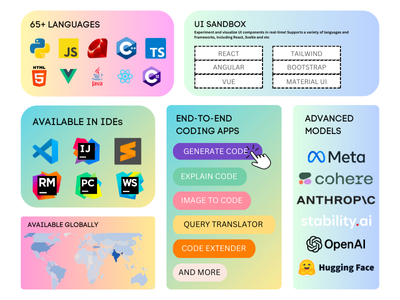
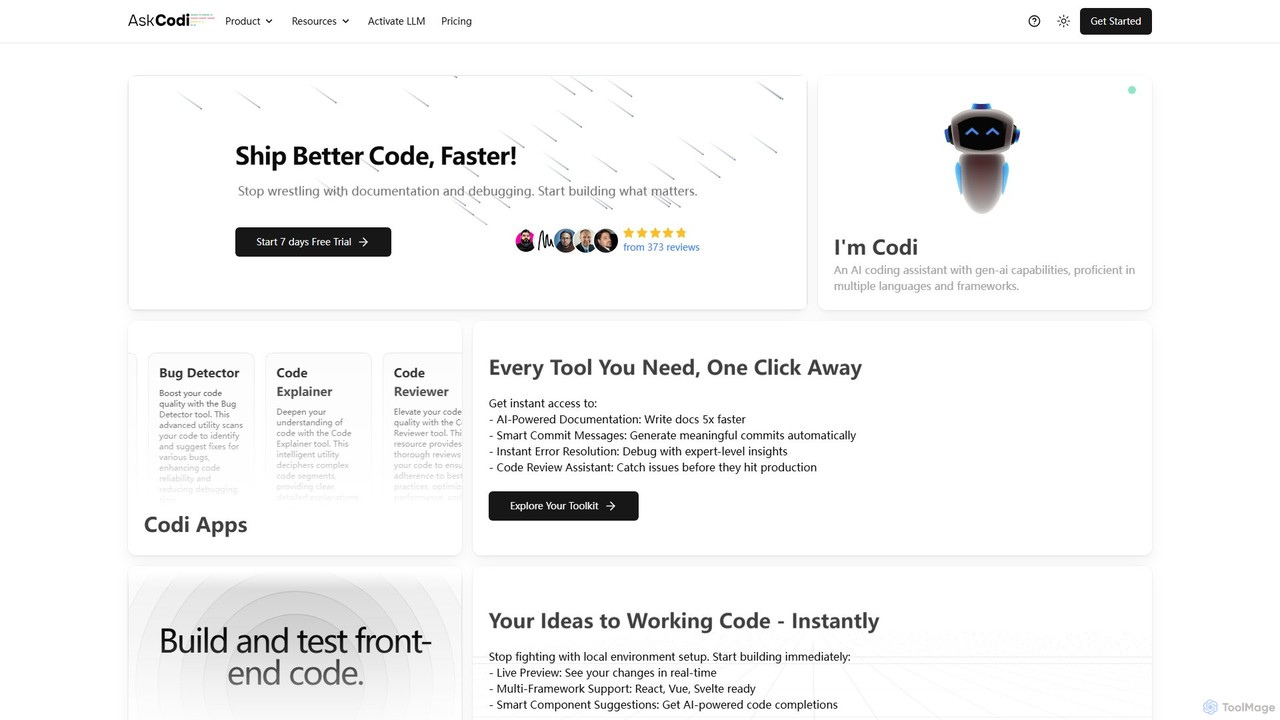
AskCodi is a comprehensive AI-powered code assistant designed to streamline the entire software development lifecycle. It offers a suite of over 20 tools for code generation, refactoring, debugging, testing, and documentation. With integrations for popular IDEs like VSCode and JetBrains, AskCodi helps developers of all skill levels to write better code, faster, and focus on building what matters.

Preview

Devgen Product overview

Devgen is an AI-powered coding assistant designed to accelerate the software development lifecycle. It helps developers write better code faster by providing intelligent code generation, completion, refactoring, and automated testing, directly within their IDE.

Preview

Quick facts

Compare product focus, pricing models and audiences. Highlighted rows indicate different listed information; unknown pricing does not mean free.

AskCodi VS Devgen — Quick facts
Quick factsAskCodiDevgen
Pricing modelFreemiumFreemium
Product typeWebWeb
Primary focusCode AssistantCode Assistant
Audience and rolesNo data availableData Scientist · DevOps Engineer · Product Manager · Software Developer · Software Engineer · Student · Web Developer
CategoriesCode Assistant · Documentation · Testing · Developer ToolsCode Assistant · Testing · Automation
AddedAug 13, 2025Sep 7, 2025
UpdatedNov 19, 2026Nov 19, 2026

Features, usage and use cases

Explore the listed product descriptions, features and workflows. Taxonomy labels alone are not feature evaluations.

AskCodi

AskCodi is an advanced AI-powered development platform designed to serve as a comprehensive assistant for software developers. It goes beyond simple code completion, offering a robust suite of over 20 specialized applications that cover the entire development lifecycle—from initial ideation and code generation to testing, debugging, documentation, and deployment. By integrating powerful AI models from providers like OpenAI, Anthropic, and Meta, AskCodi helps developers streamline repetitive tasks, improve code quality, and significantly accelerate their workflow. Whether you're a beginner learning to code or a seasoned professional building complex systems, AskCodi provides the tools you need to ship better code, faster.

How to use AskCodi

Getting started with AskCodi is straightforward and designed to integrate seamlessly into your existing workflow:

  1. Sign Up & Choose a Plan: Visit the AskCodi website to sign up. You can start with the free plan or opt for a paid plan like Premium or Ultimate, which come with a 7-day free trial to explore all features.
  2. Use the Web Application: The web app provides access to the full suite of "Codi Apps." Here you can generate code snippets, refactor existing functions, write unit tests, create Dockerfiles, generate SQL queries, and much more by simply providing a description of your needs.
  3. Prototype with Codi Sandbox: For front-end development, the Codi Sandbox offers an interactive environment. You can start a project from scratch, use a template, import a GitHub repository, or even describe your idea to the AI and have it generate a starting point. It supports frameworks like React, Vue, and Svelte with a live preview.
  4. Integrate with Your IDE: For maximum productivity, install the AskCodi extension for your favorite IDE (VSCode, JetBrains, Sublime Text). This brings AI-powered assistance directly into your coding environment, providing context-aware suggestions, code generation, and error analysis without switching windows.
  5. Chat with Your Codebase: Use the AI chat feature to interact with your project. You can ask for a summary of a complex file, get an explanation for an error, or request modifications, making it easier to navigate and understand large codebases.

Core Features of AskCodi

  • Comprehensive Code Toolkit: Access over 20 specialized apps including a Code Generator, Code Refactor, Code Fixer, and Language Translator to handle various coding tasks.
  • Automated Testing and Quality Assurance: Generate unit tests automatically with the Unit-Tests Writer, detect bugs with the Bug Detector, get performance insights with the Big-O Analyzer, and ensure best practices with the Code Reviewer.
  • Intelligent Documentation and Explanation: Automatically generate clear code documentation, create meaningful commit messages with the Commit Generator, and understand complex code or error messages with the Code Explainer and Error Explainer.
  • DevOps and Infrastructure Automation: Simplify your deployment pipeline by generating Makefiles, Dockerfiles, Kubernetes configurations, and CI/CD pipeline scripts.
  • Database Management: Effortlessly write complex SQL and NoSQL queries with the Query Writer and manage database structures with the Schema Resolver.
  • Interactive Development Environments: Utilize the Codi Sandbox for live front-end prototyping and the beta Codespaces for a complete, AI-enhanced cloud development environment.
  • Seamless IDE Integration: Native extensions for popular IDEs like VSCode, JetBrains, and Sublime Text provide AI assistance directly within your workflow.
  • Multi-LLM Support: Choose from a wide range of cutting-edge Large Language Models (LLMs) from providers like OpenAI, Anthropic, Meta, and Google to best suit your task.

Use Cases for AskCodi

  • Accelerated Development: Developers can use the Code Generator to quickly create boilerplate code, functions, and classes, significantly reducing development time.
  • Legacy Code Modernization: The Code Refactor and Language Translator tools are perfect for updating old codebases to modern standards and languages, improving maintainability and performance.
  • Enhanced Learning and Onboarding: Junior developers or those new to a project can use the Code Explainer to quickly understand complex algorithms and existing code structures.
  • Streamlined Debugging: Instead of spending hours on cryptic error messages, developers can use the Error Explainer and Bug Detector to identify issues and get suggested fixes instantly.
  • Automated DevOps Processes: DevOps engineers can automate the creation of configuration files for containerization (Dockerfile Writer) and orchestration (Kubernetes Writer), ensuring consistency and reducing manual errors.
  • Improved Code Quality: Teams can enforce coding standards and catch potential issues before production by integrating the Code Reviewer and Unit-Tests Writer into their workflow.

Advantages of AskCodi

  • All-in-One Platform: It consolidates dozens of development tools into a single, cohesive platform, eliminating the need to switch between multiple services.
  • Increased Productivity: By automating mundane and time-consuming tasks like writing tests, documentation, and commit messages, developers can focus on high-impact problem-solving.
  • Context-Aware Assistance: The IDE integrations understand your project's context, providing more relevant and accurate suggestions than generic AI chatbots.
  • Accessible for All: The intuitive interface and clear explanations make it a valuable tool for beginners, while the advanced features and integrations empower professional developers.
  • Flexible and Powerful: The ability to switch between different state-of-the-art LLMs gives users the flexibility to choose the best model for performance, cost, or specific capabilities.

Pricing and Plans

AskCodi offers a freemium model with plans tailored to different needs, all available with a 7-day free trial for paid tiers.

  • Free Plan: Provides access to base AI models (e.g., GPT 4.1 nano, Claude 3.5 Haiku) for fundamental coding tasks.
  • Premium Plan: Priced at $149.99/year, this plan is designed for professionals. It includes 500 AI credits monthly, 10 LLM credits, access to 3 codespaces, all extensions, the autocomplete plugin, and a wider range of advanced AI models.
  • Ultimate Plan: Priced at $349.99/year, this is the comprehensive solution for power users and teams. It offers 1500 AI credits monthly, 25 LLM credits, access to 5 codespaces, and access to the most powerful and latest LLMs available on the platform (e.g., Llama 4 Maverick, Gemini 2.5 Pro).

Devgen

Devgen is a state-of-the-art AI-powered tool designed to be the ultimate pair programmer for software developers, engineers, and data scientists. It integrates seamlessly into your development workflow, aiming to significantly boost productivity, improve code quality, and reduce the time spent on repetitive tasks. By leveraging advanced large language models trained on vast codebases, Devgen understands context, suggests relevant code, and helps solve complex programming challenges in real-time.

How to use Devgen

Using Devgen is straightforward and designed for a frictionless experience. First, sign up on the Devgen website and choose a plan that suits your needs. Then, install the Devgen extension for your favorite Integrated Development Environment (IDE), such as VS Code, JetBrains (IntelliJ, PyCharm), or others. Once installed, log in with your credentials. You can start using Devgen immediately by either writing a comment describing the function you need, and Devgen will generate the code, or by starting to type and letting its intelligent autocompletion suggest the rest. For refactoring or documentation, simply highlight a block of code, right-click, and select the desired action from the Devgen context menu.

Core Features of Devgen

  • AI Code Generation: Generate complex functions, classes, or boilerplate code from simple natural language prompts. Describe what you want to build, and Devgen writes the code for you.
  • Intelligent Code Completion: Goes beyond standard autocompletion by understanding the context of your entire project to suggest whole lines or blocks of code, significantly speeding up the coding process.
  • Code Refactoring & Optimization: Automatically analyze your code and suggest improvements for performance, readability, and adherence to best practices. Refactor legacy code with a single click.
  • Automated Test Generation: Save hours of manual work by automatically generating unit tests, integration tests, and edge case scenarios for your functions and methods.
  • Code Explanation: Highlight any piece of code to get a clear, natural language explanation of what it does, how it works, and potential issues. This is perfect for learning new codebases or complex algorithms.
  • Multi-Language Support: Works seamlessly with a wide range of popular programming languages, including Python, JavaScript, TypeScript, Java, Go, C++, and more.

Use Cases for Devgen

Devgen is versatile and can be applied in various scenarios. For rapid prototyping, developers can quickly scaffold an entire application by describing the core features. In enterprise environments, it helps maintain high code quality and consistency across large teams. Data scientists can use it to generate complex data manipulation scripts and visualization code in Python or R. Students and junior developers can leverage the code explanation feature as a learning tool to understand professional-grade code. DevOps engineers can automate the creation of infrastructure-as-code scripts and CI/CD pipeline configurations.

Advantages of Devgen

The primary advantage of Devgen is the massive productivity boost it offers. By automating mundane coding tasks, it allows developers to focus on high-level problem-solving and application logic. It also acts as a quality gatekeeper, reducing bugs and vulnerabilities by suggesting best practices and generating robust tests. Unlike some competitors, Devgen's contextual awareness is fine-tuned to understand your specific project's architecture, leading to more relevant and accurate suggestions. Its seamless IDE integration ensures that it enhances, rather than disrupts, the natural coding workflow.

Pricing and Plans

Devgen offers a flexible pricing structure to cater to individuals and teams of all sizes.
Free Plan: Perfect for students and hobbyists, offering a limited number of code completions and generations per month.
Pro Plan: Aimed at professional developers, this plan includes unlimited code generation, advanced features like whole-project context analysis, and priority support.
Enterprise Plan: Designed for organizations, this plan provides everything in Pro, plus features like on-premise deployment, advanced security controls, centralized billing, and dedicated team support.

Positioning

Their taxonomy shows where the products overlap and where each one has a more distinct focus. Unknown fields are shown explicitly and are never filled with assumptions.

Categories

Shared
Code AssistantTesting
Only AskCodi
DocumentationDeveloper Tools
Only Devgen
Automation

Tags

Shared
ai pair programmercode generationide extensionunit testing
Only AskCodi
code explanationcode refactoringcode reviewdebuggingdevopsdockerdocumentationkubernetesSQL
Only Devgen
AI assistantcode completiondeveloper toolprogrammingrefactoringsoftware development

Audience and roles

Shared
No listed items
Only AskCodi
No listed items
Only Devgen
Data ScientistDevOps EngineerProduct ManagerSoftware DeveloperSoftware EngineerStudentWeb Developer

Traffic comparison

Traffic is shown on the same scale so differences in market visibility are not visually understated.

How to interpret the traffic data

Both charts share the same months and vertical scale. Each tool identifies its latest reporting month; missing months are left blank, not counted as zero. Regional and source visit counts are estimates calculated from the reported shares.

AskCodi monthly traffic:

Latest traffic · 2026-05

Monthly visits
54.6K
Avg. visit duration
0:25
Pages per visit
2.94
Bounce rate
36.99%
Data updated 2026-06-15

Monthly traffic trend

  • 2025-09: 58K
  • 2026-01: 48.9K
  • 2026-02: 45.2K
  • 2026-03: 37.7K
  • 2026-04: 40.3K
  • 2026-05: 54.6K

Top regions

Top 5 countries/regions
Country/regionPercentageEstimated visits
🇷🇺Russia37.69%20.6K
🇮🇳India21.91%12K
🇺🇸United States14.02%7.7K
🇳🇬Nigeria13.56%7.4K
🇮🇩Indonesia12.82%7K

Search keywords

ask code aiaskcodicontinue devcontinue dev add codexsakcodi

Devgen

No data available

Community signals

Ratings, comments, favorites, and likes are community signals—not a substitute for product fit.

AskCodi

Rating
No data available
Comments
0
Favorites
203
Likes
213

Devgen

Rating
No data available
Comments
0
Favorites
215
Likes
197

AskCodi vs Devgen · Comparison FAQ

What do AskCodi and Devgen have in common?
Both tools are listed under Code Assistant、Testing. These categories indicate overlapping use cases; compare their detailed descriptions for workflows, capabilities and limitations.
Are AskCodi and Devgen free?
Listed pricing models: AskCodi — Freemium; Devgen — Freemium. Missing pricing is not proof of a free plan, and freemium does not mean every feature is free. Check official sites for current plans, limits and trials.
How should I choose between AskCodi and Devgen?
The primary listed category is Code Assistant for AskCodi, and Code Assistant for Devgen. Compare features, steps and use cases, then verify pricing, data permissions and deployment needs. This page does not include hands-on testing and does not declare a winner from traffic or tags.

Sources and comparison methodology

This page is assembled from ToolMage product listings, taxonomy, traffic statistics and on-site user feedback. It is not a hands-on test or an independent review.

  • Feature and plan descriptions reflect information in the listings, not real-time guarantees. Verify pricing, quotas, availability and privacy terms on the official sites.
  • Traffic uses the reporting months shown. Missing statistics do not mean zero visits, and different periods do not establish growth or superiority. Regional and source visit counts are estimates based on shares.
  • Different tags indicate differences in the listings, not proof that the other product lacks a capability. Ratings, favorites and visits are not used to declare a winner.

Related comparisons