ToolMage
Sign in

AI TOOL COMPARISON

Assistant-ui vs FireCMS

What is the difference, and which fits your workflow? Compare features, usage, pricing models and traffic side by side.

Jump to key differences

Product overview

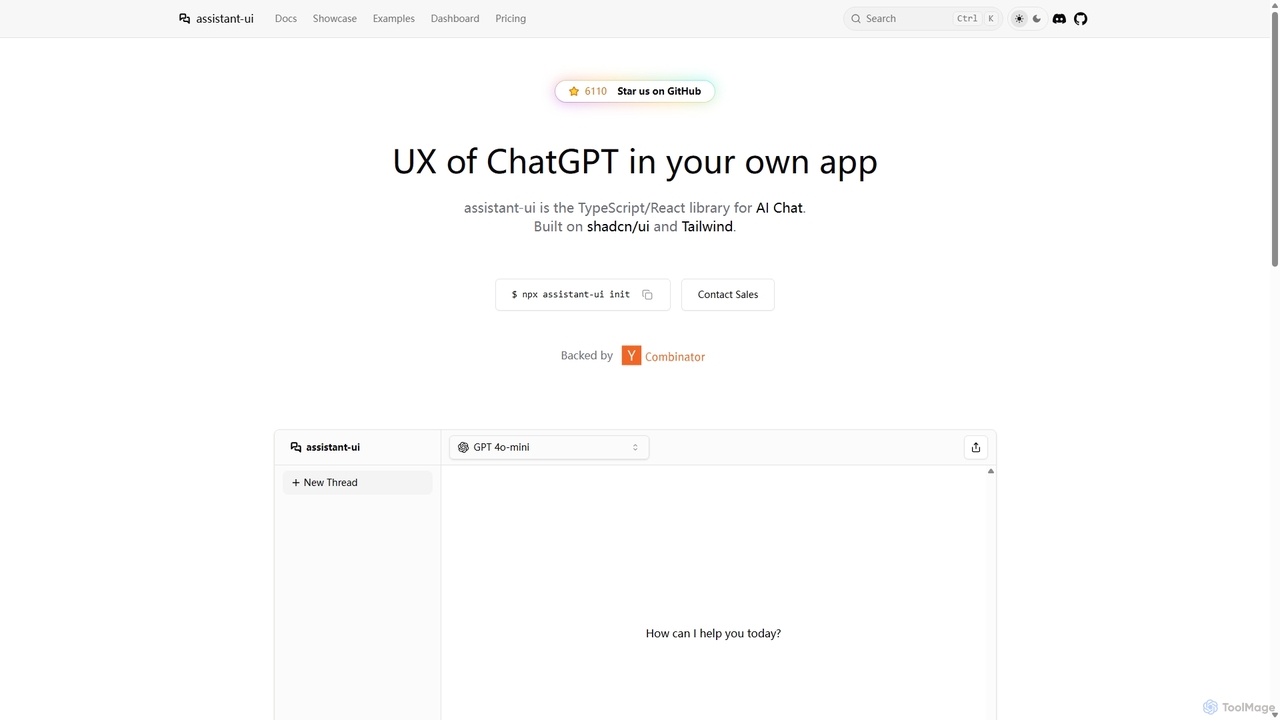
Assistant-ui Product overview

Assistant-ui is an open-source TypeScript/React library for rapidly building high-quality, customizable AI chat interfaces. Built on shadcn/ui and Tailwind CSS, it provides developers with pre-built components to integrate a ChatGPT-like experience into any application, supporting various backends and advanced features like generative UI.

Preview

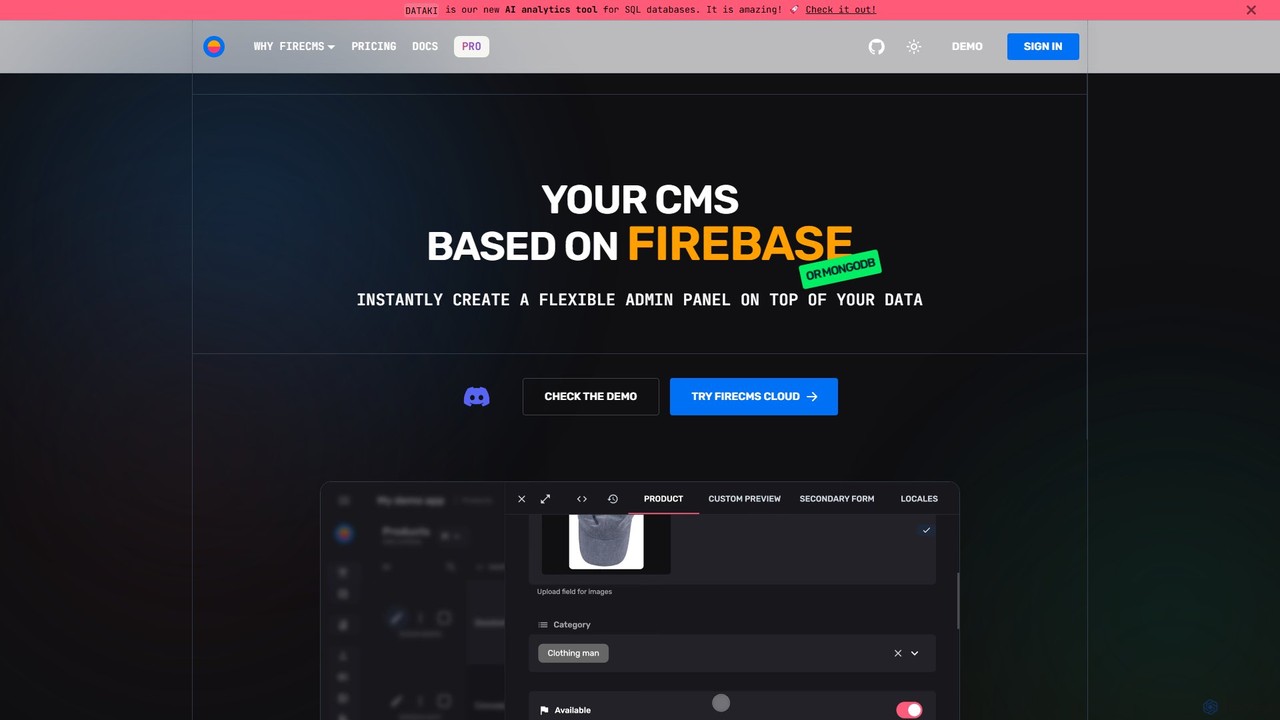
FireCMS Product overview

FireCMS is an open-source, headless CMS and admin panel builder for Firebase and MongoDB. It enables developers and startups to instantly create flexible, powerful back-office applications with an intuitive, Airtable-like interface. Featuring AI-powered data queries, automatic schema detection, extensive customization with React, and a rich content editor, FireCMS streamlines development and content management, offering both cloud and self-hosted solutions.

Preview

Quick facts

Compare product focus, pricing models and audiences. Highlighted rows indicate different listed information; unknown pricing does not mean free.

Assistant-ui VS FireCMS — Quick facts
Quick factsAssistant-uiFireCMS
Pricing modelFreemiumFreemium
Product typeWebWeb
Primary focusLibrariesContent Management System
Audience and rolesFrontend Developer · Full-Stack Developer · Product Manager · Software Developer · Startup Founder · UI/UX DesignerNo data available
CategoriesLibraries · No Code & Low CodeContent Management System · Database · No Code & Low Code
AddedSep 24, 2025Aug 12, 2025
UpdatedNov 19, 2026Nov 19, 2026

Features, usage and use cases

Explore the listed product descriptions, features and workflows. Taxonomy labels alone are not feature evaluations.

Assistant-ui

Assistant-ui is a powerful open-source TypeScript/React library designed to help developers effortlessly build sophisticated, conversational AI interfaces. It provides a comprehensive suite of pre-built, customizable UI components that replicate the polished user experience of leading platforms like ChatGPT. Built on the modern foundations of shadcn/ui and Tailwind CSS, it allows for deep customization to match any application's branding and style.

The core mission of Assistant-ui is to significantly reduce the development time required to create production-ready chat UIs. Instead of building complex features like message streaming, message branching, editing, and markdown rendering from scratch, developers can leverage Assistant-ui's components to get a feature-rich interface running in hours, not weeks. The library is backend-agnostic, seamlessly integrating with the Vercel AI SDK to support a wide array of LLM providers, including OpenAI, Anthropic, Google Gemini, Azure, AWS Bedrock, and even local models via Ollama.

How to use Assistant-ui

Integrating Assistant-ui into a project is straightforward for React developers. The process typically involves these steps:

  1. Initialization: You can start a new project with a pre-configured template or add Assistant-ui to an existing React project using a single CLI command: npx Assistant-ui@latest init. This command intelligently sets up the necessary dependencies and components.
  2. Backend Setup: Create an API endpoint in your application (e.g., a Next.js route handler). This endpoint will use the Vercel AI SDK to connect to your chosen language model provider (like OpenAI). You'll need to add your provider's API key to your environment variables.
  3. Frontend Integration: In your React application, import the necessary components from Assistant-ui, such as Thread and ThreadList. Wrap your application or the chat section with the AssistantRuntimeProvider, which manages the state and communication with your backend API.
  4. Customization: Since the components are built with Tailwind CSS and shadcn/ui, you can easily customize their appearance by modifying CSS variables or using Tailwind utility classes to fit your design system.

Core Features of Assistant-ui

  • Comprehensive UI Components: A rich set of components including threads, message lists, composers, action bars, and modals to build a complete chat experience.
  • Generative UI: Go beyond simple text responses. The library supports rendering rich, interactive UI components directly in the chat stream for tool executions.
  • Backend Agnostic: Full compatibility with the Vercel AI SDK, allowing you to connect to dozens of LLM providers like OpenAI, Anthropic, Cohere, Groq, and more.
  • Advanced Chat Features: Out-of-the-box support for message editing, message branching (exploring different conversation paths), attachments, LaTeX rendering, and speech-to-text.
  • Highly Customizable: Built on shadcn/ui and Tailwind CSS, offering complete control over the look and feel.
  • Open Source: The UI library is completely free, open-source (MIT License), and backed by a growing community of developers.
  • Optional Managed Backend (assistant-cloud): For developers who need persistent chat history and thread management without building their own backend, assistant-cloud offers a fully managed solution.

Use Cases for Assistant-ui

Assistant-ui is versatile and can be used to build a wide range of AI-powered applications:

  • In-App AI Assistants: Integrate a helpdesk chatbot, a feature guide, or a data analysis assistant directly into your SaaS application.
  • AI-Powered Developer Tools: Companies like Helicone and Entelligence use it to build observability platforms and software engineering assistants.
  • Customer Support Chatbots: Create sophisticated chatbots for websites to answer customer queries, handle support tickets, and provide 24/7 assistance.
  • Educational Tools: Build interactive learning platforms where students can converse with an AI tutor.
  • Content Generation Tools: Develop applications that help users draft emails, write articles, or generate code through a conversational interface.
  • Rapid Prototyping: Quickly build and demonstrate AI concepts and MVPs for hackathons or stakeholder presentations.

Advantages of Assistant-ui

The primary advantage of Assistant-ui is its ability to accelerate development. Developers can save hundreds of hours by using its production-ready components. The UX is professionally designed, ensuring a high-quality, intuitive experience for end-users. Its open-source nature provides transparency and flexibility, while the optional cloud backend offers a scalable path for projects that require persistence. The strong community and detailed documentation make it easy for developers to get started and find support.

Pricing and Plans

Assistant-ui follows a freemium model, clearly separating the open-source library from its managed cloud service:

  • Assistant-ui (Library): This is the core TypeScript/React library. It is Forever Free & Open Source under the MIT License. This includes all UI components and allows you to bring your own backend.
  • assistant-cloud (Managed Backend): This is an optional service for chat history and thread management.
    • Free Plan: Includes up to 200 Monthly Active Users (MAU), chat history, and thread management. Ideal for small projects and startups.
    • Pro Plan: Priced at $50/month for 500 MAU, with additional users costing $0.10 each. This plan includes all free features plus early access to new features.
    • Enterprise Plan: Custom pricing for large-scale applications. It offers features like integration with your own backend, data replication, dedicated support, a 99.99% uptime SLA, and on-premises deployment options.

FireCMS

FireCMS is a comprehensive, open-source platform designed to build powerful back-office applications and admin panels on top of Firebase or MongoDB backends. It transcends the traditional definition of a CMS, offering a highly extensible and customizable headless solution for developers, startups, and agencies. By providing an intuitive, Airtable-like user interface with inline editing and real-time updates, FireCMS significantly simplifies data management and content creation, allowing teams to focus on their core application logic rather than building internal tools from scratch.

How to use FireCMS

Getting started with FireCMS is designed to be a swift and straightforward process, whether you opt for the managed cloud service or a self-hosted solution.

  1. Connect Your Project: For the Cloud version, you simply connect your Firebase or MongoDB project. FireCMS can help set up a Service Account to establish a secure connection.
  2. Define Your Data Models: You have two powerful options. Let FireCMS automatically infer your data structure from your existing database, or use the intuitive visual schema editor to manually define collections, fields, and relationships. For developers, schemas can be defined in TypeScript for complete type safety.
  3. Go Live Instantly: Once your models are defined, your fully functional, production-ready admin panel or CMS is immediately accessible. For self-hosted versions, you can initialize a fully customizable project using the command npx create-firecms-app, giving you granular control over components, business logic, and authentication.

Core Features of FireCMS

  • AI-Powered Data Interaction: Engage with your data using natural language. The "DataTalk" feature allows you to ask questions like "Count users who signed up last month," and it generates the necessary code and results instantly. It also offers AI-powered content autofill using GPT models to streamline data entry.
  • Flexible Data Modeling: Features automatic schema detection, an intuitive drag-and-drop schema editor, and the ability to define schemas in TypeScript for robust type safety. It supports over 20 field types and advanced validation options.
  • Advanced Editing Experience: Provides a best-in-class UX with a choice between a spreadsheet-like view for quick edits and powerful, detailed forms. It also includes a Notion-style rich text editor for creating articles, blogs, and documentation.
  • High Extensibility and Customization: Built with React, FireCMS allows you to extend the CMS with your own custom components. Create custom property fields, entity views, or navigation items to perfectly match your project's needs.
  • Seamless Backend Integration: Natively supports Firebase/Firestore and MongoDB Atlas, leveraging their full power and scalability. It does not impose any specific data structure, making it compatible with any existing project.
  • Efficient Data Management: Includes streamlined tools for data import and export. You can easily import data from CSV, JSON, or Excel files, with automatic data type detection and conversion.
  • Comprehensive Change History: Tracks all modifications made to your data, ensuring data integrity and allowing you to revert to previous states if necessary.
  • User and Role Management: Provides tools to manage users and define roles, ensuring secure and granular access control to your data.

Use Cases for FireCMS

FireCMS is versatile and caters to a wide range of users:

  • Developers: Rapidly build internal tools, CRUD interfaces, and complex back-offices without the hassle of frontend development, allowing them to focus on core business logic.
  • Startups: Get an MVP's admin panel or a basic CMS up and running in minutes instead of weeks, enabling fast iteration and efficient data management from day one.
  • Agencies: Deliver custom, reliable, and scalable back-office solutions for clients, built on the robust infrastructure of Google Cloud and MongoDB Atlas.
  • Content Managers: Enjoy a best-in-class user experience for managing application data and rich content through an intuitive and easy-to-use interface.

Advantages of FireCMS

FireCMS stands out for its speed, flexibility, and developer-first approach. Its ability to generate a functional admin panel instantly saves significant development time. The open-source nature provides transparency and freedom, while the high level of customization with React ensures it can be tailored to any specific requirement. Testimonials from users at Microsoft and IKEA highlight its superior user experience compared to competitors and its flexibility in integration.

Pricing and Plans

FireCMS offers a flexible pricing structure to suit different needs:

  • Community (Free): A self-hosted, MIT-licensed plan. It includes the first-class CMS/admin panel, integration with Firebase/MongoDB, access to 40+ components, and full CMS customization. Ideal for individual developers and open-source projects.
  • FireCMS Cloud (€9.99/user/month): A fully managed, no-code/low-code solution with a one-month free trial. It includes everything in the Community plan plus user and role management, data import/export, theme customization, and AI content generation.
  • PRO (€49.99/project/month): The ultimate self-hosted solution for startups, agencies, and enterprises. It unlocks all features, including the visual schema editor, advanced data import/export, custom authentication, priority support, and full access to all FireCMS plugins.

Positioning

Their taxonomy shows where the products overlap and where each one has a more distinct focus. Unknown fields are shown explicitly and are never filled with assumptions.

Categories

Shared
No Code & Low Code
Only Assistant-ui
Libraries
Only FireCMS
Content Management SystemDatabase

Tags

Shared
developer toolsopen sourcereacttypescript
Only Assistant-ui
AI chatchatbotconversational AIShadCNTailwind CSSUI libraryvercel ai sdk
Only FireCMS
admin paneldatabase managementFirebasefirestoreheadless CMSlow-codemongodbno-code

Audience and roles

Shared
No listed items
Only Assistant-ui
Frontend DeveloperFull-Stack DeveloperProduct ManagerSoftware DeveloperStartup FounderUI/UX Designer
Only FireCMS
No listed items

Traffic comparison

Traffic is shown on the same scale so differences in market visibility are not visually understated.

How to interpret the traffic data

Both charts share the same months and vertical scale. Each tool identifies its latest reporting month; missing months are left blank, not counted as zero. Regional and source visit counts are estimates calculated from the reported shares.

Assistant-ui monthly traffic:

Latest traffic · 2026-05

Monthly visits
78.2K
Avg. visit duration
1:32
Pages per visit
3.9
Bounce rate
41.63%
Data updated 2026-06-15

Monthly traffic trend

  • 2025-09: 54.5K
  • 2026-01: 96.6K
  • 2026-02: 68.6K
  • 2026-03: 77.9K
  • 2026-04: 89.3K
  • 2026-05: 78.2K

Top regions

Top 5 countries/regions
Country/regionPercentageEstimated visits
🇺🇸United States40.8%31.9K
🇮🇳India21.16%16.6K
🇨🇳China14.97%11.7K
🇷🇺Russia14.13%11.1K
🇩🇪Germany8.94%7K

Traffic sources

Source typePercentageEstimated visits
Direct79.17%61.9K
Referral20.83%16.3K

Search keywords

:assistant-uiassistant uiassistant-ui@assistant-ui/reactchat ui

FireCMS monthly traffic:

Latest traffic · 2026-05

Monthly visits
28.4K
Avg. visit duration
1:19
Pages per visit
2.75
Bounce rate
39.17%
Data updated 2026-06-15

Monthly traffic trend

  • 2025-09: 28.6K
  • 2026-01: 17.6K
  • 2026-02: 15.7K
  • 2026-03: 14.8K
  • 2026-04: 21.2K
  • 2026-05: 28.4K

Top regions

Top 5 countries/regions
Country/regionPercentageEstimated visits
🇩🇪Germany39.19%11.1K
🇮🇳India20.68%5.9K
🇷🇺Russia15.93%4.5K
🇺🇸United States13.31%3.8K
🇧🇷Brazil10.89%3.1K

Traffic sources

Source typePercentageEstimated visits
Direct98.93%28.1K
Email1.07%304

Search keywords

firebasefirecmsfirecms docsfriecms playconsole firebasegradient generator

Community signals

Ratings, comments, favorites, and likes are community signals—not a substitute for product fit.

Assistant-ui

Rating
No data available
Comments
0
Favorites
191
Likes
170

FireCMS

Rating
No data available
Comments
0
Favorites
156
Likes
156

Assistant-ui vs FireCMS · Comparison FAQ

What do Assistant-ui and FireCMS have in common?
Both tools are listed under No Code & Low Code. These categories indicate overlapping use cases; compare their detailed descriptions for workflows, capabilities and limitations.
Are Assistant-ui and FireCMS free?
Listed pricing models: Assistant-ui — Freemium; FireCMS — Freemium. Missing pricing is not proof of a free plan, and freemium does not mean every feature is free. Check official sites for current plans, limits and trials.
How should I choose between Assistant-ui and FireCMS?
The primary listed category is Libraries for Assistant-ui, and Content Management System for FireCMS. Compare features, steps and use cases, then verify pricing, data permissions and deployment needs. This page does not include hands-on testing and does not declare a winner from traffic or tags.

Sources and comparison methodology

This page is assembled from ToolMage product listings, taxonomy, traffic statistics and on-site user feedback. It is not a hands-on test or an independent review.

  • Feature and plan descriptions reflect information in the listings, not real-time guarantees. Verify pricing, quotas, availability and privacy terms on the official sites.
  • Traffic uses the reporting months shown. Missing statistics do not mean zero visits, and different periods do not establish growth or superiority. Regional and source visit counts are estimates based on shares.
  • Different tags indicate differences in the listings, not proof that the other product lacks a capability. Ratings, favorites and visits are not used to declare a winner.

Related comparisons