Augment Code
Code Generation
AI TOOL COMPARISON
What is the difference, and which fits your workflow? Compare features, usage, pricing models and traffic side by side.
Code Generation
Code Generation
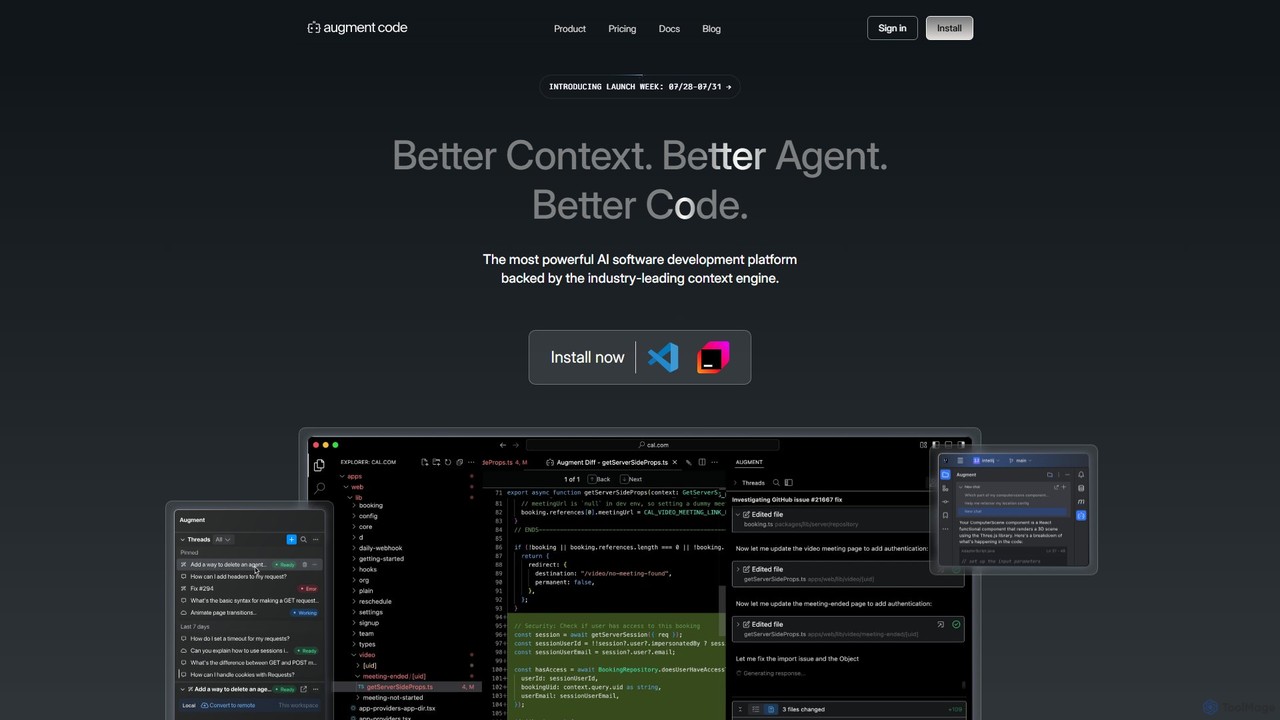
Augment Code is an advanced AI software development platform featuring autonomous agents and a powerful context engine. It integrates into your IDE to help you plan, build, and ship production-ready code faster, with a strong focus on enterprise-grade security and deep codebase understanding.
Safurai is an AI-powered IDE extension that acts as a virtual assistant for software developers. It helps with coding, debugging, and refactoring, aiming to streamline the development process and improve code quality directly within your favorite IDE like VS Code and JetBrains.
Compare product focus, pricing models and audiences. Highlighted rows indicate different listed information; unknown pricing does not mean free.
| Quick facts | Augment Code | Safurai |
|---|---|---|
| Pricing model | Freemium | Freemium |
| Product type | Extensions | Extensions |
| Primary focus | Code Generation | Code Generation |
| Audience and roles | No data available | No data available |
| Categories | Code Generation · Code Assistant · Developer Tools | Code Generation · Code Assistant · Developer Tools |
| Added | Aug 5, 2025 | Aug 8, 2025 |
| Updated | Nov 19, 2026 | Nov 19, 2026 |
Explore the listed product descriptions, features and workflows. Taxonomy labels alone are not feature evaluations.
Augment Code is a cutting-edge AI software development platform designed for professional engineers and enterprise teams. It goes beyond simple code completion by offering autonomous AI agents that can handle complex software development tasks from end to end. Powered by an industry-leading context engine, Augment Code deeply understands your entire codebase, including its history and dependencies, to generate high-quality, production-ready code.
The platform is built to seamlessly integrate into a developer's existing workflow. It operates directly within popular IDEs and supports a wide range of tools and integrations, ensuring that developers can leverage its power without disrupting their processes. With a strong emphasis on security and privacy, Augment Code is SOC 2 Type II and ISO/IEC 42001 certified, making it a trusted choice for organizations that handle sensitive data.
Getting started with Augment Code is straightforward. First, you install the extension for your preferred IDE, such as Visual Studio Code, JetBrains IDEs, Vim, or Neovim. Once installed, you can interact with the AI in several ways:
Augment Code is versatile and can be applied to numerous software development scenarios:
Augment Code stands out from other AI coding tools due to its focus on real-world, complex software development. Its primary advantages include its deep contextual understanding, which leads to higher quality code, and its autonomous agents, which significantly boost developer productivity by automating entire tasks, not just single lines of code. The platform's unwavering commitment to enterprise-grade security and privacy makes it a reliable partner for businesses of all sizes.
Augment Code offers a tiered pricing structure to suit different needs, from individual developers to large enterprises.
A 7-day free trial is available for the Developer plan.
Safurai is an advanced AI code assistant designed to integrate seamlessly into your Integrated Development Environment (IDE), serving as a powerful partner for software developers. It leverages state-of-the-art artificial intelligence to understand code context, provide intelligent suggestions, and automate repetitive tasks. The primary goal of Safurai is to significantly boost developer productivity, reduce the time spent on debugging, and enhance overall code quality. By functioning as an extension for popular IDEs such as Visual Studio Code and the entire JetBrains suite, Safurai ensures that developers don't need to switch contexts or leave their familiar coding environment to access powerful AI capabilities.
Using Safurai is straightforward and designed to be intuitive for any developer. First, you need to install the Safurai extension from the marketplace of your preferred IDE (e.g., VS Code Marketplace or JetBrains Marketplace). Once installed, you can interact with the AI assistant in several ways. You can highlight a block of code and use a right-click context menu or keyboard shortcuts to access Safurai's features. For instance, you can ask Safurai to explain the selected code, find potential bugs, suggest refactoring improvements, or generate documentation. You can also open a dedicated Safurai chat panel to ask programming questions, request new code snippets from a natural language prompt, or get help with complex algorithms, all without ever leaving your editor.
Safurai is versatile and benefits a wide range of users. For senior developers, it acts as a productivity multiplier, automating mundane tasks like writing boilerplate code and documentation, allowing them to focus on complex problem-solving. For junior developers and students, it serves as an invaluable learning tool, offering explanations for unfamiliar code and guiding them toward best practices. Development teams use Safurai to maintain a consistent code style and quality across projects. DevOps engineers can use it to quickly write and debug scripts for automation and infrastructure management.
The main advantage of Safurai is its focus on a streamlined, in-IDE workflow. Unlike other tools that may require switching to a web browser, Safurai keeps everything within the editor, preserving the developer's focus and flow state. It is context-aware, meaning its suggestions are highly relevant to the specific project and code you are working on. This leads to more accurate code generation and more effective debugging. By simplifying complex tasks and providing instant support, Safurai not only boosts efficiency but also reduces developer frustration and burnout.
Safurai operates on a freemium model. It offers a free tier that provides access to core features with certain usage limits, making it accessible for individual developers, students, and small projects. For professional developers and teams requiring more extensive capabilities, higher usage limits, and priority support, there is a Pro plan available through a monthly or annual subscription. The specific details of the pricing and features included in each plan are available on the official Safurai website.
Their taxonomy shows where the products overlap and where each one has a more distinct focus. Unknown fields are shown explicitly and are never filled with assumptions.
Traffic is shown on the same scale so differences in market visibility are not visually understated.
Both charts share the same months and vertical scale. Each tool identifies its latest reporting month; missing months are left blank, not counted as zero. Regional and source visit counts are estimates calculated from the reported shares.
| Country/region | Percentage | Estimated visits |
|---|---|---|
| 🇺🇸United States | 56.75% | 308.4K |
| 🇮🇳India | 17.56% | 95.4K |
| 🇨🇳China | 10.67% | 58K |
| 🇬🇧United Kingdom | 8.34% | 45.3K |
| 🇩🇪Germany | 6.68% | 36.3K |
| Source type | Percentage | Estimated visits |
|---|---|---|
| Direct | 76.45% | 415.5K |
| Referral | 19.36% | 105.2K |
| 4.19% | 22.8K |
No data available
Ratings, comments, favorites, and likes are community signals—not a substitute for product fit.
This page is assembled from ToolMage product listings, taxonomy, traffic statistics and on-site user feedback. It is not a hands-on test or an independent review.