ToolMage
Sign in

AI TOOL COMPARISON

Augment Code vs Codebuff

What is the difference, and which fits your workflow? Compare features, usage, pricing models and traffic side by side.

Jump to key differences

Product overview

Augment Code Product overview

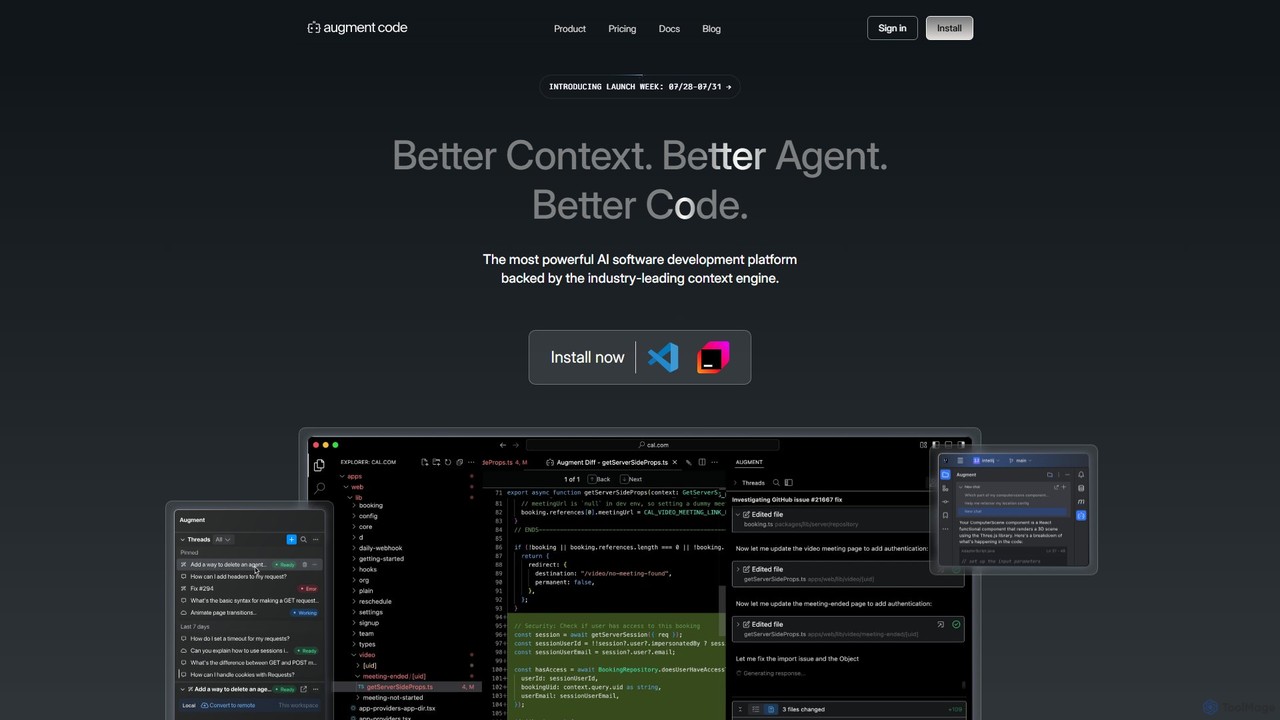
Augment Code is an advanced AI software development platform featuring autonomous agents and a powerful context engine. It integrates into your IDE to help you plan, build, and ship production-ready code faster, with a strong focus on enterprise-grade security and deep codebase understanding.

Preview

Codebuff Product overview

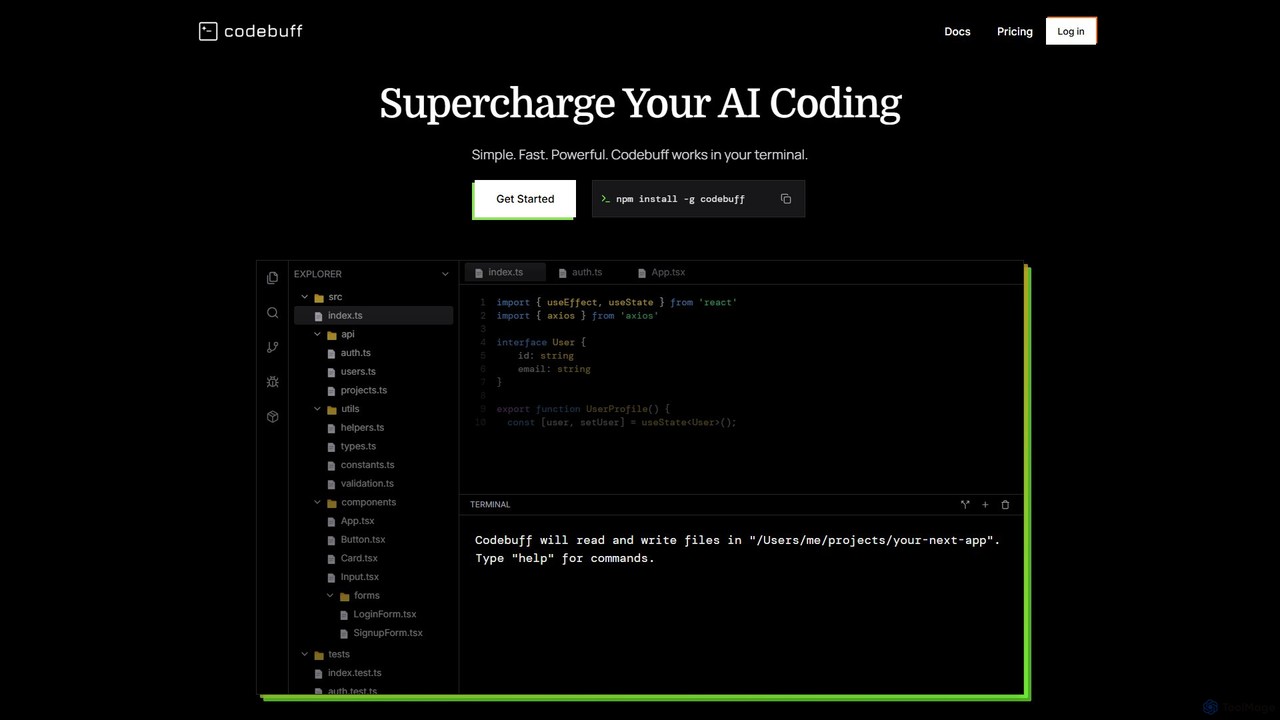
Codebuff is a powerful AI coding assistant that operates directly in your terminal. It deeply understands your entire codebase, enabling it to perform complex tasks like surgical code edits, feature implementation, and large-scale refactoring with unparalleled speed and accuracy. It learns from your project context and integrates seamlessly into any tech stack.

Preview

Quick facts

Compare product focus, pricing models and audiences. Highlighted rows indicate different listed information; unknown pricing does not mean free.

Augment Code VS Codebuff — Quick facts
Quick factsAugment CodeCodebuff
Pricing modelFreemiumFreemium
Product typeExtensionsApp
Primary focusCode GenerationCode Generation
Audience and rolesNo data availableNo data available
CategoriesCode Generation · Code Assistant · Developer ToolsCode Generation · Code Assistant · Developer Tools
AddedAug 5, 2025Aug 4, 2025
UpdatedNov 19, 2026Nov 19, 2026

Features, usage and use cases

Explore the listed product descriptions, features and workflows. Taxonomy labels alone are not feature evaluations.

Augment Code

Augment Code is a cutting-edge AI software development platform designed for professional engineers and enterprise teams. It goes beyond simple code completion by offering autonomous AI agents that can handle complex software development tasks from end to end. Powered by an industry-leading context engine, Augment Code deeply understands your entire codebase, including its history and dependencies, to generate high-quality, production-ready code.

The platform is built to seamlessly integrate into a developer's existing workflow. It operates directly within popular IDEs and supports a wide range of tools and integrations, ensuring that developers can leverage its power without disrupting their processes. With a strong emphasis on security and privacy, Augment Code is SOC 2 Type II and ISO/IEC 42001 certified, making it a trusted choice for organizations that handle sensitive data.

How to use Augment Code

Getting started with Augment Code is straightforward. First, you install the extension for your preferred IDE, such as Visual Studio Code, JetBrains IDEs, Vim, or Neovim. Once installed, you can interact with the AI in several ways:

  • AI Chat: Use the chat interface to ask questions about your codebase, request code snippets, or get help with debugging. You can even provide context using screenshots or wireframes.
  • Codebase-Aware Autocomplete: As you type, Augment Code provides intelligent, context-aware suggestions that go far beyond standard autocompletion.
  • Autonomous Agents: For more complex tasks, you can delegate work to a local or remote AI agent. Simply provide a high-level prompt describing the feature or fix you need. The agent will then create a plan, write the code, run commands in the terminal (with your approval), and even open a pull request for you to review.

Core Features of Augment Code

  • Autonomous Software Agents: Deploy local or remote agents to perform end-to-end development tasks, from planning to creating pull requests.
  • Proprietary Context Engine: A real-time index of your entire codebase, including commit history, ensures that all AI suggestions and actions are highly relevant and accurate.
  • Seamless IDE Integration: Native support for Visual Studio Code, JetBrains IDEs, Vim, and Neovim.
  • Terminal Integration: Agents can execute commands in your terminal, with approval, to perform tasks like running tests or installing dependencies.
  • Multi-modal Input: Enhance prompts with screenshots and wireframes to provide clearer visual context to the AI.
  • Enterprise-Grade Security: SOC 2 Type II and ISO/IEC 42001 certified, with a commitment to data privacy. Your code is never used for training on paid plans.
  • Customization and Memory: Tailor the AI to your team's best practices, coding style, and preferences through memories and rules.
  • Smart Apply & Next Edit: Intelligently applies suggestions from chat and understands the ripple effects of code changes across the codebase.

Use Cases for Augment Code

Augment Code is versatile and can be applied to numerous software development scenarios:

  • Complex Feature Development: Delegate the implementation of new features to an agent, freeing up developers to focus on architecture and planning.
  • Legacy Code Refactoring: Analyze and modernize large, complex, or outdated codebases with AI assistance.
  • Automated Bug Fixing: Describe a bug, and let the agent identify the root cause and generate a fix.
  • Automated Code Documentation: Generate comprehensive and accurate documentation for your codebase automatically.
  • Accelerated Testing: Create unit tests, integration tests, and end-to-end tests for new and existing code.
  • Developer Onboarding: Help new team members get up to speed on a large codebase quickly by using the AI to answer questions and explain complex parts of the code.

Advantages of Augment Code

Augment Code stands out from other AI coding tools due to its focus on real-world, complex software development. Its primary advantages include its deep contextual understanding, which leads to higher quality code, and its autonomous agents, which significantly boost developer productivity by automating entire tasks, not just single lines of code. The platform's unwavering commitment to enterprise-grade security and privacy makes it a reliable partner for businesses of all sizes.

Pricing and Plans

Augment Code offers a tiered pricing structure to suit different needs, from individual developers to large enterprises.

  • Community Plan: Free. Perfect for getting started with essential features, includes up to 50 user messages per month. AI training may be performed on data from this plan.
  • Developer Plan: $50/month. For individuals and small teams, includes up to 600 user messages, team management, and SOC 2 Type II compliance. No AI training on your data.
  • Pro Plan: $100/month. Increased message limits (1500/month) for more active users.
  • Max Plan: $250/month. For power users, with up to 4500 user messages per month.
  • Enterprise Plan: Custom pricing. For large teams with high volume, security, or support needs. Offers bespoke message limits, Slack integration, SSO, dedicated support, and volume discounts. No AI training on your data.

A 7-day free trial is available for the Developer plan.

Codebuff

Codebuff is a next-generation AI coding agent designed to supercharge your development workflow directly from the terminal. Unlike other AI tools that operate in a separate window or have limited context, Codebuff indexes and deeply understands your entire codebase in seconds. This total codebase awareness allows it to generate highly accurate and context-aware code, perform precise edits, and execute complex refactoring tasks that other tools struggle with. It's built for professional developers who demand speed, precision, and seamless integration into their existing environment.

By building a complete map of your project, including hidden dependencies and structural patterns, Codebuff delivers solutions that respect your project's architecture and coding style. It continuously learns from your interactions, storing project-specific knowledge in human-readable Markdown files (`knowledge.md`). This persistent memory means you don't have to repeat yourself, and the assistant becomes more effective and tailored to your needs over time.

How to use Codebuff

Getting started with Codebuff is straightforward and designed for a hassle-free setup. It works with any tech stack and doesn't require special environments.

  1. Installation: Install Codebuff globally using npm with a single command: npm install -g codebuff. You'll need Node.js version 18 or higher.
  2. Initialization: Navigate to your project's root directory in the terminal and simply run the command: codebuff. The tool will automatically index your codebase.
  3. Interaction: Once running, you can interact with Codebuff using natural language prompts. Ask it to add features, write tests, refactor code, or even run terminal commands. For example, you can ask it to "implement a dark/light mode toggle" or "refactor the user authentication service to use a new database schema."
  4. Configuration (Advanced): For more control, you can create a .codebuffignore file to exclude specific files/folders from its context, similar to .gitignore. You can also create a codebuff.json file to configure startup processes, file change hooks, and agent behavior, turning Codebuff into a central hub for your development environment.

Core Features of Codebuff

  • Total Codebase Awareness: Indexes your entire project in seconds to build a deep understanding of its structure, dependencies, and patterns.
  • Surgical Code Edits: Makes precise, pinpoint changes to your files while respecting existing code style and architecture, rather than rewriting entire files.
  • Terminal-Native Interface: Works directly in your command line, integrating seamlessly into your existing workflow without needing a separate IDE or editor.
  • Continuous Learning: Persists project knowledge and conversation context in knowledge.md files, allowing it to learn and improve with every session.
  • Multi-Model Architecture: Intelligently uses a combination of top-tier AI models (including Claude Sonnet, Gemini Pro, and Gemini Flash) to select the best one for each specific task, optimizing for speed, cost, and quality.
  • Zero-Setup & Tech-Stack Agnostic: Requires only an npm install and works with any programming language or framework.
  • Advanced Configuration: Supports custom configurations for ignoring files (.codebuffignore) and managing development processes (codebuff.json).
  • Performance Modes: Offers different modes like --lite for cost savings, --max for complex problems, and --experimental for cutting-edge features.

Use Cases for Codebuff

Codebuff is versatile and can be used for a wide range of development tasks:

  • Feature Development: Quickly implement new features, from frontend components in React to backend API endpoints. For example, converting an entire application from dark mode to a new light mode design.
  • Large-Scale Refactoring: Perform complex structural changes across multiple files and directories with a single prompt, a task that could take a human developer hours or days.
  • Test Generation: Autonomously write unit tests, integration tests, and end-to-end tests based on your existing code and requirements.
  • Codebase Q&A: Ask questions about your project, such as "Where is the API key configured?" or "Explain how the user authentication flow works."
  • Build & CLI Automation: Execute terminal commands, configure build scripts, and manage your development environment directly through the AI agent.
  • Onboarding & Exploration: Help new developers get up to speed on a large, unfamiliar codebase by explaining its structure and functionality.

Advantages of Codebuff

Codebuff stands out from competitors like GitHub Copilot and Cursor by offering a fundamentally different and more powerful approach:

  • Superior Speed and Efficiency: It's significantly faster than alternatives like Claude Code, performing tasks in a fraction of the time with fewer steps.
  • Unmatched Contextual Understanding: Its ability to analyze the entire codebase leads to far fewer hallucinations and more accurate, relevant suggestions.
  • Seamless Workflow Integration: By living in the terminal, it eliminates context switching and integrates with any developer's preferred tools.
  • Cost-Effective: The pay-as-you-go model with a generous free tier, combined with optimized model usage, makes it more affordable than many competitors for equivalent tasks.
  • Precise and Non-Intrusive: It makes targeted edits instead of wholesale file replacements, giving the developer more control and confidence in the changes.

Pricing and Plans

Codebuff uses a simple, usage-based pricing model that is flexible and transparent.

  • Pay As You Go: Users receive 500 free credits monthly. After the free credits are used, the rate is just $0.01 per credit. Credits are consumed based on the complexity of the task, and they never expire. This plan is ideal for individual developers.
  • Team Plan: For $19 per user/month, this plan includes a team management dashboard, pooled credit usage for the entire team, and the same pay-as-you-go rate of $0.01 per credit for usage beyond the pooled amount.
  • Enterprise Plan: Offers custom pricing for larger organizations. It includes all features of the Team plan, plus dedicated support and custom integration options. Interested parties can contact the founders directly.

Positioning

Their taxonomy shows where the products overlap and where each one has a more distinct focus. Unknown fields are shown explicitly and are never filled with assumptions.

Categories

Shared
Code GenerationCode AssistantDeveloper Tools
Only Augment Code
No listed items
Only Codebuff
No listed items

Tags

Shared
ai pair programmercode assistantcode generationdeveloper toolsrefactoring
Only Augment Code
autonomous agententerprise securityide extensionjetbrainsSOC 2software developmentVS Code
Only Codebuff
clicodebase analysisjavascriptpythonterminaltypescript

Audience and roles

Shared
No listed items
Only Augment Code
No listed items
Only Codebuff
No listed items

Traffic comparison

Traffic is shown on the same scale so differences in market visibility are not visually understated.

How to interpret the traffic data

Both charts share the same months and vertical scale. Each tool identifies its latest reporting month; missing months are left blank, not counted as zero. Regional and source visit counts are estimates calculated from the reported shares.

Augment Code monthly traffic:

Latest traffic · 2026-05

Monthly visits
543.5K
Avg. visit duration
1:51
Pages per visit
2.55
Bounce rate
46.27%
Data updated 2026-06-15

Monthly traffic trend

  • 2025-09: 1M
  • 2026-01: 614.9K
  • 2026-02: 524.3K
  • 2026-03: 676.2K
  • 2026-04: 507.2K
  • 2026-05: 543.5K

Top regions

Top 5 countries/regions
Country/regionPercentageEstimated visits
🇺🇸United States56.75%308.4K
🇮🇳India17.56%95.4K
🇨🇳China10.67%58K
🇬🇧United Kingdom8.34%45.3K
🇩🇪Germany6.68%36.3K

Traffic sources

Source typePercentageEstimated visits
Direct76.45%415.5K
Referral19.36%105.2K
Email4.19%22.8K

Search keywords

augmentaugment aiaugment codebest ai for codingeverything claude code

Codebuff monthly traffic:

Latest traffic · 2026-05

Monthly visits
56.5K
Avg. visit duration
0:46
Pages per visit
2.48
Bounce rate
40.88%
Data updated 2026-06-15

Monthly traffic trend

  • 2025-09: 44K
  • 2026-01: 8.6K
  • 2026-02: 49.9K
  • 2026-03: 50.5K
  • 2026-04: 22.5K
  • 2026-05: 56.5K

Top regions

Top 5 countries/regions
Country/regionPercentageEstimated visits
🇮🇳India43.22%24.4K
🇻🇳Vietnam23.15%13.1K
🇨🇳China13.41%7.6K
🇺🇸United States10.8%6.1K
🇧🇷Brazil9.42%5.3K

Traffic sources

Source typePercentageEstimated visits
Direct89.04%50.3K
Referral10.96%6.2K

Search keywords

code buffcodebuffcodebuff custom urlfreebuffreebuff

Community signals

Ratings, comments, favorites, and likes are community signals—not a substitute for product fit.

Augment Code

Rating
No data available
Comments
0
Favorites
186
Likes
159

Codebuff

Rating
No data available
Comments
0
Favorites
174
Likes
153

Augment Code vs Codebuff · Comparison FAQ

What do Augment Code and Codebuff have in common?
Both tools are listed under Code Generation、Code Assistant、Developer Tools. These categories indicate overlapping use cases; compare their detailed descriptions for workflows, capabilities and limitations.
Are Augment Code and Codebuff free?
Listed pricing models: Augment Code — Freemium; Codebuff — Freemium. Missing pricing is not proof of a free plan, and freemium does not mean every feature is free. Check official sites for current plans, limits and trials.
How should I choose between Augment Code and Codebuff?
The primary listed category is Code Generation for Augment Code, and Code Generation for Codebuff. Compare features, steps and use cases, then verify pricing, data permissions and deployment needs. This page does not include hands-on testing and does not declare a winner from traffic or tags.

Sources and comparison methodology

This page is assembled from ToolMage product listings, taxonomy, traffic statistics and on-site user feedback. It is not a hands-on test or an independent review.

  • Feature and plan descriptions reflect information in the listings, not real-time guarantees. Verify pricing, quotas, availability and privacy terms on the official sites.
  • Traffic uses the reporting months shown. Missing statistics do not mean zero visits, and different periods do not establish growth or superiority. Regional and source visit counts are estimates based on shares.
  • Different tags indicate differences in the listings, not proof that the other product lacks a capability. Ratings, favorites and visits are not used to declare a winner.

Related comparisons