butterfish
Code Assistant
AI TOOL COMPARISON
What is the difference, and which fits your workflow? Compare features, usage, pricing models and traffic side by side.
Code Assistant
Code Assistant
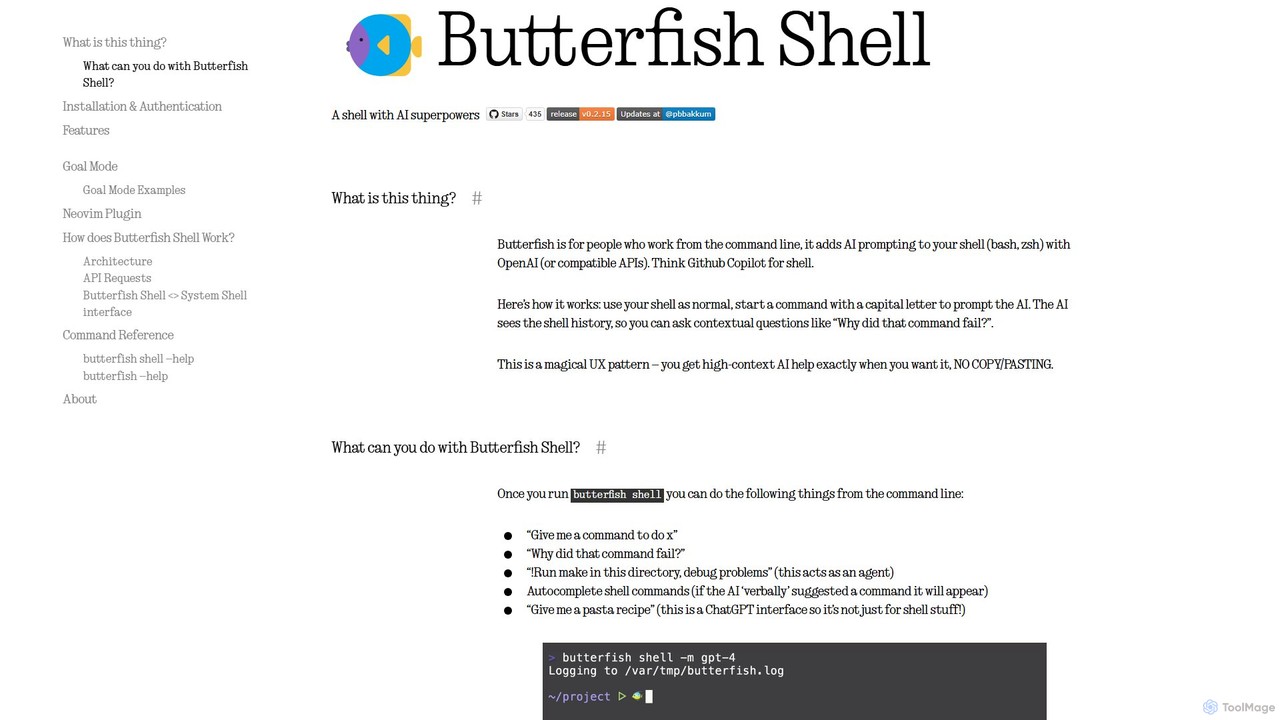
butterfish is an open-source CLI tool that supercharges your shell (bash, zsh) with AI capabilities. Acting like GitHub Copilot for the command line, it allows you to generate commands, debug errors, and automate tasks using natural language prompts directly in your terminal. It maintains context from your shell history, providing highly relevant assistance and boosting productivity for developers and sysadmins.
ShellMate is an open-source, AI-powered command-line productivity tool designed for developers and system administrators. Powered by OpenAI, it acts as your terminal's best friend, allowing you to use natural language to find commands, get predictive suggestions based on your history, and receive context-aware help without ever leaving your console. Simply use the `sm` shortcut to boost your command-line efficiency and reduce time spent searching for syntax.
Compare product focus, pricing models and audiences. Highlighted rows indicate different listed information; unknown pricing does not mean free.
| Quick facts | butterfish | ShellMate |
|---|---|---|
| Pricing model | Freemium | Free |
| Product type | App | App |
| Primary focus | Code Assistant | Code Assistant |
| Audience and roles | No data available | No data available |
| Categories | Code Assistant · Command Line · Automation | Code Assistant · Command Line · Automation |
| Added | Aug 9, 2025 | Aug 7, 2025 |
| Updated | Nov 19, 2026 | Nov 19, 2026 |
Explore the listed product descriptions, features and workflows. Taxonomy labels alone are not feature evaluations.
butterfish is a revolutionary open-source tool designed for developers, system administrators, and anyone who lives in the command line. It functions as an intelligent shell wrapper for bash and zsh, seamlessly integrating the power of Large Language Models (LLMs) like OpenAI's GPT series directly into your terminal workflow. Often described as "GitHub Copilot for the shell," butterfish enhances your command-line experience by providing contextual AI assistance, command generation, and automation, all without ever leaving your terminal.
The core concept of butterfish is its intuitive and unobtrusive integration. You continue to use your shell as you normally would, but with an added superpower: simply start any command with a capital letter to turn it into a prompt for the AI. The AI has access to your recent shell history, allowing it to understand the context of your work. This enables you to ask follow-up questions, debug failed commands, and receive suggestions that are highly relevant to your current task, eliminating the tedious cycle of copying and pasting errors into a search engine.
Getting started with butterfish is straightforward. It's designed for macOS and Linux environments.
brew install bakks/bakks/butterfish) or with Go (go install github.com/bakks/butterfish/cmd/butterfish@latest).~/.config/butterfish/butterfish.env.butterfish shell. It's recommended to create an alias like alias bf="butterfish" in your .zshrc or .bashrc for quicker access.Give me a command to find all .log files larger than 100MB. The AI will respond with the appropriate command.Why did that command fail? The AI will analyze the error message and your command in context and provide an explanation and a corrected version.!. For example: !Install python dependencies for this project and run the tests. The AI will act as an agent, suggesting commands one by one for you to execute. Use !! for an unsafe mode where it executes commands without confirmation (use with caution).butterfish is versatile and can be applied in numerous scenarios:
awk, sed, or `ffmpeg` by describing what they want to do in plain English.indexquestion Where is the database connection string defined? to quickly navigate and understand unfamiliar code.The primary advantage of butterfish is the significant boost in productivity and efficiency it offers. By integrating AI directly into the terminal, it eliminates context switching and streamlines workflows. It empowers both novice and expert users, making the command line more accessible and powerful. Its commitment to transparency and customization allows users to tailor the tool to their specific needs and trust its operations. Finally, being open-source ensures it remains a free, community-supported tool that evolves with user feedback.
butterfish itself is a completely free and open-source tool, available under the MIT License. There are no subscription fees or charges for using the software. However, to function, butterfish requires an API key for an LLM provider, with OpenAI being the default. Users are responsible for the costs associated with their own API usage. The cost depends on the model chosen and the frequency of use (e.g., autosuggest is more API-intensive). The tool provides options to manage costs, such as adjusting autosuggest timeouts, disabling it, or using more cost-effective models.
ShellMate is a revolutionary open-source command-line productivity tool, brought to you by Deepspring.ai, designed to be the ultimate companion for anyone who frequently works within a terminal environment. Powered by the advanced capabilities of OpenAI, ShellMate transforms your command-line interface (CLI) from a rigid, syntax-heavy environment into an intuitive, conversational workspace. It's built for developers, system administrators, data scientists, and even beginners who want to harness the full power of the shell without the steep learning curve. By integrating AI directly into your console, ShellMate minimizes context switching, boosts efficiency, and makes complex tasks more manageable.
Getting started with ShellMate is straightforward. After a simple installation process, the tool integrates seamlessly into your existing terminal workflow. You can interact with it using the convenient `sm` shortcut.
There are several ways to leverage its power:
ShellMate is versatile and benefits a wide range of users:
The primary advantage of ShellMate is the massive boost in productivity it provides. By reducing the cognitive load of remembering command syntax, it frees up mental energy for more critical problem-solving. It accelerates workflows, flattens the learning curve of the command line, and fosters a more efficient and less frustrating development environment. Being free and open-source makes it an accessible and trustworthy tool for individuals and teams alike.
ShellMate is completely free to use. As an open-source tool, it is maintained by the community. Users are encouraged to download it, use it without any cost, and contribute to the project if they find it valuable. There are no paid plans, subscriptions, or hidden fees.
Their taxonomy shows where the products overlap and where each one has a more distinct focus. Unknown fields are shown explicitly and are never filled with assumptions.
Traffic is shown on the same scale so differences in market visibility are not visually understated.
Both charts share the same months and vertical scale. Each tool identifies its latest reporting month; missing months are left blank, not counted as zero. Regional and source visit counts are estimates calculated from the reported shares.
No data available
| Country/region | Percentage | Estimated visits |
|---|---|---|
| 🇮🇳India | 100% | 338 |
Ratings, comments, favorites, and likes are community signals—not a substitute for product fit.
This page is assembled from ToolMage product listings, taxonomy, traffic statistics and on-site user feedback. It is not a hands-on test or an independent review.