ToolMage
Sign in

AI TOOL COMPARISON

codegate vs Flyte

What is the difference, and which fits your workflow? Compare features, usage, pricing models and traffic side by side.

Jump to key differences

Product overview

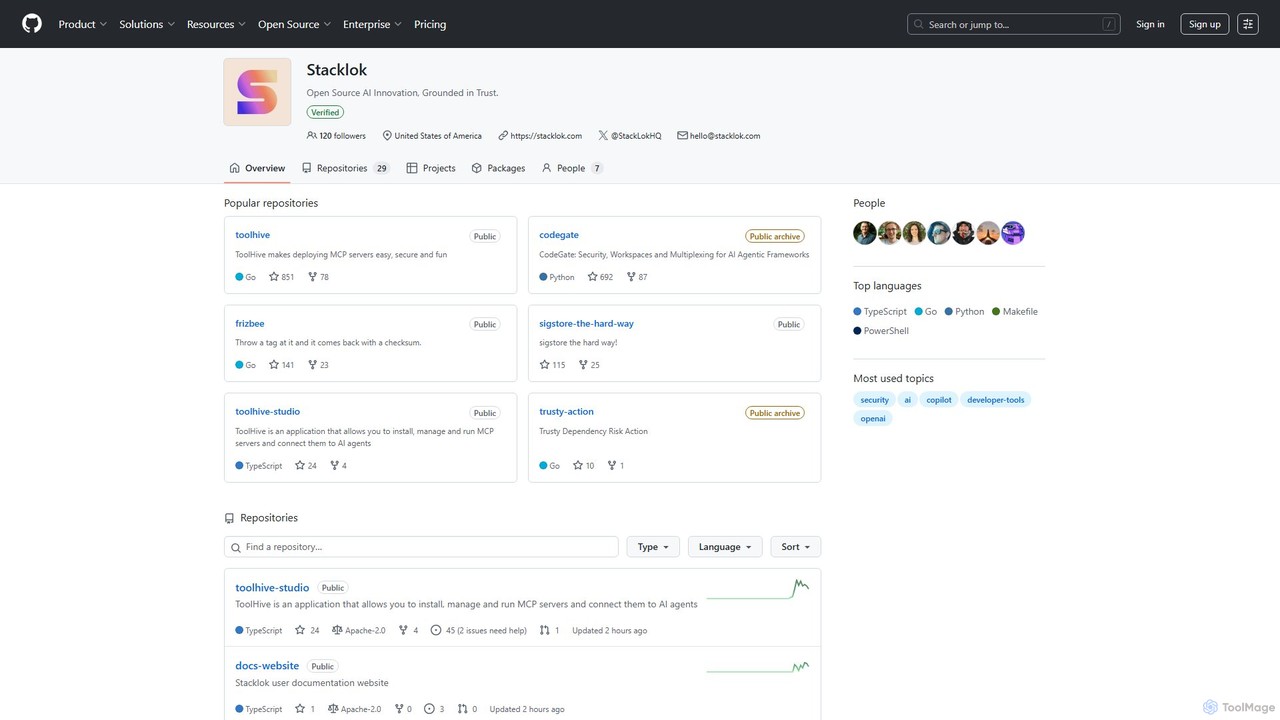
codegate Product overview

Codegate is an open-source security gateway and multiplexing framework for AI agentic systems. Developed by Stacklok, it provides secure workspaces and policy-based access control, enabling developers to build and manage complex multi-agent applications safely and efficiently.

Preview

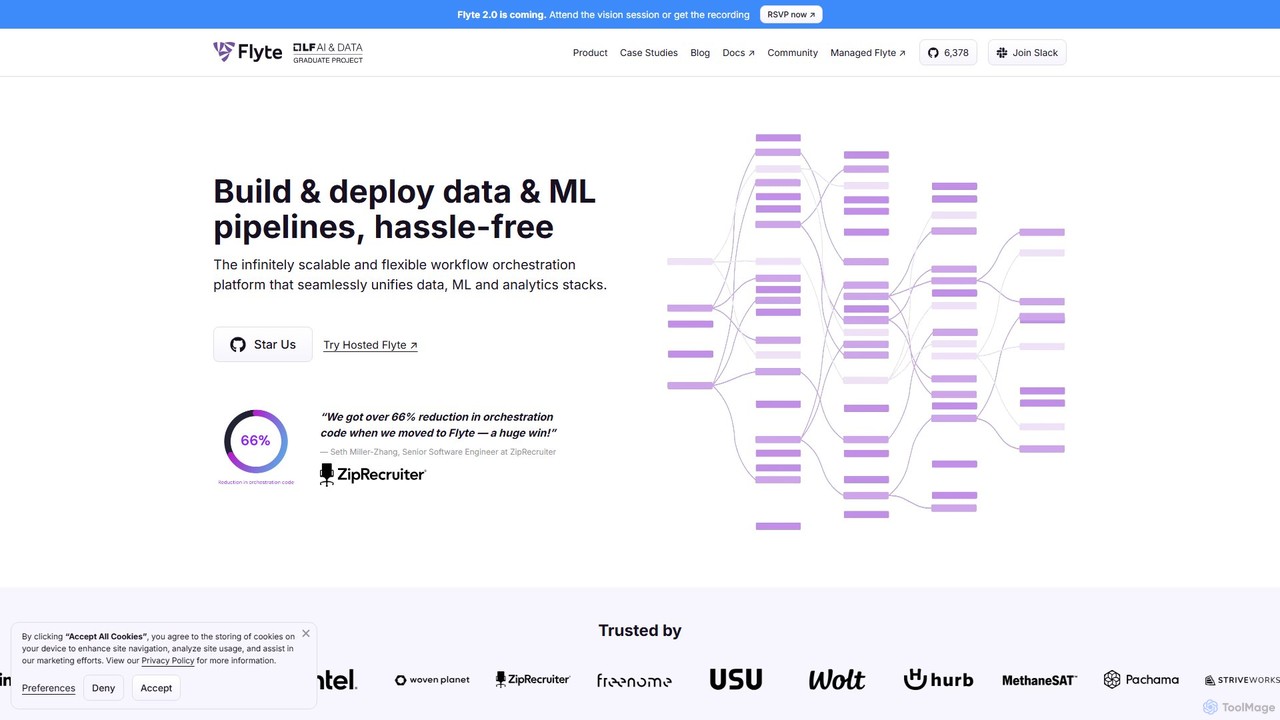
Flyte Product overview

Flyte is an open-source, cloud-native workflow orchestration platform designed for building, deploying, and managing production-grade data, machine learning, and analytics pipelines. It emphasizes scalability, reproducibility, and ease of use, enabling teams to move from local development to large-scale production seamlessly. With a Python-first SDK and support for multiple languages, Flyte empowers data scientists and engineers to create complex, versioned, and maintainable workflows.

Preview

Quick facts

Compare product focus, pricing models and audiences. Highlighted rows indicate different listed information; unknown pricing does not mean free.

codegate VS Flyte — Quick facts
Quick factscodegateFlyte
Pricing modelFreeFreemium
Product typeAppWeb
Primary focusAgentic FrameworksMlops
Audience and rolesNo data availableNo data available
CategoriesAgentic Frameworks · Security · AutomationMlops · Orchestration · Automation
AddedAug 16, 2025Aug 3, 2025
UpdatedNov 19, 2026Nov 19, 2026

Features, usage and use cases

Explore the listed product descriptions, features and workflows. Taxonomy labels alone are not feature evaluations.

codegate

Codegate is a powerful open-source tool developed by Stacklok, designed to address the critical security and management challenges in developing applications with AI agentic frameworks. As AI agents become more autonomous and capable of interacting with external systems, ensuring they operate within predefined boundaries is paramount. Codegate acts as a secure control plane, providing essential infrastructure for security, isolated workspaces, and communication multiplexing for AI agents.

At its core, Codegate functions as a gateway that intercepts requests from AI agents before they reach sensitive tools, APIs, or data sources. By doing so, it enforces security policies, manages permissions, and logs all activities for audit and analysis. This prevents potential misuse, whether accidental or malicious, and gives developers fine-grained control over their agentic systems. The concept of 'workspaces' allows for the logical separation of tasks or projects, ensuring that agents and their associated resources are completely isolated from one another, which is crucial for multi-tenant applications or complex, collaborative agent workflows.

How to use codegate

Using Codegate involves integrating it as a middleware or infrastructure layer in your AI agent application stack. The typical workflow is as follows:

  1. Deployment: Deploy Codegate into your environment. It is designed for cloud-native deployment and includes a Helm Chart for easy installation on Kubernetes clusters.
  2. Configuration: Define your security policies and access controls. This involves specifying which agents have permission to use which tools, APIs, or data. You can set up rules based on agent identity, task context, or other criteria.
  3. Workspace Setup: Create isolated workspaces for different projects, users, or agent teams. Each workspace will have its own set of configurations and resources.
  4. Integration: Modify your AI agent's code (e.g., in a LangChain or LlamaIndex application) to route all external tool-use requests through the Codegate API endpoint instead of making direct calls.
  5. Execution & Monitoring: As agents operate, Codegate validates each request against the configured policies, executes it in a sandboxed environment if approved, and returns the result. All actions are logged, providing a complete audit trail for monitoring and debugging.

Core Features of codegate

  • Security Gateway: Acts as a central enforcement point for security policies, preventing unauthorized actions by AI agents.
  • Policy-Based Access Control (PBAC): Allows developers to define granular permissions for agents, controlling access to tools, files, and APIs.
  • Isolated Workspaces: Provides sandboxed environments to separate different agent tasks, preventing data leakage and interference.
  • Request Multiplexing: Efficiently manages and routes communications from multiple agents to various tools and resources through a single, controlled channel.
  • Audit and Logging: Captures detailed logs of all agent activities, requests, and tool executions for security auditing and operational visibility.
  • Kubernetes-Native: Built for modern infrastructure with support for containerized deployment and orchestration via a Helm chart.
  • Open-Source: Developed under an Apache-2.0 license, offering transparency, flexibility, and community-driven development.

Use Cases for codegate

Codegate is ideal for any scenario where AI agents need to interact with external systems securely:

  • Enterprise AI Copilots: Building internal assistants that can safely access company databases, internal APIs, and productivity tools without exposing sensitive information.
  • Automated DevOps (DevSecOps): Using AI agents to manage cloud infrastructure, run CI/CD pipelines, or perform security scans, with Codegate ensuring they only perform authorized actions.
  • Multi-Agent Collaboration Platforms: Creating systems where multiple specialized agents (e.g., a research agent, a coding agent, a testing agent) work together on a project, with Codegate orchestrating their secure access to shared resources.
  • Third-Party AI Integration: Safely incorporating third-party AI models or agents into an application by routing their operations through Codegate's secure environment.

Advantages of codegate

The primary advantage of Codegate is its focus on bringing enterprise-grade security and manageability to the rapidly evolving field of AI agentic systems. It allows developers to innovate and build powerful autonomous systems without compromising on security. By centralizing control and policy enforcement, it simplifies the architecture of complex multi-agent applications, making them easier to build, scale, and maintain. Its open-source nature fosters trust and allows for deep customization to fit specific security requirements.

Pricing and Plans

Codegate is an open-source project available for free under the Apache-2.0 license. Developers can freely use, modify, and distribute the software. While the core tool is free, its parent company, Stacklok, may offer commercial products, enterprise support, or managed cloud services built around its open-source projects.

Flyte

Flyte is a production-grade, open-source, and cloud-native workflow orchestration platform specifically engineered for complex data, machine learning, and analytics pipelines. As a graduated project of the Cloud Native Computing Foundation (CNCF), Flyte provides a robust and reliable backbone for MLOps, bridging the gap between local development and large-scale production environments. It allows data scientists and ML engineers to focus on their logic, while the platform handles scalability, reproducibility, fault tolerance, and infrastructure management.

How to use Flyte

Using Flyte involves a structured, code-first approach to defining and managing workflows:

  1. Define Tasks: A task is the fundamental unit of execution. Using the Python SDK, you define a task with the `@task` decorator. Within the task, you specify its inputs, outputs, resource requirements (e.g., CPU, memory, GPU), and container image.
  2. Build Workflows: A workflow, defined with the `@workflow` decorator, chains tasks together to form a Directed Acyclic Graph (DAG). You define the data flow between tasks, creating a complete pipeline.
  3. Local Iteration: Flyte provides tools like `pyflyte run` to execute and debug your workflows on your local machine. This allows for rapid iteration and a tight feedback loop before deploying.
  4. Register to Production: Once your workflow is ready, you register it with a Flyte cluster using `pyflyte register`. This action versions your entire workflow, including its code and dependencies, ensuring reproducibility.
  5. Launch and Monitor: You can trigger workflow executions via the Flyte UI, a scheduled cron job, or the API. The UI provides a comprehensive view for monitoring executions, inspecting logs, visualizing outputs with FlyteDecks, and analyzing data lineage.
  6. Scale with Advanced Features: For large-scale processing, you can leverage features like `map_task` to run a task in parallel over a list of inputs, or use dynamic workflows to adjust the pipeline's structure at runtime.

Core Features of Flyte

  • Reproducibility & Versioning: Every task and workflow is versioned and immutable. Flyte automatically tracks data lineage, allowing you to trace any output back to the exact code and data that produced it.
  • Scalability & Performance: Built on Kubernetes, Flyte is inherently scalable. It supports dynamic resource allocation, GPU acceleration, spot/preemptible instances for cost savings, and massive parallelism through map tasks.
  • Developer-Centric Experience: Features a Python-first SDK that is intuitive for data scientists. It abstracts away infrastructure complexities with features like `ImageSpec`, which builds container images without requiring Dockerfile knowledge.
  • Language Agnostic: While the primary SDK is Python, Flyte supports writing tasks in any language (Java, Scala, R, etc.) by running them in their own containers.
  • Robust Data Handling: Provides strongly typed interfaces to catch data errors at compile time. `FlyteFile`, `FlyteDirectory`, and `StructuredDataset` types simplify data I/O between tasks and cloud storage.
  • Advanced Orchestration Logic: Supports dynamic workflows, conditional branching, intra-task checkpointing for long-running tasks, and caching to avoid re-computing expensive steps.
  • Enterprise-Ready: Offers multi-tenancy for team isolation, secrets management for secure access to credentials, and notifications via Slack, PagerDuty, or email.

Use Cases for Flyte

Flyte is versatile and used across various industries for mission-critical pipelines:

  • Large-Scale Data Processing (ETL): Building and scheduling robust ETL pipelines to process terabytes of data for analytics and data warehousing.
  • Machine Learning Model Training: Orchestrating end-to-end ML pipelines, from data preprocessing and feature engineering to distributed model training, hyperparameter optimization, and evaluation.
  • LLM & Generative AI: Fine-tuning Large Language Models (LLMs), building Retrieval-Augmented Generation (RAG) systems, and managing complex inference graphs.
  • Bioinformatics & Genomics: Running computationally intensive bioinformatics workflows, such as DNA sequence alignment and analysis, at scale.
  • Geospatial Analysis: Processing massive satellite imagery datasets to create data products like mosaics and digital elevation models, as demonstrated by its use with Xarray and GDAL.

Advantages of Flyte

Flyte offers significant advantages over other orchestrators:

  • Production-Grade from Day One: Its focus on typing, versioning, and immutability ensures that workflows are reliable and reproducible.
  • Unifies Data & ML Stacks: Provides a single platform for data engineers, ML scientists, and analytics professionals, breaking down silos and promoting collaboration.
  • Reduces Infrastructure Overhead: Automates many of the challenging aspects of MLOps, such as containerization, resource management, and scaling.
  • Cost-Efficient: The open-source core is free, while features like caching, failure recovery, and spot instance support significantly reduce computational costs.
  • Vibrant Ecosystem: As a CNCF project, it has a strong community and integrates seamlessly with a wide range of tools like Spark, Ray, Pandera, Great Expectations, and more.

Pricing and Plans

Flyte is an open-source project licensed under Apache 2.0, making it completely free to download, use, and self-host on your own infrastructure. For organizations that prefer a fully managed, enterprise-grade solution, Union.ai (the company that originally created Flyte) offers a hosted cloud platform. This commercial offering handles all the infrastructure setup, maintenance, and scaling, and includes enterprise support and additional features.

Positioning

Their taxonomy shows where the products overlap and where each one has a more distinct focus. Unknown fields are shown explicitly and are never filled with assumptions.

Categories

Shared
Automation
Only codegate
Agentic FrameworksSecurity
Only Flyte
MlopsOrchestration

Tags

Shared
kubernetesopen sourcepython
Only codegate
agentic frameworkAI agentAI securityautomationdeveloper toolsDevSecOpssecurity gateway
Only Flyte
data engineeringdata pipelinemachine learningMLOpsreproducibilityscalabilityworkflow orchestration

Audience and roles

Shared
No listed items
Only codegate
No listed items
Only Flyte
No listed items

Traffic comparison

Traffic is shown on the same scale so differences in market visibility are not visually understated.

How to interpret the traffic data

Both charts share the same months and vertical scale. Each tool identifies its latest reporting month; missing months are left blank, not counted as zero. Regional and source visit counts are estimates calculated from the reported shares.

codegate monthly traffic:

Latest traffic · 2026-05

Monthly visits
636.1M
Avg. visit duration
6:23
Pages per visit
5.92
Bounce rate
36.46%
Data updated 2026-06-11

Monthly traffic trend

  • 2025-09: No data available
  • 2026-01: 542.6M
  • 2026-02: 534.8M
  • 2026-03: 634.3M
  • 2026-04: 631M
  • 2026-05: 636.1M

Top regions

Top 5 countries/regions
Country/regionPercentageEstimated visits
🇺🇸United States36.14%229.9M
🇨🇳China22.96%146M
🇮🇳India17.41%110.7M
🇷🇺Russia15.84%100.8M
🇩🇪Germany7.65%48.7M

Traffic sources

Source typePercentageEstimated visits
Direct82.14%522.5M
Referral16.14%102.7M
Email1.72%10.9M

Search keywords

githubgithub copilothermes agentzapretзапрет

Flyte monthly traffic:

Latest traffic · 2026-05

Monthly visits
26.6K
Avg. visit duration
0:12
Pages per visit
1.8
Bounce rate
38.08%
Data updated 2026-06-15

Monthly traffic trend

  • 2025-09: 37.5K
  • 2026-01: 29.4K
  • 2026-02: 32.2K
  • 2026-03: 30K
  • 2026-04: 31K
  • 2026-05: 26.6K

Top regions

Top 5 countries/regions
Country/regionPercentageEstimated visits
🇺🇸United States46.74%12.4K
🇮🇳India15.16%4K
🇻🇳Vietnam14.31%3.8K
🇨🇦Canada13.45%3.6K
🇩🇪Germany10.34%2.7K

Traffic sources

Source typePercentageEstimated visits
Direct54.58%14.5K
Referral32.11%8.5K
Email13.31%3.5K

Search keywords

flyteflyte lyftgraphvizgraphviz onlinelyft flyte

Community signals

Ratings, comments, favorites, and likes are community signals—not a substitute for product fit.

codegate

Rating
No data available
Comments
0
Favorites
172
Likes
176

Flyte

Rating
No data available
Comments
0
Favorites
185
Likes
181

codegate vs Flyte · Comparison FAQ

What do codegate and Flyte have in common?
Both tools are listed under Automation. These categories indicate overlapping use cases; compare their detailed descriptions for workflows, capabilities and limitations.
Are codegate and Flyte free?
Listed pricing models: codegate — Free; Flyte — Freemium. Missing pricing is not proof of a free plan, and freemium does not mean every feature is free. Check official sites for current plans, limits and trials.
How should I choose between codegate and Flyte?
The primary listed category is Agentic Frameworks for codegate, and Mlops for Flyte. Compare features, steps and use cases, then verify pricing, data permissions and deployment needs. This page does not include hands-on testing and does not declare a winner from traffic or tags.

Sources and comparison methodology

This page is assembled from ToolMage product listings, taxonomy, traffic statistics and on-site user feedback. It is not a hands-on test or an independent review.

  • Feature and plan descriptions reflect information in the listings, not real-time guarantees. Verify pricing, quotas, availability and privacy terms on the official sites.
  • Traffic uses the reporting months shown. Missing statistics do not mean zero visits, and different periods do not establish growth or superiority. Regional and source visit counts are estimates based on shares.
  • Different tags indicate differences in the listings, not proof that the other product lacks a capability. Ratings, favorites and visits are not used to declare a winner.

Related comparisons