ToolMage
Sign in

AI TOOL COMPARISON

Codegen vs Patched

What is the difference, and which fits your workflow? Compare features, usage, pricing models and traffic side by side.

Jump to key differences

Product overview

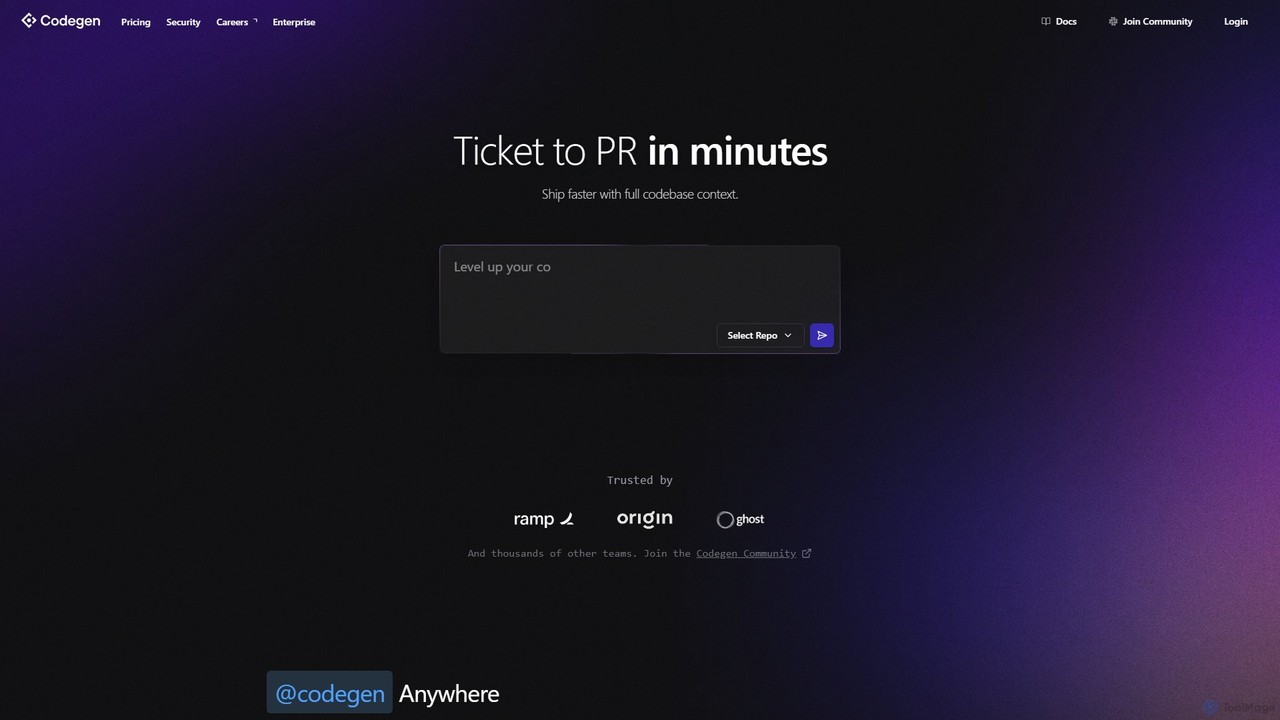
Codegen Product overview

Codegen is an AI software engineering agent that accelerates development by transforming tickets into pull requests in minutes. It integrates with your existing tools like GitHub, Slack, and JIRA, using full codebase context to automate coding, fix bugs, and review code, effectively 10x-ing your team's productivity.

Preview

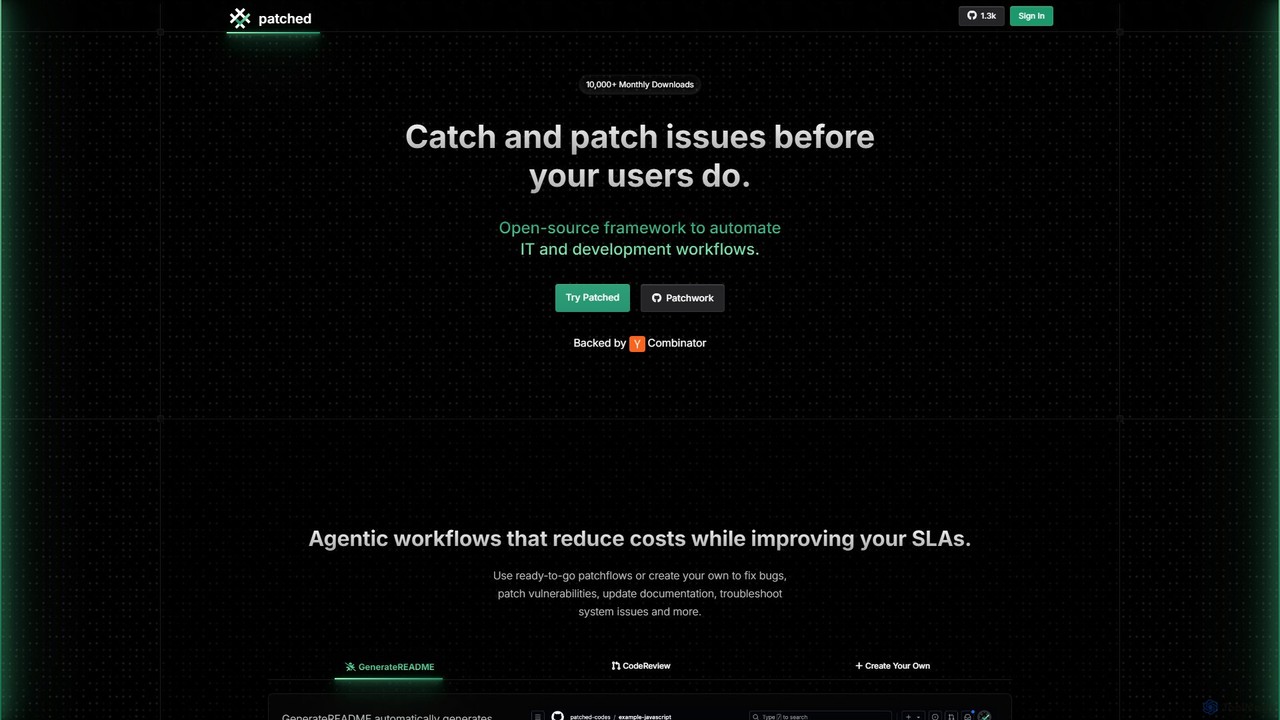
Patched Product overview

Patched is an open-source framework designed to automate IT and development workflows. It leverages AI to proactively catch and fix issues like bugs and vulnerabilities before they impact users. The platform allows for creating custom, agentic workflows to streamline tasks such as code review, documentation generation, and dependency updates.

Preview

Quick facts

Compare product focus, pricing models and audiences. Highlighted rows indicate different listed information; unknown pricing does not mean free.

Codegen VS Patched — Quick facts
Quick factsCodegenPatched
Pricing modelFreemiumFreemium
Product typeWebWeb
Primary focusVersion ControlCode Assistant
Audience and rolesNo data availableNo data available
CategoriesVersion Control · Code Assistant · AutomationCode Assistant · Automation · Vulnerability Management
AddedAug 13, 2025Aug 3, 2025
UpdatedNov 19, 2026Nov 19, 2026

Features, usage and use cases

Explore the listed product descriptions, features and workflows. Taxonomy labels alone are not feature evaluations.

Codegen

Codegen is an expert AI software engineering agent designed to revolutionize the software development lifecycle. It acts as an autonomous partner for development teams, capable of understanding the entire context of a codebase to build software more efficiently. By integrating seamlessly into existing workflows, Codegen empowers developers to focus on high-impact problems while it handles the repetitive and time-consuming tasks. The platform's core mission is to make software development more accessible, efficient, and enjoyable by bridging the gap between human creativity and AI-powered automation.

From a simple ticket in a project management tool to a fully-fledged pull request ready for review, Codegen streamlines the entire process. It can be tasked with implementing new features, fixing complex bugs, or refactoring existing code. This allows teams to ship in parallel, significantly reducing development cycles and crushing backlogs with astonishing speed. The platform is trusted by thousands of teams, from solo developers to large enterprises, to enhance productivity and transparency.

How to use Codegen

Getting started with Codegen is designed to be intuitive and fit directly into your current processes. The primary interaction model is through the tools your team already uses:

  1. Assign Tasks: Simply tag Codegen in a ticket on platforms like JIRA, Linear, or ClickUp. You can ask for a full implementation plan or a complete Pull Request.
  2. Collaborate in Slack: Add the Codegen bot to any Slack channel. You can tag it to ask technical questions, get help with bug reports, or research the feasibility of a new feature.
  3. Integrate with GitHub: Use Codegen directly within your GitHub workflow. Ask it to perform code reviews, automatically fix linting errors, or resolve a failed build.
  4. Use the API: For custom integrations, Codegen provides a Python SDK (`pip install codegen`). This allows you to invoke its agentic capabilities programmatically within your own tools and workflows.
  5. Monitor Progress: The Codegen web application provides detailed traces of the agent's work, offering full transparency into its process, from environment setup to the final PR.

Core Features of Codegen

  • Autonomous Agentic Development: Converts tasks and tickets directly into code and pull requests, operating as an autonomous team member.
  • Full Codebase Context: Analyzes your entire repository to provide context-aware, accurate, and relevant code solutions.
  • Seamless Workflow Integrations: Natively integrates with hundreds of developer tools, including GitHub, Slack, Linear, JIRA, and ClickUp.
  • Natural Language Interface: Allows both technical and non-technical users to interact with the codebase, ask questions, and request changes using plain English.
  • Code Generation, Refactoring & Bug Fixing: Capable of writing new features from scratch, improving existing code quality, and automatically resolving bugs.
  • Enterprise-Grade Security: SOC 2 Type II certified, offering end-to-end encryption, role-based access controls, audit trails, and the option to deploy in your own VPC for maximum data control.
  • Scalable Architecture: Supports unlimited concurrent agents, automatically scaling to meet the demands of your team without creating bottlenecks.
  • Developer API & SDK: A powerful Python SDK allows for deep integration of Codegen's AI capabilities into your custom development environment.

Use Cases for Codegen

Accelerating Feature Delivery: A product manager creates a feature request in JIRA. By assigning it to Codegen, a complete PR with the new feature is generated within minutes, ready for human review.

Rapid Bug Resolution: A QA engineer files a bug report. A developer assigns the ticket to Codegen, which analyzes the codebase, identifies the root cause, and submits a PR with the fix.

Empowering Non-Technical Staff: A designer can request a minor UI fix or a text change via Slack. Codegen understands the request and ships a production fix without requiring an engineer's time.

Codebase Knowledge Base: A new engineer can ask Codegen questions like "How does our authentication system work?" to get detailed, context-aware answers, speeding up their onboarding process.

Improving Code Quality: During a code review, a senior developer can ask Codegen to refactor a specific function for better performance or readability, automating code maintenance tasks.

Advantages of Codegen

Codegen offers a significant competitive edge by transforming the development workflow. Its primary advantage is a dramatic increase in engineering velocity, enabling teams to ship features and fixes at an unprecedented rate. It enhances collaboration by meeting developers where they work—in Slack, GitHub, and their project management tools. For businesses, this translates into lower development costs, as smaller teams can achieve the output of much larger ones. Furthermore, its enterprise-ready security and scalability provide confidence for organizations of any size to adopt AI in their development process safely.

Pricing and Plans

Codegen offers a flexible pricing structure to suit individuals, teams, and large enterprises.

  • Free Plan: Get started with 10 total runs to evaluate the platform. Includes full codebase context and integrations with GitHub, Slack, and Linear.
  • Individual Plan: For $9.99/month (or $99.90/year), this plan offers unlimited runs for a personal GitHub account, perfect for solo developers and freelancers.
  • Teams Plan: At $199/month (or $1,990/year), this plan provides unlimited runs for an organization's GitHub account, team collaboration features, and priority support.
  • Enterprise Plan: Offers custom pricing for large organizations. It includes everything in the Teams plan plus custom deployment options (including VPC), SLAs, SSO, advanced security features, and dedicated support.

All paid plans come with a 30-day money-back guarantee.

Patched

Patched is a powerful, open-source framework dedicated to automating and enhancing the software development lifecycle (SDLC). Built on its core framework, Patchwork, Patched provides developers, IT, and security teams with AI-driven tools to proactively identify, triage, and resolve issues within their codebase. The platform's primary goal is to catch and patch problems like software bugs and security vulnerabilities before they reach end-users, thereby reducing costs, improving service level agreements (SLAs), and freeing up developers to focus on building new features.

At its heart, Patched utilizes 'Patchflows'—customizable, agentic workflows that automate complex tasks. Users can leverage pre-built patchflows or create their own to suit specific needs. This flexibility makes Patched a versatile solution for a wide range of development and operational challenges.

How to use Patched

Using Patched involves a streamlined, multi-step process that integrates directly into existing development environments. The typical workflow for automated fixing is as follows:

  1. Connect Your Repository: Integrate Patched with your code repositories on platforms like GitHub or GitLab.
  2. Define a Workflow (Patchflow): Choose a ready-to-go patchflow (e.g., for vulnerability scanning or documentation) or create a new one. This can be done using a no-code visual builder, text prompts, or directly with Python code for maximum control.
  3. Automated Scanning: The patchflow initiates a scan of the code. For instance, it can use integrated tools like Semgrep to detect vulnerabilities, outputting the results in a standardized format like SARIF.
  4. AI-Powered Triage: The system uses Large Language Models (LLMs) to analyze the scan results. It triages potential issues, filtering out false positives by examining the code context and vulnerability details.
  5. Automatic Patch Generation: For confirmed issues, the AI generates a code fix. It analyzes the affected code and provides a precise patch designed to resolve the vulnerability while preserving original functionality and code style.
  6. Compatibility Check & PR Creation: Before finalizing, Patched assesses the impact of the change to avoid compatibility issues. Based on user-configured rules, it can then automatically create a pull request with the generated fix, ready for review and merging.

Core Features of Patched

  • Automated Bug & Vulnerability Fixing: Proactively scans, identifies, and generates patches for security vulnerabilities and software bugs using advanced LLMs.
  • Customizable 'Patchflows': Build, modify, and deploy automated workflows using no-code, low-code, or full-code (Python) options to perfectly match your team's processes.
  • Privacy-First Architecture: The open-source Patchwork framework can be self-hosted within your own infrastructure, using your own LLM API keys for complete data privacy and control.
  • Automatic Documentation Generation: Includes tools like 'GenerateREADME' to automatically create and update documentation for your code repositories, enhancing maintainability.
  • Seamless SDLC Integration: Offers extensive integrations with popular development tools, including GitHub, GitLab, Jira, SonarQube, Semgrep, and various LLM providers like OpenAI, Anthropic, and Mistral.
  • AI-Powered Code Review & Analysis: Automates parts of the code review process, provides instant feedback, and helps improve overall code quality.

Use Cases for Patched

For Development Teams: Automate the fixing of common bugs and quality issues, reducing the time spent on maintenance. Automatically generate and update README files and other documentation to keep the codebase maintainable.

For Security Teams (SecOps): Implement a proactive 'AutoFix' system to continuously scan for and remediate vulnerabilities. Triage alerts with AI to focus on real threats and reduce alert fatigue.

For DevOps Engineers: Integrate AI-powered checks directly into CI/CD pipelines. Automate dependency updates and troubleshoot system issues to improve release velocity and system reliability.

Advantages of Patched

The primary advantage of Patched is its combination of power and flexibility. Unlike closed-box solutions, its open-source and customizable nature allows teams to build the exact AI assistance they need. The ability to self-host ensures maximum security and privacy, a critical factor for many organizations. By automating repetitive and time-consuming tasks, Patched unburdens developers, boosts release velocity, and enhances the long-term maintainability of software projects.

Pricing and Plans

Patched offers a usage-based pricing model with a generous free tier, making it accessible for individuals and teams of all sizes.

  • Free Plan: $0/month. Includes access to all patchflows via the App and CLI, with a limit of 5 Patchflows per month.
  • Pro Plan: Starting at $99/month. Includes all features from the Free plan, with an increased limit of 200 Patchflows per month.
  • Enterprise Plan: Custom pricing. Offers all features of the Pro plan, plus unlimited patchflows, dedicated support, and tailored solutions. Contact sales for a quote.

Positioning

Their taxonomy shows where the products overlap and where each one has a more distinct focus. Unknown fields are shown explicitly and are never filled with assumptions.

Categories

Shared
Code AssistantAutomation
Only Codegen
Version Control
Only Patched
Vulnerability Management

Tags

Shared
automationbug fixingcode reviewgithub
Only Codegen
agentic AIai pair programmercode generationdeveloper tooljiraSlacksoftware development
Only Patched
CI/CDcode assistantdevopsdocumentation generatorgitlabopen sourcesecurityvulnerability scanner

Audience and roles

Shared
No listed items
Only Codegen
No listed items
Only Patched
No listed items

Traffic comparison

Traffic is shown on the same scale so differences in market visibility are not visually understated.

How to interpret the traffic data

Both charts share the same months and vertical scale. Each tool identifies its latest reporting month; missing months are left blank, not counted as zero. Regional and source visit counts are estimates calculated from the reported shares.

Codegen monthly traffic:

Latest traffic · 2026-05

Monthly visits
67.9K
Avg. visit duration
0:18
Pages per visit
1.64
Bounce rate
43.27%
Data updated 2026-06-15

Monthly traffic trend

  • 2025-09: 31.7K
  • 2026-01: 50.3K
  • 2026-02: 28.8K
  • 2026-03: 31.5K
  • 2026-04: 61.8K
  • 2026-05: 67.9K

Top regions

Top 5 countries/regions
Country/regionPercentageEstimated visits
🇺🇸United States44.41%30.2K
🇳🇬Nigeria15.72%10.7K
🇮🇳India14.37%9.8K
🇻🇳Vietnam12.78%8.7K
🇰🇭Cambodia12.72%8.6K

Traffic sources

Source typePercentageEstimated visits
Direct50.21%34.1K
Referral49.6%33.7K
Email0.19%129

Search keywords

codegencode review agentcoding agentsgithub copilot vs claude codewhatgs the best $10 ai coding agent

Patched monthly traffic:

Latest traffic · 2026-05

Monthly visits
3.1K
Avg. visit duration
0:08
Pages per visit
1.68
Bounce rate
39.99%
Data updated 2026-06-15

Monthly traffic trend

  • 2025-09: 6K
  • 2026-01: 6.3K
  • 2026-02: 15.3K
  • 2026-03: 7.1K
  • 2026-04: 4K
  • 2026-05: 3.1K

Top regions

Top 5 countries/regions
Country/regionPercentageEstimated visits
🇺🇸United States66.1%2.1K
🇹🇷Turkey21.61%671
🇮🇳India12.29%381

Search keywords

is this valid company on us patched codes, inc.?[patched]patchedpatched iopatched.sh

Community signals

Ratings, comments, favorites, and likes are community signals—not a substitute for product fit.

Codegen

Rating
No data available
Comments
0
Favorites
193
Likes
181

Patched

Rating
No data available
Comments
0
Favorites
187
Likes
162

Codegen vs Patched · Comparison FAQ

What do Codegen and Patched have in common?
Both tools are listed under Code Assistant、Automation. These categories indicate overlapping use cases; compare their detailed descriptions for workflows, capabilities and limitations.
Are Codegen and Patched free?
Listed pricing models: Codegen — Freemium; Patched — Freemium. Missing pricing is not proof of a free plan, and freemium does not mean every feature is free. Check official sites for current plans, limits and trials.
How should I choose between Codegen and Patched?
The primary listed category is Version Control for Codegen, and Code Assistant for Patched. Compare features, steps and use cases, then verify pricing, data permissions and deployment needs. This page does not include hands-on testing and does not declare a winner from traffic or tags.

Sources and comparison methodology

This page is assembled from ToolMage product listings, taxonomy, traffic statistics and on-site user feedback. It is not a hands-on test or an independent review.

  • Feature and plan descriptions reflect information in the listings, not real-time guarantees. Verify pricing, quotas, availability and privacy terms on the official sites.
  • Traffic uses the reporting months shown. Missing statistics do not mean zero visits, and different periods do not establish growth or superiority. Regional and source visit counts are estimates based on shares.
  • Different tags indicate differences in the listings, not proof that the other product lacks a capability. Ratings, favorites and visits are not used to declare a winner.

Related comparisons