ToolMage
Sign in

AI TOOL COMPARISON

CodeMaker AI vs Kodezi

What is the difference, and which fits your workflow? Compare features, usage, pricing models and traffic side by side.

Jump to key differences

Product overview

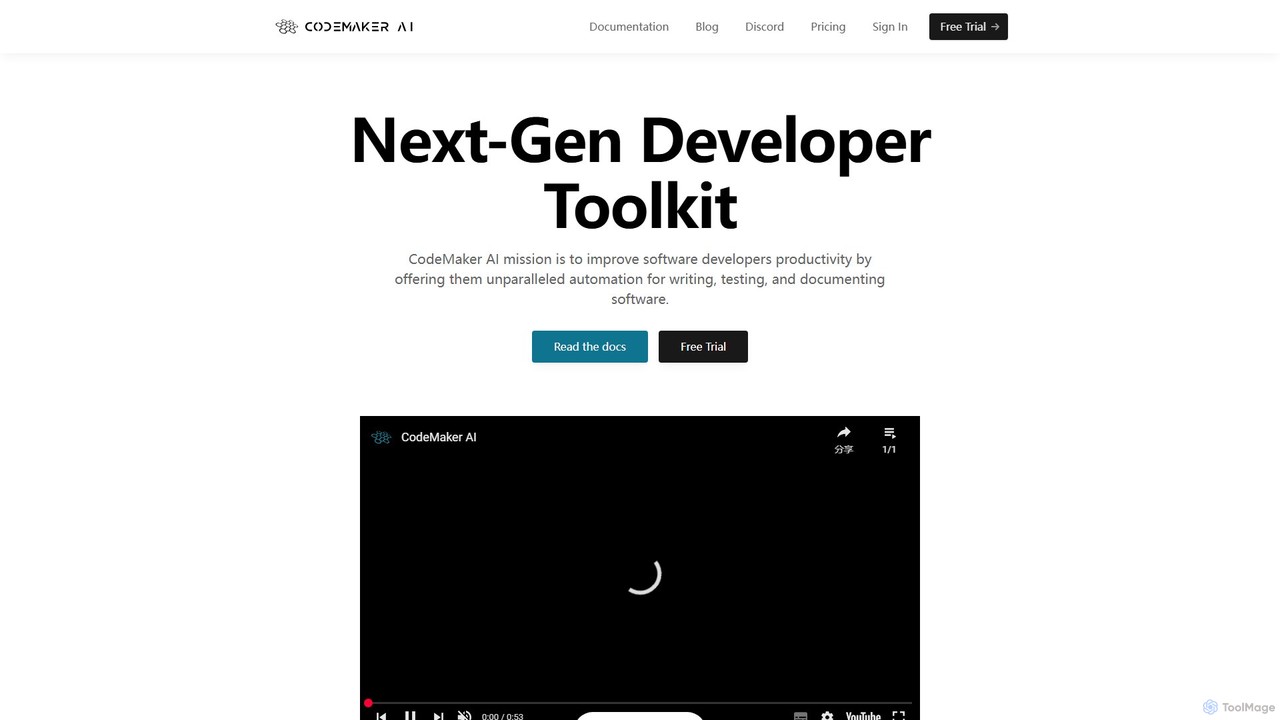
CodeMaker AI Product overview

CodeMaker AI is a next-generation developer toolkit designed to boost productivity by automating software writing, testing, and documentation. It integrates seamlessly into your workflow via IDEs, GitHub, and CLI, offering context-aware code generation and a powerful AI assistant.

Preview

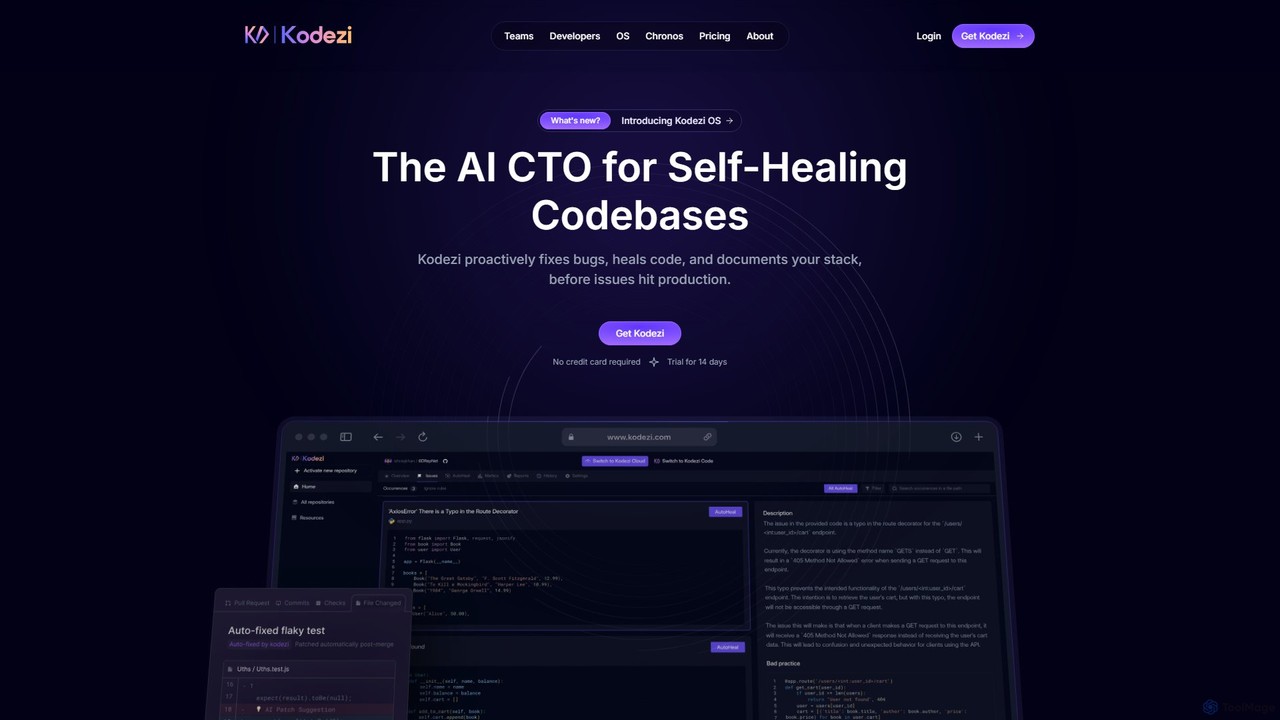
Kodezi Product overview

Kodezi is an AI-powered developer platform that acts as an AI CTO for your codebase. It autonomously fixes bugs, refines code, detects vulnerabilities, and automates documentation, integrating seamlessly into your development workflow to enhance productivity and code quality.

Preview

Quick facts

Compare product focus, pricing models and audiences. Highlighted rows indicate different listed information; unknown pricing does not mean free.

CodeMaker AI VS Kodezi — Quick facts
Quick factsCodeMaker AIKodezi
Pricing modelFreemiumFreemium
Product typeWebWeb
Primary focusCode AssistantCode Assistant
Audience and rolesNo data availableNo data available
CategoriesCode Assistant · Testing · AutomationCode Assistant · Debugging · Testing · Automation
AddedAug 15, 2025Aug 10, 2025
UpdatedNov 19, 2026Nov 19, 2026

Features, usage and use cases

Explore the listed product descriptions, features and workflows. Taxonomy labels alone are not feature evaluations.

CodeMaker AI

CodeMaker AI is a comprehensive developer toolkit engineered to enhance the productivity of software developers through advanced automation. Founded in 2023, its mission is to streamline the entire software development lifecycle, from initial coding to testing and documentation. The platform provides a unified experience across multiple environments, ensuring developers have access to powerful AI-driven tools wherever they work.

At its core, CodeMaker AI leverages context-aware intelligence. Unlike basic code completion tools, it analyzes the entire source file—including imports, existing functions, and comments—to generate highly accurate and relevant code. This deep understanding allows it to perform complex tasks such as implementing entire functions, generating class structures, and even recreating large codebases with high similarity, as demonstrated in its experiments with Spring Boot and Mockito.

How to use CodeMaker AI

Getting started with CodeMaker AI is straightforward. First, sign up on the official website to create an account and start a free trial. Then, integrate the tool into your preferred development environment:

  • IDEs: Install the CodeMaker AI extension for Visual Studio Code or the plugin for any JetBrains IDE (like IntelliJ IDEA, PyCharm). This enables features like inline code generation, autocompletion, and the AI Coding Assistant directly in your editor.
  • GitHub: Install the CodeMaker AI GitHub App to bring its capabilities into your code review process. The assistant can explain code, suggest refactors, and even apply changes to pull requests based on review comments. GitHub Actions are also available for CI/CD automation.
  • CLI: For developers who prefer the command line, a cross-platform CLI is available. It allows for batch processing, enabling you to generate code or documentation for an entire project directory with a single command.

Once set up, you can use natural language prompts (e.g., in a comment) to generate code, ask the AI assistant to explain or refactor a block of code, or trigger batch operations to document your entire project.

Core Features of CodeMaker AI

  • AI Coding Assistant: An interactive, multilingual chat assistant integrated into IDEs and GitHub. It can answer questions about your code, perform edits (add, edit, delete), generate unit tests, and refactor code without requiring you to copy-paste.
  • Context-Aware Code Generation: Generates code based on the full context of a file, including dependencies and existing logic, resulting in more accurate and coherent output. It supports generating types, methods, and inline code.
  • Batch Processing: Perform large-scale operations across entire directories, such as generating documentation for all files, automatically correcting syntax errors, or migrating code to a newer language version.
  • Automated Documentation Generation: Automatically creates inline code documentation, helping to keep projects well-documented with minimal effort.
  • User Fine-Tuned Models: Users can fine-tune AI models on their own private Git repositories. This creates a custom model that understands the specific patterns and architecture of your codebase, significantly improving the quality of generated code.
  • Broad Platform Integration: Offers dedicated plugins for Visual Studio Code and JetBrains IDEs, a GitHub App, GitHub Actions, and a Command Line Interface (CLI).
  • Extensive Language Support: Supports a wide array of programming languages, including Java, Python, JavaScript/TypeScript (JSX/TSX), C++, C, C#, Go, Rust, PHP, and Kotlin.
  • Source Graph Generation: Intelligently processes complex codebases by traversing file dependencies to generate code in a bottom-up manner, ensuring correctness in projects with intricate hierarchies.

Use Cases for CodeMaker AI

Rapid Prototyping and Development: Generate boilerplate code, entire functions, and class implementations from simple descriptions, drastically speeding up the initial development phase.

Legacy Code Modernization: Use batch processing to automatically migrate an entire legacy codebase to a modern version of a language (e.g., older Java to a newer syntax).

Improving Code Quality and Consistency: Employ the AI assistant to refactor complex methods, fix syntax errors across the project, and ensure consistent coding styles.

Automating Code Reviews: Integrate the GitHub App to automatically review pull requests, explain changes, and apply feedback from comments, reducing the manual workload on the development team.

Enhancing Test Coverage: Automatically generate unit tests for existing methods and functions, helping to quickly increase test coverage and ensure code reliability before refactoring or shipping new features.

Advantages of CodeMaker AI

Holistic Lifecycle Support: It's not just a code completion tool; it's a toolkit that assists across the entire development lifecycle, including writing, documenting, testing, and reviewing code.

Deep Contextual Understanding: Its ability to analyze the full context of a file and even an entire project (with source graph generation) leads to superior code quality compared to tools with limited context windows.

Scalability for Enterprise: Designed to handle large, complex, enterprise-grade projects with features like batch processing and the ability to process large files.

Customization and Precision: The option to fine-tune models on a private codebase provides a level of customization and accuracy that generic models cannot match.

Unified Developer Experience: Provides a consistent and powerful set of features across different platforms (IDE, SCM, CLI), allowing developers to work efficiently in their preferred environment.

Pricing and Plans

CodeMaker AI offers a freemium model with a free trial and several paid tiers.

  • Free Trial: New users can try the platform for free. The trial includes 200,000 tokens and expires after 30 days, with no payment required to start.
  • Starter Plan: $7.50/month. Includes 500,000 token limit, 1x batch processing speed, Assistant, IDEs support, CLI, and GitHub Actions.
  • Developer Plan: $15/month. Includes 1,000,000 token limit, up to 2x batch processing speed, all Starter features, plus GitHub App and Repositories Indexes.
  • Professional Plan: $30/month. Includes 2,000,000 token limit, up to 4x batch processing speed, all Developer features, plus User Fine-Tuned Models.
  • Ultimate Plan: $60/month. Includes 4,000,000 token limit, up to 8x batch processing speed, and all Professional features for the fastest AI code generation experience.

An Enterprise offer is also available for teams with specific needs, which can be arranged by contacting sales directly.

Kodezi

Kodezi positions itself as the world's first autonomous operating system for code, designed to maintain, evolve, and optimize software in real time. It goes beyond traditional AI copilots by providing a comprehensive suite of tools that proactively manage the health of your codebase. Kodezi's mission is to solve the software survivability problem, addressing the immense time and cost associated with debugging, refactoring, and managing technical debt. By automating these tedious processes, Kodezi allows development teams to focus on building innovative features rather than on maintenance.

How to use Kodezi

Kodezi offers a flexible, multi-faceted platform that integrates into various stages of the development lifecycle:

  1. Kodezi Create (Web IDE): For quick projects and exploration, you can use the web-based IDE. Simply log in, start a new project, and leverage Kodezi's AI to write, debug, and refine code directly in your browser.
  2. Kodezi CLI: For local development, the Command-Line Interface (CLI) is the most powerful tool. Install it in your terminal to scan your local codebase, identify issues, and receive pull-request-ready fixes with explanations. It can also be used to auto-generate API documentation.
  3. CI/CD Integration: Integrate the Kodezi CLI into your existing CI/CD pipelines (e.g., GitHub Actions, GitLab, Bitbucket). This allows you to automatically validate, debug, format, and secure every push or pull request before it gets merged, ensuring a consistently clean and production-ready codebase.
  4. VS Code Extension: For a seamless in-editor experience, Kodezi provides a VS Code extension, bringing its powerful code analysis and correction features directly into your preferred development environment.

Core Features of Kodezi

  • Autonomous Bug Fixing: Automatically detects issues and applies intelligent, context-aware fixes, keeping your codebase clean without manual intervention.
  • Real-Time Code Refinement: Streamlines code by removing bloat, eliminating redundancies, and optimizing for performance and maintainability.
  • Vulnerability Detection & Healing: Proactively scans for security risks like XSS vulnerabilities and automatically applies patches to secure your code before it reaches production.
  • Automated Best Practices Enforcement: Aligns your code with industry standards for performance, security, and clarity, ensuring consistency across the entire team.
  • API Documentation Automation: Reads your backend routes and automatically generates and maintains OpenAPI 3.0 (Swagger) specifications, eliminating outdated documentation.
  • Long-Term Project Memory: Kodezi learns from your project's history and coding patterns to provide smarter, more relevant suggestions and fixes over time.
  • Multi-Language Support: Natively supports a wide range of popular programming languages, including JavaScript, TypeScript, Python, and Java.

Use Cases for Kodezi

For Individual Developers: Accelerate personal projects by instantly debugging code, learning best practices, and automating repetitive tasks like documentation.

For Development Teams: Maintain a high standard of code quality across the team. Use Kodezi in CI/CD pipelines to catch bugs and security issues early, reduce time spent on code reviews, and streamline collaboration.

For Enterprises: Manage large, complex, and legacy codebases by systematically reducing technical debt, patching security vulnerabilities, and ensuring all code adheres to company-wide standards. This leads to fewer failed deploys and a more stable production environment.

Advantages of Kodezi

Kodezi offers a significant advantage by shifting from reactive assistance (like copilots) to proactive, autonomous maintenance. It acts like a senior engineer on every repository, constantly working to improve the codebase. This leads to faster development cycles, significantly reduced technical debt, improved application security, and higher overall developer productivity and satisfaction. Its ability to learn from a project makes it an evolving partner in software development.

Pricing and Plans

Kodezi offers a tiered pricing structure to suit different needs:

  • Kodezi Code (Free): $0/month. Includes access to the web-based IDE, 50 credits per month, and basic AI models. Ideal for individuals and students exploring the platform.
  • Kodezi Pro: $9.99/month. Unlocks higher usage limits with 250 credits per month, access to the Pro Web IDE, and advanced AI models. Suited for serious individual builders.
  • Kodezi CLI + OS: $59.99/month per user. This is the most comprehensive plan for teams, offering full access to the Kodezi CLI, Kodezi OS for autonomous infrastructure, dev stack integration, smart PRs, auto-healing, and unlimited usage.

An annual subscription option is available with a 20% discount.

Positioning

Their taxonomy shows where the products overlap and where each one has a more distinct focus. Unknown fields are shown explicitly and are never filled with assumptions.

Categories

Shared
Code AssistantTestingAutomation
Only CodeMaker AI
No listed items
Only Kodezi
Debugging

Tags

Shared
code assistantdeveloper toolsdocumentation
Only CodeMaker AI
ai pair programmerclicode completioncode generationgithubjetbrainsrefactoringtestingvisual studio code
Only Kodezi
AI programmerautomated testingCI/CDcode optimizationdebuggingjavajavascriptpythonsecurity scannertypescript

Audience and roles

Shared
No listed items
Only CodeMaker AI
No listed items
Only Kodezi
No listed items

Traffic comparison

Traffic is shown on the same scale so differences in market visibility are not visually understated.

How to interpret the traffic data

Both charts share the same months and vertical scale. Each tool identifies its latest reporting month; missing months are left blank, not counted as zero. Regional and source visit counts are estimates calculated from the reported shares.

CodeMaker AI

No data available

Kodezi monthly traffic:

Latest traffic · 2026-05

Monthly visits
12.4K
Avg. visit duration
0:10
Pages per visit
1.52
Bounce rate
41.91%
Data updated 2026-06-15

Monthly traffic trend

  • 2025-09: 31.8K
  • 2026-01: 10.6K
  • 2026-02: 8.4K
  • 2026-03: 25K
  • 2026-04: 13.2K
  • 2026-05: 12.4K

Top regions

Top 5 countries/regions
Country/regionPercentageEstimated visits
🇺🇸United States41.18%5.1K
🇷🇺Russia20.72%2.6K
🇮🇳India17.9%2.2K
🇧🇷Brazil11.73%1.5K
🇬🇭Ghana8.47%1.1K

Search keywords

codexzhinstal lsp-tools commandkodezikodezi aikodzi

Community signals

Ratings, comments, favorites, and likes are community signals—not a substitute for product fit.

CodeMaker AI

Rating
No data available
Comments
0
Favorites
209
Likes
227

Kodezi

Rating
No data available
Comments
0
Favorites
143
Likes
179

CodeMaker AI vs Kodezi · Comparison FAQ

What do CodeMaker AI and Kodezi have in common?
Both tools are listed under Code Assistant、Testing、Automation. These categories indicate overlapping use cases; compare their detailed descriptions for workflows, capabilities and limitations.
Are CodeMaker AI and Kodezi free?
Listed pricing models: CodeMaker AI — Freemium; Kodezi — Freemium. Missing pricing is not proof of a free plan, and freemium does not mean every feature is free. Check official sites for current plans, limits and trials.
How should I choose between CodeMaker AI and Kodezi?
The primary listed category is Code Assistant for CodeMaker AI, and Code Assistant for Kodezi. Compare features, steps and use cases, then verify pricing, data permissions and deployment needs. This page does not include hands-on testing and does not declare a winner from traffic or tags.

Sources and comparison methodology

This page is assembled from ToolMage product listings, taxonomy, traffic statistics and on-site user feedback. It is not a hands-on test or an independent review.

  • Feature and plan descriptions reflect information in the listings, not real-time guarantees. Verify pricing, quotas, availability and privacy terms on the official sites.
  • Traffic uses the reporting months shown. Missing statistics do not mean zero visits, and different periods do not establish growth or superiority. Regional and source visit counts are estimates based on shares.
  • Different tags indicate differences in the listings, not proof that the other product lacks a capability. Ratings, favorites and visits are not used to declare a winner.

Related comparisons