ToolMage
Sign in

AI TOOL COMPARISON

CodeMate vs Cursor

What is the difference, and which fits your workflow? Compare features, usage, pricing models and traffic side by side.

Jump to key differences

Product overview

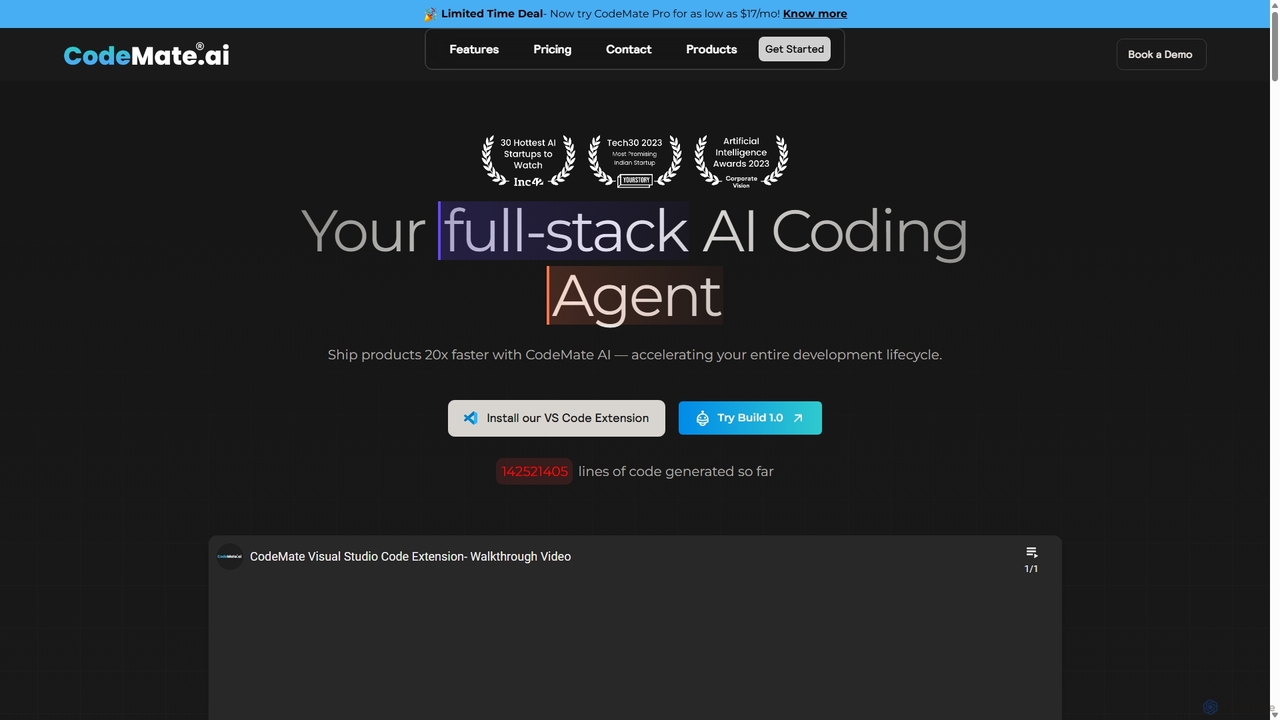
CodeMate Product overview

CodeMate is a secure, personalized AI pair programmer designed to enhance developer productivity. It assists with debugging, reviewing, and optimizing code, offering context-aware chat and seamless integration with IDEs like VS Code to help developers build software up to 20x faster.

Preview

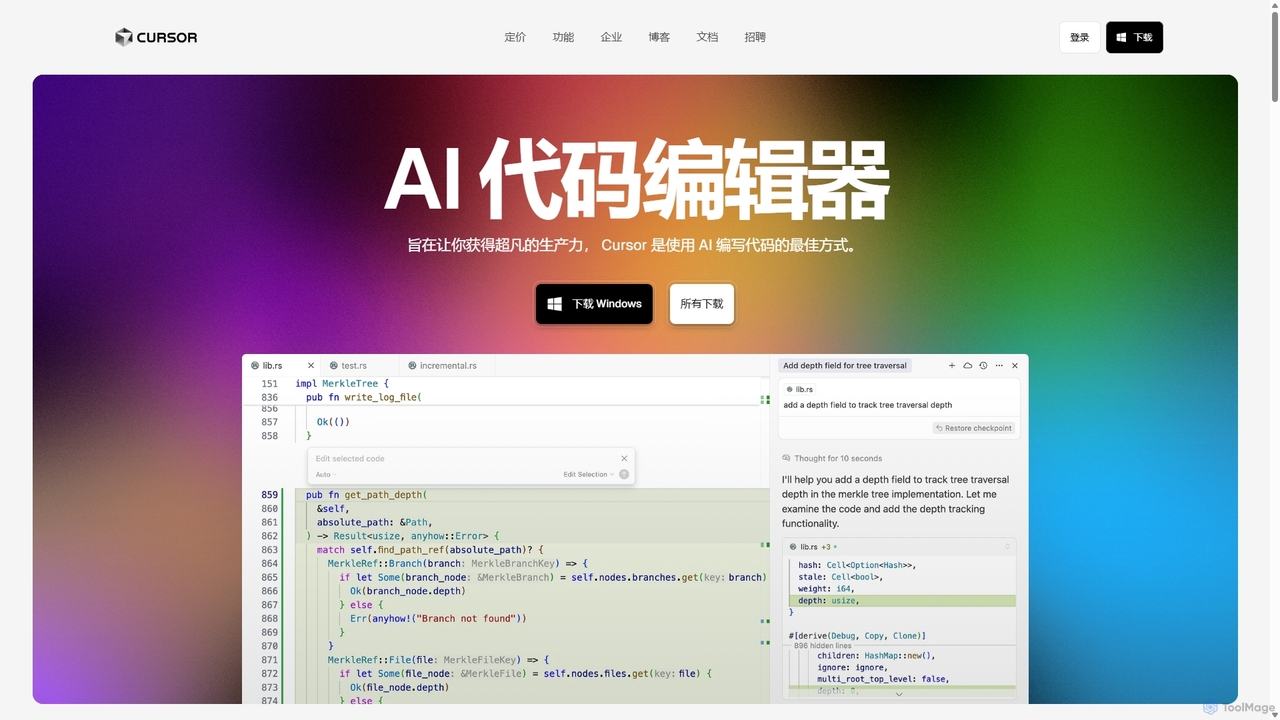
Cursor Product overview

Cursor is an AI-first code editor designed for pair-programming with artificial intelligence. Built as a fork of VS Code, it offers a familiar environment supercharged with advanced AI capabilities for code generation, editing, debugging, and codebase comprehension, aiming to significantly boost developer productivity.

Preview

Quick facts

Compare product focus, pricing models and audiences. Highlighted rows indicate different listed information; unknown pricing does not mean free.

CodeMate VS Cursor — Quick facts
Quick factsCodeMateCursor
Pricing modelPaidFreemium
Product typeWebApp
Primary focusCode AssistantCode Assistant
Audience and rolesBackend Engineer · DevOps Engineer · Engineering Manager · Full-Stack Developer · Software Developer · Software Engineer · Student · TeacherData Scientist · DevOps Engineer · Machine Learning Engineer · Quantitative Analyst · Researcher · Software Developer · Student · Web Developer
CategoriesCode Assistant · Learning · Developer ToolsCode Assistant · Code Editor · Developer Tools
AddedSep 7, 2025Sep 12, 2025
UpdatedNov 19, 2026Nov 19, 2026

Features, usage and use cases

Explore the listed product descriptions, features and workflows. Taxonomy labels alone are not feature evaluations.

CodeMate

CodeMate is an advanced AI-powered pair programmer designed to revolutionize the software development lifecycle. It acts as a personal and secure co-developer, empowering engineers to transition from idea to deployment in record time. By integrating directly into the developer's workflow, CodeMate helps eliminate context switching and overloading browser tabs, allowing for a deep focus on problem-solving rather than tedious debugging and code maintenance. Trusted by engineers at major tech companies, it aims to make developers 20x more productive by automating repetitive tasks and providing intelligent assistance.

How to use CodeMate

Getting started with CodeMate is straightforward and designed for seamless integration. Users can incorporate its powerful features directly into their existing development environment. The primary method is by installing the CodeMate extension for Visual Studio Code (VS Code). Once installed, developers can connect their codebases, documentation, and Git repositories. This allows the AI to gain context and provide highly relevant assistance. With the extension active, you can use simple commands to debug code, request code reviews, refactor complex functions, or generate documentation. Alternatively, for those who prefer a dedicated space, CodeMate also offers its own web-based IDE where you can write, test, and fix your code with all the AI features built-in.

Core Features of CodeMate

  • AI Assistant: Functions as an active co-developer within your codebase. It can perform CRUD operations, add comprehensive documentation, and execute various programming tasks on your behalf with simple text commands.
  • Instant Code Debugging: Analyzes your code against multiple test cases based on your intended logic. It generates detailed fixes, explains the root cause of errors you might have missed, and helps you achieve the desired output quickly.
  • Code Optimization and Refactoring: Intelligently scans your codebase to identify and remove redundant, inefficient, or error-prone code. It suggests refactoring options to improve code quality, maintainability, and performance, making it production-ready.
  • Context-Aware CodeMate Chat: A powerful chat interface, similar to ChatGPT but with full context of your project. By connecting your codebase, internal documentation, and Git repositories, it provides accurate, relevant answers without your data ever leaving your secure environment.
  • Automated Code Review: Performs detailed code reviews based on industry best practices and standards. It's like having an experienced senior developer providing feedback on code style, formatting, naming conventions, and potential issues.
  • Test Case Generation: Automates the creation of unit and functional test cases, ensuring better code coverage and reliability while saving significant development time.

Use Cases for CodeMate

CodeMate is versatile and benefits various users. Individual developers and freelancers can use it to accelerate their personal projects, quickly debug issues, and learn best practices. For smaller development teams and startups, it facilitates collaboration through a shared knowledge base and ensures code consistency and quality with automated PR reviews. Large organizations and enterprises can leverage on-premises deployment for maximum security, custom fine-tuned models for proprietary codebases, and dedicated support to streamline their development processes. In educational settings, CodeMate serves as an AI-powered coding companion for students, offering personalized learning paths and instant feedback, while providing teachers with tools to manage assignments and track student progress.

Advantages of CodeMate

The primary advantage of CodeMate is the massive boost in productivity, enabling developers to focus on high-level problem-solving. Its context-aware nature provides more accurate and relevant suggestions than generic AI models. Security is a cornerstone, with features like on-premises deployment and a commitment to keeping user code private. The tool's extensive language support makes it adaptable to virtually any project. Furthermore, its educational features bridge the gap between learning and professional development, making it a valuable tool for both students and seasoned engineers.

Pricing and Plans

CodeMate offers several pricing plans tailored to different needs:

  • Pro Plan: Priced at $17/month, this plan is ideal for individual developers and freelancers. It includes features like code debugging, review, refactoring, unlimited internet searches, CodeMate Assistant, and access to search & chat with documentation and codebases.
  • Teams Plan: At $31/month per user, this plan includes everything in Pro, plus features for collaboration such as a shared knowledge base, seat management, and automated PR reviews.
  • Organisation Plan: This is a custom plan for SMBs and enterprises. It includes all features from the Teams plan, plus on-premises deployment, custom fine-tuned models, a dedicated account manager, and priority support. Pricing is available upon request.
  • One-Time Tier Plans: CodeMate also offers special lifetime or extended deals, such as Tier 1 ($59), Tier 2 ($169), and Tier 3 ($999), which provide a set amount of tokens, storage, and features for a single payment.

Cursor

Cursor is a revolutionary AI-first code editor engineered to redefine the software development workflow. It's built as a fork of the popular Visual Studio Code, ensuring a familiar and comfortable user experience while integrating powerful AI functionalities at its core. This approach allows developers to seamlessly migrate their existing setups, including extensions, themes, and keybindings, with a single click. Trusted by engineers at leading companies like Samsung, Stripe, and OpenAI, Cursor is designed to make coding faster, smarter, and more intuitive.

The editor's primary goal is to facilitate a deep, collaborative relationship between the developer and AI. Unlike simple autocomplete plugins, Cursor's AI understands the entire context of your codebase. This enables it to provide highly relevant suggestions, answer complex questions about your project, and perform intricate edits based on natural language commands. It's like having an expert pair programmer available 24/7, helping you navigate, build, and refactor code with unprecedented speed.

How to use Cursor

Getting started with Cursor is straightforward:

  1. Download and Install: Visit the official Cursor website and download the application for your operating system (Windows, macOS, or Linux).
  2. Migrate from VS Code: Upon first launch, Cursor offers a one-click import option to bring over all your VS Code extensions, settings, themes, and keybindings, ensuring a seamless transition.
  3. AI-Powered Editing: Use the keyboard shortcut (e.g., Cmd+K on Mac, Ctrl+K on Windows) to open an inline prompt where you can type natural language instructions to generate or modify code blocks.
  4. Codebase Chat: Open the chat panel (e.g., Cmd+L or Ctrl+L) to ask questions about your entire repository. For example, you can ask "How is user authentication handled?" and Cursor will provide answers with references to specific files.
  5. Intelligent Autocomplete: As you type, Cursor's "Tab" completion predicts and suggests multi-line code edits based on the surrounding context. Simply press Tab to accept the suggestion.
  6. Utilize AI Agents: For more complex, multi-step tasks, you can deploy AI Agents. These agents can plan and execute tasks like fixing bugs from a Linear ticket, implementing a new feature described in a GitHub issue, or refactoring an entire module, interacting with your terminal and files as needed.

Core Features of Cursor

  • AI-Powered Code Generation & Editing: Write, edit, and refactor code using simple natural language prompts directly within the editor.
  • Codebase-Wide Context: The AI has a comprehensive understanding of your entire project, allowing it to provide accurate answers and generate context-aware code.
  • Advanced Autocompletion: Goes beyond single-line suggestions to predict and implement multi-line code blocks with a single Tab press.
  • AI Agents: Autonomous agents that can understand high-level tasks, create a plan, and execute it by writing code, running commands, and fixing errors.
  • Seamless VS Code Integration: A fork of VS Code, allowing for one-click migration of all extensions, themes, and settings.
  • Integrated Debugging: Use AI to help identify the root cause of bugs and suggest fixes.
  • Privacy-First Design: Features a privacy mode to prevent your code from being stored on remote servers, and is SOC 2 certified for enterprise-grade security.
  • Developer Tool Integrations: Connects with tools like GitHub, Slack, and Linear to trigger AI workflows directly from your existing issue trackers and communication channels.

Use Cases for Cursor

Cursor is versatile and enhances productivity across various development scenarios:

  • Rapid Feature Development: Quickly scaffold new components, APIs, or functions by describing the requirements in plain English.
  • Complex Bug Fixes: Describe a bug and let the AI analyze the codebase, identify the potential cause, and propose a fix.
  • Codebase Onboarding: New team members can quickly get up to speed by asking Cursor questions about the architecture, data flow, or specific functions of a large, unfamiliar project.
  • Automated Refactoring: Modernize legacy code, improve performance, or enforce coding standards across multiple files with a single command.
  • Documentation Generation: Automatically create README files, code comments, and API documentation by having the AI analyze the source code.
  • Learning New Technologies: Experiment with new languages or frameworks by asking the AI to generate boilerplate code and explain complex concepts.

Advantages of Cursor

Cursor offers a significant competitive edge over traditional editors and other AI assistants:

  • Deep Integration: AI is not an afterthought or a plugin; it is fundamental to the editor's design, leading to a more fluid and powerful experience.
  • Superior Contextual Awareness: Its ability to index and understand an entire repository results in more accurate and useful AI assistance compared to tools that only see the current file.
  • Massive Productivity Gains: Users and testimonials report that Cursor is at least twice as efficient as alternatives like GitHub Copilot, transforming development into a faster, more creative process.
  • Familiar Environment: By being a fork of VS Code, it eliminates the learning curve for millions of developers, making adoption effortless.
  • Cutting-Edge AI Models: Utilizes a mix of custom and state-of-the-art AI models (like GPT-4 and beyond) to ensure high-quality, intelligent responses.

Pricing and Plans

Cursor operates on a freemium model:

  • Free Plan: Offers a limited number of uses of advanced AI models per month, suitable for individual developers or those wanting to try the tool.
  • Pro Plan: A paid subscription ($20/month) that provides a generous monthly allowance for advanced models, priority access to new features, and faster performance.
  • Business Plan: Custom pricing for teams and enterprises, offering centralized billing, admin controls, enhanced security features, and the ability to self-host or use private models.
  • Student Offer: Verified university students can receive one year of the Pro plan for free, empowering the next generation of developers with top-tier AI tools.

Positioning

Their taxonomy shows where the products overlap and where each one has a more distinct focus. Unknown fields are shown explicitly and are never filled with assumptions.

Categories

Shared
Developer Tools
Only CodeMate
Code AssistantLearning
Only Cursor
Code AssistantCode Editor

Tags

Shared
ai pair programmercode assistantcode generationdebuggingdeveloper productivityrefactoring
Only CodeMate
AI coding toolcode reviewunit testingVS Code extension
Only Cursor
AI code editorgithubprogrammingsoftware developmentVS Code

Audience and roles

Shared
DevOps EngineerSoftware DeveloperStudent
Only CodeMate
Backend EngineerEngineering ManagerFull-Stack DeveloperSoftware EngineerTeacher
Only Cursor
Data ScientistMachine Learning EngineerQuantitative AnalystResearcherWeb Developer

Traffic comparison

Traffic is shown on the same scale so differences in market visibility are not visually understated.

How to interpret the traffic data

Both charts share the same months and vertical scale. Each tool identifies its latest reporting month; missing months are left blank, not counted as zero. Regional and source visit counts are estimates calculated from the reported shares.

CodeMate monthly traffic:

Latest traffic · 2026-05

Monthly visits
20.9K
Avg. visit duration
1:59
Pages per visit
3.31
Bounce rate
39.67%
Data updated 2026-06-15

Monthly traffic trend

  • 2025-09: 17.3K
  • 2026-01: 16.2K
  • 2026-02: 7.7K
  • 2026-03: 6.1K
  • 2026-04: 16.8K
  • 2026-05: 20.9K

Top regions

Top 5 countries/regions
Country/regionPercentageEstimated visits
🇮🇳India67.51%14.1K
🇺🇸United States28.17%5.9K
🇬🇧United Kingdom3.79%794
🇻🇳Vietnam0.53%111

Traffic sources

Source typePercentageEstimated visits
Direct92.95%19.5K
Referral6.05%1.3K
Email1%209

Search keywords

codematecodemate aicodemateaicodemate educationtoolbox ai download codemate

Cursor monthly traffic:

Latest traffic · 2026-05

Monthly visits
20.8M
Avg. visit duration
3:58
Pages per visit
4.28
Bounce rate
38.57%
Data updated 2026-06-15

Monthly traffic trend

  • 2025-09: 14.7M
  • 2026-01: 18M
  • 2026-02: 17.8M
  • 2026-03: 21.8M
  • 2026-04: 21M
  • 2026-05: 20.8M

Top regions

Top 5 countries/regions
Country/regionPercentageEstimated visits
🇺🇸United States37.58%7.8M
🇨🇳China32.48%6.8M
🇮🇳India18.44%3.8M
🇧🇷Brazil6.66%1.4M
🇰🇷Korea, Republic of4.84%1M

Traffic sources

Source typePercentageEstimated visits
Direct89.76%18.7M
Referral8.67%1.8M
Email1.57%326.7K

Search keywords

claude codecursorcursor aicursor downloadcursor pricing

Community signals

Ratings, comments, favorites, and likes are community signals—not a substitute for product fit.

CodeMate

Rating
No data available
Comments
0
Favorites
185
Likes
167

Cursor

Rating
No data available
Comments
0
Favorites
179
Likes
209

CodeMate vs Cursor · Comparison FAQ

What do CodeMate and Cursor have in common?
Both tools are listed under Developer Tools. These categories indicate overlapping use cases; compare their detailed descriptions for workflows, capabilities and limitations.
Are CodeMate and Cursor free?
Listed pricing models: CodeMate — Paid; Cursor — Freemium. Missing pricing is not proof of a free plan, and freemium does not mean every feature is free. Check official sites for current plans, limits and trials.
How should I choose between CodeMate and Cursor?
The primary listed category is Code Assistant for CodeMate, and Code Assistant for Cursor. Compare features, steps and use cases, then verify pricing, data permissions and deployment needs. This page does not include hands-on testing and does not declare a winner from traffic or tags.

Sources and comparison methodology

This page is assembled from ToolMage product listings, taxonomy, traffic statistics and on-site user feedback. It is not a hands-on test or an independent review.

  • Feature and plan descriptions reflect information in the listings, not real-time guarantees. Verify pricing, quotas, availability and privacy terms on the official sites.
  • Traffic uses the reporting months shown. Missing statistics do not mean zero visits, and different periods do not establish growth or superiority. Regional and source visit counts are estimates based on shares.
  • Different tags indicate differences in the listings, not proof that the other product lacks a capability. Ratings, favorites and visits are not used to declare a winner.

Related comparisons