Data Analyzer
Visualization
AI TOOL COMPARISON
What is the difference, and which fits your workflow? Compare features, usage, pricing models and traffic side by side.
Visualization
3D
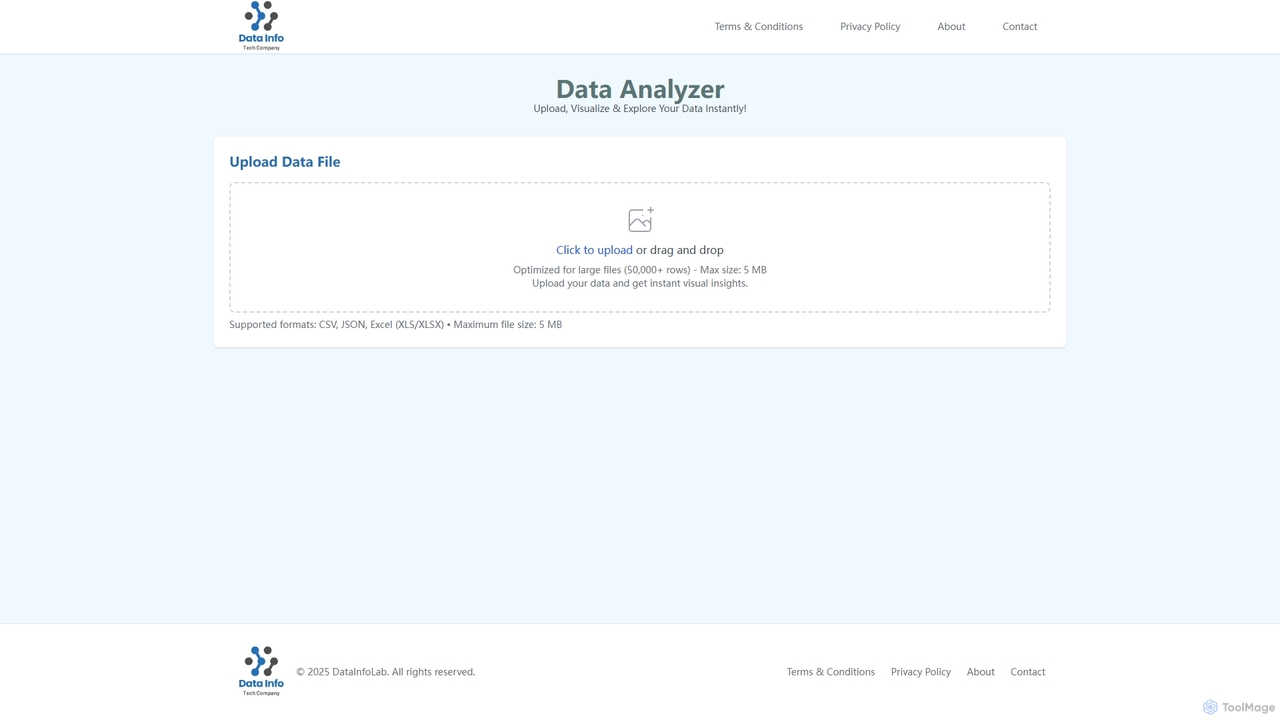
Data Analyzer is an intuitive AI-powered tool designed for instant data visualization and exploration. Users can upload various data file formats like CSV, JSON, and Excel to quickly gain visual insights and understand global statistics, trends, and data patterns. It's optimized to handle large datasets, making complex data analysis accessible and efficient.
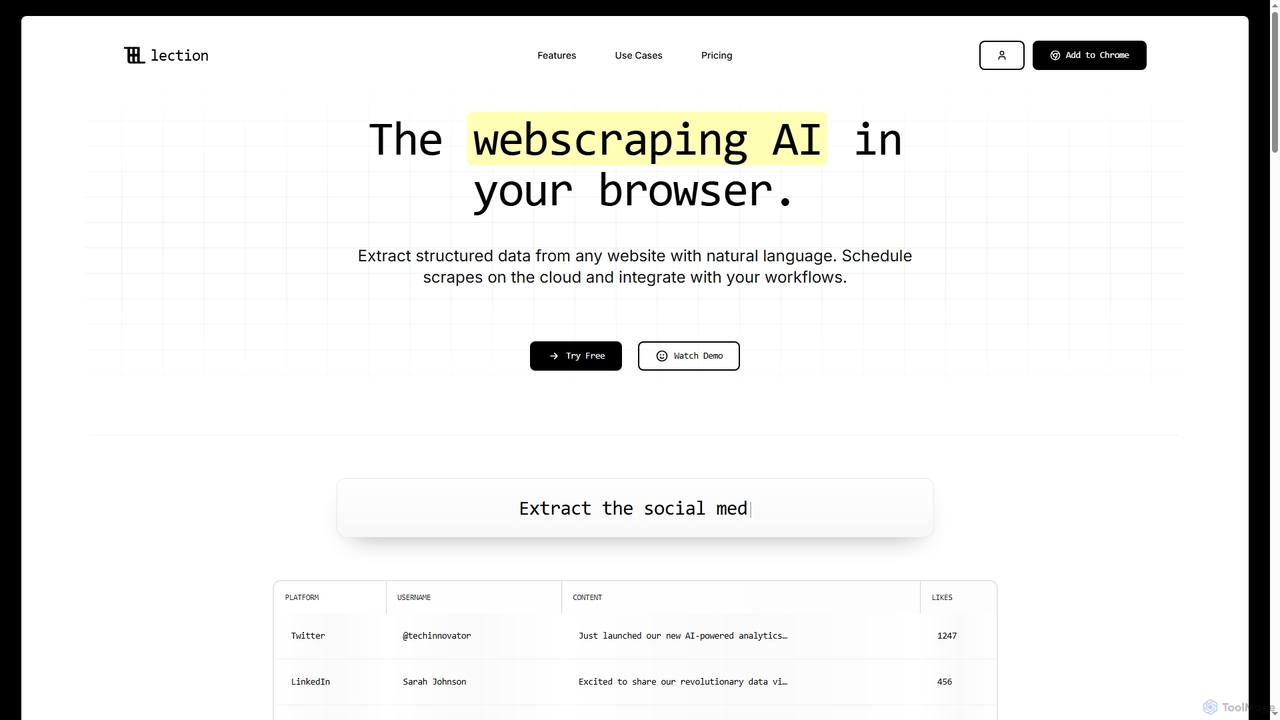
Lection is an AI-powered web scraping agent that allows users to extract structured data from any website using natural language. It automates data collection, integrates with popular workflows, and provides clean, validated data without requiring any coding expertise.
Compare product focus, pricing models and audiences. Highlighted rows indicate different listed information; unknown pricing does not mean free.
| Quick facts | Data Analyzer | Lection |
|---|---|---|
| Pricing model | No data available | Freemium |
| Product type | Web | Extensions |
| Primary focus | Visualization | 3D |
| Audience and roles | Academic Researcher · Business Analyst · Consultant · Data Analyst · Marketing Manager · Market Researcher · Product Manager · Statistician | Academic Researcher · Business Analyst · Compliance Officer · Data Analyst · Lead Generation Specialist · Market Researcher · Procurement Specialist · Real Estate Analyst · Recruiter · Sales Representative · Software Developer |
| Categories | Visualization · Data Management | 3D · Workflow Automation · Data Management |
| Added | Oct 30, 2025 | Dec 21, 2025 |
| Updated | Nov 19, 2026 | Nov 19, 2026 |
Explore the listed product descriptions, features and workflows. Taxonomy labels alone are not feature evaluations.
Data Analyzer is a cutting-edge AI tool that simplifies the process of data analysis and visualization. It allows users to effortlessly upload their data files and receive instant visual insights, transforming raw data into actionable intelligence. Optimized for performance, Data Analyzer can process large datasets, specifically supporting files with over 50,000 rows, ensuring robust analysis capabilities for diverse needs. Its user-friendly interface makes data exploration accessible to professionals across various industries, enabling them to uncover global statistics, identify trends, and derive meaningful data insights without requiring extensive technical expertise.
Using Data Analyzer is straightforward. Simply navigate to the platform and locate the 'Upload Data File' section. You can either click to open a file selection dialog or drag and drop your data file directly into the designated area. Ensure your file is in a supported format (CSV, JSON, or Excel - XLS/XLSX) and does not exceed the 5 MB maximum size. Once uploaded, Data Analyzer will instantly process your data and present you with visual insights and exploration options.
Data Analyzer is ideal for a wide range of applications, including business intelligence, market research, academic studies, and trend analysis. Businesses can use it to quickly visualize sales data, customer behavior, or operational metrics to make informed decisions. Researchers can analyze survey results or experimental data to identify patterns and draw conclusions. Anyone needing to rapidly understand complex datasets and extract key insights will find Data Analyzer an invaluable tool for global statistics, data insights, and trend identification.
The primary advantages of Data Analyzer include its speed and ease of use, providing instant visual insights without a steep learning curve. Its optimization for large files ensures that even substantial datasets can be processed efficiently. The support for common data formats (CSV, JSON, Excel) makes it versatile for various data sources. By automating the visualization process, it saves significant time and effort, allowing users to focus on interpreting results rather than data preparation.
Lection is an innovative AI web scraping agent designed to simplify data extraction from the internet. It empowers users to effortlessly pull structured data from virtually any website by simply describing their needs in natural language. This browser-based tool eliminates the complexity of coding, making advanced web scraping accessible to everyone from individual researchers to large enterprises.
Using Lection is straightforward and requires no coding. Users can install the Lection browser extension, then point, click, and specify the data they wish to extract using natural language prompts. The AI agent intelligently identifies and gathers the requested information. Once extracted, data can be instantly exported to various formats or integrated directly into existing workflows.
Lection is versatile and can be applied across numerous industries and functions:
Lection offers significant advantages by making web scraping accessible and efficient. It eliminates the need for coding skills, drastically reducing the time and cost associated with custom scrapers. Its AI-driven natural language interface simplifies complex data extraction tasks. With cloud scraping, users benefit from continuous, automated data flow and robust error handling. Seamless integration with popular tools ensures that extracted data can be immediately utilized in existing workflows, boosting productivity and enabling data-driven decisions.
Lection offers a flexible pricing structure, including a free tier and various paid plans:
Their taxonomy shows where the products overlap and where each one has a more distinct focus. Unknown fields are shown explicitly and are never filled with assumptions.
Traffic is shown on the same scale so differences in market visibility are not visually understated.
Both charts share the same months and vertical scale. Each tool identifies its latest reporting month; missing months are left blank, not counted as zero. Regional and source visit counts are estimates calculated from the reported shares.
No data available
| Country/region | Percentage | Estimated visits |
|---|---|---|
| 🇮🇳India | 33.35% | 7.4K |
| 🇺🇸United States | 23.43% | 5.2K |
| 🇩🇪Germany | 14.66% | 3.3K |
| 🇧🇷Brazil | 14.34% | 3.2K |
| 🇬🇧United Kingdom | 14.22% | 3.2K |
Ratings, comments, favorites, and likes are community signals—not a substitute for product fit.
Data Analyzer supports common data file formats including CSV, JSON, and Excel (XLS/XLSX). You can upload any of these formats to get instant visual insights.
The maximum file size supported by Data Analyzer for upload is 5 MB. Files exceeding this limit cannot be processed.
Yes, Data Analyzer is optimized for large files, capable of handling datasets with over 50,000 rows. This ensures efficient processing and visualization even for substantial amounts of data.
Lection is an AI-powered web scraping agent that operates directly in your browser, enabling you to extract structured data from any website using natural language commands. It also offers cloud-based scheduling and workflow integrations.
No, Lection is designed for ease of use with "no coding required." You can extract structured data by simply pointing, clicking, and exporting, as demonstrated in the "See how it works" section.
Lection can extract structured data from a wide variety of sources, including social media posts, product pages, profiles, listings, company directories, financial fundamentals, candidate profiles, abstracts, citations, and real estate listings. It works on any website that loads in your browser.
Yes, Lection offers "Cloud Scraping" to run scrapers 24/7 without keeping your browser open. You can "Schedule automated extractions and get fresh data delivered to your inbox automatically."
Lection allows you to "Export to CSV, Excel, and JSON instantly" and "Connect directly to Google Sheets." For integrations, it connects to "Zapier, Make, n8n, and other automation platforms" via "Tool Integrations." Specific webhook integrations include Airtable, Supabase, Slack, Discord, Microsoft Teams, and custom HTTPS endpoints.
This page is assembled from ToolMage product listings, taxonomy, traffic statistics and on-site user feedback. It is not a hands-on test or an independent review.