ToolMage
Sign in

AI TOOL COMPARISON

Lection vs n8n Builder

What is the difference, and which fits your workflow? Compare features, usage, pricing models and traffic side by side.

Jump to key differences

Product overview

Lection Product overview

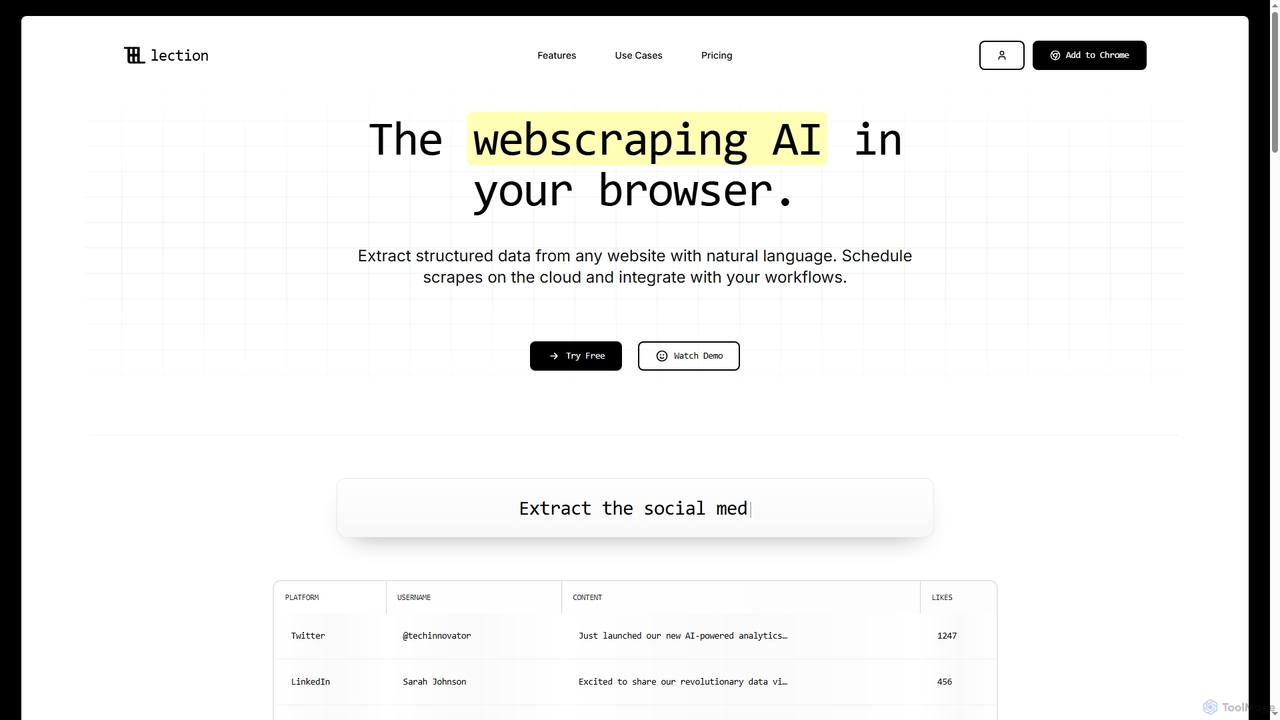
Lection is an AI-powered web scraping agent that allows users to extract structured data from any website using natural language. It automates data collection, integrates with popular workflows, and provides clean, validated data without requiring any coding expertise.

Preview

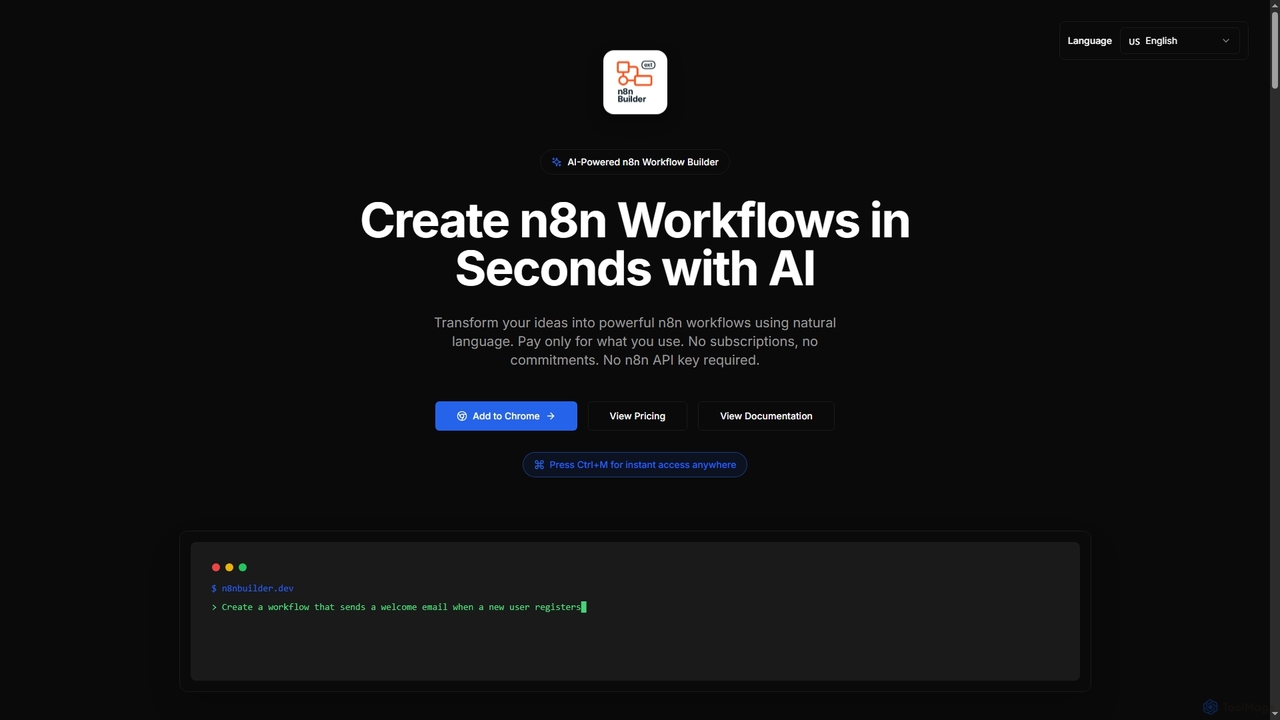
n8n Builder Product overview

n8n Builder is an AI-powered Chrome extension that transforms natural language descriptions into ready-to-import n8n workflows in seconds. It accelerates automation for freelancers, developers, and teams with features like API reference research, instant export, and flexible workflow enhancement modes, all on a transparent pay-as-you-go model.

Preview

Quick facts

Compare product focus, pricing models and audiences. Highlighted rows indicate different listed information; unknown pricing does not mean free.

Lection VS n8n Builder — Quick facts
Quick factsLectionn8n Builder
Pricing modelFreemiumPaid
Product typeExtensionsExtensions
Primary focus3DWorkflow Automation
Audience and rolesAcademic Researcher · Business Analyst · Compliance Officer · Data Analyst · Lead Generation Specialist · Market Researcher · Procurement Specialist · Real Estate Analyst · Recruiter · Sales Representative · Software DeveloperAutomation Engineer · Business Analyst · Data Analyst · Freelancer · Marketing Manager · Product Manager · Sales Representative · Software Developer
Categories3D · Workflow Automation · Data ManagementWorkflow Automation · Productivity · Low Code No Code · Ai Assistant
AddedDec 21, 2025Nov 13, 2025
UpdatedNov 19, 2026Nov 19, 2026

Features, usage and use cases

Explore the listed product descriptions, features and workflows. Taxonomy labels alone are not feature evaluations.

Lection

Lection is an innovative AI web scraping agent designed to simplify data extraction from the internet. It empowers users to effortlessly pull structured data from virtually any website by simply describing their needs in natural language. This browser-based tool eliminates the complexity of coding, making advanced web scraping accessible to everyone from individual researchers to large enterprises.

How to use Lection

Using Lection is straightforward and requires no coding. Users can install the Lection browser extension, then point, click, and specify the data they wish to extract using natural language prompts. The AI agent intelligently identifies and gathers the requested information. Once extracted, data can be instantly exported to various formats or integrated directly into existing workflows.

Core Features of Lection

  • Natural Language Extraction: Extract structured data from any website using simple, natural language commands.
  • Cloud Scraping: Run scrapers 24/7 in the cloud, allowing for automated extractions and fresh data delivery without keeping your browser open.
  • Pagination & Scroll Automation: Automatically extract data across hundreds of pages, reliably handling long result sets and dynamic JavaScript content.
  • Deep Link Trawling: Follow links automatically to extract comprehensive datasets from entire sites, capturing nested data from product pages, profiles, and listings.
  • Export Anywhere: Instantly export scraped data to CSV, Excel, and JSON formats, or connect directly to Google Sheets.
  • Tool Integrations: Connect Lection to popular automation platforms like Zapier, Make, n8n, Airtable, Supabase, Slack, Discord, and Microsoft Teams via webhooks.
  • Interactive Automation: Handle complex workflows by automatically searching, filling forms, selecting dropdowns, and orchestrating multi-step processes.
  • Works on Any Website: Capable of scraping data from marketplaces, SaaS dashboards, niche portals, or any site that loads in your browser.
  • Data Validation: Ensures clean, properly formatted data with built-in validation before it reaches your workflow.
  • Smart Error Handling: Automatically retries failed requests, recovers from network issues, and gracefully handles unexpected page changes.
  • API Access (Upcoming): Integrate Lection directly into applications with a REST API for custom workflows and scalable data collection.
  • Download Files (Upcoming): Scrape downloadable files, document links, and embedded resources.
  • Data Change Detection (Upcoming): Automatically detect and get notified about changes in scraped data, such as price drops or new items.

Use Cases for Lection

Lection is versatile and can be applied across numerous industries and functions:

  • Lead Generation & Prospecting: Scrape company directories, resolve roles, and enrich locations to generate high-signal contact data.
  • Market Research & Competitive Intelligence: Monitor competitor pricing, feature announcements, market positioning, and track industry trends.
  • Supply Chain Monitoring: Track vendor certifications, pricing changes, and inventory levels across multiple portals.
  • Regulatory Compliance Monitoring: Monitor regulatory updates, compliance deadlines, and policy changes across government sites.
  • Financial Data Analysis: Capture fundamentals, filings links, and curated watchlists from investor sites for live market snapshots.
  • Talent Sourcing & Recruitment: Collect candidate profiles, skills, and geography from job boards and portfolios.
  • Data Pipeline Development: Mirror API docs and developer resources into structured datasets for model training and downstream pipelines.
  • Academic Research & Citations: Pull abstracts, citations, and datasets into sortable tables for structured bibliographies.
  • Real Estate Market Research: Track listings, comps, and rent deltas across geographies, automatically flagging changes.

Advantages of Lection

Lection offers significant advantages by making web scraping accessible and efficient. It eliminates the need for coding skills, drastically reducing the time and cost associated with custom scrapers. Its AI-driven natural language interface simplifies complex data extraction tasks. With cloud scraping, users benefit from continuous, automated data flow and robust error handling. Seamless integration with popular tools ensures that extracted data can be immediately utilized in existing workflows, boosting productivity and enabling data-driven decisions.

Pricing and Plans

Lection offers a flexible pricing structure, including a free tier and various paid plans:

  • Starter (Free): Includes 3 websites, scroll automation, pagination, and standard AI models. CSV export is not available.
  • Standard ($20/month, or $13.40/month with yearly billing saving 33%): Offers 50 websites, 10 free cloud credits per month, premium AI models, unlimited scrape management, link trawling, page interactions, cloud scraping with automatic emailing, and export to CSV, JSON, Excel. Priority support is included.
  • Professional ($60/month, or $45/month with yearly billing saving 25%): Provides 250 websites, 500 free cloud credits per month, enterprise-grade AI models, advanced automation workflows, cloud scraping with Google Sheets, Zapier, Make, n8n, custom integrations, and priority access to new features.
  • Business (Contact Sales): Features unlimited scraping, all advanced features, custom scraping workflows, dedicated infrastructure, custom development & integrations, 24/7 priority support, and a dedicated account manager for a fully custom enterprise solution.

n8n Builder

n8n Builder is an innovative AI-powered Chrome extension designed to revolutionize how users create and manage n8n workflows. By simply describing desired automations in natural language, users can instantly generate complex n8n workflows, significantly reducing development time and effort. This tool caters to a wide range of users, from new learners seeking to understand n8n by example to power users and development teams aiming to accelerate their automation journey and focus on custom logic rather than boilerplate setup. It operates on a transparent pay-as-you-go model, ensuring users only pay for successful workflow generations without any subscriptions or hidden fees, and notably, it does not require an n8n API key.

How to use n8n Builder

Getting started with n8n Builder is straightforward. First, install the extension from the Chrome Web Store. Once installed, you can quickly access it from anywhere by pressing the Ctrl+M keyboard shortcut. Within the extension interface, you'll describe your desired workflow using natural language prompts. The AI will then generate the n8n workflow in seconds. After generation, the workflow JSON is automatically copied to your clipboard, allowing for a one-click paste directly into your n8n canvas. You can also choose between 'Replace Mode' for new workflows, 'Insert Mode' to add nodes to an existing workflow, or 'Upsert Mode' to intelligently update or add nodes.

Core Features of n8n Builder

  • AI-Powered Generation: Transform natural language descriptions into complete, validated n8n workflows instantly.
  • Quick Toggle (Ctrl+M): Access the extension from any browser tab with a simple keyboard shortcut.
  • Instant Export: One-click copy of generated workflow JSON to the clipboard for direct pasting into n8n.
  • API Reference Research: Automatically searches API documentation (e.g., Swagger) to enhance workflow accuracy with the latest endpoints.
  • Fair Credit Policy: Credits are only charged for successful workflow generations, not for errors or failed attempts.
  • Blazing Fast Generation: Workflows are generated in an average of 6 seconds.
  • Flexible Workflow Modes: Choose from Replace Mode (start fresh), Insert Mode (add to existing), or Upsert Mode (intelligently update/add).
  • Real-Time Performance Metrics: Track generated workflows, average generation time, success rate, and estimated cost savings.

Use Cases for n8n Builder

n8n Builder is versatile, supporting a wide array of automation scenarios across various business functions:

  • Email Automation: Create workflows to monitor Gmail for new emails with attachments, extract data from PDFs, and save to Google Drive.
  • Slack Notifications: Build automations that post daily reports to Slack, pulling data from Google Sheets and formatting charts.
  • Database Synchronization: Develop workflows to sync records between databases like Airtable and PostgreSQL, including error notifications.
  • Calendar Integration: Automate the creation of Google Calendar events from form submissions (e.g., Jotform) and send confirmation emails.
  • Sales Automation: Streamline lead capture, qualification, and follow-up, distributing inbound leads, qualifying prospects with scoring rules, and launching nurture sequences.
  • Marketing Campaigns: Deploy campaigns faster with pre-built prompts for list-building forms, webinar reminders, retargeting audiences, and multi-channel cadences, ensuring compliance with double opt-in and consent logging.

Advantages of n8n Builder

n8n Builder offers several key advantages for anyone working with n8n:

  • Speed and Efficiency: Generate complex workflow foundations in seconds, significantly accelerating the automation development process.
  • Ease of Use: Leverage natural language to build workflows, making n8n more accessible to new learners and reducing the learning curve.
  • Cost-Effective: A transparent pay-as-you-go model with no subscriptions, commitments, or hidden fees, ensuring you only pay for what you successfully use.
  • Accuracy and Reliability: AI-powered generation combined with API reference research ensures high accuracy and up-to-date workflow definitions.
  • Flexibility: Workflow enhancement modes (Replace, Insert, Upsert) provide granular control over how AI interacts with and modifies your n8n canvas.
  • No n8n API Key Required: Simplifies setup and enhances security by not requiring sensitive n8n credentials.

Pricing and Plans

n8n Builder operates on a simple pay-as-you-go pricing model with no monthly fees or hidden costs. All prices include taxes, and credits never expire. There are no charges for failed generations, only successful ones count.

  • Starter Pack: $8 (incl. tax) for 10 AI workflow generations. Includes advanced workflow generation, instant export to n8n, and email support.
  • Pro Pack (Most Popular): $15 (incl. tax) for 20 AI workflow generations. Offers advanced workflow generation, priority processing, email support, and workflow enhancement modes.
  • Business Pack: $25 (incl. tax) for 35 AI workflow generations. Designed for teams, it includes advanced workflow generation, priority processing, and dedicated email support.

Positioning

Their taxonomy shows where the products overlap and where each one has a more distinct focus. Unknown fields are shown explicitly and are never filled with assumptions.

Categories

Shared
Workflow Automation
Only Lection
3DData Management
Only n8n Builder
ProductivityLow Code No CodeAi Assistant

Tags

Shared
automationintegrationn8nnatural language processingno-code
Only Lection
AIbusiness intelligencecsvdata analysisdata extractionexcelGoogle SheetsJSONlead generationmakemarket researchreal-time datastructured dataweb scrapingZapier
Only n8n Builder
AI workflowAPI researchchrome extensionlow-codemarketing automationproductivitysales automationworkflow builderworkflow generation

Audience and roles

Shared
Business AnalystData AnalystSales RepresentativeSoftware Developer
Only Lection
Academic ResearcherCompliance OfficerLead Generation SpecialistMarket ResearcherProcurement SpecialistReal Estate AnalystRecruiter
Only n8n Builder
Automation EngineerFreelancerMarketing ManagerProduct Manager

Traffic comparison

Traffic is shown on the same scale so differences in market visibility are not visually understated.

How to interpret the traffic data

Both charts share the same months and vertical scale. Each tool identifies its latest reporting month; missing months are left blank, not counted as zero. Regional and source visit counts are estimates calculated from the reported shares.

Lection monthly traffic:

Latest traffic · 2026-05

Monthly visits
22.2K
Avg. visit duration
0:15
Pages per visit
2.98
Bounce rate
35.92%
Data updated 2026-06-15

Monthly traffic trend

  • 2026-01: 2K
  • 2026-02: 5K
  • 2026-03: 14.6K
  • 2026-04: 19.5K
  • 2026-05: 22.2K

Top regions

Top 5 countries/regions
Country/regionPercentageEstimated visits
🇮🇳India33.35%7.4K
🇺🇸United States23.43%5.2K
🇩🇪Germany14.66%3.3K
🇧🇷Brazil14.34%3.2K
🇬🇧United Kingdom14.22%3.2K

Search keywords

ai extract all comments from an insta acocuntexportar comentarios de ig gratisfree instagram comment exporterscrap instagram commentsthread comment scraper reddit כרקק

n8n Builder

No data available

Community signals

Ratings, comments, favorites, and likes are community signals—not a substitute for product fit.

Lection

Rating
No data available
Comments
0
Favorites
93
Likes
95

n8n Builder

Rating
No data available
Comments
0
Favorites
153
Likes
169

Lection vs n8n Builder · Comparison FAQ

What do Lection and n8n Builder have in common?
Both tools are listed under Workflow Automation. These categories indicate overlapping use cases; compare their detailed descriptions for workflows, capabilities and limitations.
Are Lection and n8n Builder free?
Listed pricing models: Lection — Freemium; n8n Builder — Paid. Missing pricing is not proof of a free plan, and freemium does not mean every feature is free. Check official sites for current plans, limits and trials.
How should I choose between Lection and n8n Builder?
The primary listed category is 3D for Lection, and Workflow Automation for n8n Builder. Compare features, steps and use cases, then verify pricing, data permissions and deployment needs. This page does not include hands-on testing and does not declare a winner from traffic or tags.

Lection · Comparison FAQ

What is Lection?

Lection is an AI-powered web scraping agent that operates directly in your browser, enabling you to extract structured data from any website using natural language commands. It also offers cloud-based scheduling and workflow integrations.

Does Lection require any coding knowledge?

No, Lection is designed for ease of use with "no coding required." You can extract structured data by simply pointing, clicking, and exporting, as demonstrated in the "See how it works" section.

What kind of data can Lection extract?

Lection can extract structured data from a wide variety of sources, including social media posts, product pages, profiles, listings, company directories, financial fundamentals, candidate profiles, abstracts, citations, and real estate listings. It works on any website that loads in your browser.

Can I automate data extraction with Lection?

Yes, Lection offers "Cloud Scraping" to run scrapers 24/7 without keeping your browser open. You can "Schedule automated extractions and get fresh data delivered to your inbox automatically."

What export formats and integrations does Lection support?

Lection allows you to "Export to CSV, Excel, and JSON instantly" and "Connect directly to Google Sheets." For integrations, it connects to "Zapier, Make, n8n, and other automation platforms" via "Tool Integrations." Specific webhook integrations include Airtable, Supabase, Slack, Discord, Microsoft Teams, and custom HTTPS endpoints.

n8n Builder · Comparison FAQ

What is n8n Builder?

n8n Builder is an AI-powered Chrome extension that allows users to create n8n workflows in seconds using natural language. It transforms your ideas into powerful n8n workflows without requiring an n8n API key.

How does the AI workflow generation work?

You describe your desired workflow in natural language, and the AI instantly builds it. It understands integrations, triggers, and branching logic, outputting ready-to-import JSON definitions. The process includes automatic API reference research to enhance accuracy.

Do I need to know n8n to use this extension?

While n8n Builder accelerates workflow creation, the documentation states it's built for everyone who works with n8n, including new learners. You can learn n8n workflows by example, seeing how AI builds automations and then customizing them as you learn. However, some familiarity with n8n concepts would be beneficial for customization and review.

Is only Google Chrome supported?

Yes, n8n Builder is an extension that you install to Chrome from the Chrome Web Store. The documentation explicitly mentions 'Add the extension to Chrome' and 'Is only Google Chrome supported?' in the FAQ section, implying it's Chrome-specific.

Is my data secure when using n8n Builder?

Yes, your credentials stay securely in Chrome extension storage. All communication is HTTPS-only. The tool also states that it does not require an n8n API key, further enhancing security by not handling sensitive n8n credentials.

Sources and comparison methodology

This page is assembled from ToolMage product listings, taxonomy, traffic statistics and on-site user feedback. It is not a hands-on test or an independent review.

  • Feature and plan descriptions reflect information in the listings, not real-time guarantees. Verify pricing, quotas, availability and privacy terms on the official sites.
  • Traffic uses the reporting months shown. Missing statistics do not mean zero visits, and different periods do not establish growth or superiority. Regional and source visit counts are estimates based on shares.
  • Different tags indicate differences in the listings, not proof that the other product lacks a capability. Ratings, favorites and visits are not used to declare a winner.

Related comparisons