ToolMage
Sign in

AI TOOL COMPARISON

dstack vs Modelbit

What is the difference, and which fits your workflow? Compare features, usage, pricing models and traffic side by side.

Jump to key differences

Product overview

dstack Product overview

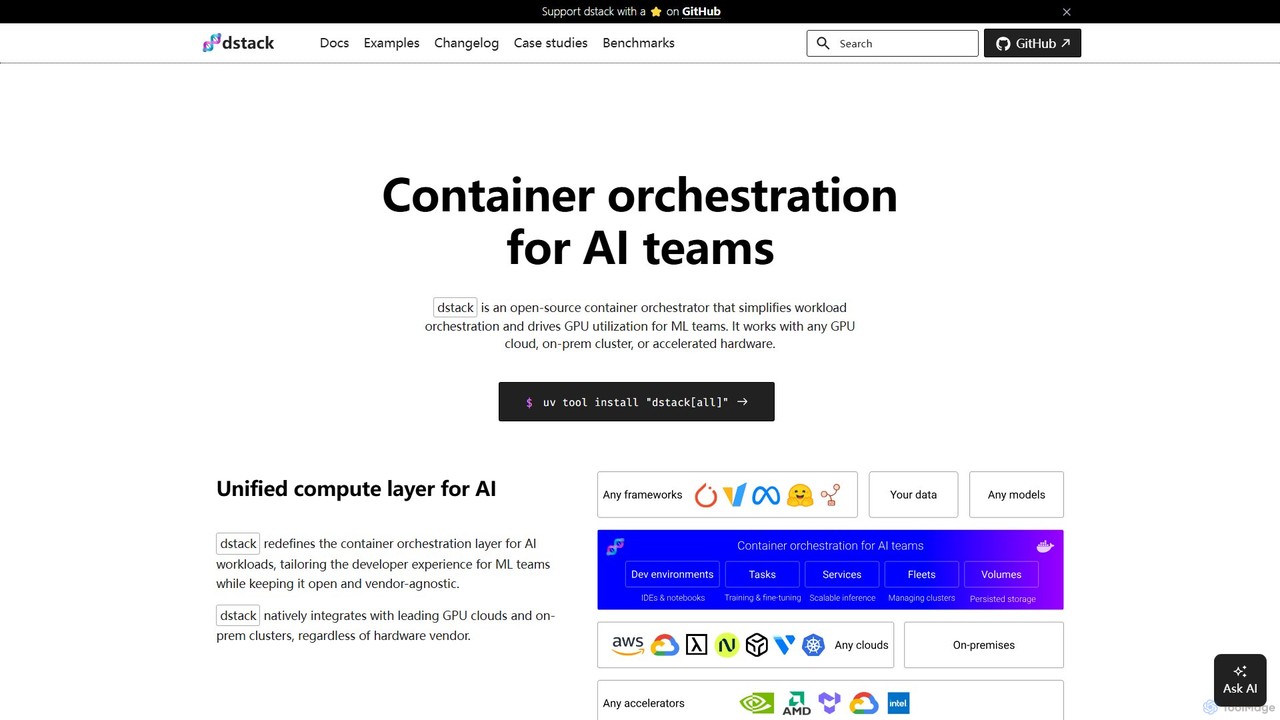
dstack is an open-source container orchestrator designed for AI and ML teams. It simplifies workload orchestration and maximizes GPU utilization across any cloud provider, on-premise cluster, or accelerated hardware. It provides a unified compute layer, streamlining development, training, and model deployment.

Preview

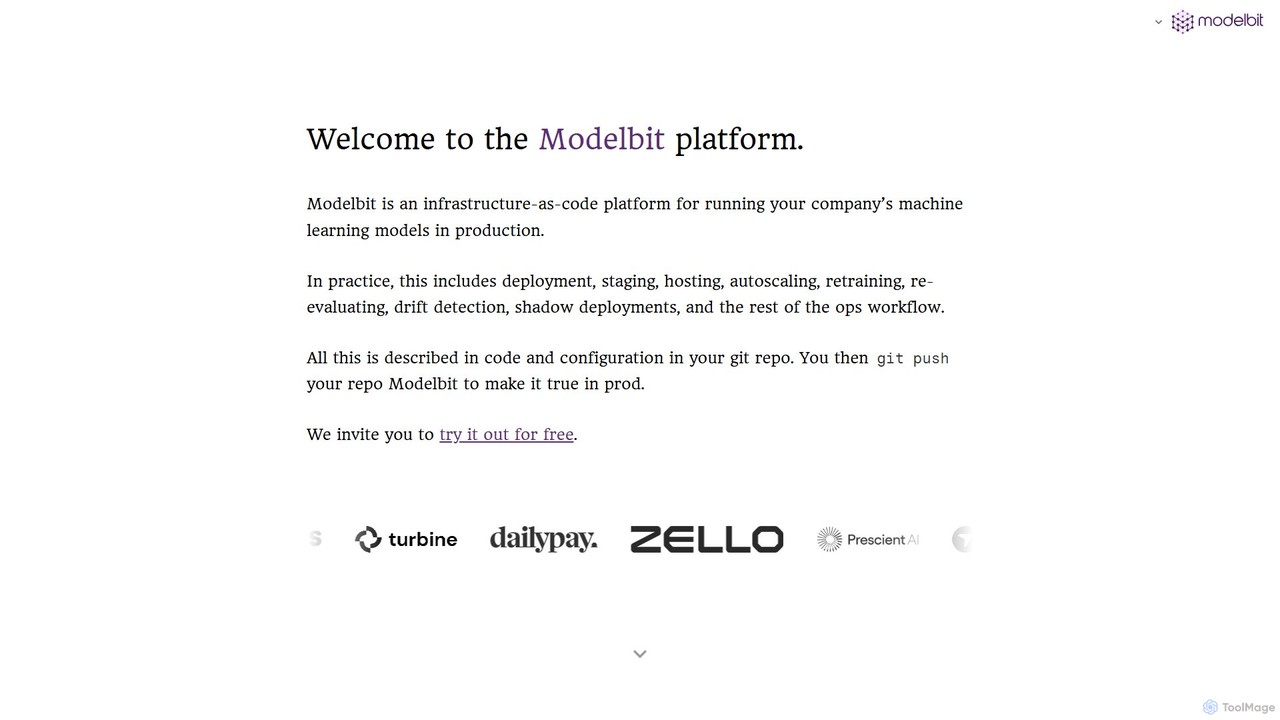
Modelbit Product overview

Modelbit is an MLOps platform for deploying machine learning models directly from Python notebooks to production. It provides an infrastructure-as-code workflow, enabling data scientists to deploy, host, scale, and manage models with a single line of code and a git push.

Preview

Quick facts

Compare product focus, pricing models and audiences. Highlighted rows indicate different listed information; unknown pricing does not mean free.

dstack VS Modelbit — Quick facts
Quick factsdstackModelbit
Pricing modelFreemiumFreemium
Product typeWebWeb
Primary focusOrchestrationMlops
Audience and rolesNo data availableNo data available
CategoriesOrchestration · Mlops · Infrastructure ManagementMlops · Automation
AddedAug 8, 2025Aug 2, 2025
UpdatedNov 19, 2026Nov 19, 2026

Features, usage and use cases

Explore the listed product descriptions, features and workflows. Taxonomy labels alone are not feature evaluations.

dstack

dstack is a powerful open-source container orchestrator specifically engineered to address the challenges faced by AI and Machine Learning teams. Its primary goal is to simplify the complex process of workload orchestration and significantly improve the utilization of expensive GPU resources. As a vendor-agnostic platform, dstack offers a unified compute layer that seamlessly integrates with any GPU cloud (like AWS, GCP, Azure, OCI), on-premise clusters, and a wide array of accelerated hardware, including NVIDIA, AMD, TPUs, and more. This flexibility ensures that teams are not locked into a single provider and can leverage the best hardware for their needs, wherever it is located.

The platform is designed with the developer experience at its core, abstracting away the underlying infrastructure complexities. This allows ML engineers and researchers to focus on building, training, and deploying models rather than managing servers, dependencies, and scaling. dstack is trusted by world-class ML teams at companies like Electronic Arts and Mobius Labs for its ability to scale from quick prototyping to large, multi-node distributed training jobs.

How to use dstack

Getting started with dstack is a straightforward process designed for rapid adoption:

  1. Setup the Server: You can begin by installing the dstack server on your local machine using a simple command like uv tool install "dstack[all]" and running it with dstack server. Alternatively, you can deploy it anywhere using the official Docker image or sign up for dstack Sky, the managed cloud version, to avoid hosting it yourself.
  2. Define Configurations: Workflows in dstack are defined using simple YAML files within your project repository. These configurations describe the environment, resources, and commands for your tasks. Key configuration types include:
    • Dev Environments: For interactive development, allowing you to connect your local IDE (like VS Code) to a powerful remote GPU machine.
    • Tasks: For scheduling batch jobs, such as pre-training or fine-tuning models. This is ideal for workloads that run to completion.
    • Services: For deploying models as secure, auto-scaling, OpenAI-compatible endpoints.
    • Fleets: For managing groups of cloud or on-premise instances as a single resource pool.
  3. Apply Configurations: Once your YAML file is ready, you apply it using the command line interface: dstack apply. dstack then handles the rest: provisioning the necessary infrastructure, scheduling the job, managing auto-scaling, handling port-forwarding, and streaming logs back to your terminal. For detached execution, you can use the -d flag.

Core Features of dstack

  • Unified Compute Layer: Provides a single, vendor-agnostic control plane for all your AI compute resources, whether on-cloud or on-premise.
  • Broad Accelerator Support: Natively supports a wide range of hardware, including NVIDIA GPUs, AMD GPUs, Google Cloud TPUs, Intel Gaudi, and Tenstorrent accelerators.
  • Developer-Centric Workflows: Offers specialized configurations like Dev Environments for interactive coding, Tasks for batch processing, and Services for easy model deployment.
  • Efficient Resource Management: Features a built-in scheduler to maximize GPU utilization. It includes policies to automatically terminate underutilized instances, saving costs.
  • Seamless Integration: Works smoothly with leading GPU clouds (AWS, GCP, Azure, OCI) and can run on top of existing Kubernetes clusters. SSH fleets allow connecting bare-metal servers.
  • Auto-Scaling Services: Easily deploy models as production-ready services with features like auto-scaling, HTTPS, and OpenAI-compatible API endpoints.
  • Data Persistence: Supports network and instance volumes to persist data, models, and caches across runs, ensuring state is not lost.
  • Advanced Configuration: Allows for fine-grained control with features like retry policies for capacity issues, environment variable management, and custom Docker image support.

Use Cases for dstack

dstack is versatile and supports a wide range of ML workflows:

  • Model Training and Fine-Tuning: Run single-node or distributed training jobs for large language models (LLMs) using popular frameworks like TRL, Axolotl, and DeepSpeed.
  • Inference and Model Serving: Deploy optimized models for inference using high-performance serving frameworks like vLLM, SGLang, TGI, and NVIDIA NIM.
  • Interactive AI Development: ML engineers can spin up powerful GPU-backed development environments in seconds, connecting their local IDE to experiment and debug code interactively.
  • High-Performance Cluster Management: Set up, configure, and run tests (e.g., NCCL tests) on specialized multi-node clusters like GCP A3 Mega or AWS EFA-enabled instances.
  • Cross-Cloud Cost Optimization: Effortlessly compare and utilize the most cost-effective GPU instances across different cloud providers for any given task.

Advantages of dstack

The primary advantage of dstack is its ability to dramatically simplify AI infrastructure. It empowers ML teams by letting them focus on their research and models instead of infrastructure. Key benefits include increased productivity, significant cost savings through better GPU utilization and access to spot instances, and prevention of vendor lock-in. Its open-source nature fosters transparency and community-driven development, while the developer-centric design makes it incredibly easy to define a configuration and run it without worrying about GPU availability or complex setups.

Pricing and Plans

dstack offers a flexible pricing structure to suit different needs:

  • dstack (Open-Source): The core platform is open-source and free to use. You can self-host it on your own infrastructure without any licensing fees.
  • dstack Sky: A managed cloud service that handles the hosting of the dstack server for you. It also provides access to a marketplace of the cheapest GPUs. It offers a free tier to get started.
  • dstack Enterprise: A self-hosted version designed for larger organizations, which includes enterprise-grade features like Single Sign-On (SSO), advanced governance controls, and dedicated enterprise support. A trial can be requested for this version.

This model makes dstack accessible to individual researchers, startups, and large enterprises alike.

Modelbit

Modelbit is a comprehensive infrastructure-as-code platform designed to streamline the deployment and management of machine learning models in production environments. It specifically targets teams with serious ML infrastructure needs, bridging the gap between model development in Python notebooks and robust, scalable production systems. The platform handles the entire operational lifecycle, including deployment, staging, hosting, autoscaling, retraining, drift detection, and shadow deployments, all managed through code and configuration within a Git repository.

With Modelbit, data scientists are empowered to take their models from a Jupyter or Colab notebook to a live, scalable API endpoint in minutes. The core philosophy is to let data scientists work in their preferred environment while providing a seamless, automated path to production, eliminating the traditional friction and long lead times associated with ML deployment.

How to use Modelbit

The workflow is designed for simplicity and integration with existing data science and engineering practices:

  1. Develop in a Notebook: Train and finalize your machine learning model in your preferred Python environment, such as a Jupyter notebook or Google Colab.
  2. Import and Deploy: Import the Modelbit library into your notebook. With your trained model and any necessary data processing functions ready, call the `modelbit.deploy()` function. This single command initiates the deployment process.
  3. Automated Packaging: Modelbit automatically captures your model, its code dependencies, and the specific Python environment (including package versions), ensuring perfect replication in production.
  4. Git-Based Management: Connect your Modelbit account to a GitHub repository. Deployments are managed through Git. For instance, pushing code to a 'staging' branch deploys the model to a staging environment, while merging to the 'main' branch promotes it to production.
  5. Access and Scale: Once deployed, Modelbit automatically generates a unique REST API and a Snowflake API for your model. You can then use the web interface or CLI to monitor performance, view logs, manage different versions, set up A/B tests, or roll back to a previous version if needed. The system automatically scales resources, including GPUs, based on traffic.

Core Features of Modelbit

  • Direct Notebook Deployment: Go from a model in a notebook to a production API with the `modelbit.deploy()` command, eliminating complex manual steps.
  • Git-Based MLOps (Infrastructure-as-Code): Manage your entire ML deployment lifecycle through Git. Every `git push` creates a new, versioned, and idempotent deployment.
  • Automatic API Generation: Each model version gets its own containerized environment with a unique REST API and Snowflake API, ready for integration.
  • Auto-Scaling and GPU Support: Deployments are containerized and isolated, with automatic scaling to handle variable loads. Full support for GPU-intensive models like large vision transformers.
  • Advanced Deployment Strategies: Natively supports shadow deployments to test new models on production traffic without impacting users, A/B testing between versions, and instant rollbacks.
  • Hybrid Cloud Flexibility: Run models in Modelbit's secure, multi-tenant cloud or deploy them within your own cloud environment (VPC) for maximum control and privacy.
  • Environment Parity: Automatically captures and recreates the exact Python environment, preventing the common "it works on my machine" problem.

Use Cases for Modelbit

Modelbit is trusted by companies for demanding, real-time applications:

  • Real-time Threat Detection: Companies like Ambient AI use Modelbit to deploy large, multi-modal computer vision models that analyze security footage in real-time to detect threats, leveraging its GPU support and rapid iteration capabilities.
  • Fintech and Risk Assessment: Used for deploying models for fraud detection and loan underwriting, where high availability (99.99% uptime) and low latency are critical.
  • Logistics and E-commerce: Teams at companies like Inventa deploy models to reduce predicted shipping times and forecast order volumes, directly optimizing business operations.
  • Healthcare and Life Sciences: OM1 uses Modelbit to power ML applications that help detect rare diseases, demonstrating its capability to handle complex and sensitive workloads.

Advantages of Modelbit

The platform offers significant advantages for ML teams:

  • Speed and Agility: Reduces deployment cycles from months or weeks to just minutes, allowing for faster experimentation and delivery of new features.
  • Empowers Data Scientists: Gives data scientists the autonomy to deploy and manage their own models, freeing up DevOps and ML engineering resources.
  • Production-Grade Reliability: Built for mission-critical systems with features like container isolation, idempotent deployments, and a proven 99.99% uptime.
  • Seamless Integration: Fits perfectly into modern data science (Python, notebooks) and software engineering (Git, CI/CD) workflows.
  • Cost-Effective: The autoscaling feature ensures that you only use and pay for the compute resources required at any given moment.

Pricing and Plans

Modelbit operates on a freemium model. It offers a free tier that allows individual developers and small teams to try out the platform and deploy models. For larger teams and enterprise use cases with requirements such as hybrid cloud deployments, advanced security features, and dedicated support, custom-priced plans are available. For the most accurate and up-to-date pricing information, it is recommended to visit the official Modelbit website.

Positioning

Their taxonomy shows where the products overlap and where each one has a more distinct focus. Unknown fields are shown explicitly and are never filled with assumptions.

Categories

Shared
Mlops
Only dstack
OrchestrationInfrastructure Management
Only Modelbit
Automation

Tags

Shared
infrastructure as codemachine learningMLOpsmodel deployment
Only dstack
AI developmentcloud computingcontainer orchestrationGPU managementkubernetesopen source
Only Modelbit
AI developer toolsautoscalingCI/CD for MLdata sciencemodel hostingpython

Audience and roles

Shared
No listed items
Only dstack
No listed items
Only Modelbit
No listed items

Traffic comparison

Traffic is shown on the same scale so differences in market visibility are not visually understated.

How to interpret the traffic data

Both charts share the same months and vertical scale. Each tool identifies its latest reporting month; missing months are left blank, not counted as zero. Regional and source visit counts are estimates calculated from the reported shares.

dstack monthly traffic:

Latest traffic · 2026-05

Monthly visits
13.1K
Avg. visit duration
0:02
Pages per visit
1.21
Bounce rate
53.77%
Data updated 2026-06-11

Monthly traffic trend

  • 2025-09: 4.8K
  • 2026-01: 16.2K
  • 2026-02: 19.7K
  • 2026-03: 11.8K
  • 2026-04: 9.4K
  • 2026-05: 13.1K

Top regions

Top 5 countries/regions
Country/regionPercentageEstimated visits
🇫🇷France64.99%8.5K
🇺🇸United States15.02%2K
🇷🇺Russia7.76%1K
🇮🇳India7.35%962
🇩🇪Germany4.88%639

Traffic sources

Source typePercentageEstimated visits
Direct61.06%8K
Email20.74%2.7K
Referral18.2%2.4K

Search keywords

dstackdstack serverdstack sky free creditssglang routertrl sft コマンドで複数ノードで実行する方法

Modelbit monthly traffic:

Latest traffic · 2026-05

Monthly visits
438
Avg. visit duration
0:25
Pages per visit
1.62
Bounce rate
34.27%
Data updated 2026-06-15

Monthly traffic trend

  • 2025-09: 8.1K
  • 2026-01: 2.5K
  • 2026-02: 1.6K
  • 2026-03: 2.4K
  • 2026-04: 3K
  • 2026-05: 438

Top regions

Top 5 countries/regions
Country/regionPercentageEstimated visits
🇮🇳India100%438

Search keywords

dbt incremental modelssam segment anything checkpoint bsam_vit_b_01ec64sam_vit_b_01ec64.pthsam_vit_b_01ec64.pth (1)

Community signals

Ratings, comments, favorites, and likes are community signals—not a substitute for product fit.

dstack

Rating
No data available
Comments
0
Favorites
215
Likes
208

Modelbit

Rating
No data available
Comments
0
Favorites
176
Likes
178

dstack vs Modelbit · Comparison FAQ

What do dstack and Modelbit have in common?
Both tools are listed under Mlops. These categories indicate overlapping use cases; compare their detailed descriptions for workflows, capabilities and limitations.
Are dstack and Modelbit free?
Listed pricing models: dstack — Freemium; Modelbit — Freemium. Missing pricing is not proof of a free plan, and freemium does not mean every feature is free. Check official sites for current plans, limits and trials.
How should I choose between dstack and Modelbit?
The primary listed category is Orchestration for dstack, and Mlops for Modelbit. Compare features, steps and use cases, then verify pricing, data permissions and deployment needs. This page does not include hands-on testing and does not declare a winner from traffic or tags.

Sources and comparison methodology

This page is assembled from ToolMage product listings, taxonomy, traffic statistics and on-site user feedback. It is not a hands-on test or an independent review.

  • Feature and plan descriptions reflect information in the listings, not real-time guarantees. Verify pricing, quotas, availability and privacy terms on the official sites.
  • Traffic uses the reporting months shown. Missing statistics do not mean zero visits, and different periods do not establish growth or superiority. Regional and source visit counts are estimates based on shares.
  • Different tags indicate differences in the listings, not proof that the other product lacks a capability. Ratings, favorites and visits are not used to declare a winner.

Related comparisons