ToolMage
Sign in

AI TOOL COMPARISON

dstack vs Union.ai

What is the difference, and which fits your workflow? Compare features, usage, pricing models and traffic side by side.

Jump to key differences

Product overview

dstack Product overview

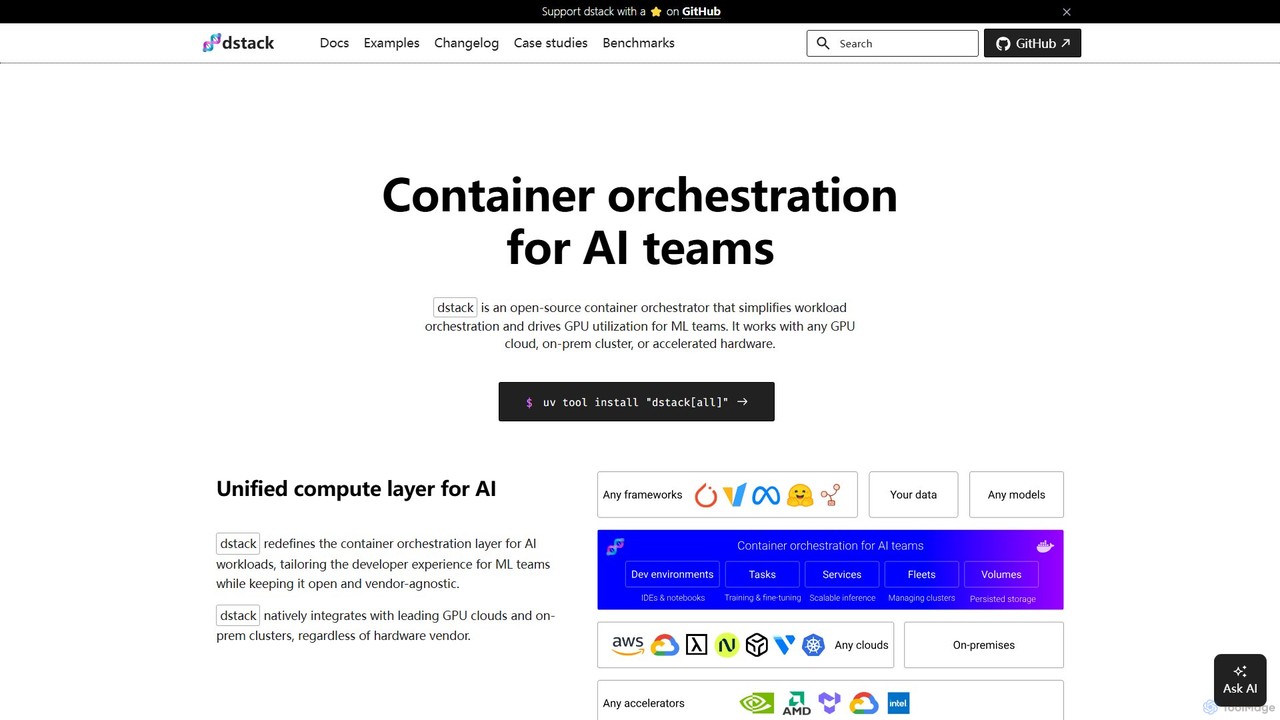
dstack is an open-source container orchestrator designed for AI and ML teams. It simplifies workload orchestration and maximizes GPU utilization across any cloud provider, on-premise cluster, or accelerated hardware. It provides a unified compute layer, streamlining development, training, and model deployment.

Preview

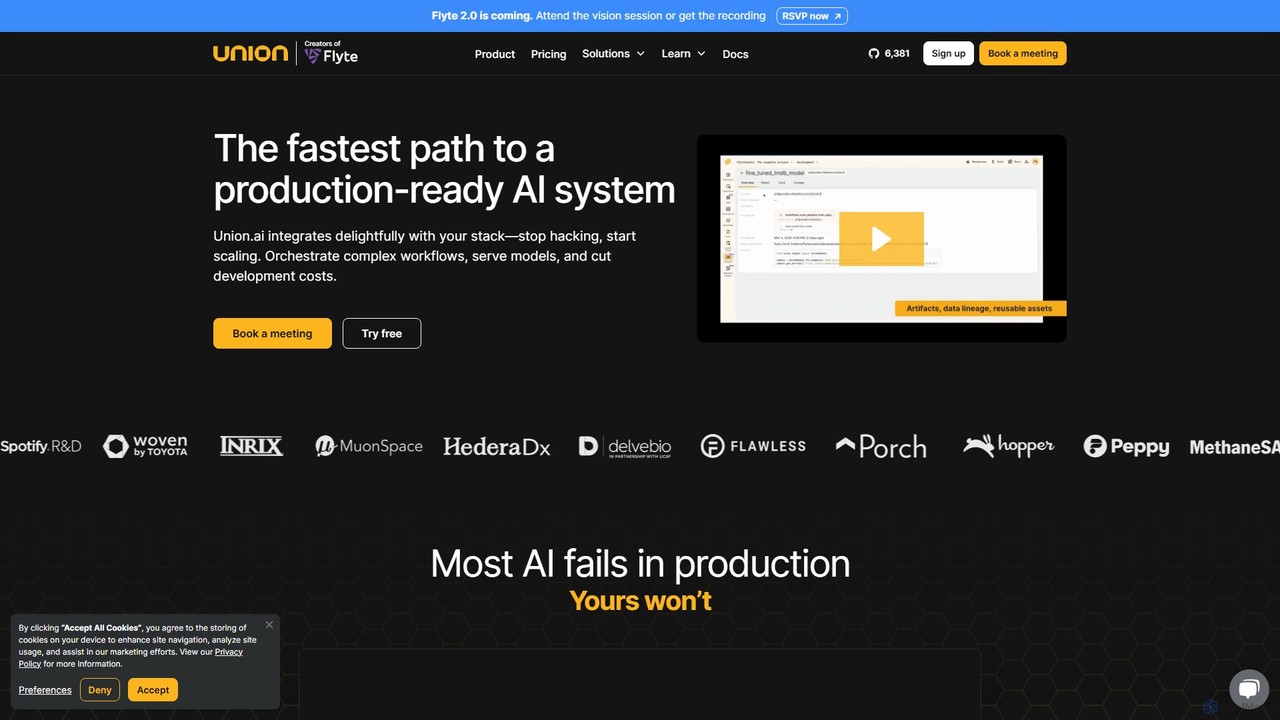
Union.ai Product overview

Union.ai is an enterprise-grade, production-ready platform for orchestrating complex AI and machine learning workflows. Built on the open-source Flyte, it empowers teams to build, serve, and scale compound AI systems with unparalleled performance and efficiency. It bridges the data-ML gap, optimizes cloud costs with features like scale-to-zero, and enhances developer velocity through a seamless, integrated experience.

Preview

Quick facts

Compare product focus, pricing models and audiences. Highlighted rows indicate different listed information; unknown pricing does not mean free.

dstack VS Union.ai — Quick facts
Quick factsdstackUnion.ai
Pricing modelFreemiumFreemium
Product typeWebWeb
Primary focusOrchestrationOrchestration
Audience and rolesNo data availableNo data available
CategoriesOrchestration · Mlops · Infrastructure ManagementOrchestration · Workflow Management · Mlops
AddedAug 8, 2025Aug 7, 2025
UpdatedNov 19, 2026Nov 19, 2026

Features, usage and use cases

Explore the listed product descriptions, features and workflows. Taxonomy labels alone are not feature evaluations.

dstack

dstack is a powerful open-source container orchestrator specifically engineered to address the challenges faced by AI and Machine Learning teams. Its primary goal is to simplify the complex process of workload orchestration and significantly improve the utilization of expensive GPU resources. As a vendor-agnostic platform, dstack offers a unified compute layer that seamlessly integrates with any GPU cloud (like AWS, GCP, Azure, OCI), on-premise clusters, and a wide array of accelerated hardware, including NVIDIA, AMD, TPUs, and more. This flexibility ensures that teams are not locked into a single provider and can leverage the best hardware for their needs, wherever it is located.

The platform is designed with the developer experience at its core, abstracting away the underlying infrastructure complexities. This allows ML engineers and researchers to focus on building, training, and deploying models rather than managing servers, dependencies, and scaling. dstack is trusted by world-class ML teams at companies like Electronic Arts and Mobius Labs for its ability to scale from quick prototyping to large, multi-node distributed training jobs.

How to use dstack

Getting started with dstack is a straightforward process designed for rapid adoption:

  1. Setup the Server: You can begin by installing the dstack server on your local machine using a simple command like uv tool install "dstack[all]" and running it with dstack server. Alternatively, you can deploy it anywhere using the official Docker image or sign up for dstack Sky, the managed cloud version, to avoid hosting it yourself.
  2. Define Configurations: Workflows in dstack are defined using simple YAML files within your project repository. These configurations describe the environment, resources, and commands for your tasks. Key configuration types include:
    • Dev Environments: For interactive development, allowing you to connect your local IDE (like VS Code) to a powerful remote GPU machine.
    • Tasks: For scheduling batch jobs, such as pre-training or fine-tuning models. This is ideal for workloads that run to completion.
    • Services: For deploying models as secure, auto-scaling, OpenAI-compatible endpoints.
    • Fleets: For managing groups of cloud or on-premise instances as a single resource pool.
  3. Apply Configurations: Once your YAML file is ready, you apply it using the command line interface: dstack apply. dstack then handles the rest: provisioning the necessary infrastructure, scheduling the job, managing auto-scaling, handling port-forwarding, and streaming logs back to your terminal. For detached execution, you can use the -d flag.

Core Features of dstack

  • Unified Compute Layer: Provides a single, vendor-agnostic control plane for all your AI compute resources, whether on-cloud or on-premise.
  • Broad Accelerator Support: Natively supports a wide range of hardware, including NVIDIA GPUs, AMD GPUs, Google Cloud TPUs, Intel Gaudi, and Tenstorrent accelerators.
  • Developer-Centric Workflows: Offers specialized configurations like Dev Environments for interactive coding, Tasks for batch processing, and Services for easy model deployment.
  • Efficient Resource Management: Features a built-in scheduler to maximize GPU utilization. It includes policies to automatically terminate underutilized instances, saving costs.
  • Seamless Integration: Works smoothly with leading GPU clouds (AWS, GCP, Azure, OCI) and can run on top of existing Kubernetes clusters. SSH fleets allow connecting bare-metal servers.
  • Auto-Scaling Services: Easily deploy models as production-ready services with features like auto-scaling, HTTPS, and OpenAI-compatible API endpoints.
  • Data Persistence: Supports network and instance volumes to persist data, models, and caches across runs, ensuring state is not lost.
  • Advanced Configuration: Allows for fine-grained control with features like retry policies for capacity issues, environment variable management, and custom Docker image support.

Use Cases for dstack

dstack is versatile and supports a wide range of ML workflows:

  • Model Training and Fine-Tuning: Run single-node or distributed training jobs for large language models (LLMs) using popular frameworks like TRL, Axolotl, and DeepSpeed.
  • Inference and Model Serving: Deploy optimized models for inference using high-performance serving frameworks like vLLM, SGLang, TGI, and NVIDIA NIM.
  • Interactive AI Development: ML engineers can spin up powerful GPU-backed development environments in seconds, connecting their local IDE to experiment and debug code interactively.
  • High-Performance Cluster Management: Set up, configure, and run tests (e.g., NCCL tests) on specialized multi-node clusters like GCP A3 Mega or AWS EFA-enabled instances.
  • Cross-Cloud Cost Optimization: Effortlessly compare and utilize the most cost-effective GPU instances across different cloud providers for any given task.

Advantages of dstack

The primary advantage of dstack is its ability to dramatically simplify AI infrastructure. It empowers ML teams by letting them focus on their research and models instead of infrastructure. Key benefits include increased productivity, significant cost savings through better GPU utilization and access to spot instances, and prevention of vendor lock-in. Its open-source nature fosters transparency and community-driven development, while the developer-centric design makes it incredibly easy to define a configuration and run it without worrying about GPU availability or complex setups.

Pricing and Plans

dstack offers a flexible pricing structure to suit different needs:

  • dstack (Open-Source): The core platform is open-source and free to use. You can self-host it on your own infrastructure without any licensing fees.
  • dstack Sky: A managed cloud service that handles the hosting of the dstack server for you. It also provides access to a marketplace of the cheapest GPUs. It offers a free tier to get started.
  • dstack Enterprise: A self-hosted version designed for larger organizations, which includes enterprise-grade features like Single Sign-On (SSO), advanced governance controls, and dedicated enterprise support. A trial can be requested for this version.

This model makes dstack accessible to individual researchers, startups, and large enterprises alike.

Union.ai

Union.ai is the definitive platform for building, serving, and scaling complex, compound AI systems. It addresses the common challenge of AI models failing in production by providing a robust, scalable, and efficient orchestration layer. Built by the creators of the popular open-source orchestrator Flyte, Union.ai is designed for AI/ML engineers who need to bridge the gap between data processing and machine learning, ensure consistency across teams, and maintain full control over their development lifecycle. The platform unifies data, automates workflows, and tracks data lineage, providing a solid foundation for enterprise AI.

How to use Union.ai

The developer workflow on Union.ai is designed for speed and production readiness:

  1. Define Workflows: Using the Flytekit Python SDK, developers define their tasks and workflows as pure Python code. This includes data processing, model training, evaluation, and deployment steps.
  2. Local Development & Debugging: Test and debug workflows locally. Union.ai offers interactive tasks that allow for live, remote debugging in a VSCode-like environment directly in the browser, shortening development loops from hours to seconds.
  3. Deploy to Union.ai: Once ready, register the workflows on the Union.ai platform. The platform's image builder can automatically build container images without needing Docker on the local machine.
  4. Execute & Scale: Trigger workflows manually, on a schedule, or reactively based on events. Union.ai handles the underlying infrastructure, scaling resources up or down as needed—even to zero—to manage costs effectively.
  5. Monitor & Observe: Use the Union.ai UI to monitor executions in real-time. Access detailed logs, track resource consumption (CPU, memory, GPU) per task, and observe overall cloud costs allocated by project, team, or workflow.

Core Features of Union.ai

  • Optimized Performance & Scale: Achieve millisecond execution times with reusable warm containers. Scale across multiple clusters and clouds for resource availability and compliance, with massive parallelism and full-workflow caching.
  • Delightful Developer Experience: Features an in-cloud image builder, self-serve secrets management, UI-based logging, interactive remote debugging, and reactive workflow automation to make development faster and more enjoyable.
  • Unparalleled Efficiency: Drastically reduce costs by leveraging fractional GPUs, Spot instances with automatic recovery, and custom silicon. The platform features efficient autoscaling with Karpenter and scale-to-zero capabilities to eliminate idle resource costs.
  • Enterprise-Ready Security & Governance: Deploy in your own cloud (BYOC model) so data and code never leave your VPC. It includes granular role-based access control (RBAC), high availability, and is SOC 2 Type II compliant.
  • Seamless Integrations: Works with the tools developers already rely on, including major clouds (AWS, GCP, Azure), models, and frameworks like Ray, Spark, and Dask, ensuring no vendor lock-in.

Use Cases for Union.ai

Union.ai is trusted by leading companies for their most demanding AI workloads:

  • Autonomous Driving: Companies like Woven by Toyota and Wayve use Union.ai to manage the immense scale of data processing, simulation, and model training required for developing autonomous driving technology, saving millions in infrastructure costs.
  • Synthetic Biology: Cradle accelerates ML development for its protein design models, orchestrating complex bioinformatics pipelines with complete reproducibility and scale.
  • LLM & Generative AI Operations (LLMOps): Fine-tune and serve Large Language Models (LLMs) using techniques like LoRA and QLoRA in a reproducible, resource-optimized production environment. Build and manage complex RAG (Retrieval-Augmented Generation) pipelines.
  • Computer Vision: Build, train, and deploy object detection pipelines and other computer vision applications, orchestrating every step from data ingestion to model serving.
  • Data & ML Platform Consolidation: Companies like Porch have migrated from tools like Airflow to consolidate their data and ML operations onto a single, unified platform for greater efficiency and consistency.

Advantages of Union.ai

  • Cost Optimization: Real-time cost observability, scale-to-zero, and efficient use of spot instances drastically reduce runaway compute costs.
  • Increased Developer Velocity: Features like smart caching, remote debugging, and automated image building make developers happier and more productive.
  • Production-Grade Reliability: Built for mission-critical workloads with high availability and robust error handling.
  • Flexibility and No Lock-In: Integrates with your existing stack and allows you to run on any cloud, avoiding vendor lock-in.
  • Enhanced Security and Compliance: The "Bring Your Own Cloud" (BYOC) model ensures your sensitive data and proprietary code remain secure within your own infrastructure.

Pricing and Plans

Union.ai offers flexible pricing models to suit different needs:

  • Serverless Pay As You Go: Ideal for individuals and small teams. It offers a "ship in seconds" experience without infrastructure management. New users get $30 in free credit. Pricing is based on consumption:
    • CPU Core: $0.12 / Core-Hr
    • GPU T4: $0.71 / GPU-Hr
    • GPU A100 (40GB): $4.48 / GPU-Hr
    • Memory: $0.029 / GB-Hr
  • Your Cloud & On-Prem: Designed for enterprises that require data to stay within their own VPC. This plan involves a SaaS-like platform fee plus a percentage of the compute usage managed by Union.ai. Contact sales for detailed pricing.

Positioning

Their taxonomy shows where the products overlap and where each one has a more distinct focus. Unknown fields are shown explicitly and are never filled with assumptions.

Categories

Shared
OrchestrationMlops
Only dstack
Infrastructure Management
Only Union.ai
Workflow Management

Tags

Shared
cloud computingmachine learningMLOpsmodel deployment
Only dstack
AI developmentcontainer orchestrationGPU managementinfrastructure as codekubernetesopen source
Only Union.ai
AI orchestrationbig datadata pipelinedeveloper toolsFlyteLLMOpsworkflow automation

Audience and roles

Shared
No listed items
Only dstack
No listed items
Only Union.ai
No listed items

Traffic comparison

Traffic is shown on the same scale so differences in market visibility are not visually understated.

How to interpret the traffic data

Both charts share the same months and vertical scale. Each tool identifies its latest reporting month; missing months are left blank, not counted as zero. Regional and source visit counts are estimates calculated from the reported shares.

dstack monthly traffic:

Latest traffic · 2026-05

Monthly visits
13.1K
Avg. visit duration
0:02
Pages per visit
1.21
Bounce rate
53.77%
Data updated 2026-06-11

Monthly traffic trend

  • 2025-09: 4.8K
  • 2026-01: 16.2K
  • 2026-02: 19.7K
  • 2026-03: 11.8K
  • 2026-04: 9.4K
  • 2026-05: 13.1K

Top regions

Top 5 countries/regions
Country/regionPercentageEstimated visits
🇫🇷France64.99%8.5K
🇺🇸United States15.02%2K
🇷🇺Russia7.76%1K
🇮🇳India7.35%962
🇩🇪Germany4.88%639

Traffic sources

Source typePercentageEstimated visits
Direct61.06%8K
Email20.74%2.7K
Referral18.2%2.4K

Search keywords

dstackdstack serverdstack sky free creditssglang routertrl sft コマンドで複数ノードで実行する方法

Union.ai monthly traffic:

Latest traffic · 2026-05

Monthly visits
25.1K
Avg. visit duration
0:19
Pages per visit
1.5
Bounce rate
43.17%
Data updated 2026-06-15

Monthly traffic trend

  • 2025-09: 33.8K
  • 2026-01: 26.4K
  • 2026-02: 21K
  • 2026-03: 33.1K
  • 2026-04: 30.4K
  • 2026-05: 25.1K

Top regions

Top 5 countries/regions
Country/regionPercentageEstimated visits
🇺🇸United States50.41%12.7K
🇻🇳Vietnam15.72%3.9K
🇨🇦Canada13.64%3.4K
🇮🇳India10.45%2.6K
🇩🇪Germany9.78%2.5K

Traffic sources

Source typePercentageEstimated visits
Direct71.46%17.9K
Referral22.17%5.6K
Email6.37%1.6K

Search keywords

ai platformsai toolstemporalunion aiweights and biases plugin

Community signals

Ratings, comments, favorites, and likes are community signals—not a substitute for product fit.

dstack

Rating
No data available
Comments
0
Favorites
215
Likes
208

Union.ai

Rating
No data available
Comments
0
Favorites
195
Likes
197

dstack vs Union.ai · Comparison FAQ

What do dstack and Union.ai have in common?
Both tools are listed under Orchestration、Mlops. These categories indicate overlapping use cases; compare their detailed descriptions for workflows, capabilities and limitations.
Are dstack and Union.ai free?
Listed pricing models: dstack — Freemium; Union.ai — Freemium. Missing pricing is not proof of a free plan, and freemium does not mean every feature is free. Check official sites for current plans, limits and trials.
How should I choose between dstack and Union.ai?
The primary listed category is Orchestration for dstack, and Orchestration for Union.ai. Compare features, steps and use cases, then verify pricing, data permissions and deployment needs. This page does not include hands-on testing and does not declare a winner from traffic or tags.

Sources and comparison methodology

This page is assembled from ToolMage product listings, taxonomy, traffic statistics and on-site user feedback. It is not a hands-on test or an independent review.

  • Feature and plan descriptions reflect information in the listings, not real-time guarantees. Verify pricing, quotas, availability and privacy terms on the official sites.
  • Traffic uses the reporting months shown. Missing statistics do not mean zero visits, and different periods do not establish growth or superiority. Regional and source visit counts are estimates based on shares.
  • Different tags indicate differences in the listings, not proof that the other product lacks a capability. Ratings, favorites and visits are not used to declare a winner.

Related comparisons