
Pricing model: Freemium
AI TOOL COMPARISON
Extraction vs ReadyData
What is the difference, and which fits your workflow? Compare features, usage, pricing models and traffic side by side.


ReadyData
Workflow Automation
Product overview
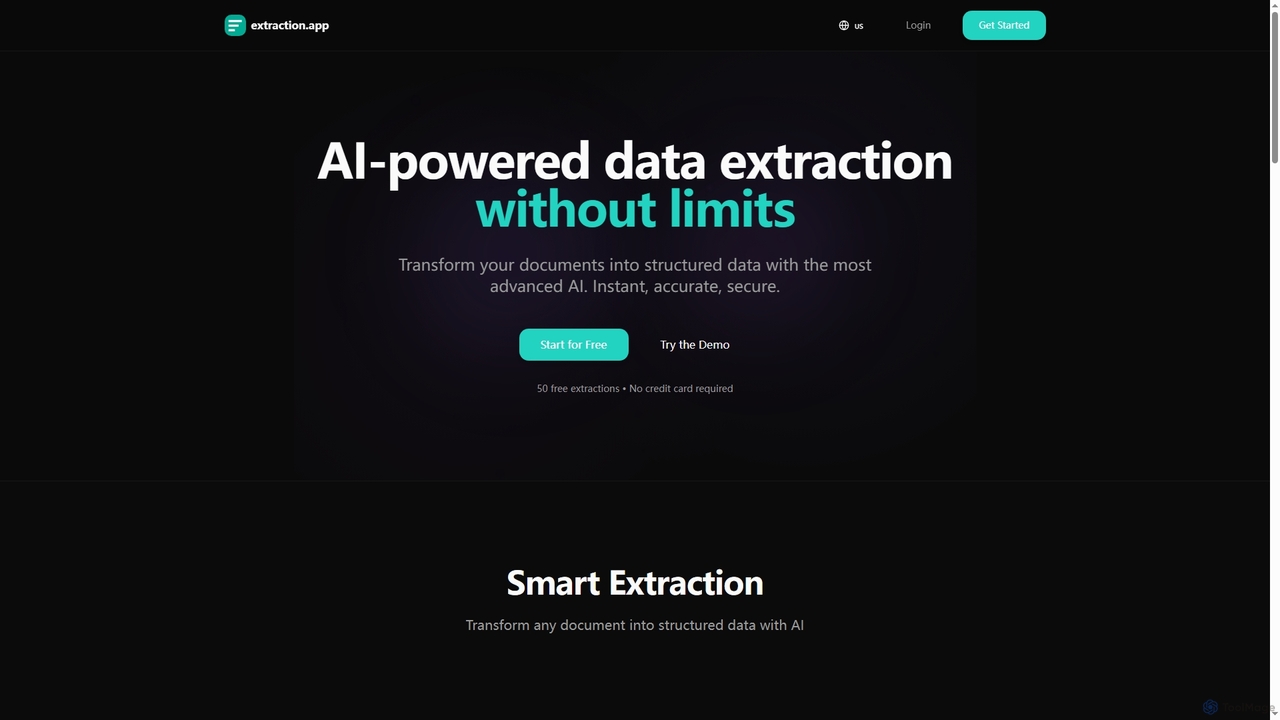
Extraction Product overview
Extraction is an AI-powered data extraction tool that transforms any document into structured data instantly, accurately, and securely. It supports all major file formats and complex documents, offering flexible export options.
Preview
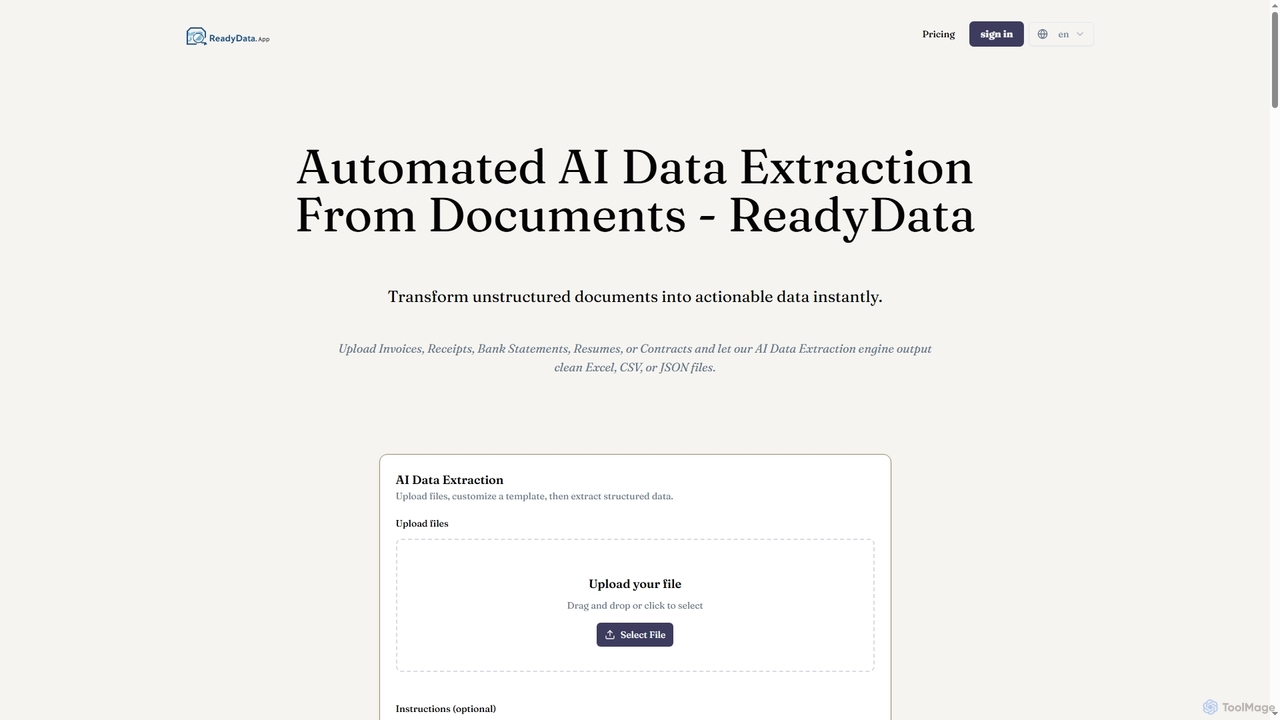
ReadyData Product overview
ReadyData is an AI-powered data extraction tool that transforms unstructured documents like invoices, receipts, bank statements, resumes, and contracts into clean, structured data formats such as Excel, CSV, or JSON. It automates manual data entry, offering high accuracy and instant results for various business needs.
Preview
Quick facts
Compare product focus, pricing models and audiences. Highlighted rows indicate different listed information; unknown pricing does not mean free.
| Quick facts | Extraction | ReadyData |
|---|---|---|
| Pricing model | Freemium | Freemium |
| Product type | Web | Web |
| Primary focus | 3D | Workflow Automation |
| Audience and roles | Accountant · Administrative Assistant · Business Owner · Data Analyst · E-commerce Manager · Financial Analyst · HR Manager · Legal Professional · Logistics Manager · Operations Manager · Procurement Specialist | Accountant · Administrative Assistant · Data Analyst · Financial Analyst · Freelancer · HR Manager · Legal Professional · Office Manager · Operations Manager · Recruiter · Small Business Owner |
| Categories | 3D · Data Management | Workflow Automation · Document Processing · Accounting · Recruitment · Data Extraction |
| Added | Dec 9, 2025 | Jan 5, 2026 |
| Updated | Nov 19, 2026 | Nov 19, 2026 |
Features, usage and use cases
Explore the listed product descriptions, features and workflows. Taxonomy labels alone are not feature evaluations.
Extraction
Extraction is a cutting-edge AI tool designed to revolutionize data extraction by converting unstructured documents into clean, usable structured data. Leveraging advanced AI models, it promises instant, accurate, and secure processing, eliminating the traditional limitations associated with manual data entry or less sophisticated tools. From invoices and contracts to financial reports, Extraction can handle a wide array of complex documents across various formats including PDF, Word, Excel, and images, thanks to its advanced multilingual OCR capabilities.
How to use Extraction
Using Extraction is straightforward and efficient. Simply upload your document file to the platform. Next, enter your specific prompt, describing the data you wish to extract from the document. Once the AI processes your request, you can download the extracted structured data in your preferred format, such as JSON, CSV, or Excel.
Core Features of Extraction
- Smart AI Extraction: Transforms any document into structured data using advanced AI models.
- Instant Processing: Extracts data in seconds with optimized AI, offering real-time results.
- Secure Data Handling: Ensures data is encrypted and protected to the highest industry standards.
- High Accuracy: AI continuously improves for maximum data extraction accuracy (99%+).
- Multi-Format Support: Processes PDF, Word (DOC, DOCX), Excel (XLS, XLSX), images (JPG, PNG), TXT, CSV, and JSON.
- Complex Document Handling: Capable of extracting data from invoices, contracts, financial reports, and more.
- Advanced Multilingual OCR: High-accuracy optical character recognition for images and scanned documents in 100+ languages.
- Structured Table Extraction: Accurately extracts data from tables within Excel, CSV, and PDF files.
- Flexible Export Options: Exports extracted data in JSON, CSV, or Excel formats according to user needs.
- Custom Templates: Create reusable templates for systematic data extraction from recurring documents (available in Starter, Basic, Pro plans).
- Data History: Access to extraction history for review and management (60-day history for Basic, unlimited for Pro).
- REST API Access: Integrate data extraction into existing workflows and applications (available in Pro plan).
- Batch Processing: Upload and process multiple documents simultaneously (available in Pro plan).
Use Cases for Extraction
Extraction is versatile and beneficial across numerous industries and departments. It's ideal for automating invoice data extraction, capturing vendor details, amounts, line items, and tax information with high accuracy. Other applications include extracting data from receipts, contracts, and HR documents. Industries such as Accounting, Finance, Procurement, E-commerce, Manufacturing, Logistics, Healthcare, and Legal can leverage Extraction to streamline operations, reduce manual data entry, and enhance data analysis. It's perfect for anyone looking to transform unstructured PDFs, images, or other documents into actionable structured data.
Advantages of Extraction
Extraction stands out due to its AI-first approach, which eliminates the need for complex template setup, unlike many traditional solutions. Its true AI understanding allows it to comprehend document context and handle variations automatically, leading to superior accuracy (99%+) and significantly faster processing times (under 5 seconds). Users benefit from lower operational costs, flexible output options, and the ability to process unlimited documents per extraction (within plan limits), making workflows automated and repeatable. The tool is cloud-native and requires no training, offering immediate value.
Pricing and Plans
Extraction offers a flexible pricing structure designed to scale with user needs, including a free tier to get started.
- Free: $0 per month. Includes 50 extractions per month, documents up to 5MB, basic formats (PDF, images), AI extraction, CSV/JSON/Excel export, and email support.
- Starter: $2.49 per month. Offers 150 extractions per month, documents up to 10MB, advanced multilingual OCR, custom templates, CSV/JSON/Excel export, and email support.
- Basic (Popular): $9.49 per month. Provides 1500 extractions per month, documents up to 15MB, advanced multilingual OCR, unlimited custom templates, priority support, and 60-day history.
- Pro: $24.49 per month. Features 5000 extractions per month, documents up to 25MB, advanced OCR + complex tables, REST API available, 24/7 priority support, unlimited history, automatic batch extraction, and custom export.
Users can save 20% by opting for an annual subscription. Plans can be upgraded or downgraded at any time, with changes taking effect immediately.
ReadyData
ReadyData is an advanced AI data extraction platform designed to convert static, unstructured documents into dynamic, actionable data with unparalleled speed and accuracy. It eliminates the need for manual data entry, which is often slow, error-prone, and unscalable, by leveraging specialized AI models trained on millions of documents. This web-based tool supports a wide range of document types, including PDFs, JPGs, PNGs, and Tiffs, making it a versatile solution for businesses of all sizes.
How to use ReadyData
Using ReadyData is a straightforward, four-step process that requires no coding:
- Upload Document: Drag and drop any PDF or image file (e.g., Invoice, Resume, Contract) directly into the AI Data Extraction tool.
- Select Template or Customize Fields: Choose from predefined templates (like Invoice Basic, Receipt Basic, Bank Statement Basic, Resume Basic) or customize your own fields to specify exactly what data you need to extract. For better accuracy, a custom template is recommended.
- Review Data: Visualize the extracted information side-by-side with your original file to ensure accuracy and make any necessary adjustments.
- Export Results: Download your structured data immediately in your preferred format: Excel for analysis, CSV for databases, or JSON for developers.
Core Features of ReadyData
- Automated AI Data Extraction from various document types (PDF, JPG, PNG, Tiff).
- Support for specialized document categories: Invoices, Receipts, Bank Statements, Resumes/CVs, Contracts.
- Flexible output formats: Excel, CSV, JSON.
- Customizable extraction templates and auto-infer fields functionality.
- Side-by-side review of extracted data with original documents.
- Web-based platform requiring no software installation or coding.
- Secure processing with file encryption and data privacy prioritization.
- High accuracy of up to 99% through specialized AI models.
- Instant processing of documents in seconds.
Use Cases for ReadyData
ReadyData is ideal for a multitude of business processes requiring efficient document-to-data conversion:
- Financial Operations: Automate accounts payable with invoice capture, convert bank statements to Excel for financial analysis, and streamline expense reporting with receipt extraction.
- Human Resources: Standardize candidate profiles and streamline recruiting by parsing resumes and CVs to extract key information.
- Legal & Compliance: Automatically extract clauses, metadata, and key information from contracts and legal forms.
- Data Management: Transform large volumes of unstructured PDFs and images into structured, searchable data for databases, analytics, and integrations.
- General Business Efficiency: Reduce manual data entry across various departments, freeing up employees for higher-value tasks and minimizing human error.
Advantages of ReadyData
ReadyData offers significant advantages over traditional manual data entry or less sophisticated extraction methods:
- Superior Accuracy: Achieves up to 99% accuracy by leveraging AI models trained on millions of documents.
- Exceptional Speed: Processes documents in seconds, delivering instant results and boosting operational efficiency.
- Enhanced Security: Ensures data privacy with encrypted and securely processed files.
- Effortless Setup: As a web-based tool, it requires no software installation or complex setup, allowing users to start extracting data immediately.
- Broad Compatibility: Supports multiple file formats (PDF, JPG, PNG, Tiff) and offers flexible export options (Excel, CSV, JSON) for seamless integration into existing workflows.
- Cost Efficiency: Significantly reduces labor costs associated with manual data entry and minimizes errors that can lead to downstream issues.
Pricing and Plans
ReadyData offers a Free plan and several paid subscription tiers, available on a monthly or yearly basis (yearly plans offer a 40% saving):
- Free: $0 – Test the service with a few receipts or invoices daily. Includes 1 file upload at a time, 1 free analysis per day, max audio/video duration 30 seconds, and PDF analysis up to 2 pages.
- Starter: $19/month (or equivalent yearly) – Designed for freelancers and small businesses. Provides 250 credits per month, up to 5 files at once, max audio/video duration 2 minutes, and allows analysis of up to 250 pages, 250 images, or 40 minutes of video/audio.
- Pro: $59/month (or equivalent yearly) – For accounting firms and teams handling bank statements, reports, and bulk documents. Offers 1200 credits per month, up to 15 files at once, max audio/video duration 6 minutes, and supports analysis of up to 1200 pages, 1200 images, or 200 minutes of video/audio. This plan provides 50% more credits for better value.
- Platinum: $229/month (or equivalent yearly) – For enterprises automating invoice processing, financial audits, and large-scale operations. Includes 10000 credits per month, up to 50 files at once, max audio/video duration 6 minutes, and allows analysis of up to 10000 pages, 10000 images, or 1500 minutes of video/audio. This plan includes priority processing.
- Businesses: Tailored pricing and solutions are available for businesses with specialized compliance and integration needs. Contact ReadyData for personalized assistance.
Credit Explanation: PDF analysis consumes 1 credit per page. Image analysis consumes 1 credit per image. Video/Audio analysis consumes 0.1 credit per second. The exact consumption is displayed next to the generate button before processing.
Positioning
Their taxonomy shows where the products overlap and where each one has a more distinct focus. Unknown fields are shown explicitly and are never filled with assumptions.
Categories
Shared
No listed items
Only Extraction
3DData Management
Only ReadyData
Workflow AutomationDocument ProcessingAccountingRecruitmentData Extraction
Tags
Shared
business efficiencycontract analysisdocument automationOCRstructured data
Only Extraction
AI data extractionAPIbatch processingdata managementdocument intelligencefinancial reportinginvoice processingmultilingualPDF extraction
Only ReadyData
bank statement conversioncsvdata entry automationdata extractiondocument processingfile conversioninvoice captureJSONpdf to excelreceipt scanningresume parserunstructured dataworkflow automation
Audience and roles
Shared
AccountantAdministrative AssistantData AnalystFinancial AnalystHR ManagerLegal ProfessionalOperations Manager
Only Extraction
Business OwnerE-commerce ManagerLogistics ManagerProcurement Specialist
Only ReadyData
FreelancerOffice ManagerRecruiterSmall Business Owner
Traffic comparison
Traffic is shown on the same scale so differences in market visibility are not visually understated.
How to interpret the traffic data
Both charts share the same months and vertical scale. Each tool identifies its latest reporting month; missing months are left blank, not counted as zero. Regional and source visit counts are estimates calculated from the reported shares.
Extraction monthly traffic:
Latest traffic · 2026-05
Monthly visits
676
Avg. visit duration
0:00
Pages per visit
1.04
Bounce rate
38.95%
Data updated 2026-06-11
Monthly traffic trend
- 2026-01: 0
- 2026-02: 0
- 2026-03: 75
- 2026-04: 812
- 2026-05: 676
Top regions
Top 5 countries/regions
| Country/region | Percentage | Estimated visits |
|---|---|---|
| 🇺🇸United States | 65.66% | 444 |
| 🇮🇩Indonesia | 34.34% | 232 |
Search keywords
ai data from a pictureall extraction appsapp technology extractorextract data from image ai
ReadyData monthly traffic:
Latest traffic · 2026-05
Monthly visits
2.1K
Avg. visit duration
0:00
Pages per visit
1.09
Bounce rate
32.89%
Data updated 2026-06-15
Monthly traffic trend
- 2026-01: 0
- 2026-02: 0
- 2026-03: 561
- 2026-04: 711
- 2026-05: 2.1K
Top regions
Top 5 countries/regions
| Country/region | Percentage | Estimated visits |
|---|---|---|
| 🇺🇸United States | 100% | 2.1K |
Search keywords
capture data from image to tableextract data from pdfpdf data extractor圖片轉文字圖轉文字
Community signals
Ratings, comments, favorites, and likes are community signals—not a substitute for product fit.
Extraction
Rating
No data available
Comments
0
Favorites
157
Likes
161
ReadyData
Rating
No data available
Comments
0
Favorites
85
Likes
83
Extraction vs ReadyData · Comparison FAQ
What do Extraction and ReadyData have in common?
The current listings have no shared category. Appearing on the same comparison page does not make the products interchangeable; check each tool against your task.
Are Extraction and ReadyData free?
Listed pricing models: Extraction — Freemium; ReadyData — Freemium. Missing pricing is not proof of a free plan, and freemium does not mean every feature is free. Check official sites for current plans, limits and trials.
How should I choose between Extraction and ReadyData?
The primary listed category is 3D for Extraction, and Workflow Automation for ReadyData. Compare features, steps and use cases, then verify pricing, data permissions and deployment needs. This page does not include hands-on testing and does not declare a winner from traffic or tags.
Extraction · Comparison FAQ
How does Extraction work?
Extraction uses advanced AI models to process your documents and extract structured data based on your prompts. Simply upload your file, enter your prompt, and download the results in your preferred format (JSON, CSV or Excel).
What makes Extraction different from other tools?
Unlike other tools, Extraction supports all major file formats, has no document limits per extraction, and offers prompt templates and history for automated and repeatable workflows. It also boasts 99%+ accuracy and faster processing times (under 5 seconds) without requiring template setup.
What file types are supported by Extraction?
Extraction supports PDF, Word documents (DOC, DOCX), Excel (XLS, XLSX), images (JPG, PNG), JSON, TXT, CSV and more. All major document formats are supported by its AI.
Are there extraction limits?
Extraction has no hidden extraction limits per document. However, you can process as many documents as needed according to your pricing plan's monthly extraction quota. For example, the Free plan includes 50 extractions per month, Starter 150, Basic 1500, and Pro 5000. If you exceed your plan's limit, you will receive a notification and need to upgrade.
Can I change my plan at any time?
Yes, you can upgrade or downgrade your plan at any time. The changes take effect immediately.
ReadyData · Comparison FAQ
What documents does ReadyData support for AI data extraction?
ReadyData supports a wide range of document types, including PDF, JPG, PNG, and Tiff files. Specifically, it is designed to extract data from invoices, receipts, bank statements, resumes/CVs, contracts, and other general PDF or image files.
How accurate is the AI data extraction provided by ReadyData?
ReadyData leverages specialized AI models trained on millions of documents to achieve a high fidelity extraction, boasting up to 99% accuracy for various document types.
Can I convert PDFs to Excel using ReadyData?
Yes, ReadyData can convert data from PDFs into structured Excel spreadsheets. After the AI extracts the relevant information, you can download your structured data as an Excel spreadsheet, CSV file, or JSON object.
Is my data secure when using ReadyData?
Yes, ReadyData prioritizes your data privacy. Your files are encrypted and processed securely. Additionally, for payment flows, Stripe also collects and uses IP addresses for fraud detection, risk scoring, sanctions compliance, and security.
Do I need technical skills or coding knowledge to use ReadyData?
No, technical skills or coding knowledge are not required to use ReadyData. It is a web-based tool designed for ease of use, allowing you to start extracting data immediately without any software installation or complex setup.
Sources and comparison methodology
This page is assembled from ToolMage product listings, taxonomy, traffic statistics and on-site user feedback. It is not a hands-on test or an independent review.
Extraction
- Product information updated
- Traffic reporting month
- 2026-05
ReadyData
- Product information updated
- Traffic reporting month
- 2026-05
- Feature and plan descriptions reflect information in the listings, not real-time guarantees. Verify pricing, quotas, availability and privacy terms on the official sites.
- Traffic uses the reporting months shown. Missing statistics do not mean zero visits, and different periods do not establish growth or superiority. Regional and source visit counts are estimates based on shares.
- Different tags indicate differences in the listings, not proof that the other product lacks a capability. Ratings, favorites and visits are not used to declare a winner.