ToolMage
Sign in

AI TOOL COMPARISON

Fig vs ShellMate

What is the difference, and which fits your workflow? Compare features, usage, pricing models and traffic side by side.

Jump to key differences

Product overview

Fig Product overview

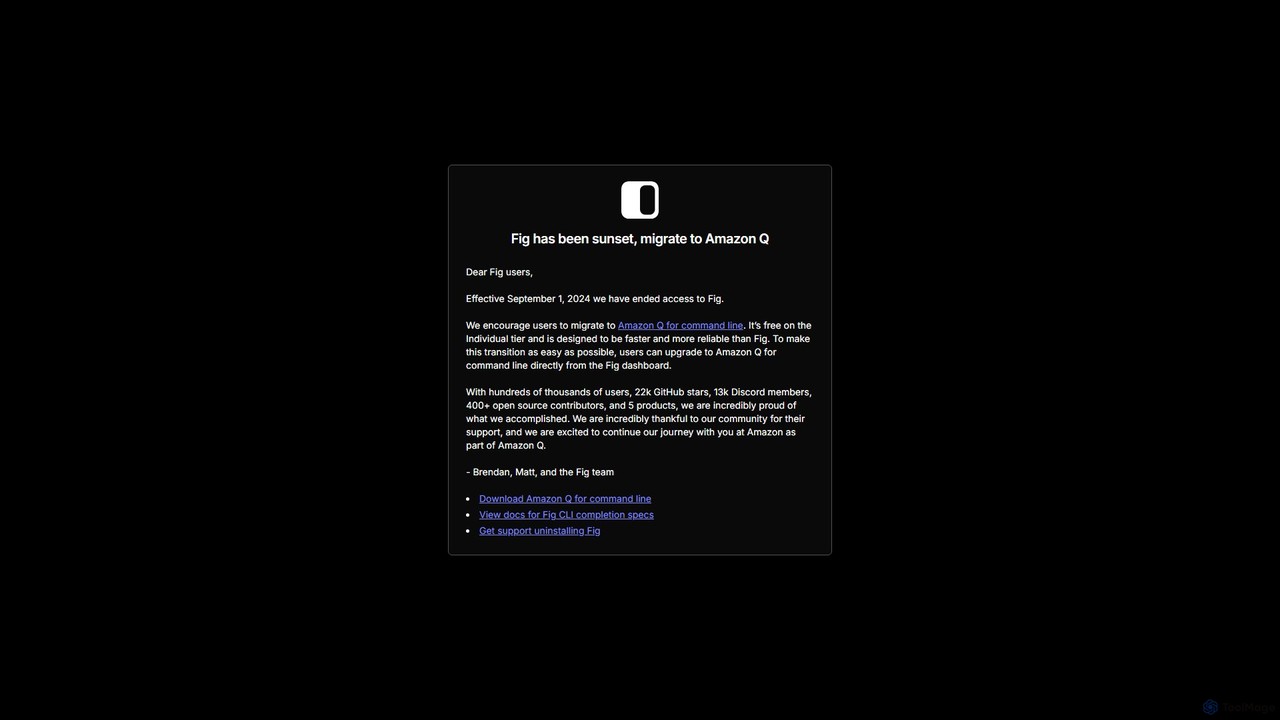
Fig was a popular open-source tool that added IDE-style visual autocomplete to the command line. It has been acquired by AWS and is now sunset, with users encouraged to migrate to its successor, Amazon Q for command line, which is free for individuals.

Preview

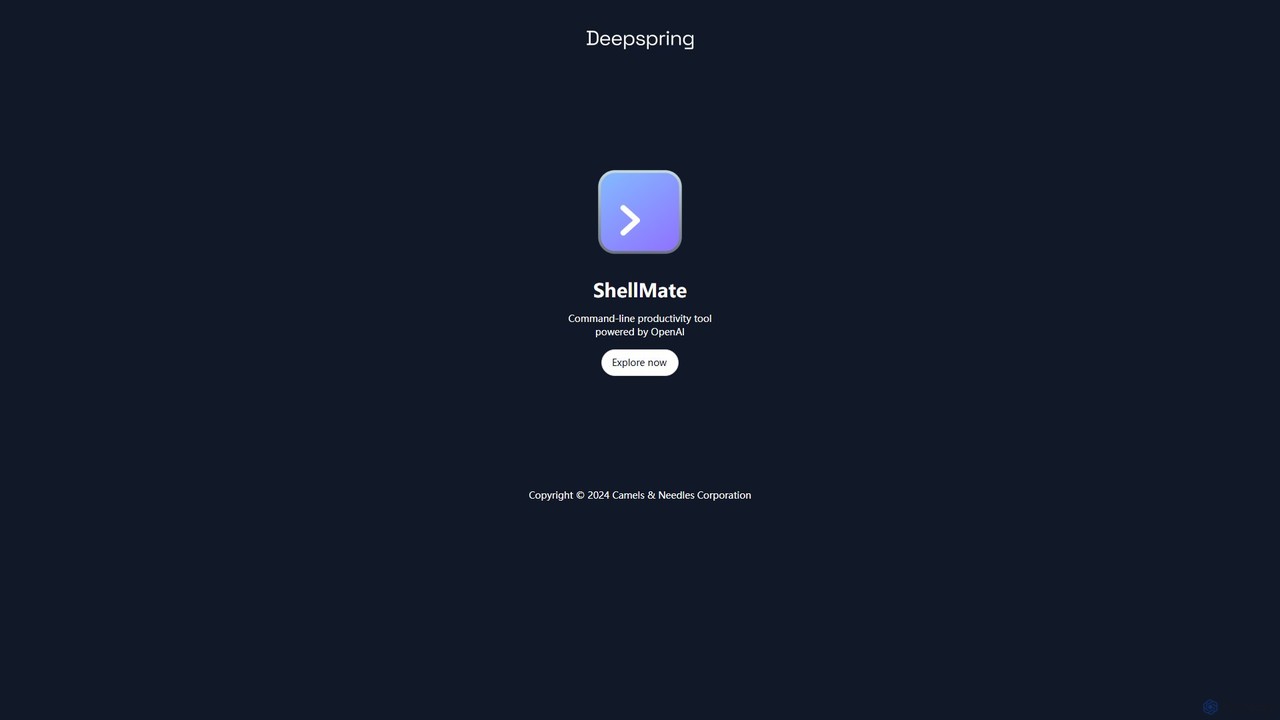
ShellMate Product overview

ShellMate is an open-source, AI-powered command-line productivity tool designed for developers and system administrators. Powered by OpenAI, it acts as your terminal's best friend, allowing you to use natural language to find commands, get predictive suggestions based on your history, and receive context-aware help without ever leaving your console. Simply use the `sm` shortcut to boost your command-line efficiency and reduce time spent searching for syntax.

Preview

Quick facts

Compare product focus, pricing models and audiences. Highlighted rows indicate different listed information; unknown pricing does not mean free.

Fig VS ShellMate — Quick facts
Quick factsFigShellMate
Pricing modelFreemiumFree
Product typeAppApp
Primary focusTerminalCode Assistant
Audience and rolesNo data availableNo data available
CategoriesTerminal · AutomationCode Assistant · Command Line · Automation
AddedAug 11, 2025Aug 7, 2025
UpdatedNov 19, 2026Nov 19, 2026

Features, usage and use cases

Explore the listed product descriptions, features and workflows. Taxonomy labels alone are not feature evaluations.

Fig

Fig was a revolutionary tool designed to enhance the productivity and user experience of the command-line interface (CLI). It brought modern, IDE-style visual autocomplete to existing terminals, making it easier for developers, DevOps engineers, and system administrators to use complex CLI tools. With a massive community, over 22,000 GitHub stars, and hundreds of open-source contributors, Fig built an extensive library of completion specs for hundreds of popular tools like Git, Docker, npm, and kubectl.

In 2023, Fig was acquired by Amazon Web Services (AWS). As a result, the standalone Fig product has been sunset as of September 1, 2024. The team and technology have been integrated into a new, more powerful tool: Amazon Q for command line. Existing Fig users are encouraged to migrate to Amazon Q, which builds upon Fig's foundation to offer faster, more reliable, and AI-powered command-line assistance.

How to use Fig

While the original Fig tool is no longer available for new users, its core workflow and concepts live on in Amazon Q. The original process for using and extending Fig was as follows:

  1. Installation: A user would download and install the Fig application, which would automatically integrate with their existing terminal (like iTerm2, Terminal.app, Hyper, or VS Code's integrated terminal).
  2. Using Autocomplete: Once installed, as the user typed a command (e.g., `git`), Fig would display a pop-up menu with available subcommands, options, and arguments, complete with descriptions. This eliminated the need to memorize commands or constantly refer to help pages.
  3. Creating Completion Specs: For custom scripts or unsupported tools, developers could create their own completion specs. This involved forking the `withfig/autocomplete` repository, creating a TypeScript file (`.ts`) that defined the command structure, subcommands, and options, and then running Fig in developer mode (`npm run dev`) to test the new completions locally.
  4. Migration to Amazon Q: Current Fig users can upgrade directly to Amazon Q for command line from the Fig dashboard to continue enjoying enhanced terminal features.

Core Features of Fig

  • Visual Autocomplete: Provided rich, in-terminal suggestions for commands, subcommands, flags, and arguments.
  • Extensive Tool Support: Offered pre-built completion specs for over 500 popular public CLI tools, all maintained by the open-source community.
  • Custom Spec Creation: A simple yet powerful API using TypeScript allowed developers to add autocomplete support for their own internal scripts and CLI tools.
  • Fig for Teams: A feature that allowed organizations to securely share private completion specs, environment variables, and scripts among team members, ensuring a consistent development environment.
  • Open Source and Community-Driven: The core of Fig was its vibrant community, which contributed and maintained the vast majority of completion specs.

Use Cases for Fig

Fig was invaluable for a wide range of users and scenarios:

  • Individual Developers: To speed up daily workflows with tools like Git, npm/yarn, and Homebrew, reducing errors and time spent on documentation.
  • DevOps and SREs: To manage complex systems using tools like `kubectl`, `docker`, `terraform`, and cloud provider CLIs (AWS, gcloud) with greater confidence and speed.
  • Software Teams: To standardize the use of internal CLI tools by providing shared, easy-to-use autocomplete for everyone in the organization.
  • Beginners: To lower the steep learning curve of the command line by making commands and their options discoverable and self-explanatory.

Advantages of Fig

The primary advantages that made Fig so popular were:

  • Productivity Boost: Drastically reduced the time and cognitive load required to work with the command line.
  • Error Reduction: Prevented typos and incorrect usage of command flags and options.
  • Enhanced Discoverability: Allowed users to explore the full capabilities of a CLI tool without leaving the terminal.
  • High Extensibility: Could be adapted to any workflow, from public tools to private, company-specific scripts.
  • Strong Community Support: Benefited from a large, active community that ensured completions were up-to-date and comprehensive.

Pricing and Plans

Fig operated on a freemium model. The core autocomplete product for individuals was free. There was also a paid 'Fig for Teams' plan that offered features for collaboration and managing private completions within an organization.

Its successor, Amazon Q for command line, continues this user-friendly approach. It is available for free on the Individual tier, making powerful command-line assistance accessible to everyone.

ShellMate

ShellMate is a revolutionary open-source command-line productivity tool, brought to you by Deepspring.ai, designed to be the ultimate companion for anyone who frequently works within a terminal environment. Powered by the advanced capabilities of OpenAI, ShellMate transforms your command-line interface (CLI) from a rigid, syntax-heavy environment into an intuitive, conversational workspace. It's built for developers, system administrators, data scientists, and even beginners who want to harness the full power of the shell without the steep learning curve. By integrating AI directly into your console, ShellMate minimizes context switching, boosts efficiency, and makes complex tasks more manageable.

How to use ShellMate

Getting started with ShellMate is straightforward. After a simple installation process, the tool integrates seamlessly into your existing terminal workflow. You can interact with it using the convenient `sm` shortcut.

There are several ways to leverage its power:

  • Natural Language Prompts: Simply type `sm` followed by your question in plain English. For example, if you can't remember how to find all files modified in the last 24 hours, you can ask: `sm "find all files modified in the last day"`. ShellMate will provide the correct command, ready to be executed.
  • Command Line Arguments: You can pass prompts directly as arguments, making it easy to script and automate.
  • Highlighted Text: This is one of ShellMate's most powerful features. Simply highlight any text in your terminal—be it an error message, a line of code, or a command you don't understand—and then call ShellMate. It will use the highlighted text as context to provide an explanation, a fix, or a related command.

Core Features of ShellMate

  • Natural Language to Command: Translate your intentions into precise shell commands. Forget about memorizing obscure flags and syntax for tools like `grep`, `awk`, `sed`, or `ffmpeg`.
  • Predictive Awareness: ShellMate intelligently analyzes your terminal history to anticipate your needs. It learns your patterns and suggests the commands you're likely to need next, saving you keystrokes and time.
  • Contextual Help with Highlighting: Instantly debug errors or understand scripts. Highlight an error message, and ShellMate will explain what went wrong and suggest a solution. Highlight a complex command, and it will break it down for you.
  • Seamless In-Terminal Experience: ShellMate operates entirely within your terminal. There's no need to open a web browser or switch applications, allowing you to maintain focus and stay in your creative flow.
  • Open-Source and Community-Driven: As an open-source project, ShellMate offers full transparency. You can inspect the code, contribute to its development, and customize it to fit your specific needs.

Use Cases for ShellMate

ShellMate is versatile and benefits a wide range of users:

  • Developers: Quickly generate complex Git commands, write Docker or Kubernetes CLI instructions, create intricate build scripts, and debug application logs directly from the terminal.
  • System Administrators: Effortlessly craft commands for user management, network configuration (`iptables`, `netstat`), disk management (`df`, `du`), and writing cron jobs without consulting man pages.
  • Data Scientists: Formulate shell commands for data preprocessing, file manipulation, and managing virtual environments, streamlining the data workflow.
  • Students & Beginners: A fantastic learning aid that provides a safety net. It allows new users to learn by doing, asking questions in natural language and seeing the correct syntax in return.

Advantages of ShellMate

The primary advantage of ShellMate is the massive boost in productivity it provides. By reducing the cognitive load of remembering command syntax, it frees up mental energy for more critical problem-solving. It accelerates workflows, flattens the learning curve of the command line, and fosters a more efficient and less frustrating development environment. Being free and open-source makes it an accessible and trustworthy tool for individuals and teams alike.

Pricing and Plans

ShellMate is completely free to use. As an open-source tool, it is maintained by the community. Users are encouraged to download it, use it without any cost, and contribute to the project if they find it valuable. There are no paid plans, subscriptions, or hidden fees.

Positioning

Their taxonomy shows where the products overlap and where each one has a more distinct focus. Unknown fields are shown explicitly and are never filled with assumptions.

Categories

Shared
Automation
Only Fig
Terminal
Only ShellMate
Code AssistantCommand Line

Tags

Shared
clicommand linedeveloper toolsopen sourceproductivityterminal
Only Fig
Amazon Qautocompleteawsshell
Only ShellMate
automationOpenAIshell assistantsysadmin

Audience and roles

Shared
No listed items
Only Fig
No listed items
Only ShellMate
No listed items

Traffic comparison

Traffic is shown on the same scale so differences in market visibility are not visually understated.

How to interpret the traffic data

Both charts share the same months and vertical scale. Each tool identifies its latest reporting month; missing months are left blank, not counted as zero. Regional and source visit counts are estimates calculated from the reported shares.

Fig monthly traffic:

Latest traffic · 2026-05

Monthly visits
48K
Avg. visit duration
0:16
Pages per visit
1.72
Bounce rate
37.22%
Data updated 2026-06-15

Monthly traffic trend

  • 2025-09: 152.2K
  • 2026-01: 172.5K
  • 2026-02: 132.3K
  • 2026-03: 109.5K
  • 2026-04: 73.5K
  • 2026-05: 48K

Top regions

Top 5 countries/regions
Country/regionPercentageEstimated visits
🇺🇸United States39.65%19K
🇻🇳Vietnam22.22%10.7K
🇧🇷Brazil13.38%6.4K
🇹🇭Thailand12.54%6K
🇷🇺Russia12.21%5.9K

Search keywords

fig.iofig terminalgcloudtokei exclude testszoxide remove entry

ShellMate monthly traffic:

Latest traffic · 2026-05

Monthly visits
338
Avg. visit duration
0:00
Pages per visit
1.06
Bounce rate
38.58%
Data updated 2026-06-15

Monthly traffic trend

  • 2025-09: 360
  • 2026-01: 437
  • 2026-02: 1.6K
  • 2026-03: 2.3K
  • 2026-04: 371
  • 2026-05: 338

Top regions

Top 5 countries/regions
Country/regionPercentageEstimated visits
🇮🇳India100%338

Search keywords

devmaxxingwhsprflow

Community signals

Ratings, comments, favorites, and likes are community signals—not a substitute for product fit.

Fig

Rating
No data available
Comments
0
Favorites
191
Likes
189

ShellMate

Rating
No data available
Comments
0
Favorites
226
Likes
206

Fig vs ShellMate · Comparison FAQ

What do Fig and ShellMate have in common?
Both tools are listed under Automation. These categories indicate overlapping use cases; compare their detailed descriptions for workflows, capabilities and limitations.
Are Fig and ShellMate free?
Listed pricing models: Fig — Freemium; ShellMate — Free. Missing pricing is not proof of a free plan, and freemium does not mean every feature is free. Check official sites for current plans, limits and trials.
How should I choose between Fig and ShellMate?
The primary listed category is Terminal for Fig, and Code Assistant for ShellMate. Compare features, steps and use cases, then verify pricing, data permissions and deployment needs. This page does not include hands-on testing and does not declare a winner from traffic or tags.

Sources and comparison methodology

This page is assembled from ToolMage product listings, taxonomy, traffic statistics and on-site user feedback. It is not a hands-on test or an independent review.

  • Feature and plan descriptions reflect information in the listings, not real-time guarantees. Verify pricing, quotas, availability and privacy terms on the official sites.
  • Traffic uses the reporting months shown. Missing statistics do not mean zero visits, and different periods do not establish growth or superiority. Regional and source visit counts are estimates based on shares.
  • Different tags indicate differences in the listings, not proof that the other product lacks a capability. Ratings, favorites and visits are not used to declare a winner.

Related comparisons