ToolMage
Sign in

AI TOOL COMPARISON

GitHub vs Sourcegraph

What is the difference, and which fits your workflow? Compare features, usage, pricing models and traffic side by side.

Jump to key differences

Product overview

GitHub Product overview

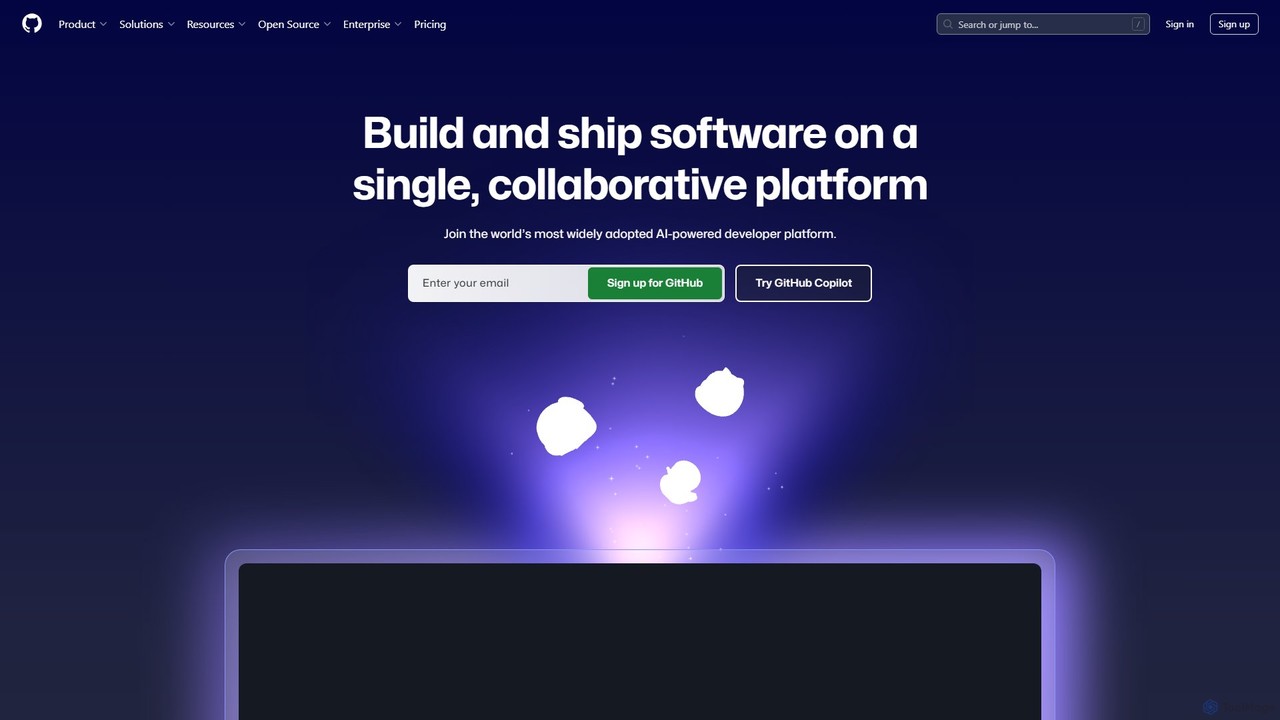
GitHub is the world's leading AI-powered developer platform for building, shipping, and maintaining software. It provides Git-based version control, collaborative tools, and a complete DevOps lifecycle, supercharged by GitHub Copilot, an advanced AI code assistant that accelerates development and enhances code quality.

Preview

Sourcegraph Product overview

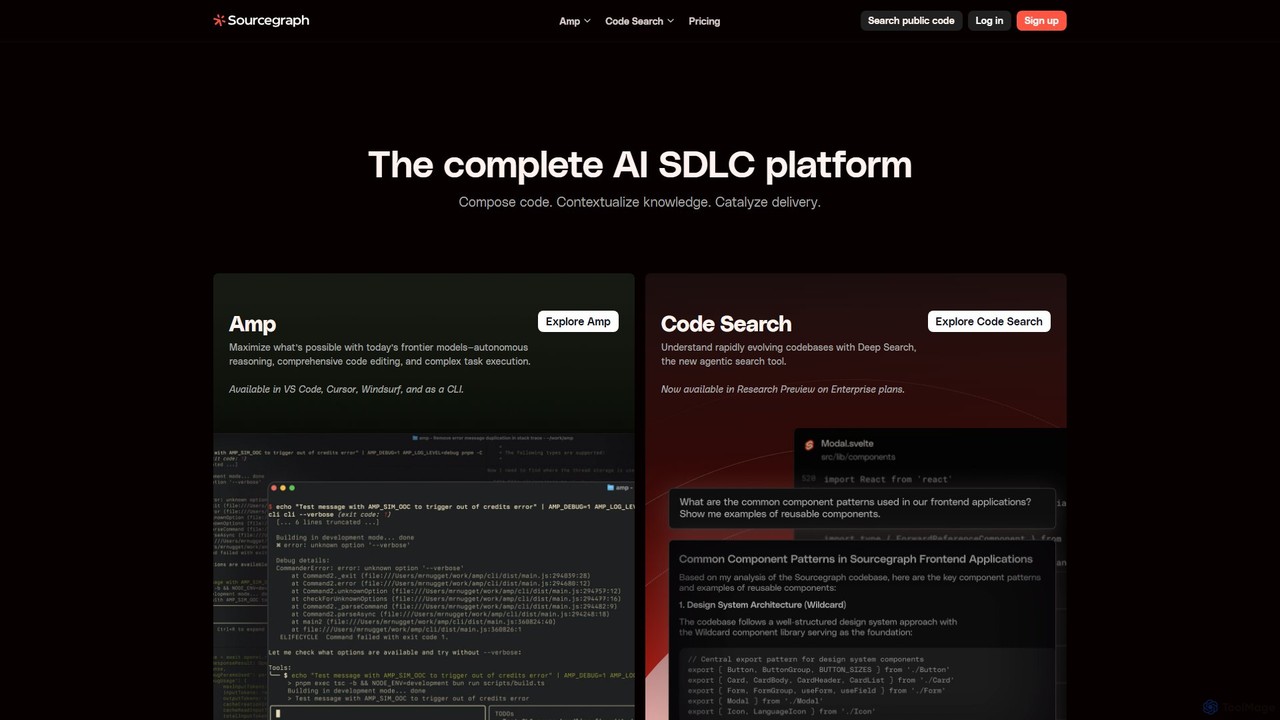
Sourcegraph is an AI-powered code intelligence platform that helps developers search, write, and understand code across their entire codebase. It integrates AI agents (Amp) and advanced search to accelerate the entire software development lifecycle (SDLC).

Preview

Quick facts

Compare product focus, pricing models and audiences. Highlighted rows indicate different listed information; unknown pricing does not mean free.

GitHub VS Sourcegraph — Quick facts
Quick factsGitHubSourcegraph
Pricing modelFreemiumFreemium
Product typeWebWeb
Primary focusCode AssistantCode Assistant
Audience and rolesNo data availableNo data available
CategoriesCode Assistant · Devops · Version Control · CollaborationCode Assistant · Devops · Code Search
AddedAug 5, 2025Aug 14, 2025
UpdatedNov 19, 2026Nov 19, 2026

Features, usage and use cases

Explore the listed product descriptions, features and workflows. Taxonomy labels alone are not feature evaluations.

GitHub

GitHub stands as the central hub for the global software development community, offering a comprehensive, AI-powered platform designed to streamline every phase of the development lifecycle. It is fundamentally built on Git, the distributed version control system, allowing millions of developers and companies to host and review code, manage projects, and build software together. With the integration of powerful AI through GitHub Copilot, the platform has evolved from a code repository into an intelligent partner that actively assists in writing, securing, and deploying code.

The platform is designed for collaboration at its core. Whether you are part of a large enterprise, a small startup, or an open-source project, GitHub provides the tools necessary for seamless teamwork. It facilitates everything from initial planning and coding to automated testing and secure deployment, making it the single source of truth for development projects. Millions of repositories, including those for the world's most critical open-source software, call GitHub home, creating a vibrant ecosystem for learning, sharing, and innovation.

How to use GitHub

Getting started with GitHub involves a straightforward workflow that scales with project complexity:

  1. Create a Repository: Begin by creating a new repository (repo) to house your project's files, code, and revision history. You can also fork an existing repository to contribute to another project.
  2. Write and Commit Code: Write code on your local machine or directly in the cloud with GitHub Codespaces. As you work, use GitHub Copilot for real-time code suggestions, function generation, and complex problem-solving via chat. Commit your changes with descriptive messages to track your progress.
  3. Push Changes: Push your committed changes from your local machine to the remote repository on GitHub to back them up and share them with collaborators.
  4. Collaborate with Pull Requests: When you're ready to merge your changes, open a Pull Request. This initiates a discussion and code review process, allowing teammates to comment, suggest improvements, and approve the changes before they are merged into the main codebase.
  5. Automate with GitHub Actions: Implement Continuous Integration and Continuous Deployment (CI/CD) by creating workflows with GitHub Actions. Automate builds, run tests, and deploy your application to any cloud environment upon a push or pull request.
  6. Manage and Secure: Use GitHub Issues to track bugs and feature requests, and GitHub Projects for high-level planning. Leverage GitHub Advanced Security to automatically scan for vulnerabilities, detect leaked secrets, and use Copilot Autofix to remediate issues quickly.

Core Features of GitHub

  • GitHub Copilot: An AI pair programmer that offers intelligent code completions, translates natural language prompts into code, provides in-editor chat, and helps refactor and debug code, boosting productivity by over 55%.
  • Version Control and Code Hosting: Secure, reliable, and scalable Git-based hosting for unlimited public and private repositories.
  • GitHub Actions: A powerful workflow automation engine to build, test, and deploy code directly from GitHub with CI/CD.
  • GitHub Advanced Security: A suite of security tools including code scanning (CodeQL), secret scanning, dependency review, and AI-powered autofixes to secure the software supply chain.
  • GitHub Codespaces: Instant, cloud-based development environments that can be spun up in seconds, pre-configured for any project.
  • Collaboration Suite: Includes Pull Requests for code review, GitHub Issues for task management, GitHub Discussions for community conversations, and GitHub Projects for agile planning.
  • GitHub Packages & Marketplace: A package registry for hosting software packages and a marketplace to discover and integrate thousands of third-party tools and apps, including Copilot Extensions.
  • GitHub Mobile: A mobile application to manage projects, review code, and interact with GitHub Copilot from anywhere.

Use Cases for GitHub

GitHub is versatile and supports a wide range of development scenarios:

  • Enterprise Software Development: Companies like Mercedes-Benz and Figma use GitHub to standardize their development processes, enhance security, and facilitate collaboration across global teams.
  • Open Source Projects: It is the de facto platform for the open-source community, hosting millions of projects and enabling worldwide collaboration.
  • DevOps and CI/CD: Teams implement robust automation pipelines using GitHub Actions to accelerate their release cycles and improve software quality.
  • AI-Accelerated Development: Organizations like Duolingo leverage GitHub Copilot to significantly increase developer speed and efficiency, allowing them to build features faster.
  • Security-First Development (DevSecOps): Integrating GitHub Advanced Security into workflows allows teams to shift security left, finding and fixing vulnerabilities early in the development process.

Advantages of GitHub

The key advantages of using GitHub include:

  • Unified Platform: It brings together version control, collaboration, project management, CI/CD, and security into a single, integrated experience.
  • AI-Driven Productivity: GitHub Copilot acts as a force multiplier for developers, reducing menial tasks and solving complex problems faster.
  • Robust Security: Proactive and automated security features help prevent vulnerabilities and protect against supply chain attacks.
  • Scalability and Reliability: Trusted by millions, from individual hobbyists to the world's largest corporations, with proven scalability and uptime.
  • Vibrant Ecosystem: Access to a massive global community, extensive integrations, and the heart of the open-source world.

Pricing and Plans

GitHub offers a tiered pricing model to suit different needs:

  • Free: Aimed at individuals and open-source projects. Includes unlimited public and private repositories, issue and project tracking, and a monthly quota of GitHub Actions and Packages storage.
  • Team: A per-user, per-month plan designed for teams and businesses. It includes all Free features plus protected branches, code owners, and increased Actions and Packages quotas.
  • Enterprise: A custom-priced plan for large organizations requiring advanced security, compliance, and administrative features. This plan includes GitHub Advanced Security, centralized management, and dedicated support.
  • GitHub Copilot: Available as a separate subscription for individuals, businesses, and enterprises, unlocking the full suite of AI-powered development features.

Sourcegraph

Sourcegraph is a comprehensive code intelligence platform designed to industrialize software development with the power of AI. It serves as a complete AI SDLC (Software Development Life Cycle) platform, empowering developers and large enterprises to manage, understand, and innovate on massive, complex codebases. By providing deep context and powerful tools, Sourcegraph helps teams compose code, contextualize knowledge, and catalyze delivery, effectively transforming how software is built.

The platform's core mission is to give developers Google-like search capabilities and AI-driven assistance directly within their workflow. It indexes and analyzes every line of code across all repositories, languages, and code hosts, creating a single, unified source of truth. This allows developers to move faster, improve code quality, and enhance security across the board.

How to use Sourcegraph

Getting started with Sourcegraph is straightforward. Developers can integrate it directly into their existing development environments. The primary AI tool, Amp, is available as an extension for popular editors like VS Code and Cursor, and also as a command-line interface (CLI). Once installed, developers can invoke Amp to perform complex tasks. For example, you can ask it to explain a piece of legacy code, generate new functions based on a description, write unit tests, or even autonomously debug and fix issues. For code exploration, developers use the web interface or editor integration to run searches. Simple keyword searches can find specific functions or variables, while the advanced Deep Search allows for natural language queries to find conceptual patterns or solutions to complex problems. For large-scale changes, developers define a set of rules for a 'Batch Change', and Sourcegraph will automatically create pull requests across all affected repositories for review and merging.

Core Features of Sourcegraph

  • Amp (AI Agent): An agentic coding tool that leverages frontier AI models for autonomous reasoning, comprehensive code editing, and complex task execution. It understands the full context of your codebase to provide highly accurate assistance.
  • Code Search & Deep Search: Universal code search that provides instant results across every repository. The new Deep Search feature is an agentic search tool that understands natural language queries to find code based on its purpose, not just keywords.
  • Batch Changes: A powerful tool for automating large-scale code changes. It allows you to find all instances of code that need to be updated, and then programmatically create pull/merge requests across hundreds or thousands of repositories at once.
  • Code Insights: Turns your codebase into a queryable database. You can create dashboards to track migrations, monitor the adoption of new libraries, identify security vulnerabilities, and visualize trends in your code over time.
  • Code Navigation: Provides precise, cross-repository 'Go to Definition' and 'Find References' capabilities, making it easy to understand how different parts of the code are connected, even across microservices.
  • Code Monitoring: Allows you to set up alerts for specific code patterns or changes, ensuring you're notified of critical modifications, security risks, or deviations from best practices.

Use Cases for Sourcegraph

Sourcegraph is versatile and addresses numerous challenges in modern software development. For onboarding, new engineers can use it to quickly understand a complex and unfamiliar codebase. In incident response, teams can rapidly search across all services to find the root cause of a production issue. For security, engineers can use Batch Changes to patch a vulnerability across the entire organization in hours, not weeks. When undertaking large-scale refactoring or technology migrations, Sourcegraph automates the tedious work of updating code, saving thousands of developer hours. It's also invaluable for maintaining code quality and ensuring architectural consistency across a growing engineering team.

Advantages of Sourcegraph

The primary advantage of Sourcegraph is the massive boost in developer productivity it provides. By reducing the time spent searching for and understanding code, it frees up engineers to focus on building new features. Its ability to work across all code, regardless of where it's hosted, eliminates information silos. The AI-powered features provide intelligent assistance that is context-aware, leading to better and faster solutions. For enterprises, Sourcegraph offers enhanced security, scalability to handle billions of lines of code, and flexible deployment options (cloud or single-tenant) to meet strict compliance requirements.

Pricing and Plans

Sourcegraph offers distinct pricing for its main products, Amp and Code Search, tailored to different team sizes and needs.
Amp (AI Agent) Pricing:

  • Amp (Individual): Best for individual developers. It includes a $10 free credit trial and operates on a pay-as-you-go, at-cost pricing model based on LLM usage.
  • Amp Teams: For small teams, this plan includes the free credit trial per user, team billing, and Single Sign-On (SSO).
  • Amp Enterprise: Designed for large dev teams, this plan includes all team features plus zero LLM retention for enhanced privacy. Usage costs are 50% higher to cover enterprise-grade features and support.
Code Search Pricing:
  • Enterprise Starter: Priced at $19 per user/month for growing organizations (up to 50 devs). It offers the core search experience on a multi-tenant cloud, compatible with GitHub only (up to 100 repositories).
  • Enterprise: Priced at $49 per user/month (25+ devs), this is the comprehensive plan. It includes Deep Search, Batch Changes, Code Insights, single-tenant cloud deployment, support for all code hosts, and enterprise-grade security and support.

Positioning

Their taxonomy shows where the products overlap and where each one has a more distinct focus. Unknown fields are shown explicitly and are never filled with assumptions.

Categories

Shared
Code AssistantDevops
Only GitHub
Version ControlCollaboration
Only Sourcegraph
Code Search

Tags

Shared
devops
Only GitHub
CI/CDcode assistantcode securitycollaborationdeveloper platformGitGitHub Copilotopen sourceproject managementversion control
Only Sourcegraph
AI assistantcode analysiscode generationcode intelligencecode searchdeveloper toolenterprise softwarerefactoringSDLC

Audience and roles

Shared
No listed items
Only GitHub
No listed items
Only Sourcegraph
No listed items

Traffic comparison

Traffic is shown on the same scale so differences in market visibility are not visually understated.

How to interpret the traffic data

Both charts share the same months and vertical scale. Each tool identifies its latest reporting month; missing months are left blank, not counted as zero. Regional and source visit counts are estimates calculated from the reported shares.

GitHub monthly traffic:

Latest traffic · 2026-05

Monthly visits
636.1M
Avg. visit duration
6:23
Pages per visit
5.92
Bounce rate
36.46%
Data updated 2026-06-15

Monthly traffic trend

  • 2025-09: 471.5M
  • 2026-01: 542.6M
  • 2026-02: 534.8M
  • 2026-03: 634.3M
  • 2026-04: 631M
  • 2026-05: 636.1M

Top regions

Top 5 countries/regions
Country/regionPercentageEstimated visits
🇺🇸United States36.14%229.9M
🇨🇳China22.96%146M
🇮🇳India17.41%110.7M
🇷🇺Russia15.84%100.8M
🇩🇪Germany7.65%48.7M

Traffic sources

Source typePercentageEstimated visits
Direct82.14%522.5M
Referral16.14%102.7M
Email1.72%10.9M

Search keywords

githubgithub copilothermes agentzapretзапрет

Sourcegraph monthly traffic:

Latest traffic · 2026-05

Monthly visits
244.5K
Avg. visit duration
1:50
Pages per visit
3.14
Bounce rate
40.23%
Data updated 2026-06-15

Monthly traffic trend

  • 2025-09: 329.4K
  • 2026-01: 377.2K
  • 2026-02: 305.8K
  • 2026-03: 312.4K
  • 2026-04: 254.6K
  • 2026-05: 244.5K

Top regions

Top 5 countries/regions
Country/regionPercentageEstimated visits
🇺🇸United States74.12%181.2K
🇨🇳China13.03%31.9K
🇮🇳India5.95%14.5K
🇻🇳Vietnam3.53%8.6K
🇪🇸Spain3.37%8.2K

Traffic sources

Source typePercentageEstimated visits
Direct90.92%222.3K
Referral7.23%17.7K
Email1.85%4.5K

Search keywords

claude codecodysourcegraphsourcegraph careerssourcegraph cody

Community signals

Ratings, comments, favorites, and likes are community signals—not a substitute for product fit.

GitHub

Rating
No data available
Comments
0
Favorites
189
Likes
153

Sourcegraph

Rating
No data available
Comments
0
Favorites
169
Likes
164

GitHub vs Sourcegraph · Comparison FAQ

What do GitHub and Sourcegraph have in common?
Both tools are listed under Code Assistant、Devops. These categories indicate overlapping use cases; compare their detailed descriptions for workflows, capabilities and limitations.
Are GitHub and Sourcegraph free?
Listed pricing models: GitHub — Freemium; Sourcegraph — Freemium. Missing pricing is not proof of a free plan, and freemium does not mean every feature is free. Check official sites for current plans, limits and trials.
How should I choose between GitHub and Sourcegraph?
The primary listed category is Code Assistant for GitHub, and Code Assistant for Sourcegraph. Compare features, steps and use cases, then verify pricing, data permissions and deployment needs. This page does not include hands-on testing and does not declare a winner from traffic or tags.

Sources and comparison methodology

This page is assembled from ToolMage product listings, taxonomy, traffic statistics and on-site user feedback. It is not a hands-on test or an independent review.
  • Feature and plan descriptions reflect information in the listings, not real-time guarantees. Verify pricing, quotas, availability and privacy terms on the official sites.
  • Traffic uses the reporting months shown. Missing statistics do not mean zero visits, and different periods do not establish growth or superiority. Regional and source visit counts are estimates based on shares.
  • Different tags indicate differences in the listings, not proof that the other product lacks a capability. Ratings, favorites and visits are not used to declare a winner.

Related comparisons