ToolMage
Sign in

AI TOOL COMPARISON

Hyperbrowser vs Simplescraper

What is the difference, and which fits your workflow? Compare features, usage, pricing models and traffic side by side.

Jump to key differences

Product overview

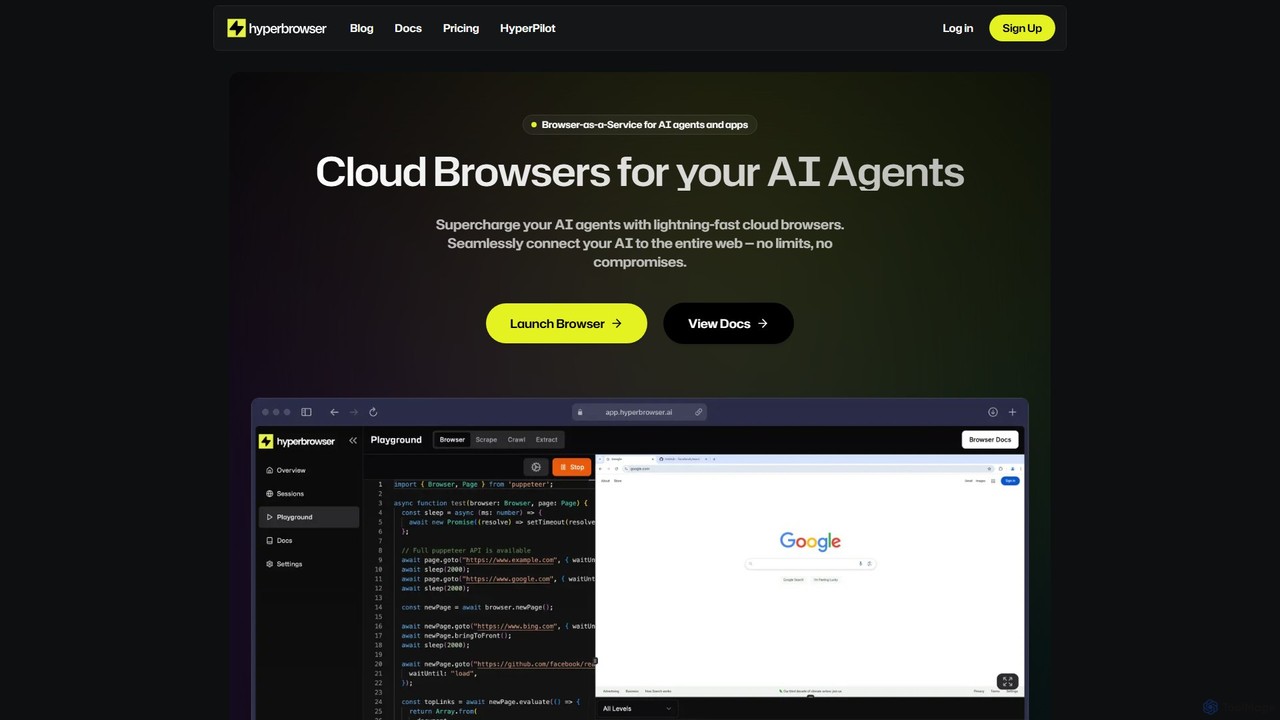
Hyperbrowser Product overview

Hyperbrowser is a Browser-as-a-Service platform designed for AI agents and developers. It provides scalable, lightning-fast cloud browsers to automate web tasks, extract data, and enable AI-driven web interactions. With features like stealth browsing, automatic captcha solving, and developer-friendly APIs, it empowers complex workflows without limits.

Preview

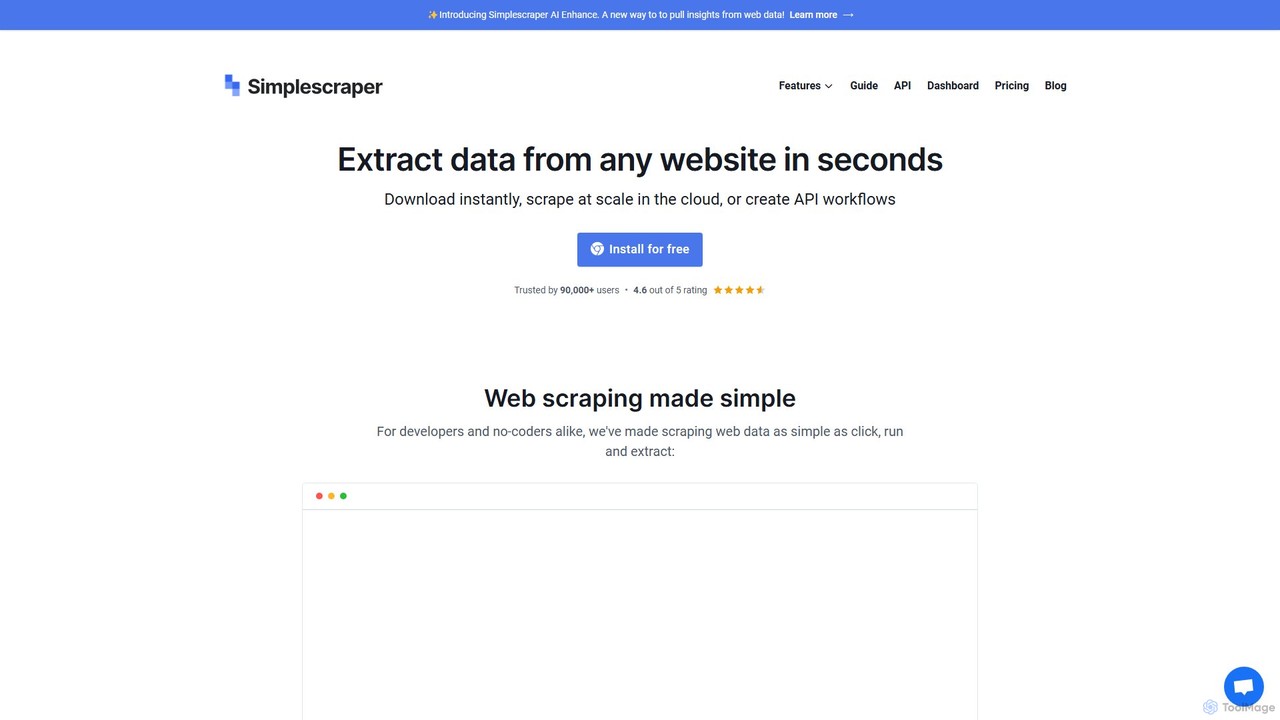
Simplescraper Product overview

Simplescraper is a powerful web scraping tool that extracts data from any website in seconds. It offers a user-friendly Chrome extension for no-code data selection, cloud-based automation for large-scale scraping, and an innovative AI Enhance feature to pull insights using simple prompts. Turn websites into structured data (CSV, JSON) or instant APIs, and integrate with tools like Google Sheets and Airtable.

Preview

Quick facts

Compare product focus, pricing models and audiences. Highlighted rows indicate different listed information; unknown pricing does not mean free.

Hyperbrowser VS Simplescraper — Quick facts
Quick factsHyperbrowserSimplescraper
Pricing modelFreemiumFreemium
Product typeWebWeb
Primary focusWeb ScrapingWeb Scraping
Audience and rolesNo data availableNo data available
CategoriesWeb Scraping · Api · AutomationWeb Scraping · Api · Lead Generation · Automation
AddedAug 5, 2025Aug 17, 2025
UpdatedNov 19, 2026Nov 19, 2026

Features, usage and use cases

Explore the listed product descriptions, features and workflows. Taxonomy labels alone are not feature evaluations.

Hyperbrowser

Hyperbrowser is a powerful Browser-as-a-Service (BaaS) platform engineered to connect AI agents and applications to the entire web. It provides developers with access to a fleet of high-speed, secure, and scalable cloud browsers, eliminating the complexities of managing local browser instances. This service is specifically designed for demanding tasks such as large-scale web scraping, browser automation, and enabling sophisticated AI agents to interact with websites as a human would. By offering headless browsers in isolated containers, Hyperbrowser ensures reliability, security, and peak performance for any project, from simple data extraction to complex, mission-critical automated workflows.

How to use Hyperbrowser

Getting started with Hyperbrowser is a straightforward process designed for developers. First, you sign up on the website to create an account and obtain your unique API key. You can start with the generous free plan which requires no credit card. Once you have your key, you can integrate Hyperbrowser into your application using its developer-friendly SDKs for Python and NodeJS, or by making direct cURL requests to its API. The platform provides clear documentation and code examples, including integrations with popular AI frameworks like OpenAI Tools and Anthropic Tools. For instance, you can launch a browser session, assign a task to an AI agent (e.g., 'Order Garlic Noodles from Burma Love on Doordash'), and have Hyperbrowser manage the entire web interaction, returning the structured result.

Core Features of Hyperbrowser

  • Scalable Cloud Browsers: Run over 1,000 concurrent browsers with zero performance degradation, launching in under 500ms for instant scaling.
  • Advanced Browser Automation: Automate any browser-based task, including complex web scraping, automated testing, and filling out forms across multiple sites.
  • AI Agent Integration: Seamlessly connect with AI agents from frameworks like OpenAI and Anthropic, enabling them to browse the web, collect data, and interact with web applications to complete tasks.
  • Automatic Captcha Solving: Integrated captcha handling automatically solves various types of captchas (including reCAPTCHA) to ensure your automation workflows run uninterrupted.
  • Stealth Browsing: Operate in advanced stealth mode to bypass sophisticated bot detection systems, ensuring high success rates for data collection and automation.
  • Robust Session Management: Manage browser sessions with features like logging, debugging, secure resource isolation, and the ability to reuse user profiles to avoid repeated logins.
  • Developer-Friendly API: A simple and powerful API with official SDKs for Python and NodeJS, making integration into your existing tech stack smooth and efficient.

Use Cases for Hyperbrowser

Hyperbrowser is versatile and can be applied to a wide range of scenarios. Its primary use cases include: Large-Scale Web Scraping, where users can extract and structure data from millions of pages, such as scraping Google search results or e-commerce sites like Shopify without getting blocked. Another key application is powering AI Web Agents, enabling them to perform complex actions like booking appointments, making purchases, or conducting detailed competitive analysis. It is also invaluable for Automated Software Testing, allowing developers to run end-to-end tests in real browser environments at scale. Furthermore, businesses use it for Market Research and Competitive Analysis by automating the collection of data on competitors' pricing, products, and marketing strategies.

Advantages of Hyperbrowser

The main advantage of Hyperbrowser is its ability to provide scalable, reliable, and undetectable browser automation. The platform guarantees 99.9% uptime, making it suitable for mission-critical applications. Its lightning-fast, sub-second browser launch times allow for rapid scaling on demand. The built-in fault tolerance and auto-recovery mechanisms ensure that workflows are resilient and reliable. Most importantly, its advanced stealth capabilities and automatic captcha solving significantly increase the success rate of web automation tasks that would otherwise be blocked by anti-bot measures.

Pricing and Plans

Hyperbrowser offers a flexible, transparent pricing structure with a freemium model to suit different needs.
Free Plan: $0/month, includes 1,000 credits, 1 concurrent browser, 7 days of data retention, and basic stealth mode.
Startup Plan: $30/month (plus usage), includes 30,000 credits, 25 concurrent browsers, 30 days of data retention, auto captcha solving, and basic stealth mode.
Scale Plan: $100/month (plus usage), includes 100,000 credits, 100 concurrent browsers, 30 days of data retention, auto captcha solving, and advanced stealth mode.
Enterprise Plan: Custom pricing for high-volume needs, offering 250+ concurrent browsers, 180+ days of data retention, premium support, and compliance options like HIPAA/SOC 2.
Usage is billed at $0.001 per credit, $0.10 per browser hour, and $10 per GB of proxy data.

Simplescraper

Simplescraper is a comprehensive web scraping service designed to make data extraction accessible to everyone, from no-coders to experienced developers. Trusted by over 90,000 users, it transforms any website into a source of structured, actionable data. With its intuitive Chrome extension, you can simply click on the data you need, and with its cloud platform, you can run large-scale, automated scraping tasks on a schedule. The standout feature, Simplescraper AI Enhance, allows you to use natural language prompts to extract, summarize, and analyze web content, eliminating the need for complex configurations or CSS selectors.

How to use Simplescraper

Getting started with Simplescraper is straightforward and offers multiple pathways depending on your needs:

  1. Using the Chrome Extension (Recommended): Install the free extension from the Chrome Store. Navigate to the website you want to scrape, click the extension icon, and start selecting the data elements (like text, links, or images) you wish to extract. You can immediately view the results and download them as a CSV or JSON file.
  2. Saving a Recipe for Cloud Scraping: For recurring or large-scale tasks, save your selections as a 'recipe'. This recipe can then be run in the cloud, allowing you to scrape thousands of pages, handle pagination and infinite scroll, and schedule scrapes to run automatically.
  3. Using Smart Extract: For an even simpler AI-driven approach, go to the Smart Extract feature on the dashboard. Just provide a URL and describe the data you need (e.g., "product name, price, and customer rating"). The AI will analyze the page and automatically generate a reusable scrape recipe for you.
  4. Leveraging AI Enhance: After running a scrape, go to the 'AI Enhance' tab for that recipe. You can apply pre-defined or custom prompts to your scraped data to perform tasks like sentiment analysis on reviews, summarizing articles, or formatting addresses.
  5. API Integration: Every scrape recipe you create instantly becomes an API endpoint. You can call this API to get fresh data on demand, making it perfect for dynamic applications and workflows.

Core Features of Simplescraper

  • AI-Powered Extraction: Utilizes AI through 'Smart Extract' to identify data based on simple descriptions and 'AI Enhance' to process and analyze scraped content using natural language prompts.
  • No-Code Interface & Chrome Extension: An intuitive point-and-click interface that makes it easy for anyone to select and extract data without writing a single line of code.
  • Scalable Cloud Scraping: Run unlimited scraping tasks of any size. The platform handles complex scenarios like JavaScript-powered websites (Single Page Apps), pagination, infinite scroll, and login walls.
  • Instant API Generation: Automatically turns any website you scrape into a structured API, allowing for programmatic access to fresh data.
  • Comprehensive Integrations: Seamlessly send your data to Google Sheets, Airtable, Zapier, or any other application using webhooks, enabling automated workflows.
  • Advanced Scraping Toolkit: Features include proxy rotation to avoid blocks, reCaptcha solving, deep scraping (crawling links to extract data from subsequent pages), and the ability to scrape only unique entries to avoid duplicates.
  • Scheduled Scraping: Set your scrapes to run at any interval you choose, from every minute to once a month, ensuring your data is always up-to-date.

Use Cases for Simplescraper

Simplescraper is versatile and can be applied across various industries for numerous purposes:

  • E-commerce: Track competitor pricing, monitor product availability, aggregate customer reviews, and collect product catalog data.
  • Real Estate: Scrape property listings from sites like Zillow to gather data on prices, locations, square footage, and agent details for market analysis.
  • Lead Generation: Extract contact information from online directories, professional networks, and corporate websites to build sales lead lists.
  • Market Research: Gather data on market trends, analyze public sentiment from social media or forums, and collect data for academic or business research.
  • Financial Services: Collect stock market data, financial news, and economic indicators from various online sources.
  • Recruitment: Aggregate job postings from multiple job boards to find talent or analyze the job market.

Advantages of Simplescraper

Simplescraper stands out for its combination of simplicity and power. Its primary advantage is its user-friendly design, which democratizes web scraping for non-technical users. The AI features significantly lower the barrier to entry, as users no longer need to understand HTML structure or CSS selectors. For developers, it offers a robust, scalable backend and a powerful API that saves hundreds of hours of development time. The reliability of the cloud infrastructure, complete with proxy rotation and CAPTCHA solving, ensures high success rates for scraping tasks.

Pricing and Plans

Simplescraper offers a freemium model with plans designed to scale with your needs:

  • Free: Includes use of the browser extension for manual scraping and 100 free starter credits for automated cloud scraping.
  • Plus Plan: $39/month for 6,000 credits, scheduling, Google Sheet & Airtable integration, webhooks, and access to AI Enhance.
  • Pro Plan: $70/month for 15,000 credits, including all Plus features plus SERP (Search Engine Results Page) scraping capabilities.
  • Premium Plan: $150/month for 40,000 credits and all Pro features.
  • Scale Plan: $249/month for 100,000 credits, which also includes a recipe setup service and live data feeds.

All paid plans come with dedicated one-on-one support. Credits are used for cloud scraping tasks, with a standard page costing 1 credit and a JavaScript-heavy page costing 2 credits. AI Enhance usage is billed separately at 1 credit per 800 words processed.

Positioning

Their taxonomy shows where the products overlap and where each one has a more distinct focus. Unknown fields are shown explicitly and are never filled with assumptions.

Categories

Shared
Web ScrapingApiAutomation
Only Hyperbrowser
No listed items
Only Simplescraper
Lead Generation

Tags

Shared
APIdata extractionweb scraping
Only Hyperbrowser
AI agentbrowser automationcaptcha solvingdeveloper toolsheadless browserstealth browsing
Only Simplescraper
AI data extractionautomationdata mininglead generationmarket researchno-codeprice tracking

Audience and roles

Shared
No listed items
Only Hyperbrowser
No listed items
Only Simplescraper
No listed items

Traffic comparison

Traffic is shown on the same scale so differences in market visibility are not visually understated.

How to interpret the traffic data

Both charts share the same months and vertical scale. Each tool identifies its latest reporting month; missing months are left blank, not counted as zero. Regional and source visit counts are estimates calculated from the reported shares.

Hyperbrowser monthly traffic:

Latest traffic · 2026-05

Monthly visits
71.4K
Avg. visit duration
0:38
Pages per visit
2.21
Bounce rate
40.26%
Data updated 2026-06-15

Monthly traffic trend

  • 2025-09: 34.5K
  • 2026-01: 71.4K
  • 2026-02: 66.8K
  • 2026-03: 67.3K
  • 2026-04: 56.7K
  • 2026-05: 71.4K

Top regions

Top 5 countries/regions
Country/regionPercentageEstimated visits
🇺🇸United States43.97%31.4K
🇮🇳India28.23%20.2K
🇻🇳Vietnam12.18%8.7K
🇧🇷Brazil8.2%5.9K
🇩🇪Germany7.42%5.3K

Traffic sources

Source typePercentageEstimated visits
Direct91.73%65.5K
Referral7.22%5.2K
Email1.05%750

Search keywords

hyper agenthyperagenthyper browserhyperbrowserhyperbrowser ai

Simplescraper monthly traffic:

Latest traffic · 2026-05

Monthly visits
104.7K
Avg. visit duration
0:28
Pages per visit
1.75
Bounce rate
48.21%
Data updated 2026-06-15

Monthly traffic trend

  • 2025-09: 93.6K
  • 2026-01: 112.3K
  • 2026-02: 106.1K
  • 2026-03: 101.8K
  • 2026-04: 116.8K
  • 2026-05: 104.7K

Top regions

Top 5 countries/regions
Country/regionPercentageEstimated visits
🇺🇸United States47.86%50.1K
🇮🇳India28.08%29.4K
🇧🇷Brazil8.48%8.9K
🇬🇧United Kingdom8.15%8.5K
🇫🇷France7.43%7.8K

Traffic sources

Source typePercentageEstimated visits
Direct88.2%92.4K
Referral11.73%12.3K
Email0.07%73

Search keywords

extract urllink extractorsimplescraperurl extractorwebsite url extractor

Community signals

Ratings, comments, favorites, and likes are community signals—not a substitute for product fit.

Hyperbrowser

Rating
No data available
Comments
0
Favorites
153
Likes
162

Simplescraper

Rating
No data available
Comments
0
Favorites
172
Likes
172

Hyperbrowser vs Simplescraper · Comparison FAQ

What do Hyperbrowser and Simplescraper have in common?
Both tools are listed under Web Scraping、Api、Automation. These categories indicate overlapping use cases; compare their detailed descriptions for workflows, capabilities and limitations.
Are Hyperbrowser and Simplescraper free?
Listed pricing models: Hyperbrowser — Freemium; Simplescraper — Freemium. Missing pricing is not proof of a free plan, and freemium does not mean every feature is free. Check official sites for current plans, limits and trials.
How should I choose between Hyperbrowser and Simplescraper?
The primary listed category is Web Scraping for Hyperbrowser, and Web Scraping for Simplescraper. Compare features, steps and use cases, then verify pricing, data permissions and deployment needs. This page does not include hands-on testing and does not declare a winner from traffic or tags.

Sources and comparison methodology

This page is assembled from ToolMage product listings, taxonomy, traffic statistics and on-site user feedback. It is not a hands-on test or an independent review.

  • Feature and plan descriptions reflect information in the listings, not real-time guarantees. Verify pricing, quotas, availability and privacy terms on the official sites.
  • Traffic uses the reporting months shown. Missing statistics do not mean zero visits, and different periods do not establish growth or superiority. Regional and source visit counts are estimates based on shares.
  • Different tags indicate differences in the listings, not proof that the other product lacks a capability. Ratings, favorites and visits are not used to declare a winner.

Related comparisons