ToolMage
Sign in

AI TOOL COMPARISON

OFFLIGHT vs Ohai.ai

What is the difference, and which fits your workflow? Compare features, usage, pricing models and traffic side by side.

Jump to key differences

Product overview

OFFLIGHT Product overview

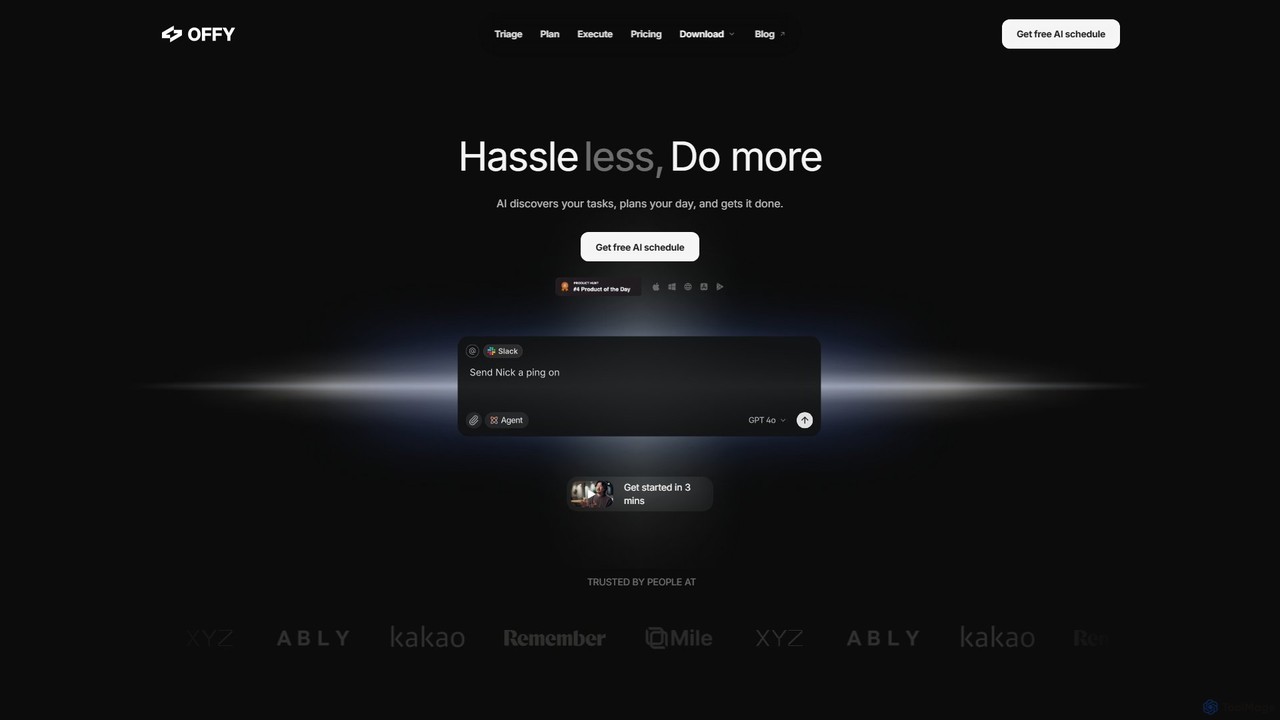
OFFLIGHT is an AI-powered task management tool that automatically discovers tasks from your apps like Gmail and Slack, creates intelligent, time-based plans, and helps you execute them. Centralize your workflow and boost productivity with your personal AI assistant, Offy.

Preview

Ohai.ai Product overview

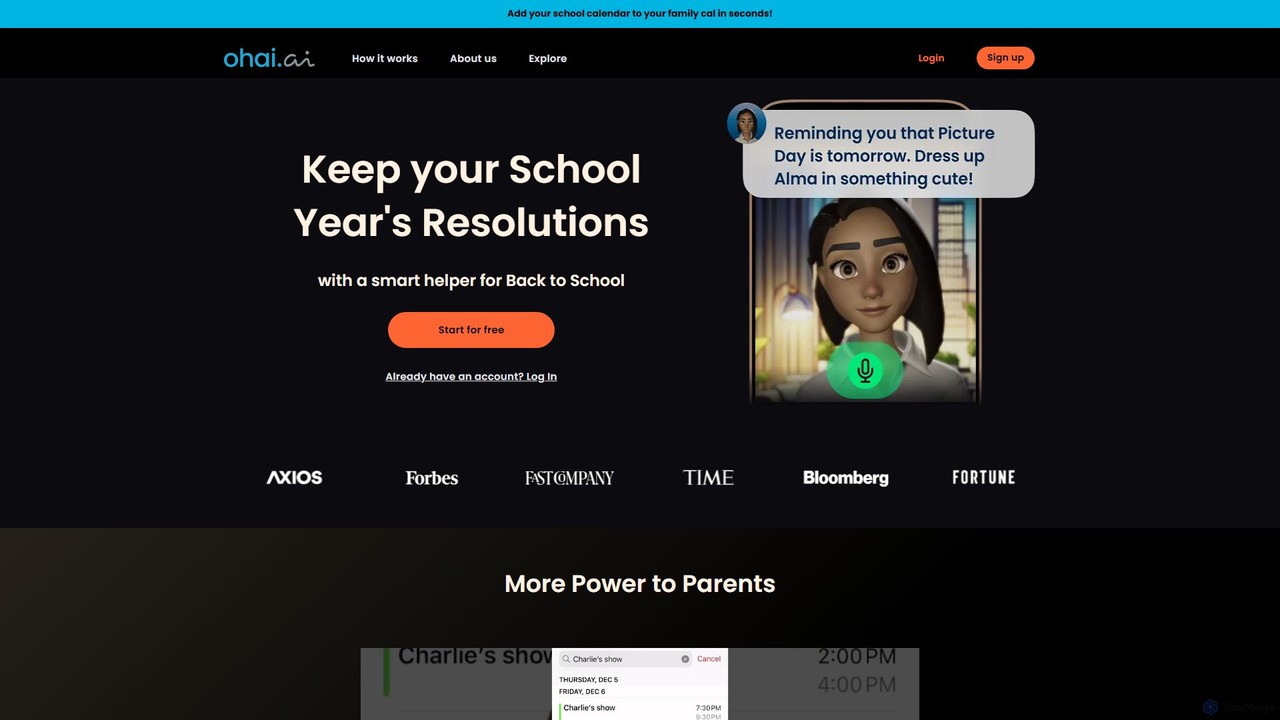
Ohai.ai is an AI-powered personal assistant designed to simplify family life and reduce the mental load for parents. It automates scheduling by syncing school and work calendars, manages to-do lists, plans meals, coordinates social events, and sends thoughtful reminders. By centralizing household management, Ohai helps families stay organized, connected, and on top of their busy lives, giving them more time to focus on what matters.

Preview

Quick facts

Compare product focus, pricing models and audiences. Highlighted rows indicate different listed information; unknown pricing does not mean free.

OFFLIGHT VS Ohai.ai — Quick facts
Quick factsOFFLIGHTOhai.ai
Pricing modelFreemiumFreemium
Product typeWebWeb
Primary focusPersonal AssistantFamily & Parenting
Audience and rolesNo data availableNo data available
CategoriesPersonal Assistant · Scheduling · Task ManagementFamily & Parenting · Calendar & Scheduling · Personal Assistant · Task Management
AddedAug 5, 2025Aug 4, 2025
UpdatedNov 19, 2026Nov 19, 2026

Features, usage and use cases

Explore the listed product descriptions, features and workflows. Taxonomy labels alone are not feature evaluations.

OFFLIGHT

OFFLIGHT is a revolutionary AI-powered task management and productivity platform designed to help busy individuals and teams reclaim their time and focus. With its intelligent assistant, Offy, OFFLIGHT transforms the way you handle your daily responsibilities by automating the most tedious parts of task management. It seamlessly integrates with your existing tools to discover, prioritize, and plan your tasks, allowing you to spend less time organizing and more time doing. By centralizing information from scattered sources like emails, chat messages, and project management tools, OFFLIGHT provides a single, unified view of your workload, preventing anything from slipping through the cracks.

The core philosophy of OFFLIGHT is "Hassle less, Do more." It achieves this by creating a dynamic, personalized schedule that adapts to your unique workflow and priorities. The AI doesn't just list your tasks; it understands their context, suggests the next best action, and even helps you execute them, such as by drafting email replies directly within the interface. This proactive approach reduces cognitive load and decision fatigue, empowering users to achieve a better work-life balance.

How to use OFFLIGHT

Getting started with OFFLIGHT is designed to be quick and intuitive, taking just a few minutes to set up.

  1. Connect Your Tools: Begin by linking your everyday applications like Gmail, Google Calendar, Slack, Linear, and more. This allows Offy to access your work context and start discovering tasks automatically.
  2. Triage with Offy: Once connected, Offy scans your integrated apps for action items, requests, and deadlines. It presents these discovered tasks in a centralized dashboard, where you can easily review and prioritize them with AI-powered suggestions.
  3. Plan Your Day: Interact with Offy through a simple chat interface. Tell it your goals for the day, and the AI will generate a time-based, optimized schedule. It intelligently breaks down larger tasks into manageable sub-tasks and fits them into your calendar.
  4. Execute and Collaborate: Follow the plan laid out by Offy. The tool will guide you on what to do next. For tasks like responding to emails, Offy can generate draft responses, which you can quickly edit and send. This seamless execution flow keeps you in a state of productivity without constant context switching.

Core Features of OFFLIGHT

  • AI Task Discovery: Automatically identifies and captures tasks from various sources, including emails, chat messages (Slack), and project tools (Linear), consolidating them in one place.
  • Intelligent Planning & Scheduling: The AI creates personalized, time-based task plans tailored to your schedule and priorities. It automatically splits large tasks into smaller, actionable steps.
  • Contextual Execution Assistant: Offy provides proactive support by suggesting the next task and assisting in its completion, such as drafting email responses from Gmail.
  • Unified Task Hub: Manages all your assigned tasks from different platforms in a single, intuitive interface, eliminating the need to switch between multiple apps.
  • Chat-Based Interface: A conversational UI allows you to manage your entire workflow, from planning to execution, by simply chatting with your AI assistant, Offy.
  • Cross-Platform Availability: Access and manage your tasks on Web, PC, iOS, and Android, ensuring your schedule is always in sync.
  • Google Workspace Integration: Deeply connects with your Google email and calendar for seamless task and schedule management.
  • Web Search Capability: The AI can search the web to gather information needed to complete tasks.

Use Cases for OFFLIGHT

OFFLIGHT is versatile and benefits a wide range of users:

  • CEOs and Executives: Manage high-level workflows, from organizing thoughts from meeting notes to delegating tasks discussed in team chats, ensuring strategic focus.
  • Product Managers: Juggle multiple meetings, reports, and team communications. OFFLIGHT helps prioritize a hectic schedule and keep projects on track.
  • Parents: Balance personal and professional life by managing schedules during fragmented moments, like a child's nap, ensuring no appointment or task is forgotten.
  • Students and Freelancers: Organize client requests from various channels, clarify priorities, and manage deadlines effectively to maintain a steady workflow and client satisfaction.
  • Teams: Improve overall workflow efficiency by providing a centralized platform where tasks are automatically triaged and planned, reducing manual coordination.

Advantages of OFFLIGHT

The primary advantage of OFFLIGHT is its ability to significantly reduce the mental overhead associated with modern work. By automating discovery and planning, it frees up valuable cognitive resources. Its proactive nature means it doesn't just wait for your input; it anticipates your needs. The unified hub streamlines workflows, boosts productivity, and helps users maintain focus. The personalized planning ensures that your schedule is realistic and tailored to you, promoting a sustainable and balanced lifestyle.

Pricing and Plans

OFFLIGHT operates on a freemium model, allowing users to get started for free.

  • Free Plan: A free tier is available, perfect for trying out the core features and getting a feel for AI-powered scheduling.
  • Pro Beta Plan: For users who need more power and features for everyday productivity. The plan includes more credits, chat with Offy on all platforms (web, PC, mobile), auto-planning calendar, full task and calendar management, web search ability, and integration with Google Workspace and other tools.
  • Pricing: The Pro Beta plan is offered at $9 per month when billed annually (a 20% discount). A monthly billing option is also available.

Ohai.ai

Ohai.ai is a personal AI assistant specifically tailored to help parents and families manage the complexities of modern household life. It acts as a smart helper to reduce the mental load, automate tedious tasks, and bring organization to chaotic schedules. Featured on the Today Show, Ohai.ai is positioned as the must-have tool for parents looking to reclaim their time and mental space.

The core philosophy of Ohai.ai is to centralize all aspects of family management into one intelligent platform. From coordinating school events to planning weekly meals, the assistant proactively handles tasks that often consume significant time and energy. It's designed to be a seamless part of your daily routine, available on the go through its dedicated mobile app.

How to use Ohai.ai

Getting started with Ohai.ai is simple and intuitive. Users can begin by downloading the app from the App Store and creating an account. The primary step is to connect your various calendars, such as school, work, and personal schedules. Ohai.ai then gets to work:

  • Calendar Sync: Add your school's calendar, and Ohai.ai automatically scans and adds all important dates—like holidays, parent-teacher conferences, and events—to your family calendar.
  • Conflict Resolution: The AI cross-checks your work and personal calendars to identify scheduling conflicts, such as a meeting clashing with a child's soccer game, and suggests rescheduling options.
  • Task & List Creation: You can ask Ohai.ai to create and share shopping lists for back-to-school supplies or weekly groceries. It helps ensure nothing is forgotten.
  • Social Planning: To organize a playdate or a dinner with friends, simply tell Ohai.ai who to invite. It checks everyone's availability and finds the best time, eliminating chaotic group chats.
  • Meal Planning: Ask for a week's meal plan, and Ohai.ai will suggest recipes, build a grocery list, and can even send it directly to a service like Instacart.

Core Features of Ohai.ai

  • Unified Calendar Management: Automatically syncs and merges school, work, and family calendars into one master view.
  • Proactive Conflict Detection: Intelligently scans for scheduling conflicts and proposes solutions.
  • Automated Event Entry: Scans documents like school calendars and instantly adds events, eliminating manual entry.
  • Collaborative Lists: Create and share to-do lists and shopping lists with family members.
  • Smart Social Coordinator: Finds the optimal time for group events by checking invitees' schedules.
  • AI-Powered Meal Planner: Generates weekly meal plans and grocery lists, with integration for grocery delivery services.
  • Goal Setting and Tracking: Helps users set and achieve personal or family goals with dedicated time blocks and reminders.
  • Automated Reminders & Confirmations: Checks in with invitees for appointments (e.g., babysitters) to confirm plans and sends timely reminders.
  • Thoughtful Gestures: Automates sending digital cards for birthdays and thank-yous, ensuring you never miss a special moment.

Use Cases for Ohai.ai

Ohai.ai is ideal for primary caregivers, busy parents, and anyone juggling multiple responsibilities. It's particularly useful for:

  • Back-to-School Organization: Seamlessly manage school calendars, supply shopping, and new routines.
  • Household Management: Centralize all family-related tasks, from meal planning and grocery shopping to chore lists.
  • Work-Life Balance: Keep work commitments from clashing with family events by having a unified, conflict-aware schedule.
  • Social Life Coordination: Effortlessly plan playdates, family get-togethers, and dinners with friends.
  • Personal Productivity: Set and stick to personal goals, like exercise or learning a new skill, with dedicated time blocked in your schedule.

Advantages of Ohai.ai

The main advantage of Ohai.ai is its ability to significantly reduce the mental load—the invisible labor of managing a household. By automating routine planning and organization, it frees up valuable mental space and time. It's more than just a calendar; it's a proactive assistant that anticipates needs, prevents problems, and helps families run more smoothly. This allows parents to spend less time managing and more time enjoying family life.

Pricing and Plans

Ohai.ai operates on a freemium model. Users can get started with the core features for free, as highlighted by the "Start for free" option on their website. While specific details of paid tiers are not listed on the main site, it is expected that advanced features, unlimited usage, or premium integrations may be available through in-app purchases or a subscription plan within the mobile app.

Positioning

Their taxonomy shows where the products overlap and where each one has a more distinct focus. Unknown fields are shown explicitly and are never filled with assumptions.

Categories

Shared
Personal AssistantTask Management
Only OFFLIGHT
Scheduling
Only Ohai.ai
Family & ParentingCalendar & Scheduling

Tags

Shared
AI assistantproductivityschedulingtask management
Only OFFLIGHT
automationgmailpersonal productivitySlackto-do listworkflow
Only Ohai.ai
calendar managementfamily organizergoal settingmeal plannermental loadparentingpersonal assistantshopping list

Audience and roles

Shared
No listed items
Only OFFLIGHT
No listed items
Only Ohai.ai
No listed items

Traffic comparison

Traffic is shown on the same scale so differences in market visibility are not visually understated.

How to interpret the traffic data

Both charts share the same months and vertical scale. Each tool identifies its latest reporting month; missing months are left blank, not counted as zero. Regional and source visit counts are estimates calculated from the reported shares.

OFFLIGHT monthly traffic:

Latest traffic · 2026-05

Monthly visits
3.7K
Avg. visit duration
0:03
Pages per visit
1.29
Bounce rate
36.06%
Data updated 2026-06-15

Monthly traffic trend

  • 2025-09: 15K
  • 2026-01: 13.8K
  • 2026-02: 7.8K
  • 2026-03: 4.7K
  • 2026-04: 5K
  • 2026-05: 3.7K

Top regions

Top 5 countries/regions
Country/regionPercentageEstimated visits
🇰🇷Korea, Republic of49.18%1.8K
🇺🇸United States45.81%1.7K
🇮🇳India5.01%187

Search keywords

재피어스와이프offlighttodoist alternatives캘린더 ui 일정 등록

Ohai.ai monthly traffic:

Latest traffic · 2026-05

Monthly visits
37.3K
Avg. visit duration
0:33
Pages per visit
2.95
Bounce rate
36.6%
Data updated 2026-06-15

Monthly traffic trend

  • 2025-09: 143.7K
  • 2026-01: 93.5K
  • 2026-02: 58.9K
  • 2026-03: 55K
  • 2026-04: 50.7K
  • 2026-05: 37.3K

Top regions

Top 5 countries/regions
Country/regionPercentageEstimated visits
🇺🇸United States69.4%25.9K
🇮🇳India12.3%4.6K
🇻🇳Vietnam7.4%2.8K
🇨🇦Canada5.71%2.1K
🇬🇧United Kingdom5.19%1.9K

Traffic sources

Source typePercentageEstimated visits
Direct64.78%24.1K
Referral24.76%9.2K
Email10.46%3.9K

Search keywords

beta momfamily ai school calendarohaiohai social send messageoi ai assistant

Community signals

Ratings, comments, favorites, and likes are community signals—not a substitute for product fit.

OFFLIGHT

Rating
No data available
Comments
0
Favorites
142
Likes
152

Ohai.ai

Rating
No data available
Comments
0
Favorites
174
Likes
156

OFFLIGHT vs Ohai.ai · Comparison FAQ

What do OFFLIGHT and Ohai.ai have in common?
Both tools are listed under Personal Assistant、Task Management. These categories indicate overlapping use cases; compare their detailed descriptions for workflows, capabilities and limitations.
Are OFFLIGHT and Ohai.ai free?
Listed pricing models: OFFLIGHT — Freemium; Ohai.ai — Freemium. Missing pricing is not proof of a free plan, and freemium does not mean every feature is free. Check official sites for current plans, limits and trials.
How should I choose between OFFLIGHT and Ohai.ai?
The primary listed category is Personal Assistant for OFFLIGHT, and Family & Parenting for Ohai.ai. Compare features, steps and use cases, then verify pricing, data permissions and deployment needs. This page does not include hands-on testing and does not declare a winner from traffic or tags.

Sources and comparison methodology

This page is assembled from ToolMage product listings, taxonomy, traffic statistics and on-site user feedback. It is not a hands-on test or an independent review.

  • Feature and plan descriptions reflect information in the listings, not real-time guarantees. Verify pricing, quotas, availability and privacy terms on the official sites.
  • Traffic uses the reporting months shown. Missing statistics do not mean zero visits, and different periods do not establish growth or superiority. Regional and source visit counts are estimates based on shares.
  • Different tags indicate differences in the listings, not proof that the other product lacks a capability. Ratings, favorites and visits are not used to declare a winner.

Related comparisons