ToolMage
Sign in

Best 1 Citation Generator for Academic Writing

Popular Citation Generator in Academic Writing include Koke, helping you work more efficiently.

Koke
Freemium

Koke

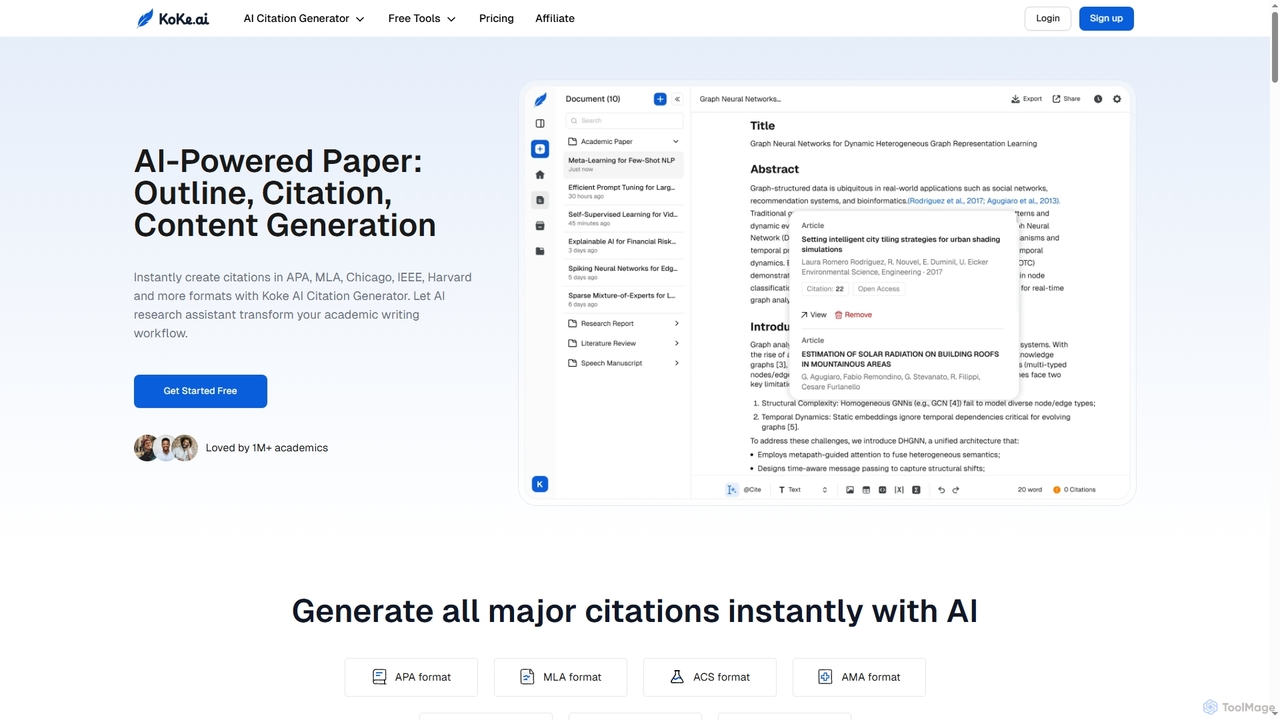
Koke is an AI-powered academic writing assistant that streamlines the entire paper creation process. It offers an instant citation generator for APA, MLA, Chicago, IEEE, and Harvard styles, an outline generator, and advanced content generation tools for sentences, paragraphs, and research questions. Koke helps students and academics write smarter, manage references, and refine drafts efficiently.

Citation Generator
Visits 31.6KFavorites 149Likes 151

About Citation Generator

A Citation Generator is an AI-powered tool that automatically creates formatted academic citations and bibliographies. It analyzes source information—such as URLs, DOIs, or book titles—and converts it into specific citation styles like APA, MLA, or Chicago. These tools streamline the research writing process, helping users avoid plagiarism and maintain academic integrity by ensuring all sources are correctly attributed. As a specialized part of the academic writing toolkit, they save significant time on the tedious task of manual formatting, allowing writers to focus on their arguments.

Core Features

  • Multi-Style Support: Instantly format citations in hundreds of styles, including APA, MLA, Chicago, and Harvard.
  • Automatic Data Extraction: Pull metadata directly from web pages, journal articles via DOI, and books via ISBN.
  • In-Text and Bibliography Generation: Create both parenthetical in-text citations and full reference list entries.
  • Reference Management: Save, organize, and export bibliographies for different projects in a personal library.
  • Word Processor Integration: Directly insert citations into documents using plugins for Google Docs or Microsoft Word.

Use Cases

Citation Generators are indispensable for students, academics, and researchers across all disciplines. They are used for writing essays, research papers, theses, and journal articles. Professional writers and journalists also use them to cite sources in reports and long-form articles, adding credibility and transparency to their work.

How to Choose

When selecting a Citation Generator, consider the range of citation styles offered and its accuracy. Evaluate its data import capabilities (URL, DOI, PDF) and integration with your preferred writing software. Also, compare free versions with paid plans, which may offer advanced features like cloud storage, plagiarism checks, and collaboration tools.

Citation Generator use cases

1

Academic Paper and Essay Writing

For high school and university students, writing a research paper involves citing numerous sources, from academic journals to websites. A Citation Generator automates this critical task. Instead of manually typing each reference according to strict APA or MLA guidelines, a student can simply paste a URL or DOI. The tool instantly generates the correct in-text citation and bibliography entry. This not only saves hours of tedious work but also significantly reduces the risk of accidental plagiarism, allowing students to focus on the quality of their research and arguments.

2

Manuscript Preparation for Journal Submission

Academic researchers preparing a manuscript for a scientific journal must manage dozens or even hundreds of references. Each journal has its own specific citation style requirements. A citation generator integrated with a reference manager allows a researcher to maintain a single library of sources and switch the entire bibliography's format from one style (e.g., Vancouver) to another (e.g., APA) with a single click. This is crucial when a paper is rejected from one journal and needs to be reformatted for submission to another, saving days of manual re-editing.

3

Creating Annotated Bibliographies

An annotated bibliography requires both a correctly formatted citation and a summary or analysis of the source. While the AI doesn't write the annotation, it perfects the first part of the task. A student or researcher can use the citation generator to quickly compile a list of all sources in the required format (e.g., Chicago). This provides a clean, consistent, and accurate foundation. They can then focus their intellectual energy on writing the critical annotations for each source, rather than getting bogged down in the complex rules of punctuation and formatting for the citations themselves.

4

Fact-Checking for Journalists and Content Creators

Journalists, bloggers, and content creators who produce evidence-based content need to maintain a rigorous record of their sources. When writing an article that cites statistics, studies, or expert quotes, a citation generator provides a quick way to format and save the source link. This creates an organized trail for internal fact-checkers and editors. It also allows for the easy creation of a public reference list to be published with the article, enhancing transparency and building trust with the audience.

5

Collaborative Group Projects

In a team project, multiple members contribute research from various sources. Without a central tool, the final bibliography can become a chaotic mix of inconsistent formats. By using a shared citation generator or reference library, all team members can add their sources to a single project. The tool ensures every entry is formatted uniformly. When the final report is compiled, a consistent and professional-looking bibliography can be generated in seconds, regardless of who found which source.

6

Quick Citation for Online Discussions

In online forums, social media debates, or even professional emails, backing up a claim with a source adds significant weight. A quick citation generator is perfect for this informal, yet important, use case. A user can find a supporting article or study, paste the URL into the generator, and get a cleanly formatted, simple text citation (e.g., Author, Year). This can be pasted directly into a comment or email, providing immediate credibility without the need for full academic formatting, but still maintaining the principle of attribution.

Citation Generator FAQ

What is an AI Citation Generator?

An AI Citation Generator is a tool that automates the creation of academic citations. Unlike basic formatters, AI-powered versions can intelligently parse information from sources like web pages or PDFs to identify the author, title, publication date, and other necessary metadata. This reduces manual data entry and improves accuracy. Their primary function is to correctly format this information into a specific style (e.g., APA 7, MLA 9, Chicago) for both in-text citations and full bibliographies, ensuring academic integrity.

How to choose the right Citation Generator?

To choose the right tool, consider these factors:

  • Style Variety: Ensure it supports the specific citation styles you need (e.g., APA, MLA, Chicago, Harvard). The more styles, the more versatile it is.
  • Accuracy: Test it with a few complex sources, like a chapter in an edited book or a specific type of online report, to check the accuracy of the generated citation.
  • Input Methods: Look for a tool that can accept various inputs, such as URLs, DOIs, ISBNs, and even PDF uploads, to maximize convenience.
  • Integration: Check if it offers plugins for your word processor (Google Docs, MS Word) to allow for seamless insertion of citations as you write.
  • Cost: Compare the features of free versions against paid subscriptions. Paid plans often include benefits like unlimited storage, collaboration features, and plagiarism checkers.
Are AI Citation Generators 100% accurate?

No, AI citation generators are not always 100% accurate. While they are highly effective and save a significant amount of time, they can sometimes make errors. For example, AI may misinterpret the layout of a webpage, confusing an author's name with a site title, or fail to find a publication date. The accuracy depends heavily on the quality and structure of the source's metadata. Therefore, it is crucial to always double-check the generated citations against the style guide's rules and the original source before finalizing your work. Think of them as powerful assistants, not infallible authorities.

What's the difference between a Citation Generator and a Reference Manager?

A Citation Generator and a Reference Manager are related but serve different primary functions. A Citation Generator is typically a simpler tool focused on one task: quickly creating a formatted citation from a source you provide (like a URL). A Reference Manager (like Zotero, Mendeley, or EndNote) is a more comprehensive software for long-term research. It allows you to build, organize, and annotate a personal library of sources, store PDFs, and offers deep integration with word processors to manage hundreds of citations in a large document. Many reference managers include a citation generator, but not all citation generators have full reference management capabilities.

Can I use a citation generator for any type of source?

You can use a citation generator for most common source types, including books, journal articles, websites, and news articles. Most advanced generators also support a wider range of sources like videos, podcasts, government reports, and even social media posts. However, for very obscure or complex sources (e.g., an unpublished manuscript, a personal interview, or a specific legal document), the automatic data extraction may fail. In these cases, you will likely need to use the tool's manual entry form, where you input the data for each field (author, title, etc.) yourself before the tool formats it for you.