Accessibility Best in category 1 results Visual Impairment Aid AI Tool

Popular AI tools in the Visual Impairment Aid field of Accessibility include PingPath, etc., helping you quickly improve efficiency.

PingPath

PingPath

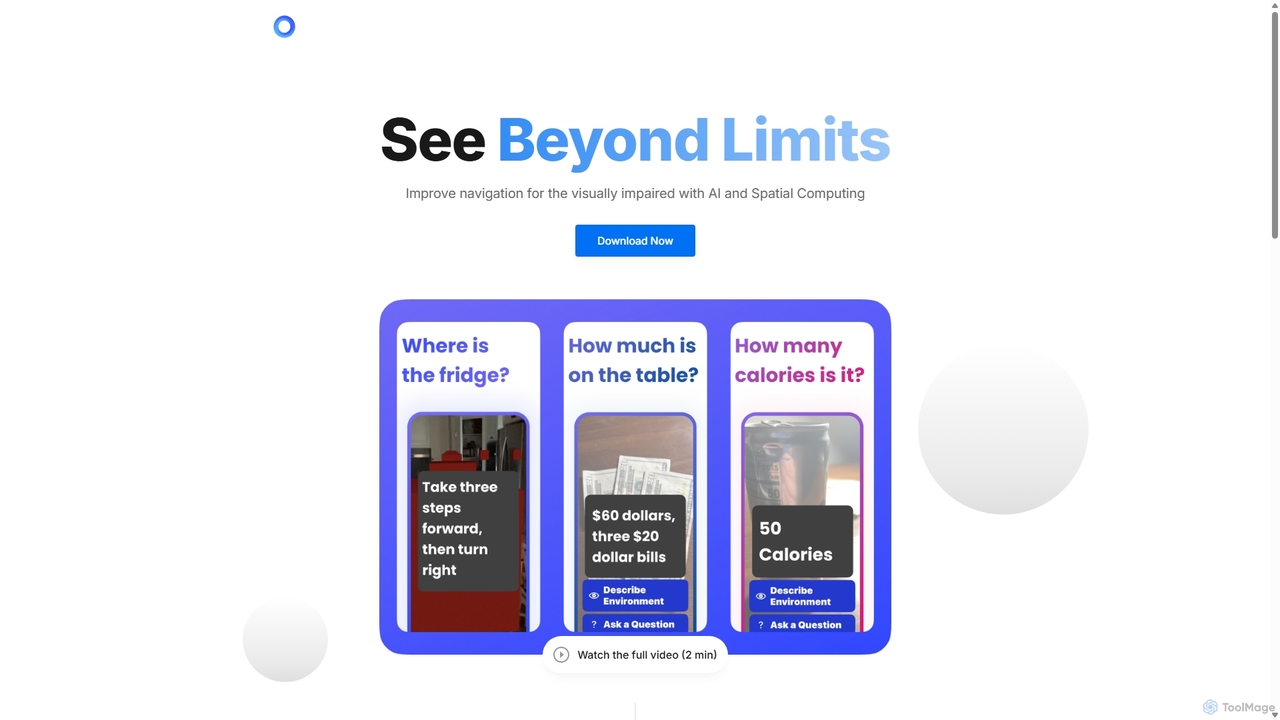
PingPath is an AI-powered mobile application designed to enhance indoor navigation for visually impaired individuals. By leveraging LiDAR, …

2.9K

About Visual Impairment Aid

Visual Impairment Aid tools are a specialized category of AI-powered software designed to interpret the visual world for individuals with blindness or low vision. Leveraging advanced technologies like computer vision, optical character recognition (OCR), and natural language processing, these tools convert images, text, and environmental cues into audible speech or tactile feedback. They empower users to navigate their surroundings, read documents, and identify objects independently, significantly enhancing daily autonomy and access to information within the broader field of accessibility.

Core Features

  • Real-time Scene Description: Verbally describes the user's surroundings, identifying people, objects, and layouts through the device's camera.
  • Text Recognition (OCR): Instantly reads printed or handwritten text from documents, signs, product labels, and digital screens aloud.
  • Object & Face Identification: Recognizes everyday objects, currency, colors, and pre-registered faces of familiar people.
  • Barcode & QR Code Scanning: Provides detailed product information, including names and instructions, by scanning standard codes.
  • Assisted Navigation: Offers guidance by identifying potential obstacles, crosswalks, and doorways to improve mobility safety.

Use Cases

These tools are invaluable in various daily situations, from reading a restaurant menu and sorting mail to identifying the correct medication bottle. In professional and educational settings, they enable access to printed materials, presentations, and physical whiteboards, fostering greater inclusion and participation for students and employees with visual impairments.

How to Choose

When selecting a tool, consider the accuracy and speed of its recognition capabilities, especially in varied lighting conditions. Evaluate the responsiveness and clarity of its audio feedback, its ease of use via voice commands or simple gestures, and its compatibility with other assistive devices like screen readers or braille displays. Also, assess whether it requires a constant internet connection for its core functions.

Visual Impairment AidUse Cases

1

Independent Grocery Shopping

A visually impaired individual uses a smartphone app to navigate a supermarket. By pointing their phone's camera at shelves, the AI's object recognition feature audibly identifies products like 'canned tomatoes' or 'whole wheat pasta'. To verify a specific item, they use the barcode scanner, which reads out the product name, brand, and size. The OCR function can also read nutritional labels or cooking instructions, empowering them to make informed choices and shop with complete autonomy, without needing to ask for assistance.

2

Reading Mail and Printed Documents

A user receives a printed letter from their bank. Instead of waiting for someone to read it to them, they open a visual aid app. The app's OCR feature captures an image of the document, processes the text in seconds, and reads the entire letter aloud. This provides immediate and private access to important personal information, from utility bills to official correspondence, fostering independence and ensuring timely management of personal affairs.

3

Navigating Unfamiliar Public Spaces

A person with low vision is visiting a new city. Using an AI aid tool, they can better understand their surroundings. The app's scene description feature announces 'crosswalk ahead' or 'cafe entrance on your right'. It can also use OCR to read street signs and building names. This real-time audio feedback acts as a virtual guide, increasing the user's confidence and safety while walking through unfamiliar streets, transit stations, or large buildings.

4

Identifying Clothing and Personal Items

A user needs to select a specific outfit from their closet. By pointing their device's camera at different garments, the AI tool's color and object recognition feature audibly describes each item, such as 'blue striped shirt' or 'black trousers'. This simple application extends to many daily tasks, like sorting laundry, finding a specific book on a shelf, or identifying different bank notes, greatly simplifying routine activities and reducing reliance on others.

5

Accessing Academic and Professional Materials

A student with a visual impairment needs to study from a printed textbook or review a presentation on a whiteboard. Using an AI aid app, they can capture an image of a page or the board. The OCR technology extracts the text and reads it aloud, while scene description can interpret diagrams or charts. This allows the student to keep pace with sighted peers, participate fully in class, and access educational content independently without relying solely on pre-prepared accessible formats.

6

Recognizing Friends and Colleagues in Social Settings

In a crowded social or professional event, identifying people can be challenging. A user can pre-register faces of friends, family, and colleagues in their AI aid app. When they pan their phone's camera across the room, the app can discreetly provide an audio cue or vibration when a known person is detected, and even state their name. This feature helps facilitate social interactions, allowing the user to confidently initiate conversations and feel more connected in their community.

Visual Impairment AidFrequently Asked Questions