Ar & Vr Best in category 1 results Ar Development AI Tool

Popular AI tools in the Ar Development field of Ar & Vr include Hexagram, etc., helping you quickly improve efficiency.

Hexagram

Hexagram

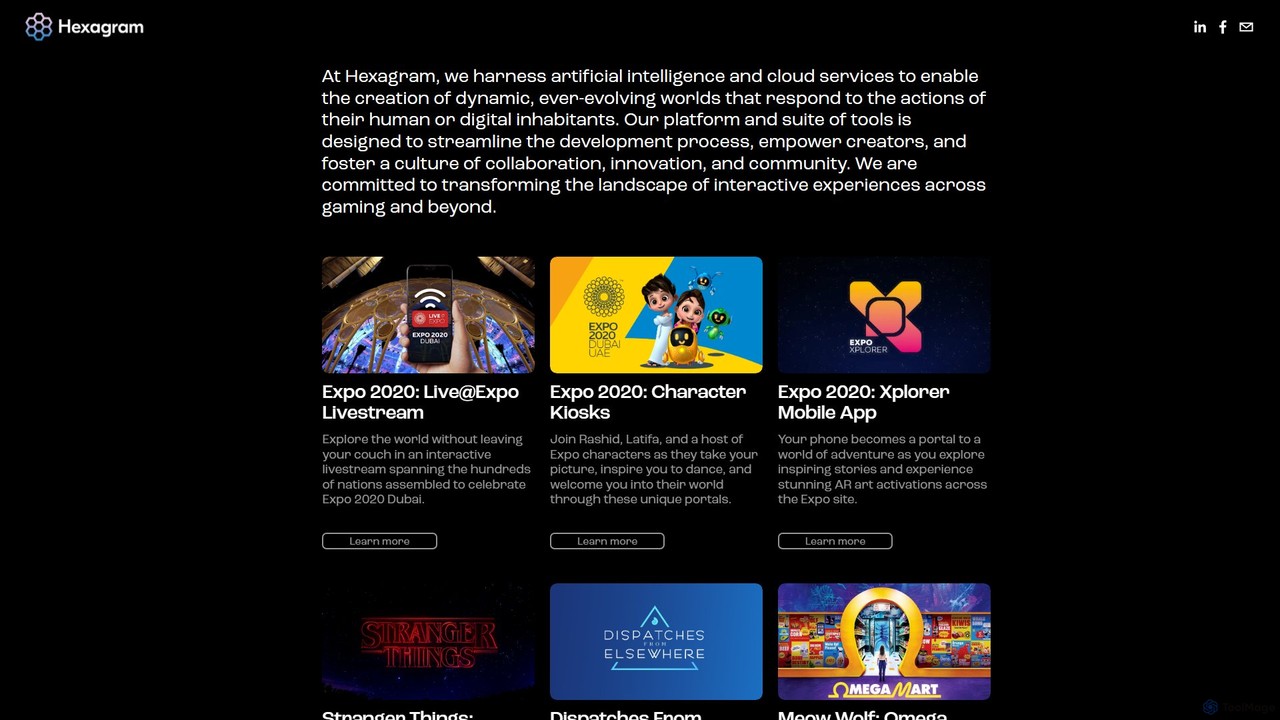
Hexagram is a creative technology platform that uses AI and cloud services to build dynamic, interactive worlds and …

4.0K

About Ar Development

AR Development tools are software frameworks, SDKs, and platforms used to build augmented reality applications. These tools utilize technologies like SLAM (Simultaneous Localization and Mapping) and computer vision to overlay digital 3D models, animations, and information onto the real world through a device's camera. Their primary value lies in creating interactive, immersive experiences that merge physical and digital environments for industries ranging from retail to manufacturing. This enables developers to craft everything from virtual try-on solutions to complex industrial training modules.

Core Features

  • World Tracking (SLAM): Enables applications to understand and track their position and orientation within the physical environment, allowing virtual objects to remain anchored in place.
  • 3D Object Rendering: Provides the capability to import, optimize, and display high-fidelity 3D models and animations in real-time, integrated with the live camera feed.
  • Image and Object Recognition: Allows AR experiences to be triggered by recognizing specific 2D images, markers, or real-world 3D objects.
  • Cross-Platform Deployment: Supports building an AR application once and deploying it across multiple operating systems, primarily iOS (ARKit) and Android (ARCore).
  • WebAR Support: Facilitates the creation of AR experiences that run directly in a mobile web browser, eliminating the need for users to download a separate application.

Use Cases

AR Development tools are crucial for developers and businesses aiming to create engaging user experiences. In e-commerce, they are used to build virtual try-on features for apparel or 'view in your room' functions for furniture. In manufacturing and engineering, these tools help create training simulations and remote assistance guides that overlay instructions onto machinery. Educational institutions also use them to develop interactive learning models for subjects like anatomy or astronomy.

How to Choose

Selecting the right AR Development tool depends on several factors. First, consider your target platform: do you need a native app for iOS/Android, or is a browser-based WebAR experience sufficient? Evaluate the tool's feature set, such as its support for markerless tracking, image recognition, or face tracking. Your team's technical expertise is also key; choose between user-friendly no-code platforms and more powerful, code-intensive SDKs. Finally, assess the pricing model and the quality of documentation and community support.

Ar DevelopmentUse Cases

1

Interactive Product Visualization for E-commerce

An e-commerce developer for a furniture brand uses an AR development platform to build a 'View in Your Room' feature. By integrating the platform's SDK into their mobile app, they allow customers to use their phone's camera to place a true-to-scale 3D model of a sofa or table directly in their living space. This helps customers visualize how the product fits and matches their decor, significantly reducing purchase uncertainty and lowering return rates. The developer focuses on optimizing 3D models for fast loading and realistic rendering on a wide range of mobile devices.

2

AR Training Modules for Industrial Maintenance

A corporate trainer in a manufacturing plant works with a developer using an AR development tool to create training modules for new technicians. The application, deployed on tablets, overlays step-by-step repair instructions, animated guides, and safety warnings directly onto complex machinery. When a technician points the tablet's camera at a specific part, the app recognizes it and displays relevant information, such as torque specifications or part numbers. This hands-on, contextual guidance accelerates learning, reduces errors, and improves safety on the factory floor.

3

Creating AR-Enhanced Museum Exhibits

A museum curator collaborates with an AR development agency to create an interactive exhibit. Using an AR platform that specializes in image tracking, they develop a mobile app for visitors. When a visitor points their phone at a painting, the app triggers an AR overlay showing the artist's initial sketches or an animated sequence depicting the story behind the artwork. For a dinosaur fossil, the app could display a fully rendered, life-sized 3D animation of the dinosaur walking around the exhibit hall. This enriches the visitor experience, making learning more engaging and memorable.

4

Developing Branded AR Filters for Social Media

A digital marketing agency uses a no-code AR development platform to create branded filters for a client's social media campaign. The platform provides a user-friendly interface to design and build face effects, 3D object placements, and interactive mini-games. The creative team can import branded assets, apply real-time face tracking, and add interactive triggers without writing any code. Once complete, they can easily publish the filter to platforms like Instagram and TikTok, allowing users to engage with the brand in a fun, shareable way, thereby increasing brand awareness and user engagement.

5

Building Architectural Visualization Apps

An architectural firm employs a developer to build a custom AR application for client presentations. Using a powerful AR SDK, the developer creates an app that can project a full-scale 3D model of a proposed building onto an empty construction site. Clients can walk around and even 'inside' the virtual structure using their smartphone or tablet, gaining a realistic sense of the space, scale, and design before construction begins. The app also allows for real-time changes to materials and lighting, providing an immersive and collaborative design review process.

6

WebAR-Based Marketing Campaigns

A developer for a beverage company creates a WebAR experience to promote a new product. They use a WebAR development platform to build an interactive experience that is launched by scanning a QR code on the product label. Users are directed to a webpage where, without installing any app, they can see an animated 3D character emerge from the bottle on their screen. The experience might include a mini-game or a link to a promotional offer. This approach removes the friction of app downloads, leading to higher engagement rates for short-term marketing campaigns and providing a novel way to connect with consumers.

Ar DevelopmentFrequently Asked Questions