ToolMage
Sign in

Best 1 Collaboration AI tools for Artificial Intelligence

Popular Collaboration AI tools in Artificial Intelligence include Geekflare AI, helping you work more efficiently.

Geekflare AI
Freemium

Geekflare AI

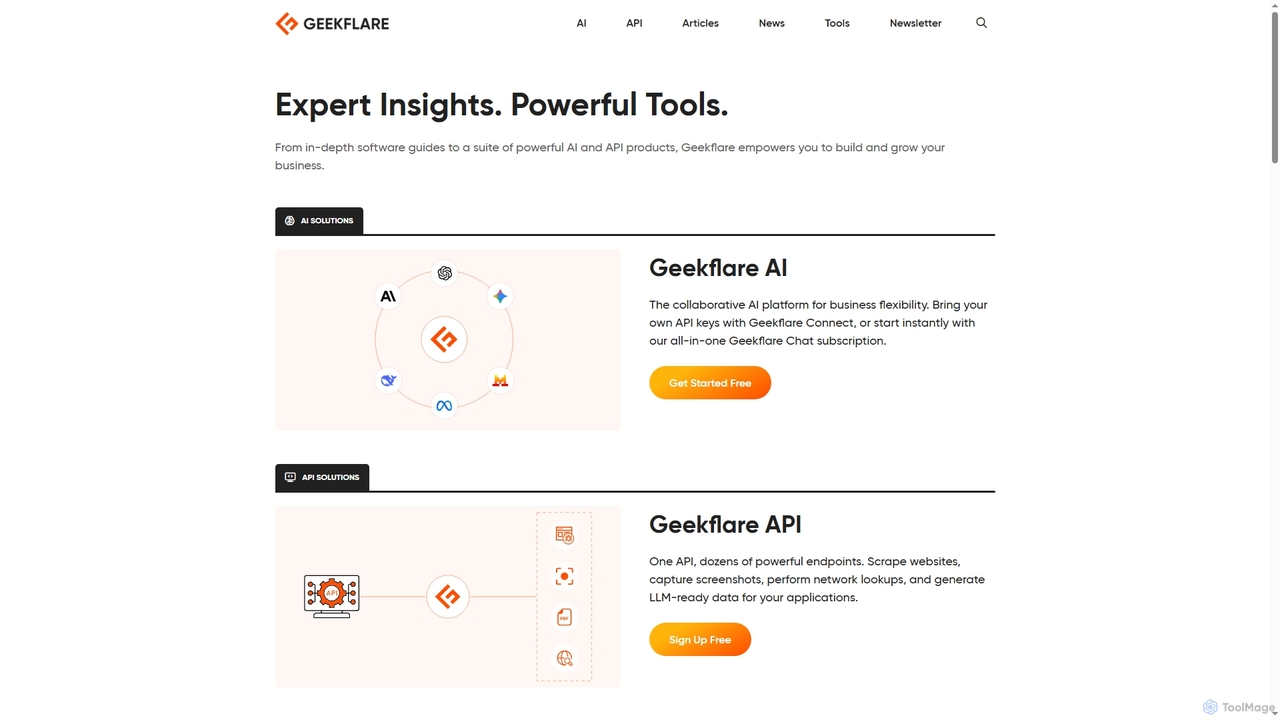
Geekflare AI is a collaborative artificial intelligence platform designed to enhance business flexibility. It allows users to integrate their own API keys via Geekflare Connect or access an all-in-one AI chat experience through a Geekflare Chat subscription, empowering businesses to automate tasks and accelerate growth.

Collaboration
Visits 378.6KFavorites 150Likes 133

About Collaboration

AI Collaboration tools are advanced software solutions that leverage artificial intelligence to enhance team communication, project management, and overall productivity. These tools integrate AI algorithms to automate routine tasks, provide intelligent insights, and facilitate seamless interaction among team members, regardless of their location. By streamlining workflows and offering smart assistance, AI collaboration platforms empower teams to achieve greater efficiency and foster more effective teamwork.

Core Features

  • Intelligent Meeting Summaries: Automatically transcribe and summarize meeting discussions, highlighting key decisions, action items, and participants.
  • AI-Powered Scheduling: Optimize meeting times by analyzing calendars, preferences, and time zones, reducing scheduling conflicts.
  • Real-time Language Translation: Break down communication barriers in multinational teams with instant translation of messages and documents.
  • Automated Task Management: Assign tasks, set deadlines, and track progress using AI to identify bottlenecks and suggest optimizations.
  • Smart Document Co-creation: Assist in drafting, editing, and organizing shared documents, offering suggestions for clarity and consistency.

Use Cases

AI collaboration tools are invaluable across various sectors, from tech startups to large enterprises, enabling distributed teams to work as cohesively as if they were in the same room. They are particularly useful for project managers overseeing complex projects, marketing teams coordinating campaigns, and remote development teams collaborating on code. These tools help maintain project momentum, ensure clear communication, and provide a centralized hub for all team activities.

How to Choose

When selecting AI collaboration tools, consider the specific needs of your team, such as the size and geographic distribution. Evaluate core functionalities like AI-driven automation, integration capabilities with existing software (e.g., CRM, project management), and the level of security offered for sensitive data. User-friendliness, scalability, and pricing models (subscription vs. per-user) are also crucial factors to ensure the tool aligns with your budget and operational requirements.

Featured tool rankings

Collaboration use cases

1

Streamlining Global Team Meetings

For multinational corporations with distributed teams, AI collaboration tools can automatically transcribe meetings in real-time, translate spoken words into multiple languages, and generate concise summaries of discussions. This ensures all participants, regardless of their native language or time zone, stay informed about decisions and action items, significantly reducing post-meeting follow-up time and improving cross-cultural understanding.

2

Accelerating Project Planning & Execution

Project managers can leverage AI collaboration platforms to intelligently analyze project requirements, suggest optimal task breakdowns, and allocate resources based on team member skills and availability. The AI can monitor progress, identify potential delays, and proactively alert the team to bottlenecks, enabling faster adjustments and more efficient project delivery from conception to completion.

3

Enhancing Content Creation Workflows

Content marketing teams often collaborate on various assets, from blog posts to social media campaigns. AI collaboration tools can assist by providing smart suggestions for content improvements, checking for consistency in tone and style across documents, and automating the review and approval process. This accelerates content production cycles and ensures brand messaging remains cohesive across all platforms.

4

Optimizing Customer Support Team Coordination

Customer service departments can use AI collaboration tools to centralize customer inquiries, automatically categorize issues, and route them to the most appropriate agent or team. AI can also provide agents with instant access to relevant knowledge base articles or suggest responses, fostering quicker resolution times and improving overall customer satisfaction through seamless internal coordination.

5

Facilitating Remote Software Development

Remote software development teams benefit from AI collaboration tools that integrate with code repositories and project management systems. These tools can automatically track code changes, facilitate peer reviews with AI-powered suggestions, and provide real-time updates on development sprints. This ensures smooth coordination, reduces merge conflicts, and accelerates the development lifecycle for complex software projects.

6

Improving Internal Communication & Knowledge Sharing

For large organizations, AI collaboration platforms can act as intelligent knowledge hubs, automatically indexing internal documents, discussions, and project files. Employees can quickly find relevant information using natural language queries, and the AI can even suggest connections between team members based on their expertise or ongoing projects, fostering a more connected and informed workforce.

Collaboration FAQ

What are AI Collaboration tools?

AI Collaboration tools are software applications that integrate artificial intelligence to streamline and enhance teamwork. They go beyond traditional collaboration platforms by offering intelligent automation for tasks like scheduling, meeting summarization, and document analysis, aiming to boost productivity, improve communication, and facilitate more efficient project management for distributed and co-located teams.

How do AI Collaboration tools differ from traditional collaboration software?

Traditional collaboration software provides basic features like shared documents, chat, and video conferencing. AI Collaboration tools, however, leverage AI to add intelligent capabilities such as automated meeting notes, predictive scheduling, real-time language translation, and smart task assignment. This allows for greater automation, deeper insights, and a more proactive approach to team productivity compared to their non-AI counterparts.

What are the key benefits of using AI Collaboration tools?

The primary benefits include significant time savings through automation of routine tasks (e.g., meeting minutes, scheduling), improved communication clarity via real-time translation and smart summaries, enhanced decision-making with AI-driven insights, and increased overall team productivity. They also help in breaking down geographical and linguistic barriers, making remote and global collaboration more effective.

How to choose the right AI Collaboration tool for my team?

To select the best AI collaboration tool, consider your team's specific needs: team size, remote vs. in-office setup, and existing tech stack. Evaluate features like AI capabilities (e.g., summarization, translation, scheduling), integration with other tools (e.g., Slack, Google Workspace), security protocols, scalability, and pricing models. A free trial can also help assess user-friendliness and suitability.

Who benefits most from AI Collaboration tools?

Teams and organizations with distributed members, complex projects, or frequent meetings benefit significantly. This includes project managers, marketing teams, software development teams, customer support departments, and any business aiming to improve internal communication, streamline workflows, and enhance productivity across different departments or geographical locations. They are particularly valuable for global teams.