
ToolMage
Sign in

Best 1 Logo Design AI tools for Branding

Popular Logo Design AI tools in Branding include Thumb, helping you work more efficiently.

Thumb
Freemium

Thumb

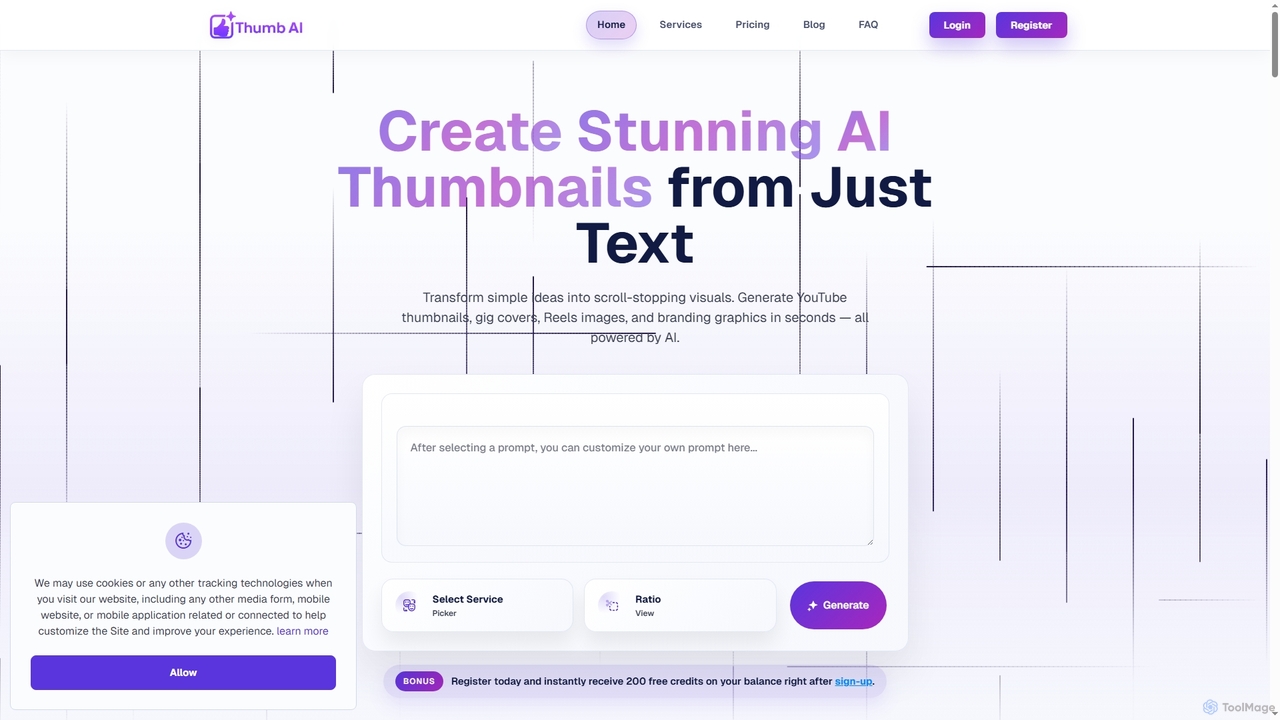
Thumb is an AI-powered design tool that generates stunning, platform-optimized thumbnails, covers, and branding visuals in seconds. It's designed for creators, marketers, freelancers, and businesses to effortlessly transform text ideas into scroll-stopping graphics for YouTube, social media, e-commerce, and more, without requiring any design experience.

Logo Design
Visits 6.4KFavorites 137Likes 132

About Logo Design

AI Logo Design tools are a class of applications that use artificial intelligence to automatically generate unique logo concepts. These tools analyze user inputs such as company name, industry, preferred colors, and style keywords to produce a wide variety of design options in seconds. They serve as a crucial first step in the branding process, enabling businesses to quickly establish a visual identity without requiring extensive design skills or a large budget. The underlying technology often combines generative models with vast libraries of icons, fonts, and design principles.

Core Features

  • Prompt-Based Generation: Users describe their brand, and the AI generates relevant logo concepts, symbols, and wordmarks.
  • Style Customization: Offers a range of style presets like minimalist, modern, classic, or abstract for tailored results.
  • Vector File Exports: Provides scalable vector formats (SVG, EPS) essential for high-quality printing and digital use.
  • Real-time Editing: Allows users to instantly modify colors, fonts, layouts, and icons of the generated logos.
  • Brand Kit Creation: Some tools extend beyond the logo to generate a cohesive brand kit, including color palettes and font pairings.

Use Cases

These tools are particularly valuable for startups, small businesses, and solo entrepreneurs who need a professional logo quickly and affordably. They are also used by marketers for creating logos for specific campaigns, events, or new product lines. Developers find them useful for generating app icons during the early stages of development.

How to Choose

When selecting an AI Logo Design tool, consider the quality and uniqueness of the generated designs. Evaluate the level of customization available and ensure it provides high-resolution vector file formats. Also, review the pricing model—whether it's a one-time purchase or a subscription—and check the terms regarding commercial usage rights for the final design.

Logo Design use cases

1

Creating a Brand Identity for a New Startup

A tech startup founder needs a professional logo for their website, social media profiles, and pitch deck before launching. Lacking a design budget, they use an AI Logo Design tool. They input the company name 'Innovatech', industry 'Software', keywords 'future, smart, connect', and select a modern, minimalist style. The AI generates over 50 logo concepts in under a minute. The founder selects a concept, customizes the color scheme to match their brand palette, and downloads the high-resolution vector files (SVG and PNG) for immediate use across all their digital assets.

2

Refreshing a Logo for a Small Business

The owner of a local coffee shop, 'The Daily Grind,' feels their current logo is outdated. Without the budget for a design agency, they turn to an AI logo maker to explore rebranding ideas. They input their business name and specify a 'vintage' and 'cozy' style with earthy tones. The tool provides numerous options featuring coffee beans, mugs, and steam motifs. The owner can mix and match icons and fonts from different suggestions, ultimately creating a refreshed logo that feels both modern and true to their brand's warm atmosphere. They purchase the final design for a small one-time fee.

3

Designing an App Icon for a Mobile Developer

A solo mobile app developer is creating a productivity app called 'Zenith'. They need a simple, memorable icon for the App Store and Google Play. Using an AI Logo Design tool, they focus on icon generation. They input 'Zenith', 'productivity', 'peak', and 'mountain' as keywords. The AI produces a variety of abstract icons representing peaks and progress. The developer selects a clean, geometric mountain icon, adjusts its gradient to fit the app's UI, and exports it in all the required sizes for app store submissions, saving significant time compared to designing it from scratch.

4

Creating a Logo for a Marketing Campaign

A marketing team is launching a summer-themed campaign called 'Summer Spark'. They need a distinct logo for use on social media graphics, email headers, and web banners, separate from their main corporate logo. Speed is essential. The campaign manager uses an AI logo generator, inputting 'Summer Spark', 'sun', 'energy', and 'vibrant'. Within minutes, they have a selection of bright, energetic logos. They choose one, make minor font adjustments, and share it with the team for approval. The entire process from concept to final asset takes less than an hour, allowing them to move forward with campaign material production immediately.

5

Personal Branding for a Freelancer

A freelance writer wants to establish a professional online presence with a personal brand. They need a simple, elegant logo for their website, business cards, and invoices. They use an AI logo tool and input their initials 'JW' along with keywords like 'writer', 'minimalist', and 'professional'. The tool generates various monogram logos. They find a clean, serif-font monogram, adjust the spacing, and select a sophisticated navy blue color. This allows them to create a consistent and polished brand identity across all their client-facing materials without any design experience.

6

Validating a Business Idea with an MVP Logo

An entrepreneur has an idea for a new subscription box service but wants to test market interest before fully investing. They set up a simple landing page to collect email sign-ups. To make the page look credible, they need a quick logo for their Minimum Viable Product (MVP). Using an AI logo generator, they create a decent-looking logo in 15 minutes. This logo is sufficient for the validation phase, allowing them to project a professional image and gauge user interest without spending time or money on a full branding package for an unproven concept.

Logo Design FAQ

What are AI Logo Design tools?

AI Logo Design tools are applications that use artificial intelligence algorithms to automatically generate logo concepts. Users provide inputs like company name, industry, style preferences, and color choices, and the AI produces a variety of unique designs. These tools are designed to simplify and accelerate the initial phase of creating a brand's visual identity, making professional design accessible to non-designers.

How to choose the right AI Logo Design tool?

When selecting an AI Logo Design tool, consider these factors:

  • Design Quality: Evaluate the aesthetic quality and uniqueness of the sample logos. Avoid tools that produce generic or template-like results.
  • Customization Options: Check how much control you have over editing colors, fonts, layouts, and icons after the initial generation.
  • File Formats: Ensure the tool provides high-resolution vector files (like SVG or EPS) which are essential for scaling your logo for different uses without losing quality.
  • Pricing and Licensing: Understand the cost structure (one-time fee vs. subscription) and verify that you receive full commercial rights to use the final logo for your business.
AI Logo Design vs. hiring a professional designer: what's the difference?

The main differences lie in speed, cost, and the creative process. AI Logo Design tools offer a fast and affordable way to generate many design ideas instantly, which is ideal for early-stage projects or small budgets. A professional designer provides a strategic, collaborative process. They conduct in-depth research into your brand, audience, and competitors to create a truly unique and meaningful logo that tells a story. While AI is a great starting point for ideation, a human designer offers bespoke creativity, strategic thinking, and brand consultation.

Can I trademark a logo created by an AI tool?

This can be complex and depends on the tool's terms of service and local trademark laws. While many AI tools grant you commercial rights, the 'uniqueness' required for a trademark can be a gray area, as AI models are trained on existing data. It is highly recommended to have a legal professional conduct a trademark search before filing. Often, users will use the AI-generated logo as a starting point and then have a designer make significant modifications to ensure it is distinct enough for trademark protection.

Who are AI Logo Design tools best suited for?

AI Logo Design tools are ideal for:

  • Startups and Small Businesses: For those who need a professional logo quickly and on a tight budget to get their business off the ground.
  • Entrepreneurs and Solopreneurs: Individuals testing new ideas or building a personal brand without access to a design team.
  • Marketers: For creating logos for short-term campaigns, events, or sub-brands without using corporate design resources.
  • Non-Designers: Anyone who needs a quality logo but lacks the skills to use complex design software like Adobe Illustrator.