
ToolMage
Sign in

Best 1 Logo Generator for Branding

Popular Logo Generator in Branding include Brandix, helping you work more efficiently.

Brandix
Free

Brandix

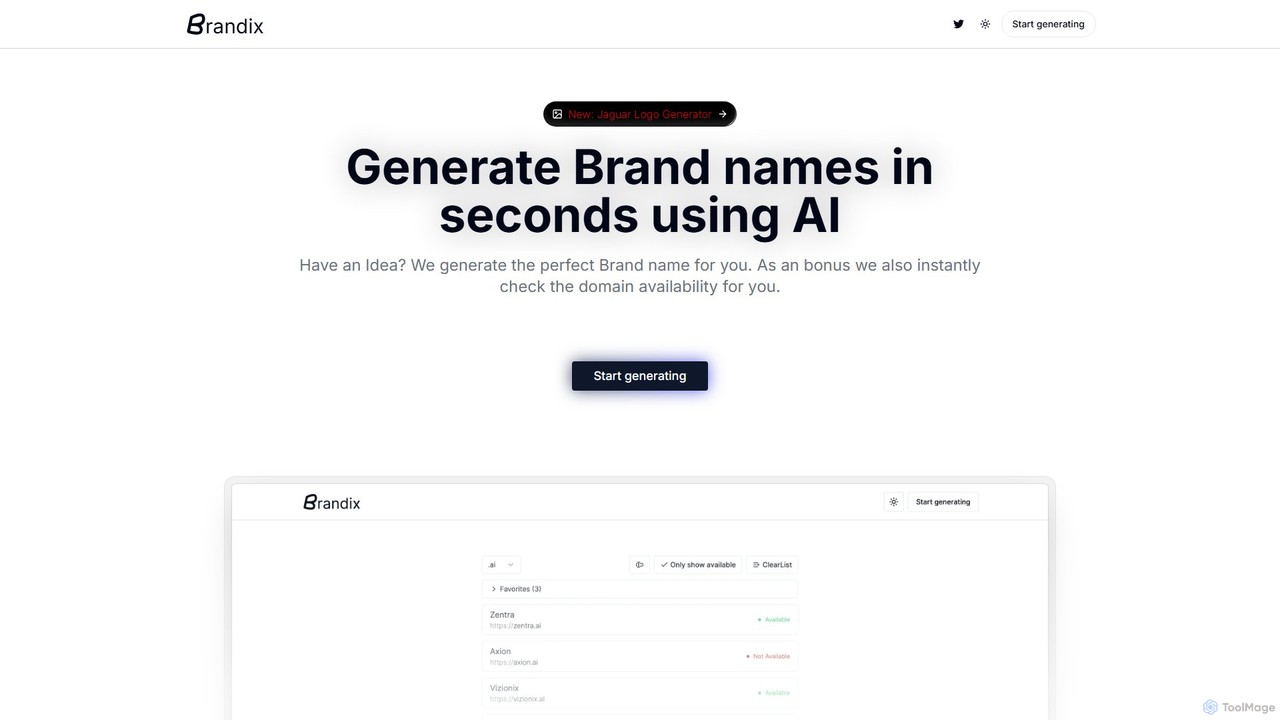
Brandix is an AI-powered platform designed to streamline the branding process. It instantly generates unique and creative brand names across various styles, from brandable to compound words. A key feature is the integrated domain availability checker, which verifies .com domains in real-time. Additionally, Brandix offers a free, high-quality logo generator, starting with an elegant Jaguar-inspired style, to help users create a complete brand identity effortlessly.

Logo Generator
Visits 6.6KFavorites 122Likes 127

About Logo Generator

Logo Generators are AI-powered tools that automatically create unique logos based on user inputs like company name, industry, and style preferences. They leverage machine learning models and vast design libraries to generate multiple design concepts in seconds. This enables startups, small businesses, and individuals to quickly obtain a professional brand identity without significant design skills or budget. These tools often provide extensive customization options for colors, fonts, and layouts, bridging the gap between automated design and personalized branding.

Core Features

  • AI-Powered Concept Generation: Instantly produces numerous logo variations from simple text prompts and style selections.
  • Style & Industry Customization: Allows users to specify industry, color palettes, and design aesthetics like modern, minimalist, or classic.
  • Vector File Export: Provides high-resolution, scalable vector formats (SVG, EPS) suitable for professional printing and digital use.
  • Brand Kit Creation: Often bundles the final logo with matching color schemes, font pairings, and social media assets for brand consistency.

Use Cases

These tools are ideal for early-stage startups needing a quick brand identity, small businesses with limited marketing budgets, and content creators seeking a personal brand logo. They are also used by marketers to rapidly prototype logo ideas for campaigns or new product lines before engaging a design team.

How to Choose

When selecting a Logo Generator, consider the quality and variety of the generated designs, the level of customization offered, and the available export formats—ensure vector files are included. Also, evaluate the pricing model (one-time purchase vs. subscription) and whether the tool provides a full brand kit for comprehensive branding.

Logo Generator use cases

1

Startup Brand Identity Creation

A new tech startup needs a professional logo quickly for their website, pitch deck, and social media profiles. The founders, lacking design expertise, use an AI Logo Generator. They input their company name 'Innovatech', select 'Technology' as the industry, and choose a 'modern' and 'minimalist' style. Within minutes, the tool generates over 100 logo concepts. They select a clean, abstract icon, customize the color to match their brand palette, and download the high-resolution vector files. This process allows them to establish a credible brand identity in under an hour, saving significant time and costs compared to hiring a traditional design agency.

2

Rebranding a Small Local Business

The owner of a local coffee shop, 'The Daily Grind,' wants to refresh their brand to attract a younger clientele. With a limited budget, hiring a designer is not feasible. The owner uses an AI Logo Generator, specifying 'coffee shop' as the industry and keywords like 'artisanal,' 'cozy,' and 'modern.' They browse through various generated logos featuring coffee beans, cups, and abstract shapes. They find a design they like, adjust the font to be more playful, and change the color scheme to warm earth tones. The final logo is downloaded and immediately used for new menus, signage, and social media posts, giving the shop a fresh, updated look without a major financial investment.

3

Personal Branding for a Freelancer

A freelance writer and content strategist wants to establish a professional online presence. They need a simple, elegant logo for their portfolio website, invoices, and LinkedIn profile. Using an AI Logo Generator, they enter their initials 'JW' and select 'Writer' and 'Consultant' as their professions. They opt for a minimalist, text-based (logotype) style. The tool provides dozens of font pairings and layouts. They choose a classic serif font for their name and a modern sans-serif for their title, then fine-tune the spacing. The result is a sophisticated personal brand mark created in about 15 minutes, enhancing their professional image and credibility with potential clients.

4

Logo for a Side Project or Event

A developer is launching a new open-source project and needs a logo for the GitHub repository and documentation site. For this non-commercial, short-term need, a full design process is overkill. They use an AI Logo Generator, inputting the project name 'CodeStream' and keywords like 'data,' 'flow,' and 'network.' The AI generates several abstract icons representing connectivity and data streams. The developer picks one, applies a color scheme from their code editor's theme, and has a functional, professional-looking logo in minutes. This allows them to present their project polishedly from day one without distracting from their primary coding tasks.

5

Prototyping Concepts for a Design Agency

A designer at a marketing agency is starting a new branding project for a client. To quickly explore different visual directions, they use an AI Logo Generator as a brainstorming tool. They input the client's details and generate hundreds of concepts across various styles (e.g., vintage, corporate, playful). This process takes less than 30 minutes. The designer then curates the top 10-15 AI-generated ideas to present to the client as an initial mood board. This helps align on a creative direction much faster than creating concepts from scratch. The final logo will be custom-designed, but the AI tool accelerates the crucial initial discovery and validation phase of the project.

6

Logo for an E-commerce Store

An entrepreneur is launching a new Shopify store selling handmade candles. They need an attractive logo for their website header, product packaging, and social media marketing. Using an AI Logo Generator, they input the store name 'Luminara Candles' and select 'Home Goods' and 'Handmade' as descriptors. They choose a warm, inviting color palette and a script font to convey a personal, crafted feel. The AI generates logos featuring candle icons, flames, and elegant typography. They select a design, make minor tweaks to the layout, and receive a full brand kit, including social media profile pictures and banner templates. This provides a cohesive and professional brand presence from day one, crucial for building trust with online shoppers.

Logo Generator FAQ

What is an AI Logo Generator?

An AI Logo Generator is a software tool that uses artificial intelligence to automatically create logo designs. Users provide basic information such as company name, industry, color preferences, and style keywords. The AI then processes this input, analyzes vast databases of design elements, and generates a wide variety of unique logo concepts in seconds. These tools are designed to be user-friendly, allowing individuals without graphic design experience to produce professional-looking logos quickly and affordably. They typically include editors for further customization of fonts, colors, and layouts.

How to choose the right AI Logo Generator?

To choose the right AI Logo Generator, consider these key factors:

  • Design Quality & Variety: Evaluate the aesthetic quality of the sample logos. A good tool should offer a wide range of modern, professional, and diverse design styles, not just generic templates.
  • Customization Options: Check how much control you have over the final design. Look for tools that allow you to fine-tune colors, fonts, icon placement, and layouts.
  • File Formats: Ensure the generator provides high-resolution files, especially scalable vector formats like SVG or EPS, which are essential for printing and professional use.
  • Pricing and Licensing: Understand the cost structure (one-time fee vs. subscription) and what commercial usage rights are included with your purchase.
AI Logo Generator vs. Hiring a Designer: What's the difference?

The main differences are in speed, cost, and creative depth. An AI Logo Generator is extremely fast and affordable, making it ideal for startups, small businesses, or projects with tight budgets and deadlines. It provides numerous options quickly but may lack the strategic thinking and unique creative touch of a human. A professional designer offers a collaborative, in-depth process that includes market research, brand strategy, and bespoke creative work. This results in a truly unique and strategically sound logo but comes at a higher cost and takes more time. The choice depends on your specific needs: quick and cost-effective branding versus a deep, strategic brand identity investment.

Can I get a unique and trademarkable logo from an AI generator?

While AI generators create many variations, achieving a truly unique logo can be challenging as they often use a shared library of icons and fonts. This can make trademarking difficult, as other users might generate similar designs. Some advanced generators offer 'uniqueness checks' or use more sophisticated AI to create more distinct elements. However, for full legal protection, it's crucial to conduct a thorough trademark search. Always review the tool's terms of service regarding ownership and commercial rights, and consult a legal professional before attempting to trademark a logo created by an AI generator.

Who are AI Logo Generators best suited for?

AI Logo Generators are best suited for individuals and organizations that need a professional-looking logo quickly and on a tight budget. This includes:

  • Startups and Entrepreneurs: For quickly establishing an initial brand identity for websites, business cards, and pitch decks.
  • Small Businesses: Owners who lack design skills or the budget to hire a professional designer.
  • Freelancers and Content Creators: For building a personal brand across social media and portfolio sites.
  • Marketers and Developers: For creating logos for side projects, events, or for prototyping concepts without significant investment.

They are less suitable for large corporations that require a deep brand strategy and a completely unique, custom-designed identity.