
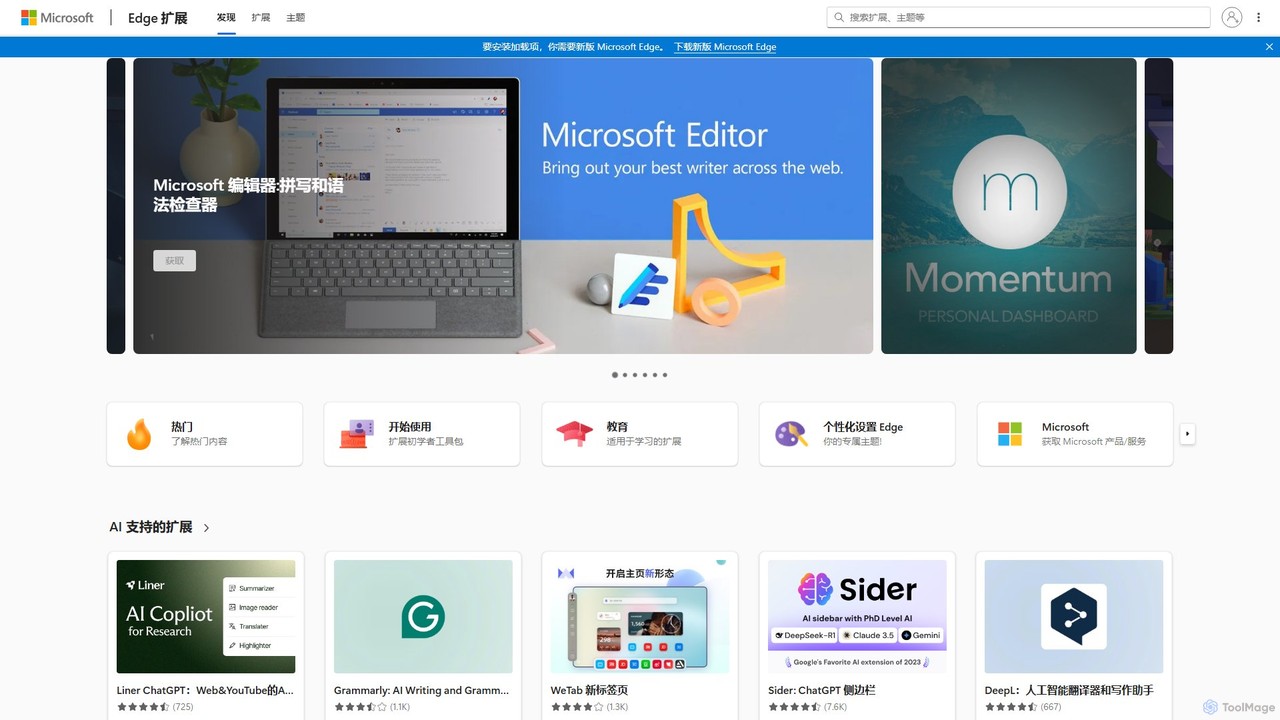
Microsoft Edge Add-ons
The official marketplace for Microsoft Edge extensions, offering a vast library of add-ons to enhance productivity, security, and …
The official marketplace for Microsoft Edge extensions, offering a vast library of add-ons to enhance productivity, security, and personalization. Discover AI-powered tools, ad-blockers, password managers, and more to customize your browsing experience.
About Extension Store
An AI Extension Store is a centralized platform for discovering, installing, and managing AI-powered browser extensions. These stores curate collections of tools that integrate artificial intelligence directly into your web browser, enhancing tasks like writing, research, and coding. They provide a streamlined way to access specialized AI capabilities, often with a focus on quality control and user experience. This approach simplifies finding verified and compatible tools that boost productivity across various online activities.
Core Features
- Curated Collections: Offers handpicked and categorized AI extensions for specific tasks or professions.
- One-Click Installation: Simplifies the process of adding new AI functionalities to the browser.
- Security Vetting: Provides a layer of trust by reviewing extensions for safety and privacy standards.
- User Ratings and Reviews: Helps users gauge the quality and usefulness of extensions based on community feedback.
- Version Management: Facilitates easy updates to ensure extensions remain compatible and secure.
Use Cases
AI Extension Stores are valuable for professionals who spend significant time in a browser. Marketers use them to find tools for SEO analysis and content generation. Writers and editors discover extensions for grammar correction and text summarization. Developers leverage them for code assistants and documentation lookups, integrating AI seamlessly into their web-based workflows.
How to Choose
When selecting an AI Extension Store, consider the variety and quality of the extensions offered. Evaluate the store's security and privacy policies to ensure data protection. Check for compatibility with your primary browser and look at user reviews to understand the reliability of the platform and its extensions. Finally, assess if the store focuses on a specific niche (e.g., coding, marketing) that aligns with your needs.
Extension StoreUse Cases
Curating a Content Creator's Toolkit
A freelance content creator uses an AI Extension Store to build a personalized toolkit directly within their browser. Instead of searching through thousands of unrelated add-ons in a general marketplace, they browse a curated collection for writers. They install a grammar and style checker, a text summarizer for research, and an AI-powered thesaurus. This centralized approach saves them hours of searching and ensures all tools are vetted and work well together, streamlining their writing and editing workflow from a single, trusted source.
Standardizing a Sales Team's AI Tools
A sales manager wants to equip their team with consistent AI tools to improve outreach and data entry. They use an enterprise-focused AI Extension Store to deploy a pre-approved set of extensions. This includes an AI email writer for drafting follow-ups, a LinkedIn profile analyzer for quick prospect research, and a tool that automatically logs interactions in the CRM. By using a centralized store, the manager ensures everyone uses the same secure, compliant tools, simplifying training and standardizing the team's workflow for better efficiency.
Accelerating Academic Research
An academic researcher uses a specialized AI Extension Store to find tools for literature review. They install an extension that summarizes research papers from PDFs directly in the browser, another that extracts key data points into a spreadsheet, and a third that helps format citations in various academic styles. The store's focus on research tools means they can quickly find high-quality, relevant extensions without wading through generic options. This allows them to significantly speed up the process of gathering and organizing information for their studies.
Enhancing a Developer's Web-Based Workflow
A web developer frequently works with browser-based code editors and review tools like GitHub. They visit an AI Extension Store focused on developer tools to find productivity boosters. They install an extension that provides AI-powered code suggestions and autocompletion within text fields on any site, and another that can explain complex code snippets selected on a webpage. By using a store that curates for their profession, the developer gains powerful, context-aware AI assistance without leaving their browser, making code reviews and online debugging more efficient.
Streamlining Social Media Management
A social media manager juggles multiple accounts and platforms daily. They use an AI Extension Store to find tools that integrate directly into their browser workflow. They install an extension to generate post captions and hashtag suggestions on the fly, another to quickly summarize articles for sharing, and a third to create simple AI-generated images for posts. The store provides a trusted, centralized place to discover these niche tools, helping the manager create diverse content faster and more consistently across all social channels without switching between multiple standalone apps.
Discovering Niche AI Tools for Personal Productivity
An individual user looking to enhance their daily browsing experience explores an AI Extension Store. They are not looking for a specific professional tool but are curious about what AI can do. They discover and install a variety of extensions: one that summarizes long YouTube videos, another that rephrases their emails in a more professional tone, and a fun extension that generates creative writing prompts. The store acts as a discovery platform, introducing them to innovative and niche AI applications they wouldn't have found in a massive, general-purpose web store, thereby improving their personal productivity and creativity online.