ToolMage
Sign in

Best 1 Utility AI tools for Browser

Popular Utility AI tools in Browser include Composite, helping you work more efficiently.

Composite
Freemium

Composite

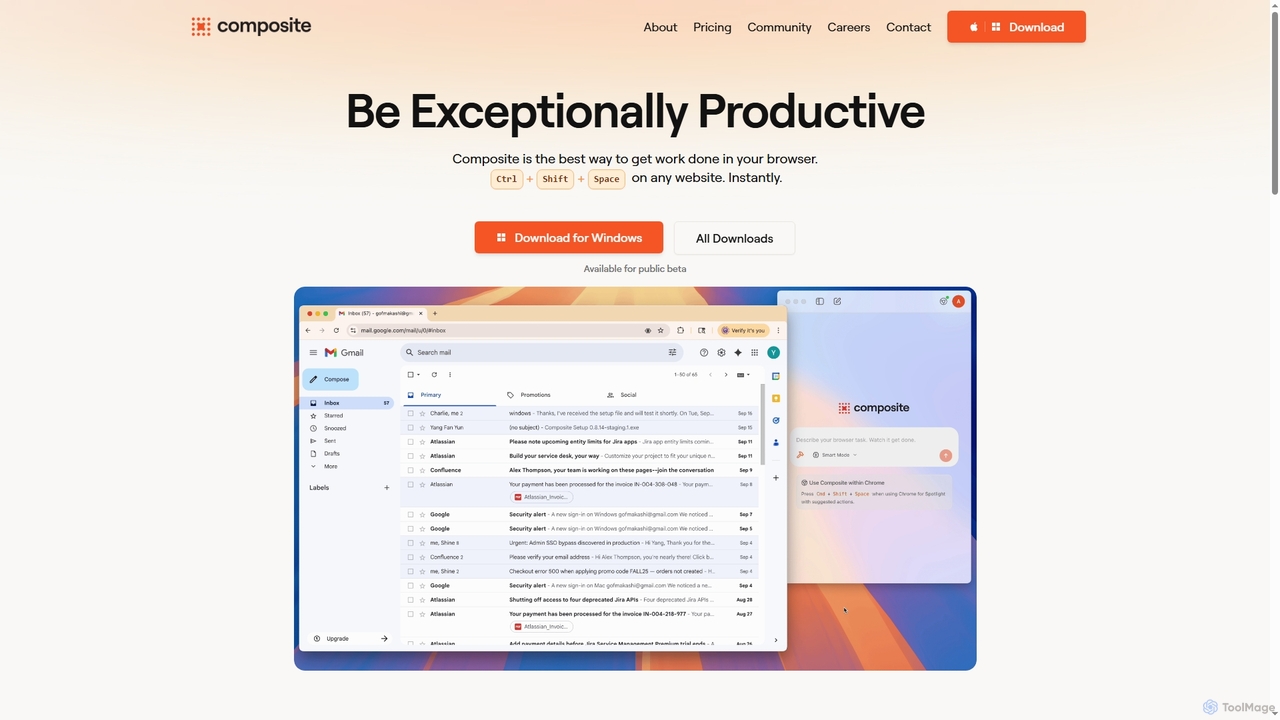
Composite is an AI browser autopilot designed to significantly boost productivity by automating repetitive tasks directly within your existing browser. It learns from your actions, predicts what needs to be done, and executes tasks like clicking, typing, and navigating on your behalf, all without complex setup or migration.

Utility
Visits 17KFavorites 124Likes 106

About Utility

AI Utility tools for browsers are AI-powered extensions or integrated features designed to enhance the web browsing experience. These tools leverage artificial intelligence, such as natural language processing and machine learning, to automate tasks, process information, and provide intelligent assistance directly within your browser. They significantly boost productivity, streamline workflows, and offer personalized interactions, transforming your browser into a more powerful and efficient workspace.

Core Features

  • Intelligent Summarization: Automatically condenses long articles, reports, or web pages into concise summaries, saving reading time.
  • AI Writing Assistance: Provides real-time grammar checks, style suggestions, and content generation capabilities for emails, social media posts, and documents.
  • Smart Content Translation: Offers instant, context-aware translation of web pages or selected text, breaking down language barriers.
  • Advanced Information Extraction: Identifies and extracts key data points, entities, or insights from web content for research and analysis.
  • Personalized Productivity: Manages tabs, organizes research, or automates repetitive actions based on user behavior and preferences.

Applicable Scenarios

AI Utility tools are invaluable for professionals, students, and content creators who spend significant time online. They assist researchers in quickly sifting through academic papers, help marketers draft compelling copy directly in their CRM, and enable students to summarize lecture notes from online sources. These tools are also crucial for anyone looking to optimize their daily browsing for efficiency and better information management.

How to Choose

When selecting an AI browser utility, consider its compatibility with your browser and existing tools, the specific AI capabilities offered (e.g., summarization, writing, translation), and its impact on browser performance. Evaluate the tool's data privacy policies, ease of use, and the accuracy of its AI output. Finally, assess the pricing model and whether it integrates seamlessly into your daily workflow without causing disruptions.

Utility use cases

1

Summarize Long Articles for Research

A university student or researcher needs to quickly grasp the main points of numerous academic papers or lengthy online articles. Using an AI browser utility, they can instantly generate concise summaries of web pages, allowing them to efficiently review more content, identify relevant sources, and extract key findings without having to read every word, significantly accelerating their research process.

2

Enhance Email and Document Writing

A marketing professional frequently drafts emails, social media posts, and reports directly within their browser-based CRM or content management system. An AI writing assistant utility can provide real-time grammar and spelling corrections, suggest stylistic improvements, and even help generate initial drafts or rephrase sentences, ensuring clear, professional, and impactful communication across all online platforms, saving significant editing time.

3

Real-time Web Page Translation

An international business professional or a traveler browsing foreign language websites needs to quickly understand content without switching tabs or copying text. An AI browser utility can provide instant, high-quality translation of entire web pages or selected text snippets, maintaining the original layout and context. This enables seamless cross-cultural communication and information access, making global content instantly accessible and understandable.

4

Extract Key Information from Web Pages

A market analyst or content curator needs to quickly gather specific data points, such as product specifications, pricing, or contact information, from various websites. An AI utility can intelligently scan web pages to identify and extract structured or unstructured data, presenting it in an organized format. This automates tedious manual data collection, ensuring accuracy and saving hours of work for competitive analysis or content aggregation.

5

Automate Repetitive Browser Tasks

An e-commerce manager regularly performs repetitive actions like checking product stock, updating prices, or filling out forms across multiple vendor portals. An AI browser utility can learn these patterns and automate sequences of clicks, data entries, and navigation. This significantly reduces manual effort and the risk of human error, freeing up time for more strategic tasks and ensuring consistency in data management across various platforms.

6

Personalized Content Curation and Discovery

A content creator or enthusiast seeks to discover new, relevant articles, videos, or podcasts tailored to their specific interests without endless scrolling. An AI browser utility can analyze browsing history and preferences to intelligently curate content feeds, suggest related topics, or highlight trending information. This transforms passive browsing into an active discovery process, ensuring users stay informed and inspired with minimal effort.

Utility FAQ

What are AI Utility tools for browsers?

AI Utility tools for browsers are software extensions or built-in features that integrate artificial intelligence directly into your web browser. They leverage AI technologies like natural language processing and machine learning to perform tasks such as summarizing web content, assisting with writing, translating languages, or automating repetitive actions. Their primary goal is to enhance productivity and streamline various online activities, making your browsing experience more intelligent and efficient.

How do I choose the best AI browser utility for my needs?

To choose the best AI browser utility, first identify your primary needs: do you need summarization, writing assistance, translation, or automation? Then, check for compatibility with your specific browser (Chrome, Firefox, Edge, etc.). Evaluate the tool's features, ease of use, and the accuracy of its AI output. Consider its impact on browser performance, data privacy policies, and user reviews. Finally, compare pricing models, including free tiers or subscription costs, to find a solution that offers the best value and integrates seamlessly into your workflow.

How do AI browser utilities differ from standard browser extensions?

The key difference lies in their underlying technology and capabilities. Standard browser extensions typically perform rule-based tasks, such as blocking ads, managing passwords, or organizing tabs based on predefined logic. AI browser utilities, however, leverage artificial intelligence to understand context, learn from user behavior, and perform more complex, intelligent tasks like summarizing content, generating text, or providing smart recommendations. This allows them to offer a more dynamic, adaptive, and personalized browsing enhancement compared to their non-AI counterparts.

What specific tasks can AI browser utilities help me with?

AI browser utilities can assist with a wide range of tasks. They can summarize lengthy articles or documents, saving you time. For writing, they offer grammar checks, style suggestions, and even help generate content for emails or social media. They can translate web pages in real-time, extract specific data points from websites, and automate repetitive clicks or form fills. Additionally, some tools help organize your tabs, manage research, or provide personalized content recommendations, making your online work more efficient and less tedious.

Are AI browser utility tools safe to use?

The safety of AI browser utility tools depends heavily on the developer and the permissions they request. Reputable tools from trusted developers generally prioritize user privacy and data security. Always check the tool's privacy policy to understand how your data is collected, used, and stored. Be cautious of tools requesting excessive permissions (e.g., access to all websites if only a specific function is needed). Reading user reviews and checking for regular updates can also indicate a tool's reliability and commitment to security. It's advisable to use tools that clearly outline their data handling practices and offer transparent security measures.