Tygra
Tygra is a privacy-first AI document processing tool that operates entirely on your local machine. It automatically parses, …
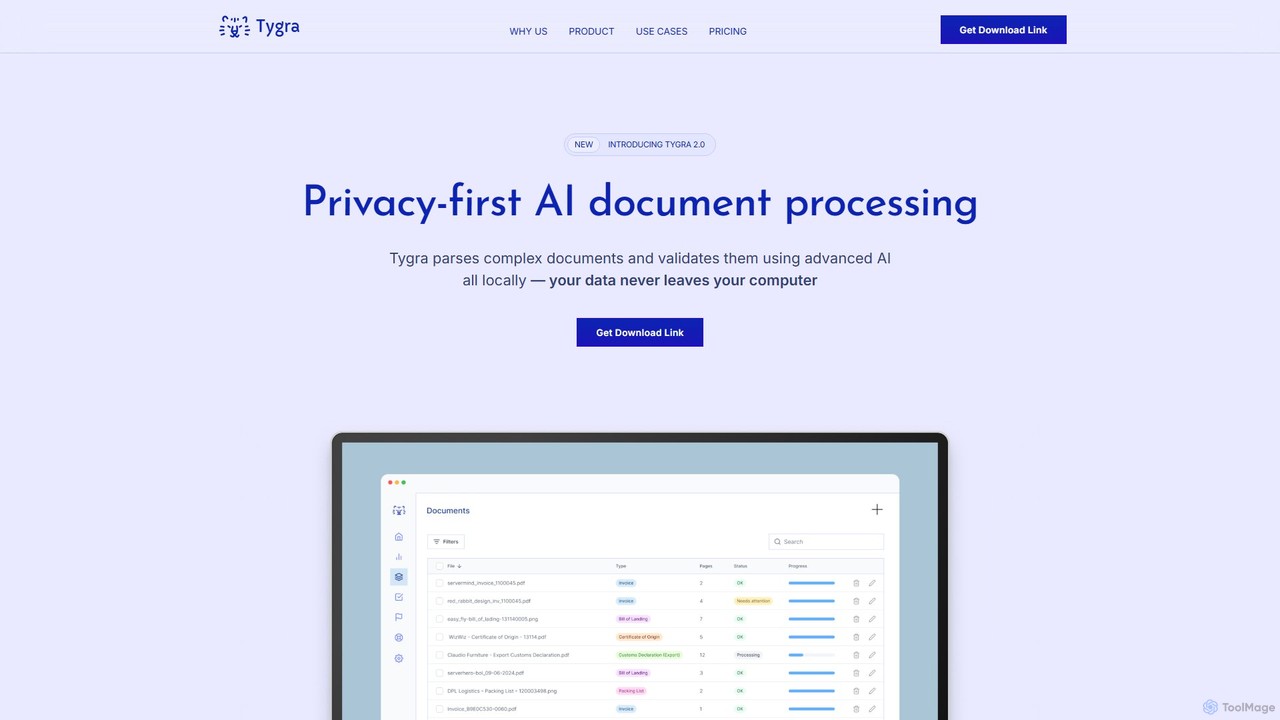
Tygra is a privacy-first AI document processing tool that operates entirely on your local machine. It automatically parses, extracts, and validates data from documents like PDFs, JPGs, and PNGs without your sensitive information ever leaving your computer, ensuring maximum security and compliance.
About Data Extraction
Data Extraction tools are AI-powered applications designed to automatically identify and pull specific information from unstructured or semi-structured sources. They utilize technologies like Optical Character Recognition (OCR) and Natural Language Processing (NLP) to parse websites, PDFs, images, and documents. This automation transforms the tedious process of manual data collection, enabling businesses to efficiently gather market intelligence, financial data, or customer feedback for analysis. Unlike traditional scrapers, these AI tools can understand context and adapt to complex or changing data layouts with higher accuracy.
Core Features
- Automated Web Scraping: Extracts data from dynamic websites, handling logins, pagination, and complex JavaScript elements.
- Document Processing (OCR): Recognizes and extracts text, tables, and key-value pairs from scanned documents, PDFs, and images.
- Structured Data Output: Converts unstructured extracted data into organized formats like JSON, CSV, or Excel for easy analysis.
- Natural Language Processing (NLP): Identifies and extracts specific entities such as names, dates, locations, or sentiment from blocks of text.
- Scheduled & Scalable Extraction: Allows users to set up recurring extraction tasks and process large volumes of data sources in parallel.
Use Cases
These tools are widely used in market research for competitor price monitoring, in sales for automated lead generation from online directories, and in finance for extracting data from invoices and financial reports. They are also valuable for content aggregation, academic research, and any workflow that requires converting large amounts of unstructured information into actionable, structured data.
How to Choose
When selecting a Data Extraction tool, consider the types of data sources you need to process (websites, PDFs, APIs). Evaluate the user interface—whether it's a no-code, point-and-click solution or requires programming knowledge. Assess its scalability for handling large volumes of data and check the available output formats (e.g., CSV, JSON, API integration). Finally, consider the tool's ability to handle complex scenarios like anti-scraping measures or irregular document layouts.
Data ExtractionUse Cases
E-commerce Competitor Price Monitoring
An e-commerce manager needs to maintain competitive pricing. They use a data extraction tool to automatically scrape product prices, stock availability, and customer reviews from dozens of competitor websites daily. The tool is scheduled to run every morning, and the extracted data is exported directly into a CSV file. This allows the pricing team to analyze the market landscape in a dashboard and adjust their own prices dynamically, maximizing sales and profit margins without hours of manual research.
Automated Invoice Data Entry
An accounting department receives hundreds of invoices in PDF format via email each week. Manually entering data from these invoices into their accounting software is time-consuming and prone to errors. They implement a data extraction tool with OCR capabilities. The tool automatically monitors an email inbox, extracts key information like invoice number, vendor name, amount due, and date from each PDF attachment, and then uses an API to push this structured data directly into the accounting system. This reduces manual data entry by over 90% and improves accuracy.
Lead Generation for Sales Teams
A B2B sales team needs to build a list of potential clients in the manufacturing industry. Instead of manually browsing through online business directories and professional networks, they use a data extraction tool. They configure it to crawl specific websites, searching for companies that match their criteria (e.g., location, size, industry). The tool extracts company names, websites, phone numbers, and contact persons' names and job titles. The resulting structured list is then imported into their CRM, providing the sales team with a rich source of qualified leads and saving dozens of hours of prospecting time each week.
Aggregating Real Estate Listings
A real estate analyst wants to create a comprehensive database of property listings in a specific city. They use a data extraction tool to scrape information from multiple real estate websites. The tool is configured to extract details for each listing, including address, price, number of bedrooms, square footage, and agent contact information. By scheduling the tool to run daily, the analyst maintains an up-to-date database, which they use to identify market trends, generate valuation reports, and provide clients with the most current property information available.
Market Research and Sentiment Analysis
A product marketing team is launching a new product and wants to understand public perception. They use a data extraction tool with NLP capabilities to gather thousands of customer reviews, social media comments, and forum posts related to similar products. The tool not only extracts the raw text but also analyzes the sentiment (positive, negative, neutral) and identifies key topics being discussed (e.g., 'battery life', 'price', 'customer service'). This provides the team with structured, actionable insights into consumer needs and pain points, helping them refine their marketing message and product strategy.
Academic Research Data Collection
A university researcher is conducting a meta-analysis that requires data from hundreds of published scientific papers. Manually finding and extracting specific data points (like sample sizes, statistical results, and methodologies) from each paper's PDF is a monumental task. By using a data extraction tool, the researcher can batch-process the entire collection of PDFs. The tool's OCR and pattern recognition capabilities are trained to identify and pull the required data into a structured spreadsheet. This automates the most labor-intensive part of the research, allowing the researcher to focus on analysis and interpretation.