ToolMage
Sign in

Best 1 Automation AI tools for Cloud Computing

Popular Automation AI tools in Cloud Computing include TestNeo, helping you work more efficiently.

TestNeo
Freemium

TestNeo

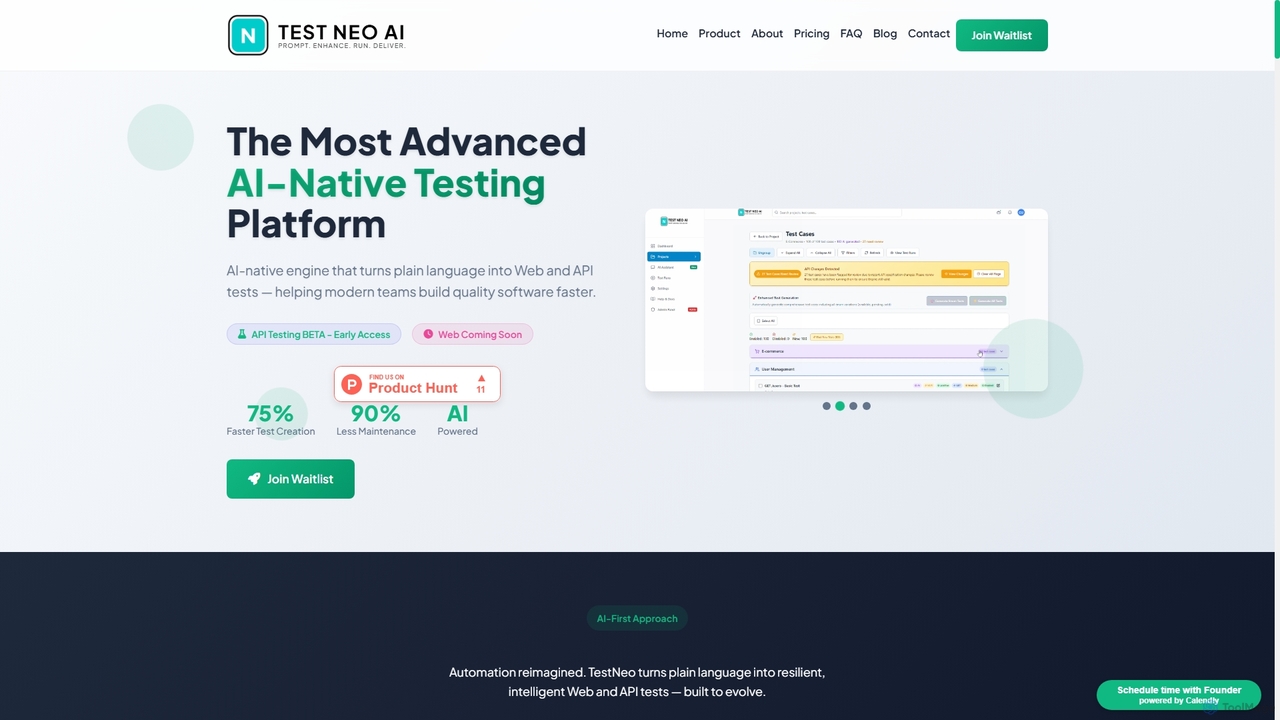
TestNeo is an AI-powered test automation platform that transforms natural language inputs into executable test scripts. It streamlines the testing process by eliminating manual scripting, offering self-healing automation, intelligent reporting, and seamless cloud execution. Designed for both technical and non-technical users, TestNeo accelerates API and performance testing, ensuring robust software quality with minimal effort.

Natural Language Processing
Visits 4.8KFavorites 151Likes 140

About Automation

Automation tools are a category of AI-powered solutions designed to streamline and execute repetitive tasks and complex workflows with minimal human intervention. Leveraging technologies like Robotic Process Automation (RPA), machine learning, and intelligent process automation, these tools enable businesses to automate operations across various departments. They significantly enhance efficiency, reduce operational costs, and free up human resources for more strategic initiatives, playing a crucial role in modern cloud computing environments by optimizing resource utilization and service delivery.

Core Features

  • Task Orchestration: Automatically sequence and manage multiple tasks across different systems and applications.
  • Intelligent Process Automation (IPA): Combines RPA with AI capabilities like natural language processing (NLP) and machine learning for cognitive automation.
  • Data Integration & Processing: Seamlessly connect disparate data sources, extract, transform, and load data for automated analysis and reporting.
  • Workflow Design & Management: Provide visual interfaces to design, deploy, monitor, and optimize automated workflows.
  • Exception Handling: Automatically detect and flag anomalies or errors in processes, often with predefined resolution paths.

Applicable Scenarios

Automation tools are indispensable for organizations seeking to optimize operational efficiency. They are widely adopted in finance for automated invoice processing, in customer service for intelligent chatbot interactions and ticket routing, and in IT for infrastructure provisioning and monitoring. Businesses of all sizes, from startups to large enterprises, utilize these tools to accelerate digital transformation and maintain a competitive edge.

How to Choose

When selecting an automation tool, consider its integration capabilities with existing systems, the scalability to handle growing workloads, and the ease of workflow design for non-technical users. Evaluate the level of AI intelligence offered, such as NLP or machine learning for complex decision-making, and assess the vendor's support and security features to ensure compliance and reliability.

Featured tool rankings

Automation use cases

1

Automating Customer Support Workflows

Customer service teams can deploy AI automation tools to handle routine inquiries, route complex tickets to the appropriate agents, and even provide personalized responses based on customer history. This reduces agent workload, improves response times, and ensures consistent service quality, allowing human agents to focus on high-value interactions and problem-solving.

2

Streamlining Financial Data Processing

Finance departments utilize automation to process invoices, reconcile accounts, and generate financial reports. Tools can automatically extract data from various documents, validate it against predefined rules, and integrate it into ERP systems, significantly reducing manual data entry errors and accelerating month-end closing procedures.

3

Optimizing IT Operations and Infrastructure

IT professionals leverage automation for tasks like server provisioning, software deployment, system monitoring, and incident response. Automated scripts and workflows can detect system anomalies, trigger alerts, and even initiate self-healing actions, ensuring high availability and reducing the need for constant manual oversight.

4

Enhancing Marketing Campaign Management

Marketing teams can automate repetitive tasks such as email scheduling, social media posting, lead nurturing sequences, and data analysis for campaign performance. This allows marketers to execute multi-channel campaigns more efficiently, personalize customer journeys at scale, and gain faster insights into campaign effectiveness.

5

Accelerating HR Onboarding and Offboarding

Human Resources departments use automation to streamline the employee lifecycle, from onboarding new hires (e.g., document collection, system access provisioning) to offboarding (e.g., account deactivation, final payroll processing). This ensures compliance, reduces administrative burden, and provides a smoother experience for employees.

6

Automating Supply Chain and Logistics

In supply chain management, automation tools can optimize inventory tracking, order processing, demand forecasting, and logistics scheduling. By integrating with various systems, these tools help reduce operational bottlenecks, minimize stockouts, and improve delivery efficiency, leading to cost savings and enhanced customer satisfaction.

Automation FAQ

What are AI Automation tools?

AI Automation tools are software solutions that use artificial intelligence, such as machine learning and natural language processing, to automate complex, cognitive, and repetitive tasks. Unlike traditional automation, they can learn from data, adapt to changing conditions, and make decisions, significantly enhancing operational efficiency and accuracy across various business functions.

How do AI Automation tools differ from traditional RPA?

While Robotic Process Automation (RPA) automates rule-based, repetitive tasks by mimicking human actions, AI Automation (often called Intelligent Process Automation or IPA) integrates AI capabilities. This allows AI Automation tools to handle unstructured data, understand context, make decisions, and learn over time, extending automation beyond simple, predictable processes to more complex, cognitive workflows.

What are the key benefits of implementing automation in business?

Implementing automation in business offers numerous benefits, including increased operational efficiency by speeding up tasks, significant cost reduction by minimizing manual labor, and improved accuracy by eliminating human error. It also frees up employees to focus on strategic, creative, and high-value activities, leading to enhanced productivity, better decision-making, and greater business agility.

What types of tasks can AI Automation tools perform?

AI Automation tools can perform a wide range of tasks, from simple data entry and form processing to complex decision-making and predictive analytics. This includes automating customer service interactions, processing financial transactions, managing IT infrastructure, generating reports, and orchestrating multi-step business workflows that require understanding unstructured data or adapting to dynamic conditions.

How do I choose the right AI Automation tool for my business?

Choosing the right AI Automation tool involves evaluating several factors: assess your specific automation needs and the complexity of tasks; consider the tool's integration capabilities with your existing software ecosystem; evaluate its scalability, security features, and ease of use for your team. Additionally, review the vendor's support, pricing model, and the tool's AI capabilities like machine learning or NLP for future-proofing.