ToolMage
Sign in

Best 3 Developer Tools for Code & It

Popular Developer Tools in Code & It include Julius AI, Hestus, and Design Buddy, helping you work more efficiently.

Design Buddy
Freemium

Design Buddy

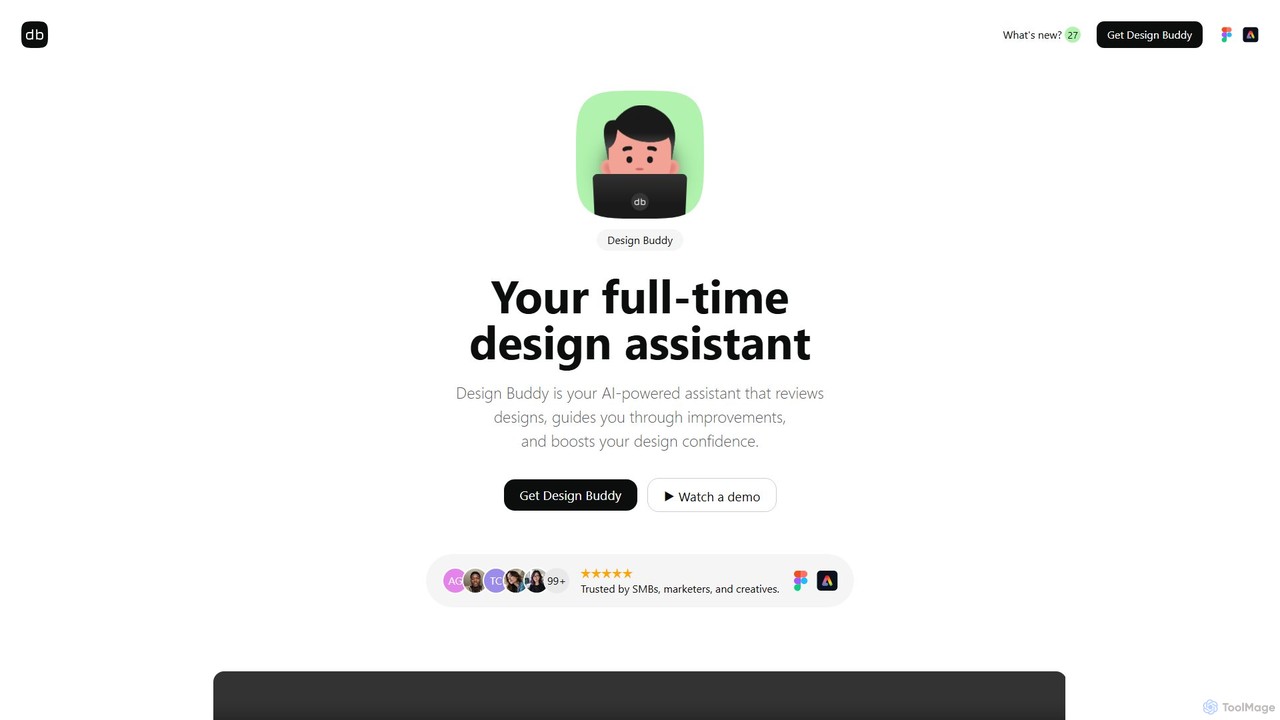
Design Buddy is an AI-powered plugin for Figma and Adobe Express that acts as a full-time design assistant. It provides instant, insightful reviews on your designs, covering layout, color, typography, and accessibility, helping you improve your work and boost your design confidence.

Developer Tools
Visits 10.3KFavorites 133Likes 130
Julius AI
Freemium

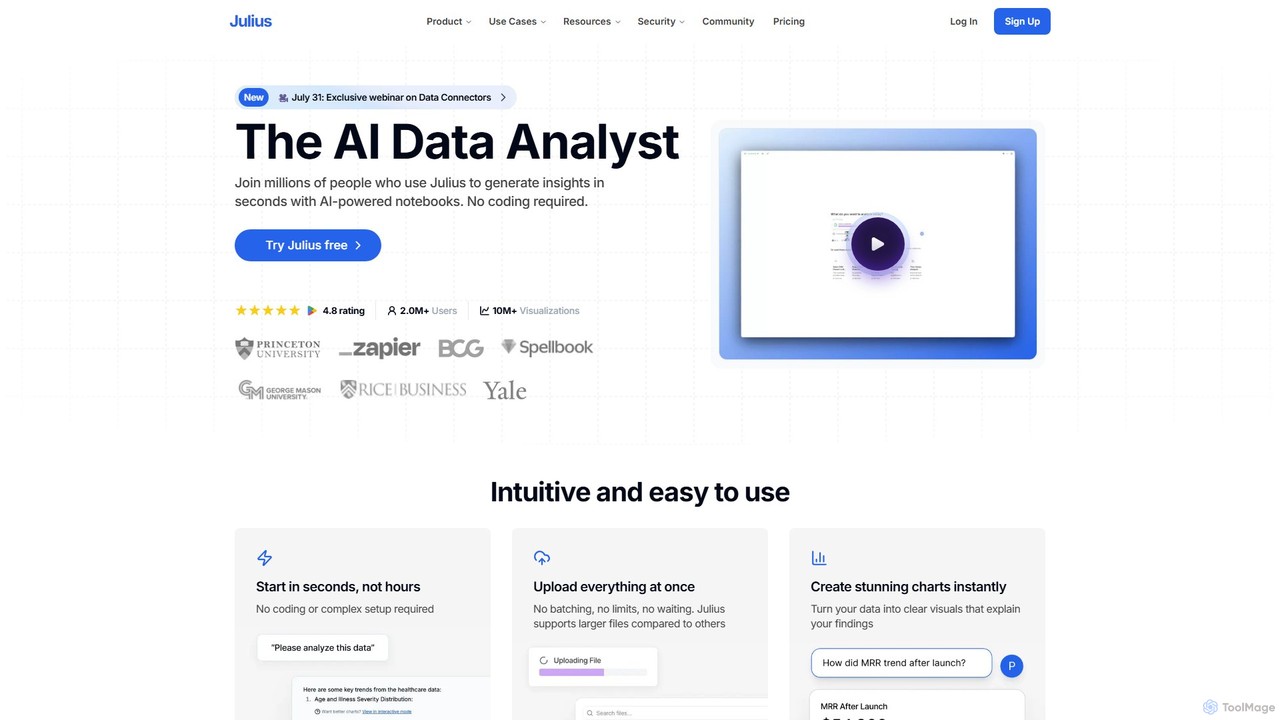
Julius AI

Julius AI is your AI Data Analyst, designed to interpret, analyze, and visualize complex data effortlessly. Connect your data from spreadsheets, databases, or PDFs, ask questions in natural language, and receive instant insights, charts, and reports. No coding is required, but it also supports Python, R, and SQL for advanced users, making data analysis accessible to everyone.

Developer Tools
Visits 878.9KFavorites 131Likes 132
Hestus

Hestus

Hestus is an AI-powered CAD assistant for Autodesk Fusion 360 that accelerates hardware development. It automates mundane sketching tasks like adding constraints, generating geometry, and applying dimensions, allowing engineers to focus on creative design and innovation.

Developer Tools
Visits 28.8KFavorites 170Likes 160

About Developer Tools

AI Developer Tools are a class of software that leverages artificial intelligence to assist, automate, and accelerate various stages of the software development lifecycle. These tools often utilize large language models (LLMs) and machine learning to understand code context, generate syntax, identify bugs, and suggest optimizations. Their primary value lies in boosting developer productivity, improving code quality, and reducing the time spent on repetitive coding tasks. By integrating directly into development environments, they act as intelligent assistants for programmers.

Core Features

  • AI Code Completion & Generation: Suggests or writes entire code blocks, functions, and classes based on natural language prompts or existing code context.
  • Automated Debugging & Error Analysis: Identifies potential bugs, analyzes runtime errors, and provides explanations or suggested fixes.
  • Natural Language to Code Translation: Converts plain language descriptions of a desired functionality directly into executable code snippets.
  • Automated Test Case Generation: Creates unit tests and integration tests by analyzing the codebase, helping to improve test coverage.
  • Code Refactoring & Optimization: Recommends improvements to code structure, performance, and readability without changing its external behavior.

Use Cases

These tools are widely used by software engineers, data scientists, and DevOps professionals. They are particularly effective for rapid prototyping, maintaining legacy codebases, learning new programming languages, and automating the creation of documentation and test suites. Both individual developers and large enterprise teams integrate them into their daily workflows to streamline development.

How to Choose

When selecting an AI Developer Tool, consider its language and framework support to ensure compatibility with your tech stack. Evaluate the quality and depth of its IDE integration (e.g., for VS Code, JetBrains). Assess the accuracy of its suggestions and its impact on security, especially regarding how it handles your proprietary code. Finally, compare pricing models and features to find a solution that fits your team's budget and needs.

Developer Tools use cases

1

Accelerating API Endpoint Development

A backend developer is tasked with creating a new set of REST API endpoints for a user management module. Instead of writing all the boilerplate code manually, they use an AI developer tool. By providing a simple prompt like 'Create a POST endpoint for user registration with email, password, and name fields', the tool generates the controller logic, data validation rules, and database model structure. This significantly reduces development time, allowing the developer to focus on more complex business logic and integration tasks.

2

Automated Unit Test Creation

A quality assurance (QA) engineer needs to increase the test coverage for a critical financial calculation module. Manually writing tests for every edge case is time-consuming. Using an AI developer tool, they can select a function and ask the tool to 'generate unit tests for this function, including edge cases for null inputs and large numbers'. The AI analyzes the code and produces a comprehensive test suite in seconds, which the engineer can then review and refine. This process ensures higher code quality and reliability without a significant time investment.

3

Debugging Complex Code Issues

A junior developer encounters a cryptic 'NullPointerException' deep within a large, unfamiliar codebase. Instead of spending hours tracing the code execution manually, they copy the stack trace and the relevant code snippet into an AI developer tool. The tool analyzes the context, identifies the exact line where a variable is not being initialized correctly, explains why the error occurs, and provides a corrected version of the code. This not only solves the immediate problem but also serves as a valuable learning experience.

4

Refactoring and Modernizing Legacy Code

A team is tasked with updating a legacy application written in an older version of a programming language. The code is difficult to read and maintain. They use an AI developer tool with refactoring capabilities. The tool scans the codebase and suggests improvements, such as converting old callback patterns to modern async/await syntax, simplifying complex conditional logic, and breaking down large functions into smaller, more manageable pieces. This automates a significant portion of the modernization effort, reduces the risk of introducing new bugs, and improves the long-term maintainability of the application.

5

Generating Code from Natural Language

A data analyst needs to write a Python script to process a CSV file, filter rows based on a specific condition, and plot a chart. While they understand the logic, they are not an expert in the specific plotting library's syntax. They open an AI developer tool and type: 'Write a Python script using pandas and matplotlib to read data.csv, filter for rows where 'sales' > 1000, and create a bar chart of sales by 'region''. The tool instantly generates a complete, working script that they can run immediately, saving them time from searching through documentation.

6

Automating Code Documentation

A development team follows a strict policy of documenting all public functions. This process can be tedious and is often neglected under tight deadlines. By integrating an AI developer tool into their workflow, documentation becomes automated. After a developer writes a new function, the tool can automatically generate a detailed docstring that explains the function's purpose, describes each parameter (including its type and purpose), and specifies the return value. This ensures the codebase remains consistently well-documented, making it easier for new team members to onboard and for existing members to maintain the code.

Developer Tools FAQ

What are AI Developer Tools?

AI Developer Tools are applications that use artificial intelligence, particularly machine learning and large language models, to assist software developers. They integrate into the development workflow to automate repetitive tasks, generate code, find bugs, and provide intelligent suggestions. Unlike traditional tools, they understand code context and can help with creative problem-solving, significantly boosting productivity and code quality.

How do I choose the right AI Developer Tool?

To choose the right tool, consider these factors:

  • Language & Framework Support: Ensure it works with your primary programming languages and frameworks.
  • IDE Integration: Check for seamless integration with your preferred Integrated Development Environment (e.g., VS Code, JetBrains, Visual Studio).
  • Feature Set: Determine if you need code generation, debugging, testing, or all of the above. Some tools specialize in one area.
  • Security & Privacy: Verify how the tool handles your code. For enterprise use, look for options that don't use your code for public model training or offer on-premise solutions.
  • Performance: The tool should provide suggestions quickly without slowing down your IDE.
What's the difference between AI Developer Tools and traditional static analysis tools?

The key difference is in their underlying technology and capability. Traditional static analysis tools operate on a fixed set of predefined rules and patterns to find potential bugs or style violations. They lack contextual understanding. AI Developer Tools, powered by machine learning models, understand the semantics and context of the code. This allows them to not only find more nuanced errors but also to generate new code, suggest complex refactors, and translate natural language into code, which is beyond the scope of traditional tools.

Can AI Developer Tools replace human developers?

No, AI Developer Tools are not intended to replace human developers. They are designed to be assistive technologies that augment a developer's abilities. They excel at handling repetitive, time-consuming, and pattern-based tasks, freeing up developers to focus on higher-level problem-solving, system architecture, creative solutions, and user experience. The critical thinking, domain expertise, and collaborative skills of a human developer remain essential for building quality software.

Are AI Developer Tools secure to use with proprietary code?

Security varies significantly between tools. Many cloud-based tools may use snippets of your code to train their public models, which can be a risk for proprietary information. However, reputable providers, especially those with enterprise plans, offer enhanced security features. These can include:

  • Zero Data Retention: Policies that ensure your code is not stored or logged.
  • Opt-out of Training: The ability to prevent your code from being used for model training.
  • On-premise or Private Cloud Deployment: Hosting the AI model within your own infrastructure for maximum control.

It is crucial to carefully review the privacy policy and terms of service of any tool before using it with sensitive code.