Zetanotes
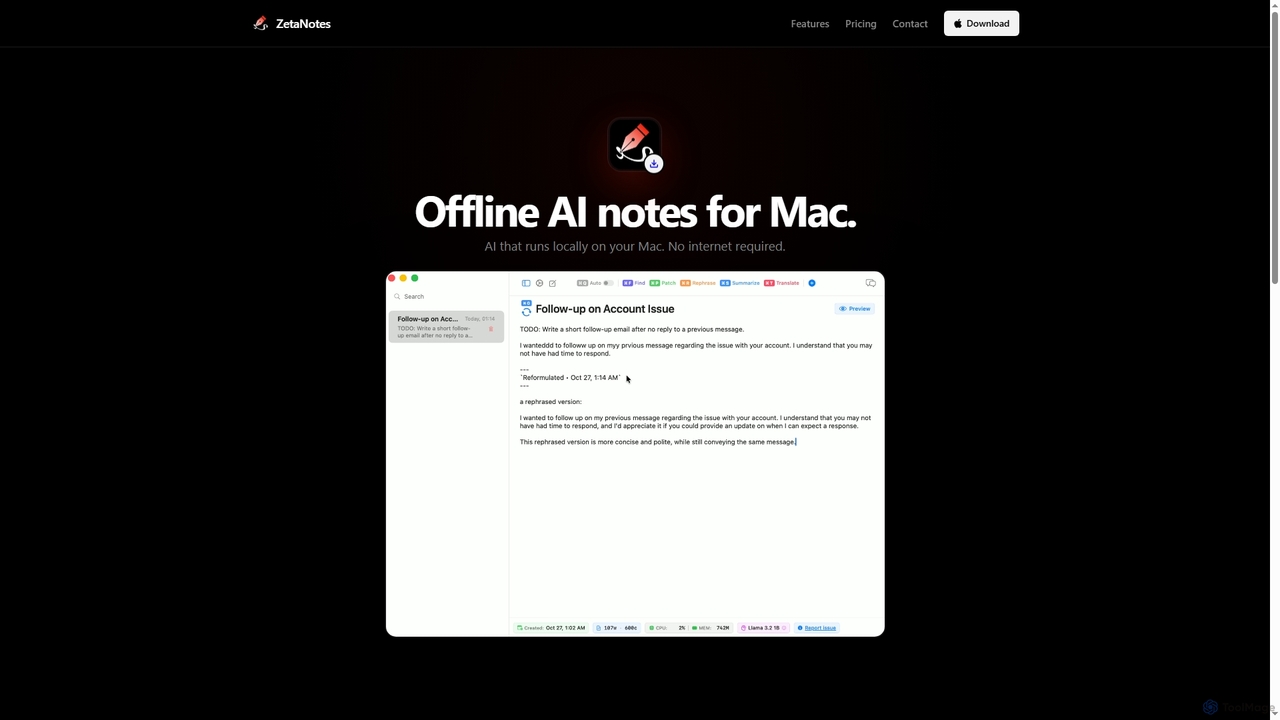
Zetanotes is a privacy-focused, offline AI note-taking application for Mac. It runs AI models locally on your device, …
Zetanotes is a privacy-focused, offline AI note-taking application for Mac. It runs AI models locally on your device, requiring no internet connection for core features, ensuring your data remains private. Optimized for Apple Silicon with Metal GPU acceleration.
About Mac
AI tools for Mac are software applications designed to run natively on the macOS operating system, leveraging its unique hardware and software architecture. These tools are often optimized for Apple Silicon (M-series chips), utilizing the Neural Engine for accelerated machine learning tasks, which results in significant performance and energy efficiency gains. They enhance creative and professional workflows by providing powerful features like local data processing, deep system integration with apps like Spotlight and Shortcuts, and a polished user interface that aligns with Apple's design philosophy. Unlike purely web-based alternatives, Mac AI tools offer the benefits of offline functionality and potentially greater data privacy.
Core Features
- Apple Silicon Optimization: Utilizes the Neural Engine on M-series chips for high-speed, efficient AI processing directly on the device.
- Deep macOS Integration: Seamlessly works with system features like Spotlight search, Siri, Shortcuts, and menu bar utilities for quick access.
- Native Performance & Offline Access: Delivers a fast, responsive experience without relying on an internet connection for core tasks.
- Consistent UI/UX: Adheres to Apple's Human Interface Guidelines, offering an intuitive and familiar user experience.
Use Cases
These tools are particularly valuable for creative professionals, developers, writers, and researchers who rely on the Mac ecosystem. For instance, a video editor can use a native app to rapidly transcribe and edit footage locally, while a developer can use an AI coding assistant integrated directly into their macOS-based IDE. Knowledge workers benefit from menu bar utilities that provide instant AI assistance without disrupting their workflow.
How to Choose
When selecting an AI tool for Mac, consider these factors: First, verify if it is optimized for Apple Silicon, as this ensures the best performance. Second, evaluate the level of system integration—does it support Shortcuts or offer a convenient menu bar interface? Third, compare the user interface to see if it feels native and intuitive on macOS. Finally, consider the pricing model, whether it's a one-time purchase from the App Store or a recurring subscription.

MacUse Cases
AI-Powered Code Completion for Developers
A software developer working on a MacBook Pro uses a native AI coding assistant integrated into their VS Code or Xcode environment. As they write Swift or Python code, the tool provides intelligent, context-aware suggestions and autocompletes entire functions. This process is accelerated by the Apple Silicon's Neural Engine, allowing for real-time assistance without cloud latency. This significantly speeds up development cycles, reduces boilerplate coding, and helps catch potential errors before compilation, improving overall code quality and productivity.
Intelligent Photo Editing for Creatives
A professional photographer uses a native Mac AI image editor to batch-process a wedding photoshoot. The application leverages local processing on their Mac Studio to perform complex tasks like noise reduction, subject masking, and color grading across hundreds of RAW files simultaneously. The AI identifies faces to ensure consistent skin tones and automatically suggests stylistic edits based on the photo's content. Because the processing is done on-device, it's incredibly fast and maintains the privacy of the client's photos, a crucial factor for professionals.
Menu Bar AI Assistant for Instant Productivity
A marketing manager uses a lightweight AI utility that resides in their macOS menu bar. While reviewing a competitor's report in a PDF, they can highlight text and use a keyboard shortcut to instantly summarize it, translate it, or rephrase it for a presentation. The tool provides immediate answers without requiring them to switch windows or open a browser. This seamless integration into the core Mac user interface allows for frictionless access to AI, saving small increments of time that add up to significant productivity gains throughout the day.
Automated Video Transcription and Subtitling
A content creator uses a Mac-native video tool to process interview footage for a YouTube channel. They import a 4K video file, and the application uses AI to generate a highly accurate transcript in minutes, a task that would take hours manually. The AI also identifies different speakers automatically. The creator can then instantly generate subtitles from the transcript, edit them for accuracy, and export them in a standard format. The entire process runs locally on their MacBook Pro, ensuring fast performance and data privacy.
Local Document Search and Analysis for Researchers
A university researcher uses a Mac desktop AI tool to manage hundreds of academic papers and research notes stored locally. Instead of searching by keywords, they can ask natural language questions like "What are the main arguments against this theory?" The tool uses AI to understand the query, scan all relevant PDFs and text files, and synthesize a summary with citations. This keeps all sensitive research data on their personal machine and transforms their local file system into an intelligent, searchable knowledge base, dramatically accelerating the literature review process.
AI-Assisted Writing and Proofreading in Native Apps
A novelist uses a native Mac writing application with built-in AI features to draft their next book. The tool offers more than just grammar checks; it analyzes sentence structure for clarity, suggests alternative phrasing to improve flow, and helps maintain a consistent tone of voice. By integrating with macOS's system-wide spell check and dictionary, it provides a seamless experience. All analysis happens locally, ensuring the author's unpublished manuscript remains confidential. This allows the writer to focus on creativity while the AI handles the technical aspects of prose refinement.