
Archittect
Archittect is an AI-powered code generation tool designed to eliminate repetitive boilerplate coding. Integrated directly into VSCode, it …
Archittect is an AI-powered code generation tool designed to eliminate repetitive boilerplate coding. Integrated directly into VSCode, it allows developers and teams to create, customize, and share dynamic project scaffolds. By automating the setup of files, folders, and code snippets, Archittect dramatically accelerates the development process, ensures code consistency, and lets you focus on building unique features instead of writing the same code over and over again.
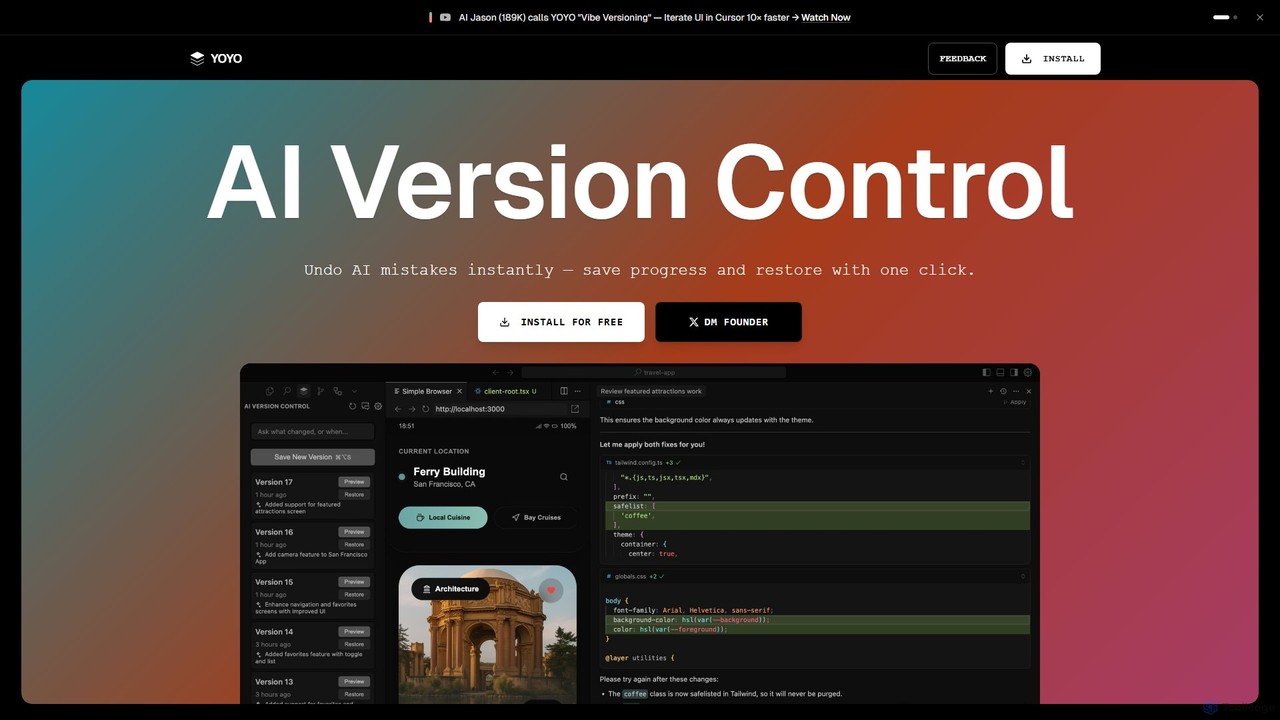
runyoyo
runyoyo is an AI-native version control system designed for the era of 'Vibe Coding'. It allows developers to …
runyoyo is an AI-native version control system designed for the era of 'Vibe Coding'. It allows developers to instantly save progress, undo AI-generated mistakes with a single click, and search their entire coding timeline. It works alongside Git to keep your main repository clean while you experiment freely with AI assistants in IDEs like VS Code and Cursor.
About Ide Extension
IDE Extensions are AI-powered plugins that integrate directly into your Integrated Development Environment (IDE) to augment the software development lifecycle. These tools leverage large language models (LLMs) trained on vast codebases to provide context-aware assistance, from code generation to debugging. They act as an intelligent pair programmer, helping developers write better code faster and reduce cognitive load. This direct integration allows for real-time feedback and suggestions without leaving the coding environment.
Core Features
- AI Code Completion: Generates multi-line, contextually relevant code snippets and entire functions based on existing code and natural language comments.
- Code Refactoring & Optimization: Analyzes code blocks and suggests improvements for readability, performance, and adherence to best practices.
- Automated Bug Detection & Fixing: Identifies potential errors, logical flaws, and security vulnerabilities in real-time and often provides one-click solutions.
- Natural Language to Code: Translates plain language descriptions or requirements into functional code, accelerating prototyping and development.
- Automated Test Generation: Creates unit tests and test cases for functions and methods, helping to improve code coverage and reliability.
Use Cases
These extensions are primarily used by software developers, data scientists, and DevOps engineers across all industries. In a typical workflow, a developer might use an AI extension to generate boilerplate for a new API endpoint, get suggestions for optimizing a complex algorithm, or automatically create documentation for a recently completed function. They are also valuable learning aids for students and junior developers.
How to Choose
When selecting an AI IDE Extension, consider its compatibility with your specific IDE (e.g., VS Code, JetBrains, Eclipse) and primary programming languages. Evaluate the depth of its feature set—whether you need simple autocompletion or advanced capabilities like refactoring and test generation. Also, review the tool's performance impact on your IDE and, crucially, its data privacy and security policies regarding how your code is handled.
Ide ExtensionUse Cases
Accelerating Backend API Development
A backend developer is tasked with creating a new set of RESTful API endpoints for a user management service. Instead of writing all the boilerplate code manually, they use an AI IDE extension. By writing a simple comment like 'create a POST endpoint to register a new user with email and password', the extension generates the complete function signature, request body validation, database interaction logic, and success/error responses. This significantly reduces development time for repetitive tasks, allowing the developer to focus on core business logic and complex integrations.
Refactoring Legacy Code for Maintainability
A senior developer is working on a legacy system with large, complex functions that are difficult to understand and maintain. They use an AI IDE extension's refactoring capabilities. By highlighting a monolithic function, the developer can ask the tool to 'refactor this into smaller, single-responsibility functions'. The AI analyzes the code's logic, identifies distinct operations, and suggests breaking it down into several smaller, well-named functions. It also updates all the call sites automatically. This process improves code readability and makes future modifications safer and easier.
Automated Unit Test Generation
A developer has just finished implementing a complex data processing function and needs to ensure its correctness by writing unit tests. Using an AI IDE extension, they can right-click the function and select 'Generate Unit Tests'. The tool analyzes the function's inputs, outputs, and edge cases (e.g., null inputs, empty arrays) and automatically generates a suite of test cases using the project's testing framework (like Jest or PyTest). This not only saves significant time but also helps achieve higher code coverage and catches potential bugs that might have been missed in manual test writing.
Debugging and Explaining Code Errors
A junior developer encounters a cryptic error message, such as a 'NullPointerException', and is unsure of the root cause. They highlight the problematic code block and use the AI extension's 'Explain Error' feature. The tool analyzes the code execution path, identifies the exact line where a variable becomes null, and provides a clear, natural language explanation of why the error is occurring. It then suggests several possible fixes, such as adding a null check or initializing the variable correctly. This transforms the debugging process from frustrating guesswork into a guided learning experience.
Learning a New Language or Framework
A developer experienced in Python needs to quickly pick up JavaScript for a new project. While working in their IDE, they use an AI extension as a learning companion. When they are unsure how to perform a task, like fetching data from an API, they can write a comment: 'fetch user data from /api/users and log the names'. The AI provides the correct JavaScript code using 'fetch' and '.then()', along with a brief explanation of how asynchronous operations work in JavaScript. This in-context learning is far more efficient than constantly switching to a web browser to search for documentation.
Automating Documentation Writing
A team lead wants to improve the documentation quality of their project's codebase. Instead of having developers manually write docstrings for every function, they use an AI IDE extension. After a developer writes a function, they can trigger a command like 'Generate Docstring'. The AI analyzes the function's parameters, return types, and internal logic to generate a comprehensive and well-formatted documentation comment (e.g., in JSDoc or Python's reST format). This ensures consistency across the codebase and frees up developer time to focus on writing code rather than documenting it.