aicolors
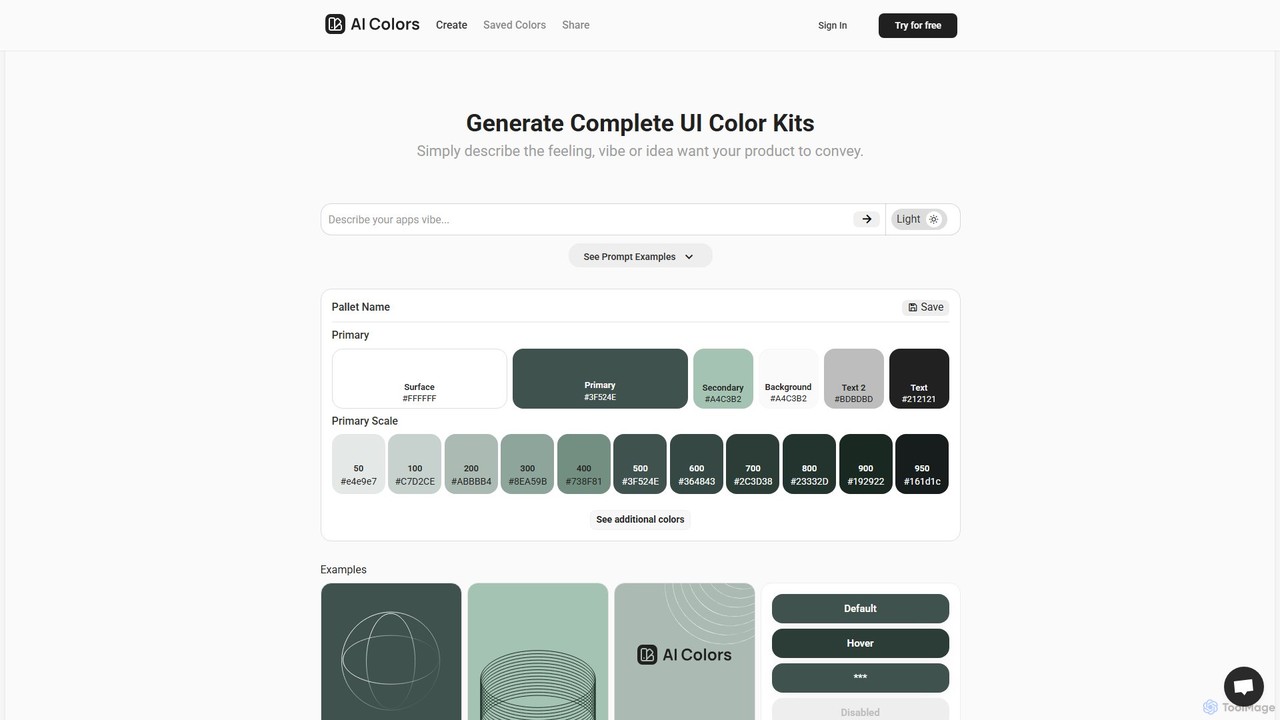
aicolors is an AI-powered color palette generator that creates complete, ready-to-use UI color kits from simple text prompts. …
aicolors is an AI-powered color palette generator that creates complete, ready-to-use UI color kits from simple text prompts. Describe a feeling, vibe, or idea, and instantly get a harmonious and functional color scheme for your web or app design projects.
About Ui
AI UI tools are a specialized category of developer tools that leverage artificial intelligence to automatically generate user interface designs, components, and even front-end code. These tools typically use generative models to interpret inputs like text descriptions, wireframes, or sketches and transform them into visual mockups or functional code. Their primary value lies in dramatically accelerating the prototyping and development process, enabling teams to visualize and build interfaces faster than traditional methods. This allows for rapid iteration and bridges the gap between design concepts and implementation.
Core Features
- Text-to-UI Generation: Creates UI mockups and layouts directly from natural language prompts describing the desired interface.
- Sketch-to-Code Conversion: Transforms hand-drawn wireframes or digital sketches into clean HTML/CSS or component-based code for frameworks like React or Vue.
- Component Generation: Automatically creates individual UI elements like buttons, forms, and cards based on specified styles or design systems.
- Design System Integration: Analyzes an existing design system to generate new components and screens that are consistent with established visual guidelines.
Use Cases
These tools are ideal for frontend developers, UI/UX designers, and product managers. They are used for rapid prototyping of new application ideas, converting low-fidelity wireframes into interactive prototypes, and automating the creation of boilerplate code for standard UI components. This significantly reduces manual design and coding effort in the early stages of a project.
How to Choose
When selecting an AI UI tool, consider the output format (e.g., image mockups, HTML/CSS, React components). Evaluate its integration capabilities with design software like Figma or Sketch. Assess the quality and cleanliness of the generated code, and check which front-end frameworks it supports. Finally, consider the tool's ability to understand complex prompts and adhere to specific design constraints.

UiUse Cases
Rapid Prototyping of a New App Feature
A product manager needs to present a new dashboard feature concept to stakeholders. Instead of waiting for the design team, they use an AI UI tool. They input a text prompt like 'Create a sales dashboard with a line chart for monthly revenue, a bar chart for top 5 products, and a data table of recent transactions.' The tool generates several high-fidelity mockups in minutes. This allows the manager to gather early feedback and iterate on the layout before committing development resources, shortening the feedback loop from days to hours.
Converting Whiteboard Sketches to Frontend Code
During a brainstorming session, a UX designer sketches a user profile page on a whiteboard. A frontend developer takes a photo of the sketch and uploads it to an AI UI tool. The tool analyzes the drawing, identifies elements like an avatar, input fields for name and email, and a 'Save Changes' button. It then generates the corresponding HTML and CSS code, or even a React component structure. This process eliminates the need for the developer to manually code the layout from scratch, saving significant time and reducing the chance of errors in translating the visual design to code.
Generating UI Component Variations for a Design System
A design team is building a new design system and needs to create multiple states for a button component (default, hover, disabled, loading). A UI designer provides the base style for the default button to an AI UI tool and prompts it to generate the other states. The AI automatically adjusts colors, adds a spinner for the loading state, and changes the cursor for the disabled state, ensuring all variations are visually consistent. This automates a tedious part of component design, allowing the team to build out their library more quickly and maintain consistency across all elements.
Creating a Microsite Layout for a Marketing Campaign
A marketing team needs a simple, single-page website for an upcoming product launch. Lacking immediate developer availability, a marketing specialist uses an AI UI tool. They describe the desired layout: 'A hero section with a product image and a call-to-action button, followed by a three-column feature section, a customer testimonial slider, and a simple contact form at the bottom.' The tool generates a complete HTML/CSS structure for the page. The specialist can then easily populate it with content and deploy it, launching the campaign website in a fraction of the time it would normally take.
Exploring Alternative UI Designs for A/B Testing
A UX designer wants to test different layouts for a checkout page to improve conversion rates. They use an AI UI tool to quickly generate several distinct variations. By providing a prompt like 'Generate three different layouts for a single-page checkout form, one with a two-column layout, one as a single vertical stepper, and one with a minimalist design,' the tool produces multiple design concepts. This allows the designer to move directly to creating A/B test prototypes without spending days manually designing each alternative, accelerating the optimization process.
Automating UI for Internal Admin Panels
A backend developer needs to build a simple admin panel to manage application data. Instead of spending time on frontend development, they use an AI UI tool. They provide the data schema or an API endpoint, and the tool automatically generates a corresponding CRUD (Create, Read, Update, Delete) interface. It creates tables to display data, forms for editing and creating new entries, and search functionality. This allows the developer to create a functional and clean internal tool in a fraction of the time, letting them focus on backend logic rather than UI details.