
ToolMage
Sign in

Best 1 Knowledge Management AI tools for Document Processing

Popular Knowledge Management AI tools in Document Processing include OfficeBot, helping you work more efficiently.

OfficeBot
Paid

OfficeBot

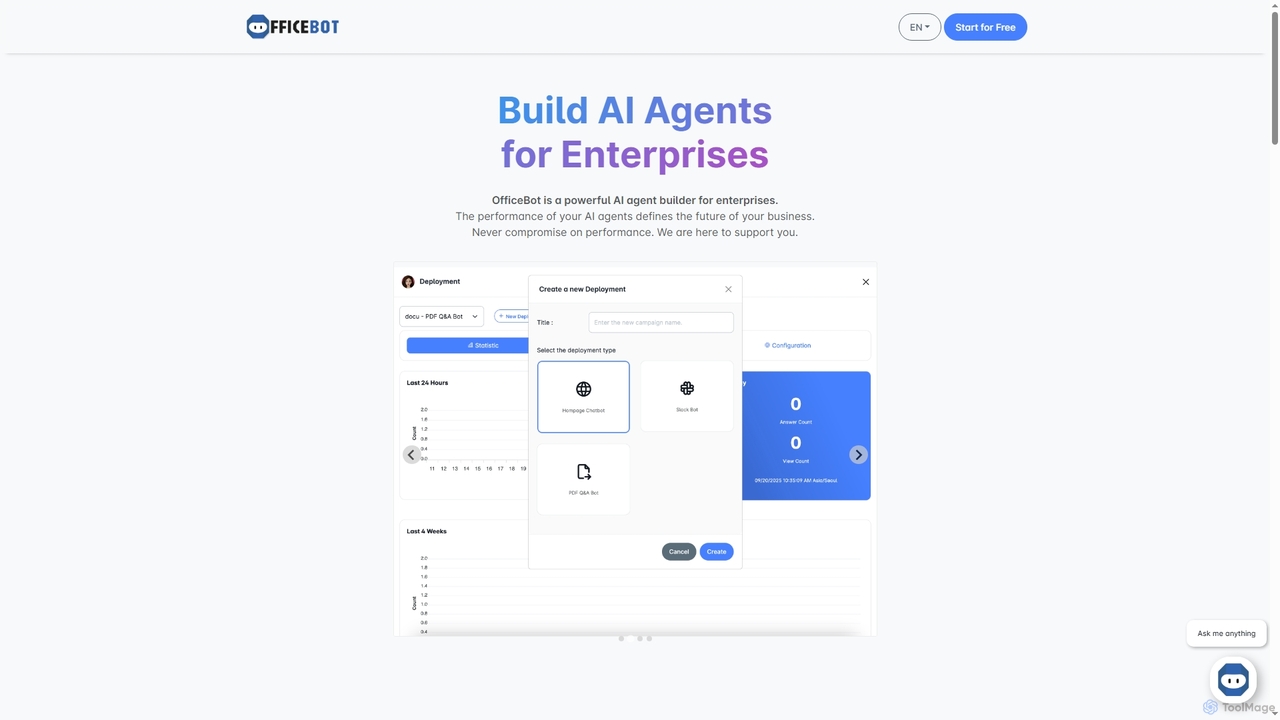
OfficeBot empowers enterprises to build custom AI agents for enhanced knowledge management and operational efficiency. It offers a platform to process documents, answer complex queries, and automate information retrieval, supported by flexible token-based pricing and expert developer assistance.

Enterprise Solutions
Visits 6.4KFavorites 138Likes 125

About Knowledge Management

AI Knowledge Management tools are applications designed to transform collections of documents and data into a centralized, intelligent, and searchable knowledge base. They utilize technologies like Natural Language Processing (NLP) to understand the context within your files, going beyond simple keyword matching. This allows users to ask complex questions in natural language and receive synthesized answers drawn from multiple sources. These tools are essential for organizations and individuals looking to unlock the collective intelligence hidden within their unstructured data.

Core Features

  • Semantic Search: Find information based on conceptual meaning and context, not just exact keywords.
  • Multi-Source Ingestion: Automatically index data from various formats like PDFs, web pages, Notion, and Slack.
  • Conversational Q&A: Ask questions in plain language and get direct, synthesized answers with source citations.
  • Information Synthesis: Generate summaries and identify connections across multiple documents.
  • Access Control & Security: Manage user permissions to ensure sensitive information remains secure.

Use Cases

These tools are widely used by corporate teams to build internal wikis, by research institutions to analyze vast libraries of academic papers, and by customer support departments to power intelligent help centers. Individuals also use them to create a personal "second brain" for organizing notes and research.

How to Choose

When selecting a tool, consider the types of data sources it supports and its integration capabilities with your existing workflow (e.g., Slack, Teams). Evaluate the accuracy and relevance of its search and Q&A features. Also, assess its security protocols, pricing model, and the ease of setup and maintenance.

Knowledge Management use cases

1

Build an Interactive Corporate Wiki

An HR manager needs to create a centralized resource for all company policies, onboarding materials, and project documentation. Instead of a static folder system, they use an AI Knowledge Management tool to ingest all documents. New and existing employees can now ask direct questions like "What is our remote work policy?" or "Summarize the Q3 marketing project goals" and receive instant, accurate answers with links to the source documents, significantly reducing repetitive inquiries and improving information accessibility.

2

Accelerate Academic and Scientific Research

A PhD student is working on a literature review covering hundreds of research papers. Manually finding connections and themes is time-consuming. By uploading all PDFs into an AI knowledge base, the student can ask complex queries such as "What are the main arguments against theory X across these papers?" The tool synthesizes information from multiple sources, highlights conflicting findings, and helps generate novel research questions, cutting down research time by weeks.

3

Power an Intelligent Customer Support Hub

A customer support team lead wants to reduce ticket resolution time. They feed all their help articles, troubleshooting guides, and past ticket resolutions into an AI Knowledge Management platform. This creates a powerful internal tool for support agents to find solutions instantly. It can also be integrated with a public-facing chatbot, allowing customers to get accurate, context-aware answers to their problems 24/7, deflecting a significant portion of common support tickets.

4

Create a Personal "Second Brain"

A writer and lifelong learner saves hundreds of articles, notes, and book summaries across different apps. To make this information useful, they connect their sources to an AI Knowledge Management tool. Now, when starting a new article, they can ask their personal knowledge base, "What have I saved about the Stoic philosophy of resilience?" The tool retrieves relevant notes, highlights key concepts, and helps them connect disparate ideas, transforming a passive archive into an active creative partner.

5

Streamline Legal Case Analysis

A paralegal is tasked with finding precedents for a new case from a database of thousands of legal documents and past case files. Using an AI Knowledge Management tool, they can bypass keyword search limitations. They can ask specific questions like "Find all cases where contract breach was due to supply chain failure" and receive a summarized list of relevant cases, specific clauses, and judicial outcomes, dramatically speeding up the legal discovery process.

6

Enhance Sales Team Enablement

A sales manager needs their team to have instant access to the latest product information, competitor analysis, and case studies. They create a knowledge base with all sales collateral. During a client call, a salesperson can quickly ask, "What are our key differentiators against Competitor Y for the healthcare industry?" and get concise bullet points and links to relevant case studies, enabling them to handle objections confidently and accurately.

Knowledge Management FAQ

What are AI Knowledge Management tools?

AI Knowledge Management tools are applications that create an intelligent, searchable database from your existing documents and data. Unlike simple file storage, they use AI to understand the content's meaning, allowing you to ask questions in natural language and get synthesized answers. Their core purpose is to make information accessible and interconnected, turning static files into a dynamic knowledge base.

How do AI Knowledge Management tools differ from standard file search?

The key difference lies in search methodology. Standard file search (like on your computer) relies on keyword matching, finding files that contain the exact words you typed. AI Knowledge Management tools use semantic search, which understands the context and intent behind your query. This means you can find relevant information even if it doesn't contain your exact keywords. For example, searching for "company car policy" could also find documents that mention "vehicle usage guidelines" or "employee automobile rules."

How do I choose the right AI Knowledge Management tool?

To choose the right tool, consider these factors:

  • Data Connectors: Does it support the file types and platforms where your knowledge is stored (e.g., Google Drive, Notion, PDF, websites)?
  • Search & Q&A Quality: Test its ability to provide accurate, relevant, and well-cited answers to complex questions.
  • Security & Privacy: How does it handle your data? Look for features like access controls, data encryption, and clear privacy policies.
  • Usability & Integration: Is the interface intuitive? Does it integrate with tools your team already uses, like Slack or Microsoft Teams?
What types of data can be used with these tools?

Most AI Knowledge Management tools are designed to be versatile and can ingest a wide range of unstructured and semi-structured data. Common supported formats include PDFs, Word documents (.docx), text files (.txt), presentations (.pptx), and spreadsheets. Many tools also offer integrations to directly connect with platforms like Notion, Confluence, Google Drive, Slack, and can even crawl and index public websites or internal wikis.

Who benefits most from using AI Knowledge Management tools?

A wide range of users can benefit. Businesses use them to create internal knowledge bases for employees, improving productivity and onboarding. Customer support teams use them to power help centers and provide faster answers. Researchers and students use them to analyze large volumes of literature. Individuals use them to organize personal notes and create a "second brain." Essentially, anyone who deals with a large amount of information and needs to find specific answers quickly can benefit.