ToolMage
Sign in

Best 1 Pdf Tools for Document Processing

Popular Pdf Tools in Document Processing include Bsub, helping you work more efficiently.

Bsub
Paid

Bsub

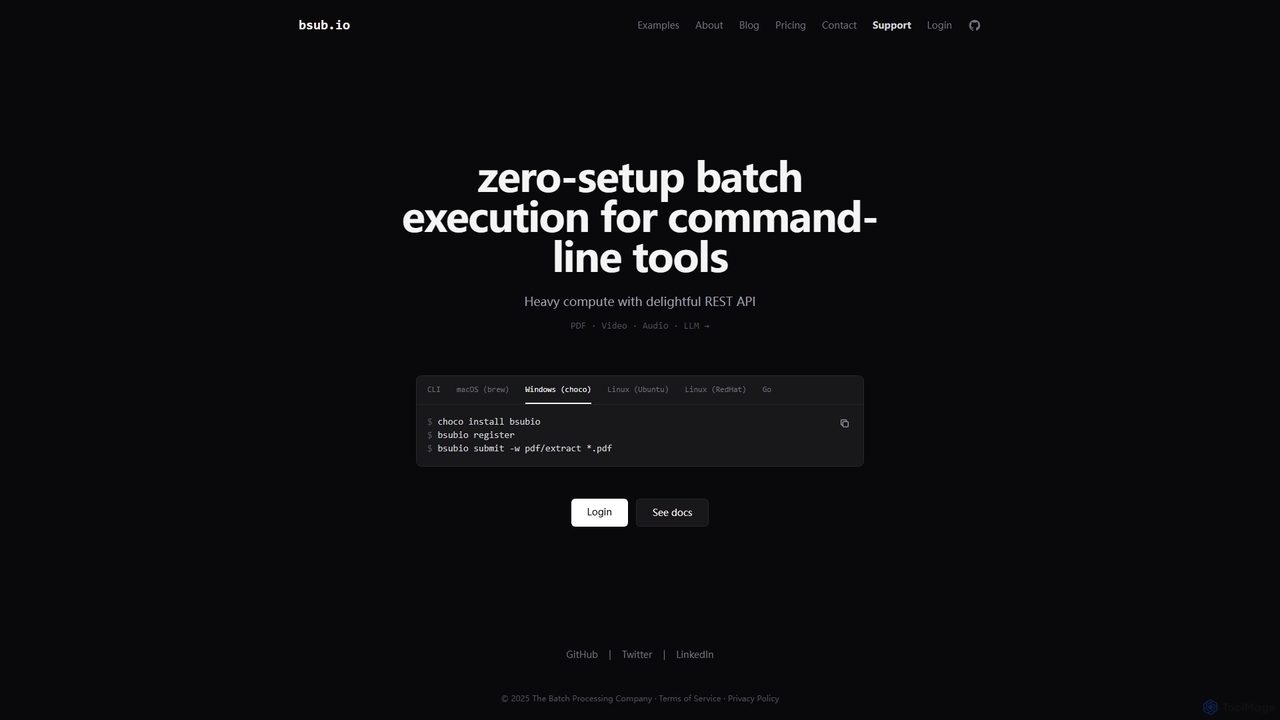
Bsub is a zero-setup batch processing platform designed for developers to execute command-line tools at scale. It simplifies heavy computational tasks like PDF extraction, video transcoding, audio transcription, and large language model (LLM) batch inference through a simple REST API, eliminating infrastructure management and scaling concerns.

Transcription
Visits 8.6KFavorites 123Likes 138

About Pdf Tools

Pdf Tools are AI-powered applications designed to streamline the creation, editing, conversion, and management of Portable Document Format (PDF) files. As a specialized subset of document processing tools, they leverage artificial intelligence for tasks like intelligent content recognition, automated data extraction, and smart summarization. These capabilities significantly boost efficiency and accuracy in digital document workflows, transforming how businesses and individuals interact with PDFs.

Core Features

  • AI-powered OCR: Accurately converts scanned PDFs and images into editable, searchable text, recognizing various fonts and layouts.
  • Smart Data Extraction: Automatically identifies and extracts structured data from PDF forms, invoices, and reports, such as names, dates, and amounts.
  • Automated Summarization: Generates concise summaries of lengthy PDF documents, highlighting key information and main points.
  • Advanced PDF Editing: Enables intelligent modification of text, images, and layout within PDFs, often with content-aware adjustments.
  • Batch Conversion & Creation: Efficiently converts multiple PDFs to other formats (e.g., Word, Excel) or creates PDFs from various source files in bulk.

Applicable Scenarios

AI PDF tools are invaluable for professionals across various sectors. Legal teams use them to extract critical clauses from contracts, while financial analysts leverage them to summarize extensive reports. Researchers can efficiently pull specific data from academic papers, and business operations departments automate invoice data entry, significantly reducing manual effort and potential errors.

How to Choose

When selecting an AI PDF tool, consider its specific AI capabilities, such as OCR accuracy, summarization quality, and data extraction precision. Evaluate its integration with your existing document management systems or cloud storage. Assess the security features for sensitive data handling, the user interface's ease of use, and the tool's ability to handle batch processing for large volumes of documents. Finally, compare pricing models to ensure it aligns with your budget and scalability needs.

Pdf Tools use cases

1

Automating Invoice Data Entry

Finance teams and small business owners use AI PDF tools to automatically extract vendor names, amounts, dates, and itemized lists from scanned invoices or digital receipts. This data is then seamlessly populated into accounting software or spreadsheets, significantly reducing manual data entry errors and saving hours of administrative work each week, ensuring accurate financial records.

2

Summarizing Legal Contracts and Reports

Legal professionals, consultants, and business executives leverage AI PDF summarizers to quickly grasp the core terms, conditions, and key takeaways from lengthy legal contracts, compliance documents, or market research reports. This allows them to review critical information in minutes instead of hours, accelerating decision-making and ensuring no crucial details are overlooked.

3

Extracting Data from Research Papers

Academics, researchers, and data scientists utilize AI-powered OCR and data extraction features to efficiently pull specific figures, tables, graphs, and text snippets from large volumes of scientific papers, journals, and reports. This streamlines literature reviews, meta-analyses, and data collection for new studies, saving countless hours of manual transcription and improving data accuracy.

4

Redacting Sensitive Information for Compliance

HR departments, legal firms, and government agencies employ AI PDF tools to automatically identify and redact personal identifiable information (PII), confidential data, or sensitive clauses from documents before sharing or public disclosure. This ensures compliance with privacy regulations like GDPR or HIPAA, minimizes human error, and protects sensitive information at scale.

5

Creating Interactive PDF Forms

Marketing and sales teams, as well as educators, use AI PDF tools to design and deploy interactive PDF forms with fillable fields, checkboxes, and validation rules. This improves data collection from clients, students, or survey participants, streamlines onboarding processes, and enhances user engagement by providing a professional and easy-to-use digital experience.

6

Optimizing Document Archiving and Search

Businesses and institutions convert large volumes of legacy documents (e.g., scanned paper documents, old Word/Excel files) into searchable, standardized PDF/A format using AI PDF tools. The AI-powered OCR ensures all text is searchable, while intelligent indexing features help categorize and tag documents, significantly improving digital archiving, retrieval efficiency, and compliance with long-term preservation standards.

Pdf Tools FAQ

What are AI PDF tools?

AI PDF tools are software applications that integrate artificial intelligence to enhance the functionality of traditional PDF editors and converters. They go beyond basic editing by offering intelligent features like AI-powered OCR for accurate text recognition, smart data extraction from documents, and automated summarization of lengthy PDFs. These tools aim to automate complex tasks, improve accuracy, and significantly boost productivity in handling PDF documents.

How do AI PDF tools differ from traditional PDF editors?

The primary difference lies in automation and intelligence. Traditional PDF editors require manual input for tasks like text correction in scanned documents or data extraction. AI PDF tools, however, leverage machine learning to automate these processes. They can intelligently recognize content, extract specific data fields, summarize text, and even suggest edits, significantly reducing manual effort and improving efficiency and accuracy compared to their non-AI counterparts.

What are the key benefits of using AI for PDF processing?

Using AI for PDF processing offers several key benefits. Firstly, it dramatically increases efficiency by automating repetitive tasks like data entry and summarization. Secondly, it enhances accuracy, as AI algorithms are less prone to human error in tasks such as OCR and data extraction. Thirdly, it unlocks new capabilities, enabling intelligent content analysis, semantic search, and advanced document organization that would be impossible with traditional methods. This leads to significant time and cost savings for businesses and individuals.

Which features should I look for when choosing an AI PDF tool?

When choosing an AI PDF tool, prioritize features that align with your specific needs. Look for robust AI-powered OCR for accurate text recognition, especially for scanned documents. Evaluate its data extraction capabilities for structured information. Consider automated summarization if you deal with lengthy reports. Other important features include advanced editing, batch processing for efficiency, strong security for sensitive data, and seamless integration with your existing cloud storage or document management systems. A user-friendly interface is also crucial for ease of adoption.

Can AI PDF tools handle scanned documents effectively?

Yes, AI PDF tools are specifically designed to handle scanned documents very effectively, often surpassing traditional methods. Their AI-powered Optical Character Recognition (OCR) technology can accurately convert images of text into editable and searchable digital text, even from low-quality scans or documents with complex layouts. Many tools also offer advanced features like deskewing, despeckling, and intelligent layout analysis to further improve the accuracy of text and data extraction from scanned PDFs, making them ideal for digitizing paper archives.