ToolMage
Sign in

Best 1 Faceswap AI tools for Fun Tools

Popular Faceswap AI tools in Fun Tools include darkforce.ai, helping you work more efficiently.

darkforce.ai
Freemium

darkforce.ai

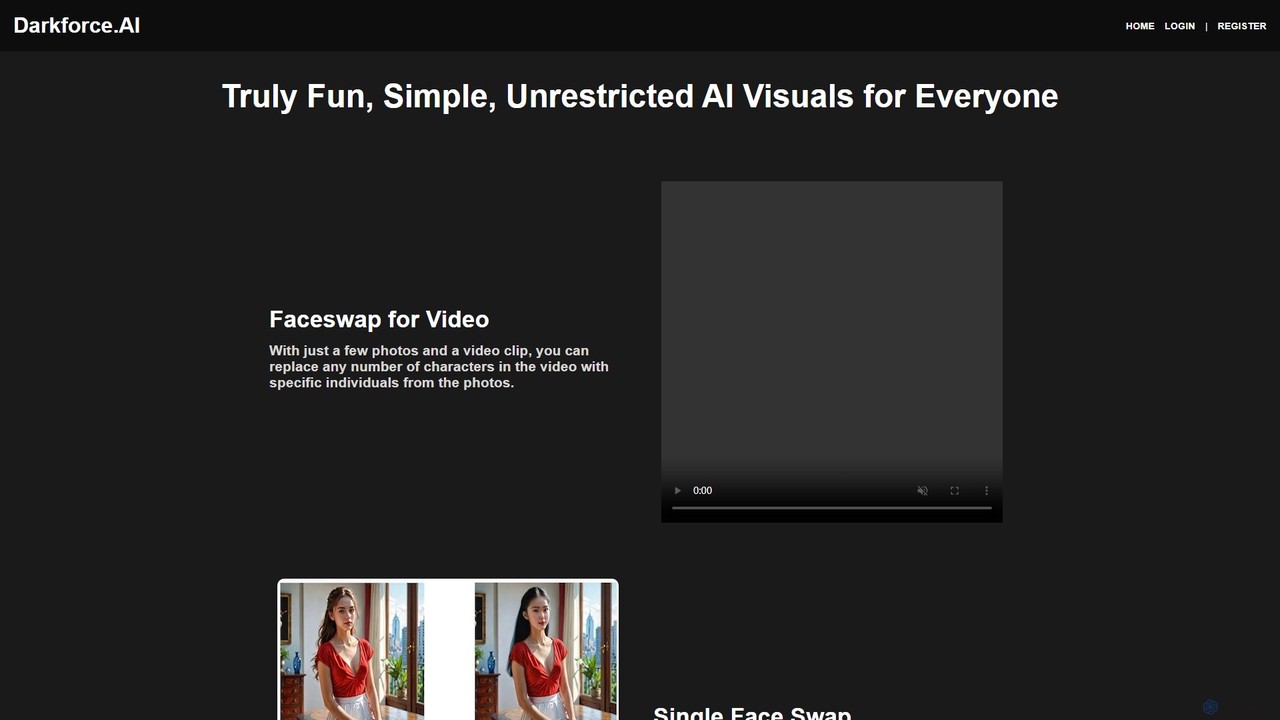
darkforce.ai is a user-friendly, unrestricted AI visual creation platform. It specializes in high-quality video and photo faceswapping, digital model creation, virtual cloth changing, and background removal. With a focus on simplicity and creative freedom, it allows users to generate fun, imaginative, and even adult-themed visuals with just a few clicks, no technical expertise required.

Image Generation
Visits 10.7KFavorites 169Likes 175

About Faceswap

AI Faceswap tools are applications that use deep learning to realistically replace a face in an image or video with another. These tools analyze the facial features, expressions, and head movements of the source and target, then seamlessly merge them to create a convincing composite. Primarily used for entertainment and creative content, they allow users to generate humorous memes, parody videos, or visualize different appearances. The technology, often based on Generative Adversarial Networks (GANs), has evolved to produce high-resolution results with remarkable accuracy.

Core Features

  • High-Fidelity Swapping: Generates realistic and seamless face replacements in both static images and high-resolution videos.
  • Expression & Pose Matching: Accurately transfers facial expressions, head movements, and lighting conditions from the source to the target.
  • Multi-Face Support: Capable of detecting and swapping multiple faces within a single image or video frame.
  • Real-Time Processing: Some tools offer live faceswapping capabilities for use in video calls, streaming, or augmented reality applications.
  • Watermarking & Safeguards: Includes features to promote ethical use, such as visible watermarks or content moderation to prevent malicious deepfakes.

Use Cases

Faceswap tools are popular among social media content creators for producing viral videos and memes. In the film industry, they are used for pre-visualization or creating digital stunt doubles. Individuals use them for personal entertainment, such as creating custom GIFs and personalized greeting cards. The technology also finds application in virtual try-on solutions for fashion and beauty, allowing users to see how different hairstyles or makeup might look.

How to Choose

When selecting a Faceswap tool, evaluate the quality and realism of the output; some tools produce more convincing results than others. Consider whether you need support for images, videos, or both. Assess the ease of use—some are simple mobile apps, while others are complex desktop software. Also, review the platform's processing speed, pricing model (e.g., subscription vs. pay-per-credit), and its stated ethical guidelines and privacy policy to ensure responsible usage.

Faceswap use cases

1

Creating Viral Social Media Skits

A content creator wants to produce a short, humorous video for platforms like TikTok or Instagram Reels. They decide to parody a famous movie scene. Using an AI Faceswap tool, they upload a clip from the movie and a clear photo of their own face. The tool analyzes the actor's expressions and head movements and maps the creator's face onto the actor's body. The result is a high-quality, funny video where the creator appears to be starring in the blockbuster film, ready to be shared and potentially go viral, boosting their channel's engagement.

2

Personalizing Memes and GIFs for Friends

For a friend's birthday, a user wants to create a unique and funny digital greeting. Instead of using a generic GIF, they find a popular dancing GIF. They use a simple mobile Faceswap app to upload the GIF and a photo of their friend. The app automatically detects the face in the GIF and replaces it with the friend's face, even animating the facial expressions to match the dance. Within minutes, they have a personalized, hilarious GIF that is far more memorable and personal than a standard e-card, which they can then share in a group chat.

3

Pre-visualizing Film and Video Concepts

A film director is in the early stages of casting and wants to see how a particular actor might look in a period costume and role. Instead of arranging an expensive costume fitting and screen test, the pre-visualization team uses an advanced Faceswap tool. They take existing footage of the actor and swap their face onto an actor in similar historical footage. This provides a quick, low-cost way to evaluate the actor's suitability for the role, helping the casting and creative teams make more informed decisions before committing significant budget to the production.

4

Virtual Try-On for Hairstyles and Accessories

A user is considering a new hairstyle but is hesitant to make a drastic change. They use a Faceswap-enabled beauty app. By uploading a selfie, the app's technology can map different hairstyles onto their face, realistically showing how a short bob, long curls, or a new hair color would look. The same principle applies to trying on glasses or hats. This provides a risk-free way to experiment with new looks, giving the user confidence in their decision before visiting a salon or making a purchase, enhancing the customer experience for beauty and fashion brands.

5

Creating Educational Historical Reenactments

A history teacher wants to make a lesson on a historical figure more engaging for students. They find a portrait of the figure and a monologue from a historical documentary. Using a Faceswap tool that can animate static images, they swap the historical figure's face onto the narrator's. The result is a short video where it appears the historical figure is speaking their own story. This novel approach to educational content can capture students' attention more effectively than a static textbook image, making history more vivid and memorable.

6

Developing Satirical Content and Parody

An artist specializing in political satire wants to create a parody video commenting on a recent event. They use a Faceswap tool to place the faces of public figures onto characters in a well-known, unrelated video clip, creating a humorous and critical juxtaposition. The tool's ability to maintain expressions allows the parody to feel dynamic and intentional. This serves as a modern form of political cartooning, enabling sharp social commentary through a highly shareable and accessible digital medium, provided it adheres to fair use and platform guidelines.

Faceswap FAQ

What are AI Faceswap tools?

AI Faceswap tools are software applications that use artificial intelligence, particularly deep learning models like Generative Adversarial Networks (GANs), to replace a person's face in an image or video with another person's face. Unlike simple filters, these tools analyze facial structures, lighting, and expressions to create a realistic and seamless blend. They work by training on large datasets of faces to understand how to deconstruct and reconstruct facial features, allowing them to map one face onto another's head movements and expressions convincingly.

How to choose the right Faceswap tool?

Choosing the right tool depends on your needs. Consider the following factors:

  • Output Quality: Look for examples of the tool's output. How realistic and high-resolution are the swaps? Are there visible artifacts or glitches?
  • Media Type: Do you need to swap faces in static images, GIFs, or videos? Ensure the tool supports your desired format.
  • Ease of Use: Some tools are one-click mobile apps, while others are complex desktop programs requiring technical skill. Choose based on your comfort level.
  • Cost and Speed: Evaluate the pricing model (free, subscription, or per-use credits) and how quickly it processes your files. Cloud-based tools are often faster but may cost more.
  • Ethical Guidelines: Prefer platforms with clear policies against misuse, such as creating non-consensual or harmful content.
What's the difference between Faceswap and simple photo filters?

The key difference lies in the underlying technology and complexity. Simple photo filters, like those on social media, typically overlay a 2D or simple 3D mask on top of your face. They track basic facial points but don't fundamentally alter your facial structure. AI Faceswap technology, however, performs a much more complex task. It deconstructs the target face and the source face, then reconstructs a new face by blending the source's identity with the target's expression, pose, and lighting. It's a generative process that creates new pixel data, rather than just an overlay.

Are AI Faceswap tools legal and safe to use?

The legality of Faceswap tools depends on how they are used. Using them for personal entertainment, parody, or creative expression is generally acceptable, provided you have the rights to the images and videos you are using. However, creating non-consensual deepfakes, especially for defamation, harassment, or creating fake pornography, is illegal in many jurisdictions and a violation of most platforms' terms of service. For safety, always use reputable tools that have clear privacy policies and ethical guidelines. Be mindful of the potential for misuse and use the technology responsibly.

What kind of source material provides the best Faceswap results?

To achieve the best results, high-quality source material is crucial. For both the source face (the one you're adding) and the target video/image (the one you're changing), follow these guidelines:

  • High Resolution: Use clear, high-resolution photos and videos. Blurry or pixelated inputs will lead to poor-quality outputs.
  • Good Lighting: Ensure faces are well-lit from the front, without harsh shadows or backlighting. Consistent lighting between the source and target helps.
  • Clear View of Face: The face should be unobstructed by hair, hands, or other objects. A direct, forward-facing angle often works best.
  • Similar Angles and Poses: While not always necessary, having a source photo with a similar head angle to the target video can significantly improve the final result's realism.