ToolMage
Sign in

Best 1 Game Development AI tools for Games

Popular Game Development AI tools in Games include MeDo, helping you work more efficiently.

MeDo

MeDo

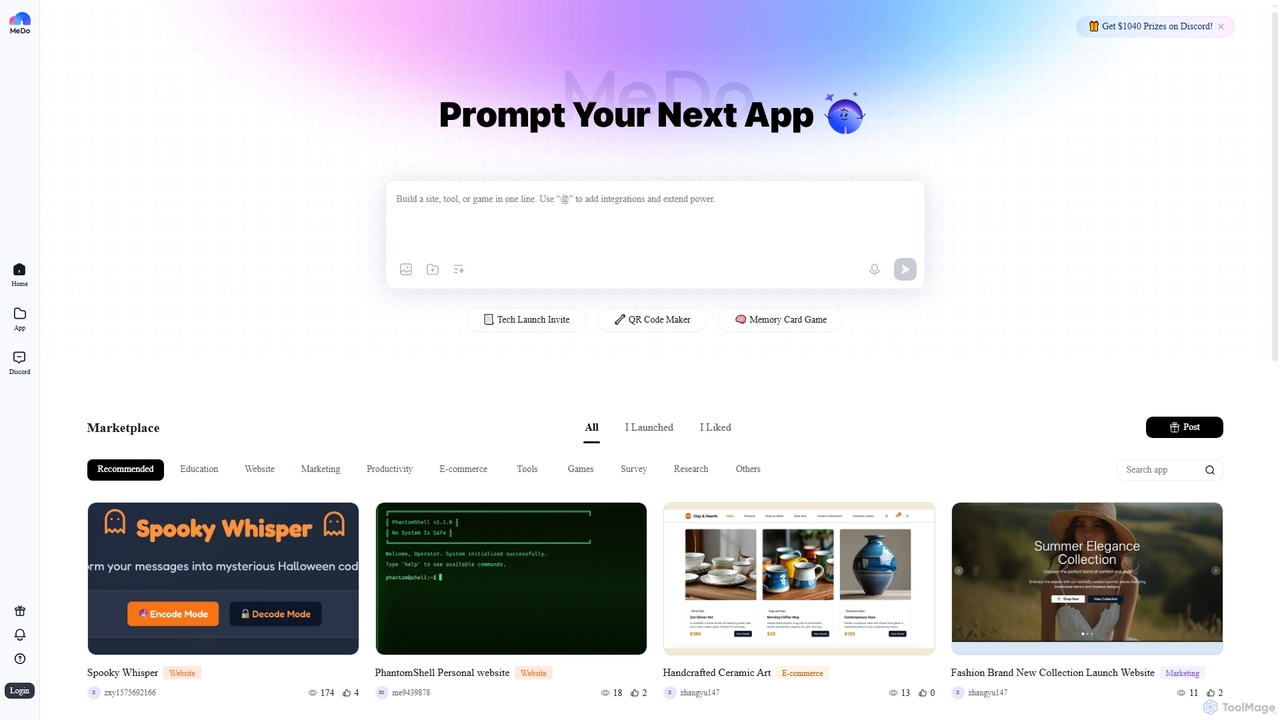
MeDo is an AI-powered platform that enables users to generate functional applications, including websites, games, and WeChat Mini Programs, simply by writing a text prompt. It streamlines the development process, turning ideas into apps without extensive coding.

Low Code No Code
Visits 313.3KFavorites 116Likes 130

About Game Development

AI Game Development tools are a class of software that leverages artificial intelligence to assist or automate various stages of the game creation process. These tools utilize machine learning models, including generative networks, to produce assets, code, and content based on user inputs. They significantly accelerate prototyping, asset creation, and world-building, allowing developers to focus more on core gameplay mechanics and creative direction. This technology is transforming workflows for both independent developers and large studios.

Core Features

  • Generative Asset Creation: Produces 2D/3D models, textures, sprites, and audio assets from text or image prompts.
  • AI-Assisted Coding & Debugging: Suggests code completions, identifies bugs, and optimizes scripts for game engines like Unity and Unreal.
  • Procedural Content Generation (PCG): Creates expansive game worlds, complex levels, or item variations based on defined rules and parameters.
  • Narrative & Dialogue Generation: Drafts character backstories, quest lines, and dynamic, branching conversations for NPCs.
  • Automated Animation & Rigging: Generates character animations from video input or text descriptions, simplifying a traditionally labor-intensive process.

Use Cases

These tools are widely used by indie developers to create entire projects with small teams, and by large studios to augment their art and programming pipelines. Game designers use them for rapid prototyping of levels and mechanics, while narrative writers employ them to generate foundational story elements and dialogue. They are applicable across genres, from creating assets for RPGs to generating levels for puzzle games.

How to Choose

When selecting an AI Game Development tool, first consider its integration with your chosen game engine (e.g., Unity, Unreal Engine, Godot). Evaluate the specific type of generation you need—whether it's 2D art, 3D models, code, or narrative. Assess the level of customization and control the tool offers over its outputs. Finally, consider the pricing model, such as subscription-based access versus per-asset generation costs, to align with your project's budget.

Featured tool rankings

Game Development use cases

1

Rapid Prototyping for Indie Developers

An independent developer working on a game jam needs to create a playable prototype within 48 hours. Instead of spending critical time on art, they use an AI tool to generate placeholder character sprites, background tiles, and a simple background music loop. By providing text prompts like '8-bit fantasy hero sprite sheet' and 'chiptune adventure theme,' they obtain functional assets in minutes. This allows them to focus almost entirely on coding the core gameplay loop and level mechanics, resulting in a complete and testable prototype by the deadline.

2

Generating Texture Variations for 3D Artists

A 3D artist in a large studio is tasked with creating materials for a medieval environment. They create a base wood texture but need multiple variations: aged, mossy, rain-soaked, and burnt. Using an AI texture generator, they upload their base texture and apply text prompts for each variation. The AI generates seamless, high-resolution PBR (Physically Based Rendering) textures for each condition. This process reduces the time spent on manual texturing from a full day to under an hour, ensuring visual diversity across the game world while maintaining a consistent art style.

3

AI-Assisted Code Debugging for Programmers

A game programmer is struggling to find the source of an intermittent physics bug in their Unity Cscript that causes unpredictable character behavior. They paste the problematic code function into an AI coding assistant. The AI analyzes the code, identifies a potential race condition in how forces are applied, and suggests a revised code snippet using `FixedUpdate` instead of `Update` for physics calculations. It also explains why this change is necessary. This saves the programmer hours of frustrating debugging and helps them learn a better practice for future development.

4

Creating Dynamic NPC Dialogue for Narrative Designers

A narrative designer for an open-world RPG needs to populate a town with dozens of NPCs, each requiring unique lines of dialogue. To avoid repetition, they use an AI narrative tool. They define each NPC's personality (e.g., 'grumpy blacksmith,' 'cheerful baker') and the current world state (e.g., 'recovering from a dragon attack'). The AI then generates multiple context-aware dialogue variations for each character. The designer reviews, edits, and selects the best options, drastically reducing the time needed to write thousands of lines of text and making the game world feel more alive and responsive.

5

Automating Level Layouts for Puzzle Games

A level designer for a mobile puzzle game needs to create 100 new levels for an upcoming update. Manually designing each one to be unique and have a specific difficulty curve is time-consuming. They use a procedural content generation (PCG) tool powered by AI. The designer inputs core constraints, such as the number of specific block types, the size of the grid, and a target difficulty score. The AI then generates dozens of valid level layouts. The designer can quickly playtest these generated levels, discard unsuitable ones, and make minor tweaks to the promising ones, completing the task in days instead of weeks.

6

Generating Concept Art for Character Design

An art director needs to establish the visual style for a new sci-fi game's main character. Instead of commissioning multiple sketches from scratch, they use an AI image generator. They input a detailed prompt: 'female cyborg rogue, sleek chrome armor with glowing blue circuits, futuristic city backdrop, detailed, cinematic lighting.' The AI produces a dozen distinct visual interpretations in minutes. The art team then uses these images as a strong starting point for discussion and refinement, combining elements from different outputs to create the final character design, saving weeks of initial ideation and exploration.

Game Development FAQ

What are AI Game Development tools?

AI Game Development tools are specialized software that use artificial intelligence to streamline and accelerate the game creation pipeline. Unlike in-game AI that controls NPC behavior, these tools focus on the development process itself. Their core functions include generating assets like textures and models, writing or debugging code, procedurally creating levels and worlds, and even drafting narrative content. They act as powerful assistants for developers, automating repetitive tasks and providing creative starting points.

How to choose the right AI tool for my game project?

Choosing the right tool depends on your specific needs. Consider these factors:

  • Integration: Does the tool integrate with your game engine (e.g., Unity, Unreal)? Look for plugins or compatible asset formats.
  • Functionality: What do you need to create? Some tools specialize in 2D sprites, others in 3D models, audio, or code. Choose one that matches your primary bottleneck.
  • Control and Customization: How much control do you have over the output? Good tools allow for iterative refinement and style guidance.
  • Cost: Evaluate the pricing model. Is it a monthly subscription, a one-time purchase, or a pay-per-generation credit system? Align it with your project budget.
What's the difference between AI for Game Development and in-game AI (like NPCs)?

The key difference is their purpose and when they are used. AI for Game Development is used *during* the creation process. It helps developers build the game by generating assets, code, or levels. Its user is the developer. In-game AI is part of the final product that the player interacts with. It controls the behavior of non-player characters (NPCs), enemies, or dynamic systems within the game world. Its 'user' is the player, who experiences its behavior as part of the gameplay. In short, one is a creation tool, the other is a gameplay feature.

Can AI tools replace game developers and artists?

Currently, AI tools are best viewed as powerful collaborators rather than replacements. They excel at automating time-consuming tasks, generating ideas, and creating variations, which frees up human developers and artists to focus on higher-level creative decisions, refinement, and originality. For example, an AI can generate a hundred texture options, but an artist's expertise is still needed to select the best one and ensure it fits the game's overall vision. They augment human creativity, allowing smaller teams to achieve more and larger teams to work more efficiently.

Who are AI Game Development tools best suited for?

These tools offer value to a wide range of creators. They are particularly beneficial for:

  • Indie Developers & Solo Devs: AI can fill skill gaps (e.g., a programmer generating art) and accelerate production, making ambitious projects more feasible for small teams.
  • Game Jam Participants: For rapid prototyping under tight deadlines, AI tools are invaluable for quickly creating placeholder or even final assets.
  • Large Studios: Art and programming departments can use AI to automate repetitive tasks, generate variations, and explore concepts faster, augmenting their existing workflows.
  • Game Designers & Narrative Writers: Tools for procedural generation and narrative creation can help brainstorm level layouts, quest ideas, and dialogue.