ToolMage
Sign in

Best 1 Personal Server AI tools for Hardware

Popular Personal Server AI tools in Hardware include Persys, helping you work more efficiently.

Persys
Paid

Persys

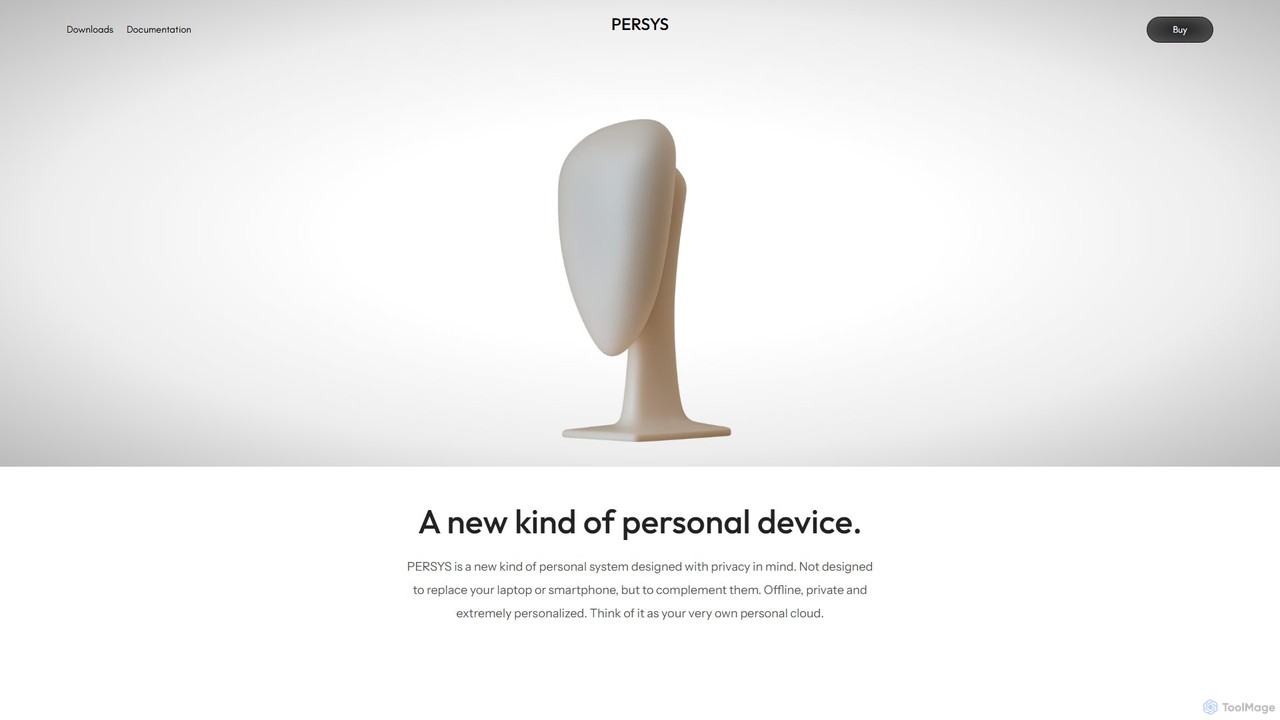
Persys is a private, offline AI console designed as your personal cloud. This hardware device performs all AI inference on-device, ensuring your data and interactions remain completely private. With up to 2TB of storage and a suite of AI-native applications like private chat and deep search, it complements your existing devices by providing a secure, personalized, and offline-accessible intelligent computing environment.

Personal Server
Visits 3.6KFavorites 121Likes 115

About Personal Server

A Personal Server is a dedicated computing device, often built from compact hardware, designed to host and manage digital services and data within a private network, typically a home or small office. Unlike public cloud services, it provides users with complete control over their data and applications, leveraging local processing power and storage. This hardware enables self-hosting various services, enhancing privacy, customization, and local network performance for tasks like media streaming, data backup, and home automation.

Core Features

  • Local Data Storage: Offers secure, private storage for files, photos, and videos, accessible only by the user.
  • Self-Hosting Capabilities: Supports running personal websites, blogs, game servers, or custom web applications directly from home.
  • Media Streaming Hub: Centralizes and streams multimedia content to various devices within the local network or remotely.
  • Home Automation Integration: Acts as a central hub for managing smart home devices and executing complex automation routines.
  • Remote Access & VPN: Allows secure access to files and services from outside the local network, often via a personal VPN.

Use Cases

Personal Servers are ideal for individuals and small teams seeking greater control over their digital lives. They are commonly used by tech enthusiasts for experimenting with new software, by content creators for managing large media libraries, and by families for secure data sharing and backup. Developers also utilize them for private testing environments.

How to Choose

When selecting a Personal Server, consider your primary use case: for media streaming, prioritize storage and network speed; for heavy applications, focus on CPU and RAM. Evaluate energy consumption for always-on operation, the ease of operating system setup (e.g., Linux-based distributions like TrueNAS or unRAID), and the expandability of storage and memory. Budget and physical footprint are also important factors.

Featured tool rankings

Personal Server use cases

1

Building a Comprehensive Home Media Center

For families and media enthusiasts, a Personal Server can centralize an entire collection of movies, TV shows, music, and photos. Users can install media server software like Plex or Jellyfin to organize content, automatically fetch metadata, and stream high-quality media to smart TVs, tablets, and smartphones both within the home network and securely over the internet, providing a personalized entertainment experience.

2

Establishing a Private Cloud Storage Solution

Individuals concerned about data privacy or monthly subscription costs for public cloud services can use a Personal Server to create their own private cloud. Tools like Nextcloud or Syncthing allow users to store, sync, and share files securely across all their devices, maintaining full ownership and control over their sensitive data without relying on third-party providers.

3

Hosting Personal Websites, Blogs, or Development Projects

Web developers, bloggers, and small business owners can leverage a Personal Server to host their own websites, WordPress blogs, or custom web applications. This provides a dedicated, private environment for development, testing, and deployment, offering greater flexibility, customization, and often better performance than shared hosting, while keeping all data locally controlled.

4

Creating an Advanced Home Automation and IoT Hub

Smart home enthusiasts can transform a Personal Server into a powerful home automation hub. By running platforms like Home Assistant or OpenHAB, users can integrate and control a wide array of smart devices (lights, thermostats, security cameras) from different manufacturers, create complex automation routines, and monitor their home environment, all managed locally for enhanced privacy and reliability.

5

Running Dedicated Multiplayer Game Servers

Gamers looking for a private, low-latency environment for multiplayer sessions with friends can set up a Personal Server to host popular game servers (e.g., Minecraft, Valheim, ARK: Survival Evolved). This ensures a stable connection, allows for custom modifications, and provides a dedicated space for community gaming without the need for expensive commercial hosting services.

6

Setting Up a Secure Personal VPN Server

For enhanced online privacy and secure remote access, a Personal Server can host a Virtual Private Network (VPN) server. This allows users to encrypt their internet traffic when connecting from public Wi-Fi, bypass geo-restrictions, and securely access their home network resources from anywhere in the world, ensuring their online activities remain private and protected.

Personal Server FAQ

What is a Personal Server?

A Personal Server is a dedicated, often compact, computer system designed to run services and store data within a private network, typically a home. It provides users with full control over their digital assets and applications, enabling self-hosting of services like media streaming, private cloud storage, and home automation, distinct from relying on external cloud providers.

How does a Personal Server differ from public cloud storage services?

A Personal Server offers complete ownership and control over your data and hardware, with no recurring subscription fees for storage space. Public cloud storage, while convenient, means your data resides on third-party servers, potentially raising privacy concerns and incurring ongoing costs. Personal Servers provide enhanced privacy, customization, and often faster local access speeds.

What are the main benefits of owning a Personal Server?

The primary benefits include enhanced data privacy and security, as all your data remains within your control. It offers greater customization for specific applications, eliminates recurring subscription costs for many services, and provides faster local network performance. Additionally, it serves as an excellent learning platform for networking and system administration skills.

What should I consider when setting up a Personal Server?

Key considerations include your intended use (e.g., media, storage, web hosting), which dictates the required CPU, RAM, and storage capacity. Evaluate energy consumption for 24/7 operation, the operating system (e.g., FreeNAS, unRAID, Linux distributions), network connectivity, and your technical comfort level for setup and maintenance. Scalability for future needs is also important.

Can a Personal Server be used for home automation and smart home integration?

Yes, a Personal Server is an excellent choice for a home automation hub. By running open-source platforms like Home Assistant or OpenHAB, it can integrate and manage a wide range of smart devices from different brands. This centralizes control, allows for complex custom automations, and keeps your smart home data private and local, rather than relying on manufacturer-specific cloud services.