Hardware Best in category 1 results Smart Office AI Tool

Popular AI tools in the Smart Office field of Hardware include Autonomous, etc., helping you quickly improve efficiency.

Autonomous

Autonomous

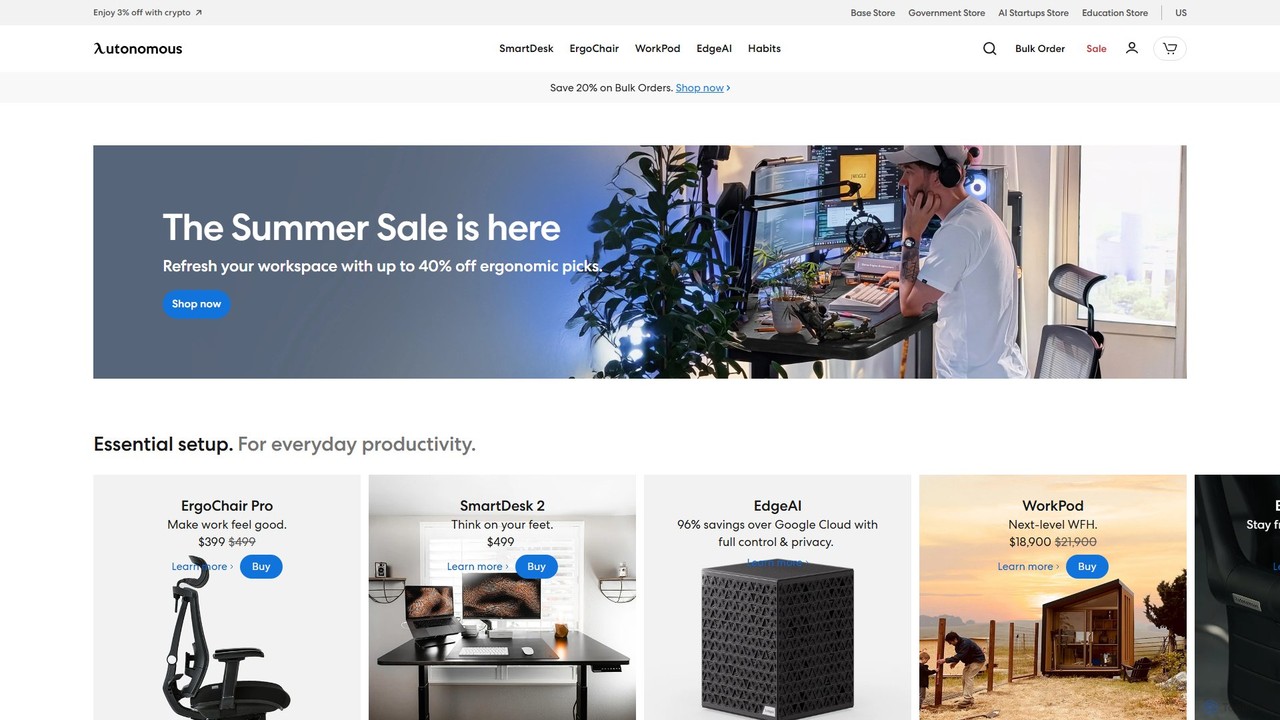
Autonomous provides an integrated ecosystem of AI-powered smart office furniture and software solutions designed to enhance productivity and …

318.2K

About Smart Office

Smart Office tools are a category of AI-integrated hardware and software designed to automate and enhance the workplace environment. These systems leverage Internet of Things (IoT) sensors, data analytics, and automation to create responsive, efficient, and user-centric office spaces. The primary goal is to streamline operations, optimize resource utilization like energy and space, and improve the overall employee experience. As a specialized segment of Hardware, Smart Office focuses on creating an interconnected and intelligent physical environment rather than just providing standalone devices.

Core Features

  • Intelligent Environment Control: Automatically adjusts lighting, temperature, and air quality based on occupancy and user preferences.
  • Automated Resource Management: Manages meeting room bookings, desk reservations (hot-desking), and parking allocation through real-time data.
  • Smart Access & Security: Utilizes facial recognition, mobile credentials, or sensors for seamless, keyless entry and monitoring.
  • Energy Consumption Optimization: Monitors and controls energy usage by powering down devices and systems in unoccupied areas.
  • Space Utilization Analytics: Gathers data on how office space is used to inform better layout designs and real estate decisions.

Applicable Scenarios

Smart Office solutions are widely adopted in modern corporate headquarters, flexible co-working spaces, and large-scale commercial buildings. Facility managers use them to reduce operational costs and improve building efficiency. HR departments leverage these tools to enhance employee well-being and productivity, while IT teams rely on them for streamlined asset management and security control.

Selection Criteria

When choosing Smart Office tools, consider their integration capabilities with your existing systems (e.g., calendar apps, HR software). Evaluate the scalability of the solution to ensure it can grow with your company. Data security and privacy policies are paramount, as these systems handle sensitive information. Finally, assess the reliability of the hardware components and the quality of the provider's customer support.

Smart OfficeUse Cases

1

Automated Meeting Room Management

An office administrator for a fast-growing tech company needs to eliminate conflicts and inefficiencies in meeting room bookings. By deploying a smart office system with room scheduling panels and occupancy sensors, the process becomes automated. Employees can book rooms via their calendar app, and the panel outside the room displays its status. If a booked room remains empty for 10 minutes, the system automatically releases it, making it available for others. This increases room utilization by over 30% and reduces administrative workload.

2

Optimizing Office Space Utilization

A facility manager is tasked with reducing real estate costs for a large corporation. They install a network of IoT desk and area sensors to gather anonymous occupancy data. The smart office platform analyzes this data over several months, revealing that a specific floor is consistently underutilized by 40%. Based on this insight, the manager confidently recommends consolidating teams and subleasing the entire floor, resulting in significant annual savings without impacting employee productivity.

3

Enhancing Employee Well-being with Smart Lighting

An HR manager wants to improve the work environment to boost employee morale and reduce eye strain. They implement an AI-powered smart lighting system that adjusts color temperature and brightness throughout the day to mimic natural daylight patterns (circadian lighting). The system also allows individual employees to customize the lighting at their own desks via a mobile app. This personalized control leads to higher employee satisfaction scores and anecdotal reports of reduced headaches and increased focus.

4

Streamlining Visitor Management with Smart Access

A corporate receptionist is often overwhelmed managing guest check-ins, printing badges, and notifying hosts. The company implements a smart visitor management system. Now, visitors pre-register online and receive a QR code via email. Upon arrival, they scan the code at a lobby kiosk, which automatically prints a visitor badge and sends a notification to their host via Slack or email. This reduces visitor wait times, enhances security by creating a digital log, and frees up the receptionist for more value-added tasks.

5

Reducing Energy Costs with Automated Climate Control

A building manager for a multi-story office complex aims to cut down on massive HVAC (Heating, Ventilation, and Air Conditioning) expenses. They integrate the building's HVAC system with a smart office platform that uses occupancy sensors and weather forecast data. The system pre-cools or pre-heats the building before employees arrive and automatically reduces operation in empty zones. It also adjusts settings based on the time of day and external weather conditions, leading to a 20-25% reduction in annual energy costs and a more comfortable, consistent temperature for occupants.

6

Implementing Flexible Hot-Desking

To support a new hybrid work policy, a company transitions to a hot-desking model. They use a smart office app that allows employees to view a real-time map of available desks and book one for the day. When an employee arrives, they check in at their booked desk using their phone, which could also trigger personalized settings like monitor height if connected to a smart desk. This system provides flexibility for employees, reduces the required number of permanent desks, and gives management valuable data on office attendance patterns.

Smart OfficeFrequently Asked Questions