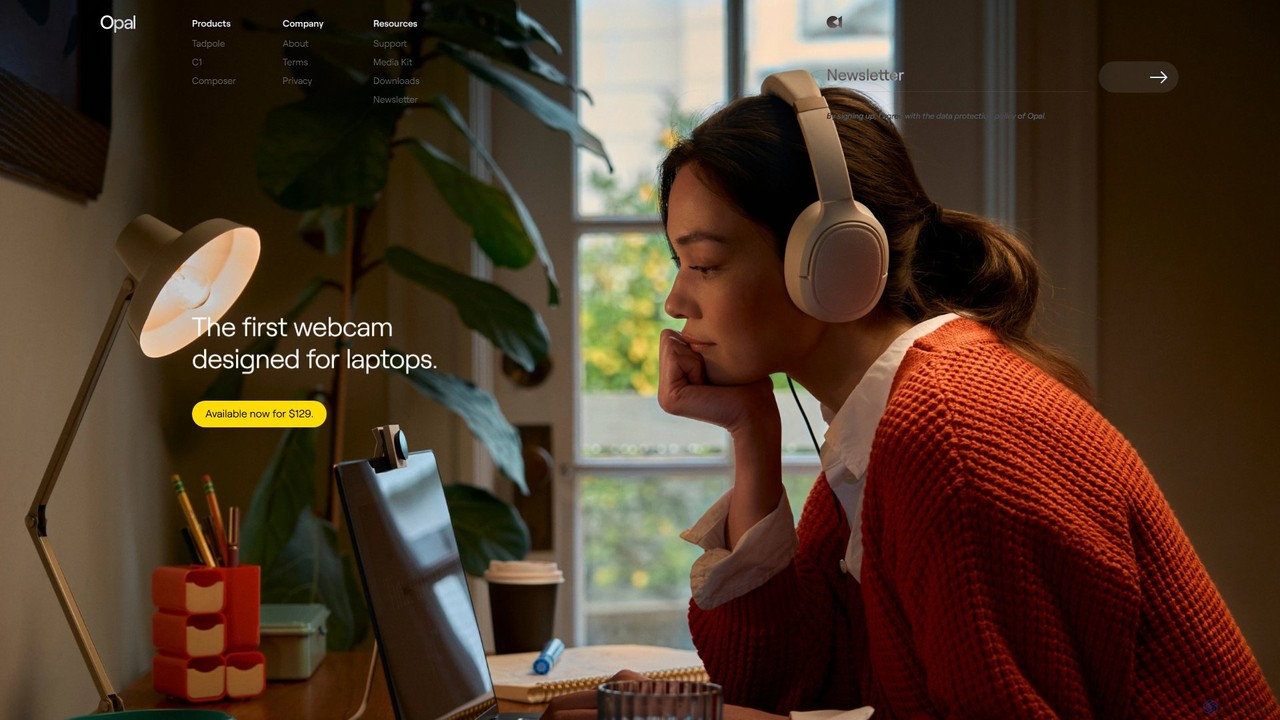
Opal Camera
Opal Camera offers a range of AI-powered webcams, including the C1 and Tadpole models, designed to deliver DSLR-like …
Opal Camera offers a range of AI-powered webcams, including the C1 and Tadpole models, designed to deliver DSLR-like video quality. Paired with the intelligent Composer software, it provides features like professional bokeh, auto-framing, and advanced image processing for video conferencing, streaming, and content creation.
About Webcam
AI Webcams are hardware devices integrated with intelligent software to automatically enhance video and audio quality. They utilize machine learning algorithms for real-time image processing, audio filtering, and camera movement. This technology enables users to achieve professional-grade video for streaming, conferencing, and content creation without complex manual adjustments or expensive equipment. AI-powered features actively analyze the visual and audio feed to optimize clarity, framing, and focus.
Core Features
- AI Auto-Framing: Automatically pans and zooms to keep the user perfectly centered in the frame, even when they move.
- Intelligent Lighting Correction: Adjusts exposure, contrast, and color balance in real-time to ensure a clear image in various lighting conditions.
- AI Noise Cancellation: Uses algorithms to identify and suppress background noises, ensuring the user's voice is transmitted clearly.
- Virtual Backgrounds & Blur: Creates a professional depth-of-field effect or replaces the background without needing a physical green screen.
- Gesture Control: Allows users to control functions like zoom, mute, or feature activation with simple hand gestures.
Use Cases
AI Webcams are ideal for remote professionals, online educators, live streamers, and content creators who require high-quality, reliable video output. They are used extensively in corporate video conferencing to ensure all participants appear professional. Streamers and YouTubers leverage these features to create more engaging and polished content with minimal technical setup.
How to Choose
When selecting an AI Webcam, consider the video resolution (e.g., 1080p, 4K) and sensor quality as the foundation. Evaluate the specific AI features offered, such as the reliability of auto-framing and the effectiveness of noise cancellation. Check for software compatibility with your primary applications (e.g., Zoom, Teams, OBS). Finally, consider physical features like privacy shutters and mounting options.
WebcamUse Cases
Professional Remote Meetings
A remote project manager frequently leads video calls with clients and internal teams from a home office. Using an AI webcam, the auto-framing feature keeps them centered even when gesturing or reaching for notes, maintaining a professional presence. The AI background blur function masks any home-related distractions, creating a clean, corporate look. Furthermore, the built-in noise cancellation microphone filters out ambient sounds like pets or traffic, ensuring their communication is always clear and impactful.
Live Streaming for Content Creators
A gamer live-streams on platforms like Twitch. An AI webcam enhances their broadcast quality significantly. The intelligent lighting correction adapts to the changing lights from their monitor, ensuring their face is always well-lit. They use the AI background replacement feature to superimpose themselves over the gameplay without a cumbersome green screen setup. This creates a more immersive experience for viewers and allows the creator to produce high-quality streams with a minimalist hardware setup, focusing more on content and interaction.
Online Teaching and Tutoring
An online language tutor uses an AI webcam to conduct interactive lessons. The auto-framing feature is particularly useful as it allows them to move around and use a physical whiteboard while always remaining in the shot. The camera automatically follows their movement, creating a dynamic and engaging teaching environment similar to an in-person class. The high-resolution sensor and AI light correction ensure that students can clearly see facial expressions and teaching materials, which is crucial for effective remote learning.
Virtual Sales Presentations
A sales executive presents a product demo to a potential high-value client over a video call. Their AI webcam's 4K resolution and HDR capabilities ensure the product visuals are crisp and color-accurate. They use the AI background replacement to display a branded virtual background with the company logo, reinforcing brand identity. The AI-powered microphone array focuses on their voice, eliminating any echo or background chatter, which helps maintain the client's focus and conveys a high level of professionalism and attention to detail.
Telehealth Medical Consultations
A healthcare provider conducts a remote consultation with a patient. An AI webcam with a high-quality sensor is crucial for observing visual symptoms accurately. The AI-driven auto-focus ensures the image remains sharp, and the intelligent lighting correction adjusts for suboptimal lighting in the patient's home. This allows the doctor to make a more informed assessment. The enhanced audio clarity from noise cancellation also ensures that the patient's description of symptoms is heard precisely, improving the quality and reliability of remote care.
Creating Tutorial Videos with Gesture Control
A software developer is recording a coding tutorial. They use an AI webcam with gesture control to manage the recording process without touching the keyboard or mouse, which would interrupt the screen capture. With a simple hand gesture, they can zoom in on a specific line of code to highlight it for viewers. Another gesture can pause or resume the recording. This streamlines the production workflow, reduces post-production editing time, and results in a more fluid and professional-looking tutorial video for their audience.