Upscayl
Upscayl is a free and open-source AI image upscaler that enhances low-resolution images into high-quality, sharp visuals. It …
Upscayl is a free and open-source AI image upscaler that enhances low-resolution images into high-quality, sharp visuals. It offers both a cross-platform desktop application for local processing and a powerful cloud version with advanced features like batch upscaling and commercial use.
Snapclear
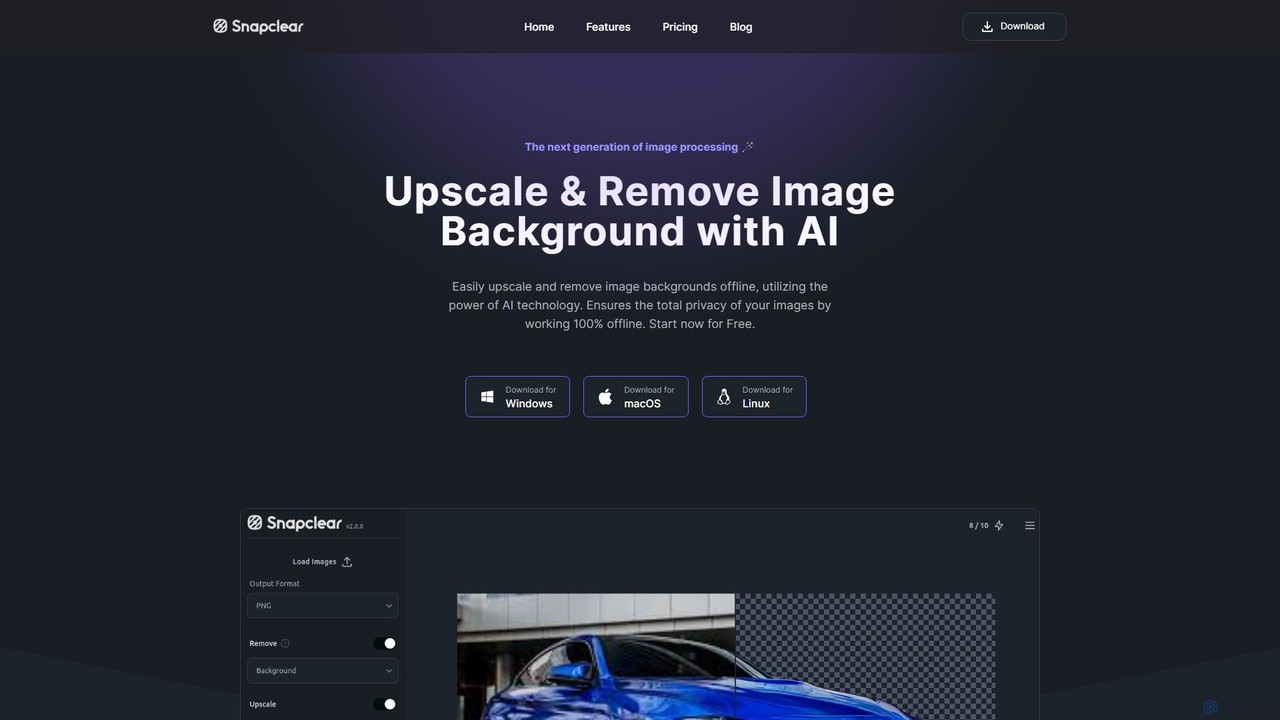
Snapclear is an AI-powered desktop application designed for offline image enhancement. It offers one-click solutions for upscaling images, …
Snapclear is an AI-powered desktop application designed for offline image enhancement. It offers one-click solutions for upscaling images, removing backgrounds, and reducing noise. Supporting bulk processing and multiple formats, it's a versatile tool for photographers, designers, and content creators who prioritize privacy and efficiency.
About Image Upscaling
Image Upscaling tools are AI-powered solutions designed to increase the resolution and quality of digital images. These tools leverage advanced algorithms, often based on deep learning, to intelligently add pixels and reconstruct details, transforming low-resolution images into high-definition versions. They are invaluable for enhancing visual content across various professional and personal applications, ensuring clarity and sharpness without pixelation.
Core Features
- AI Super Resolution: Intelligently generates new pixels to increase image dimensions and detail.
- Noise Reduction: Automatically removes grain and digital noise for cleaner images.
- Detail Enhancement: Sharpens edges and recovers fine textures lost in lower resolutions.
- Batch Processing: Upscale multiple images simultaneously, saving significant time.
- Format Support: Compatibility with various image formats like JPG, PNG, WebP.
Use Cases
Professionals in graphic design, e-commerce, and photography frequently use image upscaling tools. They can enlarge product photos for high-resolution displays, prepare small web images for print, or restore old, low-quality photographs. These tools ensure visual assets meet modern quality standards for diverse media.
How to Choose
When selecting an image upscaling tool, consider the desired output quality, the types of images you'll process, and the available features like noise reduction or batch processing. Evaluate the maximum supported resolution, processing speed, and pricing models (e.g., subscription vs. pay-per-image). User interface and integration options with existing workflows are also important.
Image UpscalingUse Cases
Enhancing E-commerce Product Photos
E-commerce businesses can use AI upscaling tools to enlarge small product images for high-resolution display on websites and marketing materials. This ensures product details are crisp and appealing, improving customer perception and reducing bounce rates. By transforming low-res images into sharp, detailed visuals, online stores can present their products more professionally and attractively, leading to better engagement and sales.
Preparing Web Graphics for Print
Graphic designers often encounter situations where web-optimized images (low resolution) need to be used in print media. Upscaling tools allow them to increase the resolution of logos, banners, or illustrations without pixelation, making them suitable for high-quality printing. This saves time and resources by avoiding the need to recreate assets from scratch, ensuring brand consistency across digital and physical platforms.
Restoring Old or Low-Quality Photographs
Individuals and archivists can utilize image upscaling to breathe new life into old, scanned photos or low-resolution digital images. The tools can enhance facial details, sharpen blurry elements, and reduce artifacts, preserving memories with improved clarity. This process not only improves visual quality but also makes these historical images suitable for modern digital displays or high-quality prints, ensuring their longevity and accessibility.
Improving AI-Generated Art Quality
Artists using AI image generators sometimes get outputs that are lower resolution than desired. Upscaling tools can take these generated images and enhance their detail and size, making them suitable for high-resolution prints, digital portfolios, or commercial use. This allows creators to fully realize the potential of their AI-generated concepts, transforming initial drafts into polished, professional-grade artwork.
Upscaling Game Textures and Assets
Game developers and modders can employ image upscaling to improve the visual fidelity of older game textures or low-resolution assets. This allows for a significant graphical upgrade without the need to manually redraw or recreate assets, enhancing the overall gaming experience. By applying AI upscaling, games can achieve a more modern and immersive look, extending the lifespan of classic titles or improving indie game aesthetics efficiently.
Creating High-Resolution Marketing Visuals
Marketing teams frequently need high-quality visuals for campaigns across various platforms. Image upscaling tools enable them to take existing smaller images, such as social media graphics or website banners, and enlarge them for large-format advertisements, presentations, or billboards while maintaining sharp details. This ensures brand messaging is consistently presented with professional clarity, regardless of the original image size, enhancing overall campaign impact.