Floor Plan
Floor Plan is an advanced AI-powered platform offering comprehensive home and architectural design solutions. It enables users to …
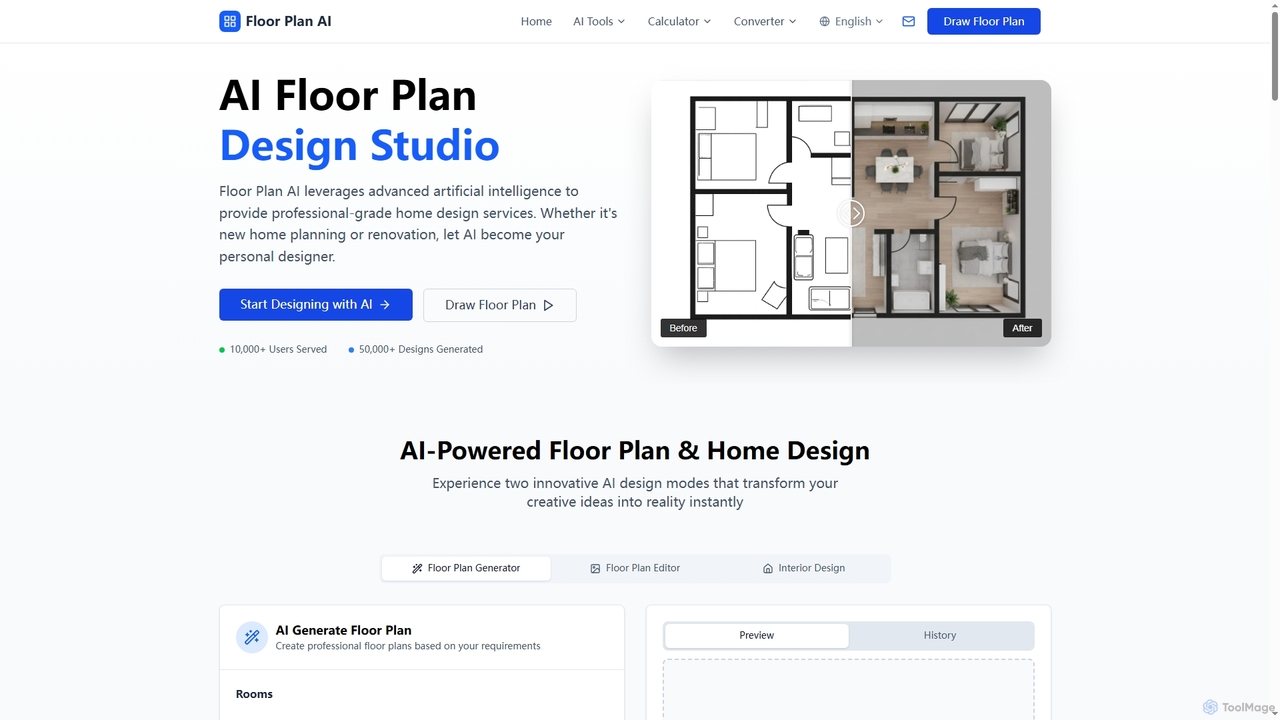
Floor Plan is an advanced AI-powered platform offering comprehensive home and architectural design solutions. It enables users to generate 2D floor plans, transform sketches into photorealistic images, create stunning 3D visualizations from 2D layouts, and instantly stage empty rooms with AI-driven interior designs. Ideal for professionals and homeowners seeking fast, accurate, and creative design tools.
About Interior Design
AI Interior Design tools are applications that use generative AI and computer vision to help users visualize, plan, and create interior spaces. They analyze user inputs like photos, floor plans, or text descriptions to generate realistic design concepts, furniture layouts, and material suggestions. This technology empowers homeowners, designers, and real estate professionals to experiment with different styles and make informed decisions before committing to physical changes, significantly reducing time and cost.
Core Features
- Style Transfer & Redesign: Apply different design styles like Modern, Scandinavian, or Industrial to an existing room photo.
- Virtual Staging: Add or replace furniture and decor in an empty or furnished space to showcase its potential.
- Layout Generation: Automatically create optimal furniture arrangements based on room dimensions and user preferences.
- Material & Color Visualization: Suggest and render different wall colors, flooring materials, and fabric textures in a space.
- 3D Room Rendering: Generate photorealistic 3D visualizations from 2D floor plans or photos.
Use Cases
These tools are widely used by professional interior designers for rapid prototyping and client presentations. Real estate agents utilize them for virtual staging to market properties effectively. Homeowners and DIY enthusiasts leverage them to plan renovations and visualize changes before making purchases.
How to Choose
When selecting an AI Interior Design tool, first consider the rendering quality and realism. Evaluate the size and variety of its furniture and material library. Check for ease of use, especially for non-professionals. Finally, assess the pricing model—whether it's subscription-based, pay-per-render, or offers a functional free tier for your needs.
Interior DesignUse Cases
Visualize a Home Renovation Project
A homeowner planning a living room makeover uploads a photo of their current space. Using an AI Interior Design tool, they select a 'Minimalist' style. The AI generates multiple design variations, showing different furniture layouts, color schemes, and lighting options. This allows them to compare concepts visually and share a clear vision with their contractor, avoiding costly misunderstandings and ensuring the final result matches their expectations.
Virtually Stage a Property for Real Estate Listing
A real estate agent has photos of a vacant apartment. To attract more potential buyers, they use an AI virtual staging tool. They upload the photos and select a 'Modern Contemporary' furniture package. The tool automatically furnishes the living room, bedroom, and dining area with realistic 3D models of sofas, beds, and tables. The resulting images are used in the online listing, increasing viewer engagement and helping buyers envision themselves living in the space.
Create Client Mood Boards and Concepts
An interior designer is starting a new project. Instead of manually searching for inspiration, they use an AI tool. They input keywords like 'Bohemian coastal bedroom with natural light' and upload a floor plan. The AI generates a series of high-quality concept images and mood boards, complete with suggested furniture, textiles, and color palettes. This process accelerates the initial design phase from days to minutes, providing a strong visual starting point for client discussions.
Test Furniture Products in a Customer's Home
An online furniture retailer integrates an AI design tool into their website. A customer interested in a new sofa can upload a photo of their living room. The tool uses AI rendering to place a true-to-scale 3D model of the sofa directly into the customer's photo. This 'try before you buy' experience helps the customer confirm the sofa's size, color, and style fit, increasing purchase confidence and reducing product return rates.
Generate Multiple Layout Options for an Office Space
A facilities manager is redesigning an open-plan office to accommodate more collaborative zones. They input the office dimensions and constraints (e.g., number of desks, meeting areas) into an AI layout generator. The tool produces several optimized floor plans, experimenting with different arrangements of workstations, lounge areas, and private pods. This automates the complex task of spatial planning, allowing the manager to quickly evaluate efficient and ergonomic layouts.
Experiment with Wall Colors and Flooring
A DIY enthusiast wants to repaint their kitchen but is unsure which color to choose. They take a picture of their kitchen and upload it to an AI interior design app. They can then tap through various color swatches from different paint brands, and the AI instantly visualizes how each color would look on the walls, accounting for existing lighting and shadows. They can also test different flooring options like hardwood or tile, making a confident decision without buying multiple sample pots.