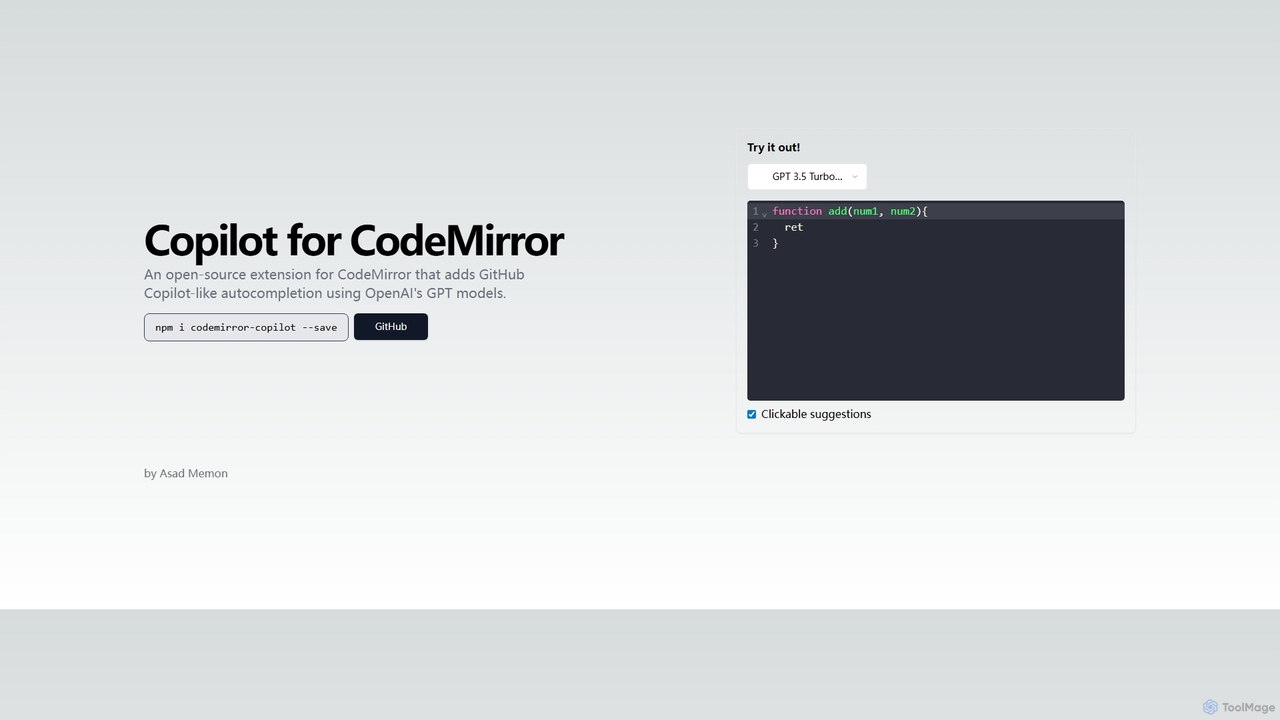
Copilot for CodeMirror
An open-source extension that integrates GitHub Copilot-like AI-powered autocompletion into the CodeMirror editor. Powered by OpenAI's GPT models, …
An open-source extension that integrates GitHub Copilot-like AI-powered autocompletion into the CodeMirror editor. Powered by OpenAI's GPT models, it provides intelligent, context-aware code suggestions to accelerate web development and enhance productivity within any application using CodeMirror.
About Libraries & Extensions
AI Libraries & Extensions are foundational software components that enable developers and users to integrate artificial intelligence capabilities into existing applications and workflows. These tools, ranging from code libraries and SDKs to browser extensions, provide pre-built functions for tasks like natural language processing, computer vision, and machine learning. Their primary value lies in accelerating development and enhancing software functionality without requiring the creation of AI models from scratch. This allows for the rapid deployment of smart features in diverse environments, from custom-built applications to everyday web browsing.
Core Features
- API Access to AI Models: Provides simplified access to large-scale AI models for tasks like text generation, translation, and image analysis.
- Pre-built Functions & Algorithms: Offers ready-to-use code modules for specific machine learning tasks, such as classification, regression, or data clustering.
- Software Development Kits (SDKs): Delivers comprehensive toolsets for integrating AI features into mobile, web, or desktop applications.
- Browser & App Integration: Enhances popular applications like web browsers, email clients, and productivity software with contextual AI assistance.
Use Cases
These tools are primarily used by software developers to build AI-powered features, data scientists to create and train machine learning models, and product teams to prototype new intelligent functionalities. Non-technical users also leverage browser extensions to automate tasks, summarize content, and improve their daily digital workflows. For example, a developer might use a Python library to add a recommendation engine to an e-commerce site, while a marketer uses a browser extension to generate social media posts from an article.
How to Choose
When selecting AI Libraries & Extensions, consider the following: For developers, key factors include programming language compatibility (e.g., Python, JavaScript), quality of documentation, and community support. For all users, evaluate the tool's specific functionality, ease of integration with your existing systems, performance and scalability, and the pricing model (e.g., API usage fees, subscription, or open-source license). It is also important to assess the tool's maintenance frequency and security protocols.
Libraries & ExtensionsUse Cases
Develop a Custom AI Chatbot
A software developer is tasked with building an intelligent customer service chatbot for an e-commerce website. Instead of building a Natural Language Processing (NLP) model from scratch, they use an AI library like Rasa or a cloud-based API. They integrate the library into their backend system, define conversational flows, and train the model on company-specific data. This approach significantly reduces development time, allowing them to deploy a functional chatbot that can understand user intent, answer FAQs, and escalate complex issues to human agents within weeks instead of months.
Enhance Web Browsing with an AI Assistant
A marketing professional frequently conducts research online and needs to quickly digest information and draft content. They install an AI-powered browser extension. While reading a long industry report, they use the extension to instantly summarize the key points. Later, they highlight a compelling statistic on a webpage and use the extension's context menu to draft a social media post about it. This tool streamlines their workflow by integrating AI assistance directly into their browser, saving them hours of manual summarizing and content creation each week.
Automate Data Extraction from Invoices
An accounting firm processes hundreds of PDF invoices daily. A data scientist on their team uses a computer vision library (like OpenCV) combined with an Optical Character Recognition (OCR) API. They build a script that automatically reads each invoice, identifies key fields such as 'Invoice Number', 'Due Date', and 'Total Amount', and extracts the data. The extracted information is then populated into a structured format like a CSV file or a database, eliminating manual data entry, reducing errors, and freeing up accountants' time for more analytical tasks.
Build a Recommendation Engine for an App
A mobile app developer for a streaming service wants to increase user engagement by providing personalized content suggestions. They use a machine learning library like TensorFlow or PyTorch to build a recommendation engine. By feeding user interaction data (e.g., watch history, ratings, genres liked) into the model, the library helps process this information and predict what content a user is likely to enjoy next. The developer integrates this model's output into the app's UI, presenting a 'Recommended for You' section that dynamically updates, leading to higher user retention and satisfaction.
Integrate Generative AI into a CMS
A web development agency wants to add value to the custom Content Management System (CMS) they offer clients. They use a generative AI API to build a new feature directly into the CMS text editor. Now, content creators can highlight a title and ask the AI to generate a blog post outline, or select a paragraph and have the AI rephrase it in a different tone. This integration provides a powerful writing assistant within the client's existing workflow, improving content quality and creation speed without requiring users to switch to an external tool.
Add Image Recognition to a Mobile App
A startup is creating a mobile app for gardeners. A key feature is to identify plants from a user's photo. The mobile developer uses a pre-trained computer vision model available through a mobile SDK (like TensorFlow Lite or Core ML). They integrate the SDK into their iOS/Android app, allowing it to access the phone's camera. When a user takes a picture of a plant, the app sends the image to the local model, which then returns a prediction of the plant's species. This provides a core value proposition for the app without the immense cost of developing a custom vision model.