ToolMage
Sign in

Best 1 Design AI tools for Marketing

Popular Design AI tools in Marketing include brynga, helping you work more efficiently.

brynga
Paid

brynga

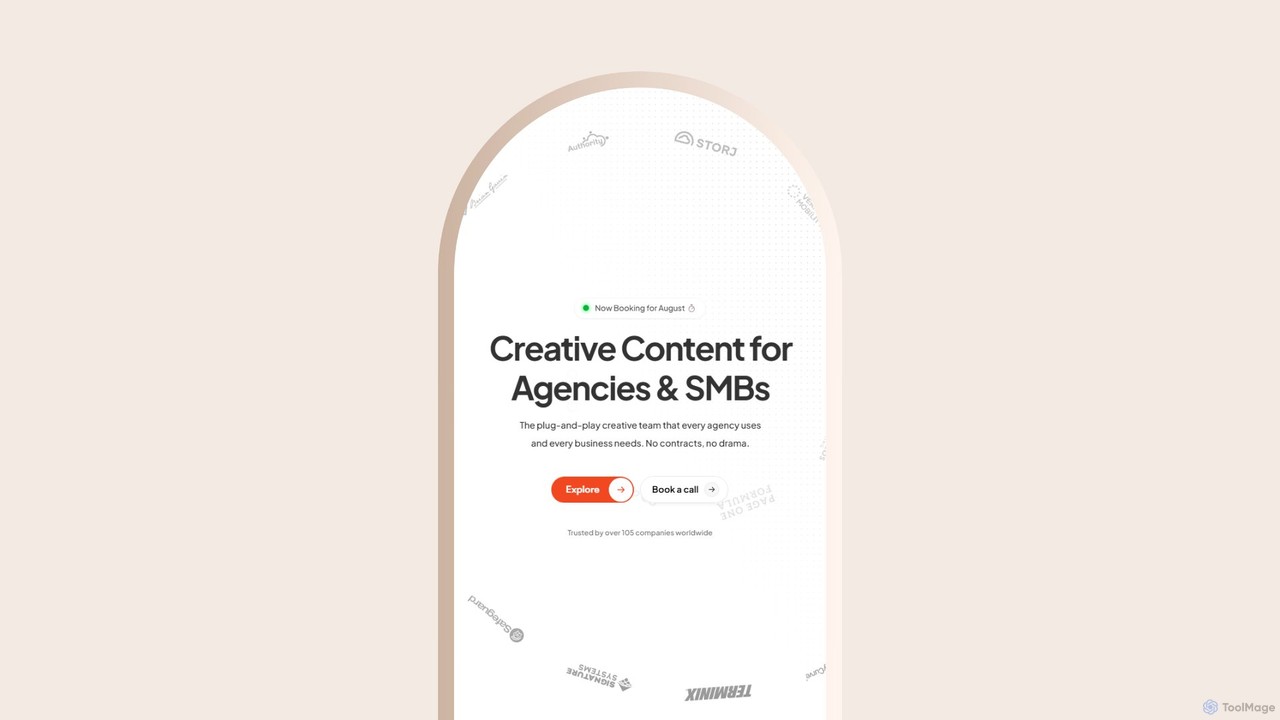
Brynga is an AI-powered, subscription-based creative service providing unlimited design, UI/UX, and copywriting for agencies and SMBs. It offers a dedicated team of senior creatives, a streamlined workflow via a client portal, and a rapid 48-hour turnaround for most requests, all for a flat monthly fee.

Web Design
Visits 5.4KFavorites 104Likes 138

About Design

AI Design tools for marketing are applications that automate and accelerate the creation of visual assets for promotional activities. They use generative AI to produce on-brand images, social media posts, advertisements, and logos from simple text prompts or templates. This enables marketing teams to scale content production, A/B test visual concepts rapidly, and maintain brand consistency without requiring deep graphic design expertise. The core value lies in converting marketing ideas into campaign-ready visuals with remarkable speed and efficiency.

Core Features

  • Template-Based Generation: Quickly create visuals using a vast library of professionally designed and customizable templates for various marketing channels.
  • Brand Kit Automation: Automatically apply your brand's logos, color palettes, and fonts to any design for consistent branding.
  • AI Text-to-Image Creation: Generate unique, royalty-free images from textual descriptions, perfect for ad creatives and blog visuals.
  • Automatic Resizing: Instantly adapt a single design to the specific dimensions required by different social media platforms and ad networks.
  • AI Layout & Copy Suggestions: Receive intelligent recommendations for visual composition and compelling marketing copy to improve engagement.

Applicable Scenarios

These tools are essential for digital marketers, social media managers, content creators, and small business owners. They are frequently used for creating daily social media content, designing high-volume ad creatives for performance marketing campaigns, generating graphics for blog posts and email newsletters, and quickly mocking up product visuals for e-commerce stores.

Selection Criteria

When choosing an AI Design tool for marketing, consider its integration capabilities with social media scheduling and ad platforms. Evaluate the quality and variety of its template and asset library. Assess the robustness of its brand control features to ensure consistency. Prioritize an intuitive user interface for non-designers and verify it supports all necessary output formats (e.g., JPG, PNG, MP4).

Design use cases

1

Generate Social Media Campaign Visuals

A social media manager needs to create a week's worth of content for a new product launch across Instagram, Facebook, and Twitter. Instead of designing each post manually, they use an AI design tool. They input a single prompt like 'promotional post for a new eco-friendly water bottle' and select their brand kit. The tool generates ten different visual concepts. The manager selects their favorite three, and the tool automatically resizes them into posts, stories, and headers for each platform, saving over 80% of the typical design time.

2

A/B Test Ad Creatives at Scale

A performance marketer needs to test multiple ad variations for a Google Ads campaign to find the highest-converting creative. Using an AI design tool, they input their core value proposition and target audience. The AI generates five distinct ad creatives with different imagery, headlines, and color schemes. This allows the marketer to launch a comprehensive A/B test in under an hour, a process that would typically take days and require a graphic designer, leading to faster campaign optimization and improved ROI.

3

Create On-Brand Blog and Newsletter Graphics

A content marketer writes a blog post about 'Future Trends in E-commerce' and needs a compelling header image. Instead of spending time searching generic stock photo websites, they use an AI design tool's text-to-image feature. They enter the prompt 'futuristic online shopping interface, clean and minimalist style'. The AI generates a unique, high-quality image that perfectly matches the article's theme. They then use a template to create a matching email newsletter banner, ensuring visual consistency across content channels in minutes.

4

Quickly Generate E-commerce Product Mockups

An e-commerce store owner is launching a new line of custom-printed mugs. To create compelling product listings, they need photos of the mugs in various settings. Using an AI design tool, they upload their print design file. The tool automatically generates dozens of realistic mockups, showing the mug on a desk, in a kitchen, and held by a model. This eliminates the need for an expensive photoshoot, reduces time-to-market, and provides a rich set of visuals for product pages, social media, and advertisements.

5

Design Cohesive Event Promotion Materials

A marketing coordinator is organizing a webinar and needs a full set of promotional materials. Using an AI design tool, they start with a template for a webinar announcement. After customizing it with their event details and brand kit, the tool suggests creating matching designs. With a few clicks, they generate a consistent set of visuals including an email header, a LinkedIn event banner, and Instagram story graphics. This ensures a professional and cohesive brand experience for the event across all marketing touchpoints, all created in under 30 minutes.

6

Generate Logos and Brand Kits for Startups

A new startup founder needs a professional logo and brand identity but has a limited budget. They use an AI design tool's logo maker. By inputting the company name, industry (e.g., 'SaaS for finance'), and desired style (e.g., 'modern, trustworthy'), the AI generates hundreds of logo variations. After selecting a logo, the tool automatically creates a full brand kit, including color palettes, font pairings, and examples of the logo on business cards and social media profiles. This provides a foundational brand identity in minutes for a fraction of the cost of a design agency.

Design FAQ

What are AI Marketing Design tools?

AI Marketing Design tools are software applications that use artificial intelligence to help users, particularly non-designers, create visual content for marketing purposes. They automate tasks like layout design, image generation, and branding. Unlike traditional design software that requires manual skill, these tools use templates, text prompts, and brand kits to quickly produce social media posts, ads, and other promotional materials, enabling teams to scale content creation efficiently.

How to choose the right AI Design tool for marketing?

To choose the right tool, focus on your specific marketing needs. Consider the following factors:

  • Brand Consistency: Look for strong brand kit features that allow you to save logos, colors, and fonts for easy application.
  • Template Variety: Ensure the tool offers a wide range of high-quality templates relevant to your channels (e.g., Instagram Stories, LinkedIn ads).
  • Ease of Use: The interface should be intuitive for team members without a design background.
  • Integration: Check if it connects with your existing marketing stack, such as social media schedulers or cloud storage.
  • Output Quality: Verify that the tool exports high-resolution assets suitable for your campaigns.
What's the difference between AI Design tools and traditional software like Photoshop?

The primary difference is their purpose and user base. Traditional software like Adobe Photoshop offers deep, pixel-level control and is built for professional designers who need precision and full creative freedom. AI Design tools, in contrast, are built for speed, scale, and ease of use, targeting marketers and non-designers. They automate the design process using templates and AI suggestions, prioritizing efficiency over granular control. An AI tool helps you create 10 good-enough ad variations in 10 minutes, while Photoshop helps you create one pixel-perfect masterpiece in hours.

Can AI Design tools create truly unique and on-brand content?

Yes, they can. While many tools rely on templates, advanced platforms combine this with powerful generative AI features. By using a text-to-image generator, you can create entirely new visuals that don't exist in any stock library. Furthermore, by applying a 'Brand Kit' (your specific logos, fonts, and color palette), the tool ensures that both template-based and newly generated content aligns perfectly with your brand's visual identity, resulting in unique, on-brand marketing assets.

Who are AI Marketing Design tools best suited for?

These tools are ideal for individuals and teams who need to produce a high volume of visual marketing content quickly and consistently. This includes:

  • Marketers and Social Media Managers: For creating daily posts, ad campaigns, and promotional graphics.
  • Small Business Owners: To establish a professional brand presence without hiring a full-time designer.
  • Content Creators and Bloggers: For generating unique blog headers, YouTube thumbnails, and social media visuals.
  • Startup Teams: To quickly develop logos, brand kits, and initial marketing materials on a budget.

Essentially, they empower anyone in a marketing role to create high-quality designs without needing traditional design skills.