
ToolMage
Sign in

Best 1 Email Generation AI tools for Marketing

Popular Email Generation AI tools in Marketing include Frank AI, helping you work more efficiently.

Frank AI
Freemium

Frank AI

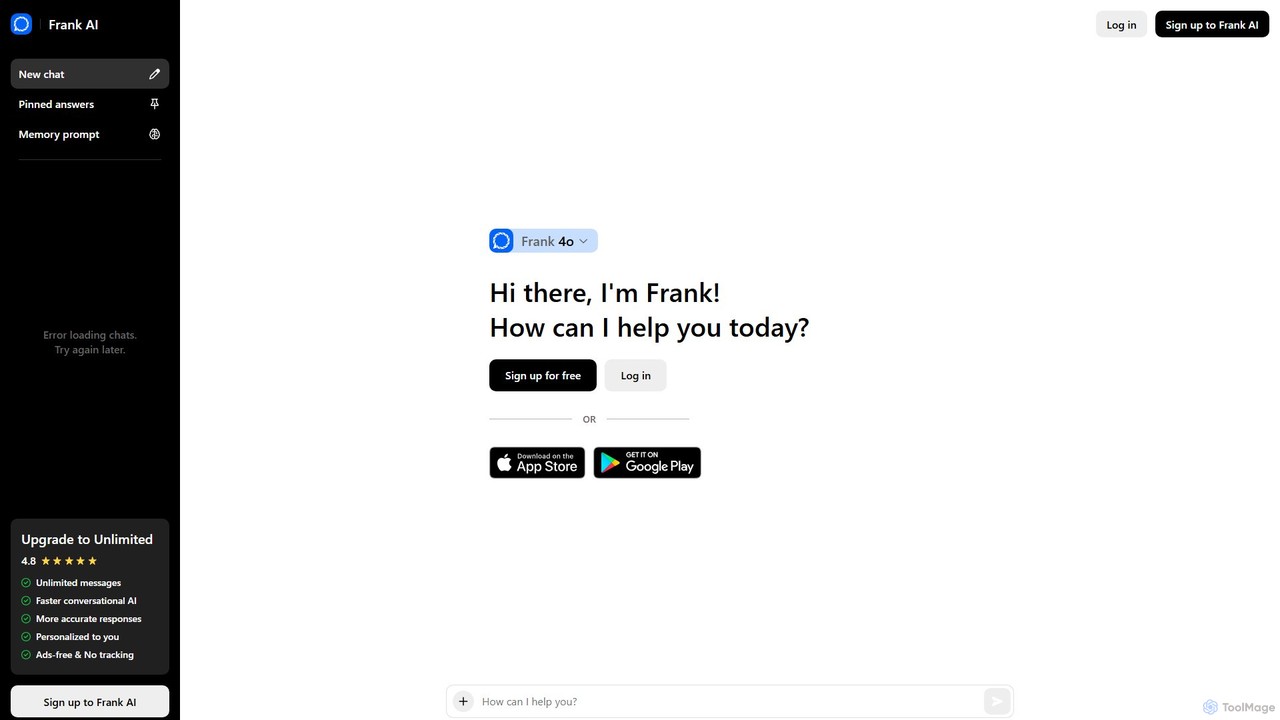
Frank AI is an advanced AI writing assistant and chatbot powered by GPT-4o and ChatGPT. It helps users write essays, emails, and scripts, brainstorm ideas, and analyze information. With features like memory prompts for personalization, cross-device sync, and a commitment to privacy, Frank AI acts as a versatile digital personal assistant for students, professionals, and everyday users seeking to enhance their productivity and creativity.

Essay Writer
Visits 10.9KFavorites 133Likes 141

About Email Generation

Email Generation tools are AI-powered applications designed to automatically draft and personalize email content. They leverage large language models (LLMs) to understand context, tone, and objectives, producing relevant copy for various campaigns. This technology significantly accelerates the creation of marketing newsletters, sales outreach, and customer support responses, freeing up time for strategic tasks. Unlike general writing assistants, these tools are specifically optimized for email formats, subject lines, and calls-to-action.

Core Features

  • Tone and Style Customization: Adjust the formality, voice, and language of the email to match a specific brand identity or campaign goal.
  • Content Personalization: Automatically insert recipient data such as names, company details, or past interactions to create highly tailored messages.
  • Subject Line Optimization: Generate multiple compelling subject lines and often provide suggestions to improve open rates.
  • Campaign-Specific Drafting: Create content for different email types, including promotional announcements, newsletters, cold outreach, and follow-up sequences.
  • A/B Testing Variations: Quickly produce multiple versions of an email body or subject line to test which performs best with your audience.

Use Cases

These tools are widely used by marketing teams for creating engaging newsletters and lead nurturing sequences. Sales professionals utilize them to scale personalized cold outreach and follow-up communication. Additionally, customer support teams and small business owners employ them to ensure consistent and timely responses to inquiries.

How to Choose

When selecting an Email Generation tool, consider its integration capabilities with your existing CRM or email platform. Evaluate the quality and variety of its language models and its support for multiple languages. Also, assess its ability to learn and adapt to your brand's specific voice and the level of control you have over the final output.

Email Generation use cases

1

Automating Cold Outreach Sales Sequences

A Sales Development Representative (SDR) needs to contact 100 new leads per week. Instead of writing each email manually, they input a prospect's profile (like a LinkedIn URL and company info) and the desired outcome into an AI Email Generation tool. The AI generates a personalized, multi-step email sequence, including an initial pitch, several follow-ups, and a final check-in message. This process reduces manual writing time by over 70% and helps increase reply rates through consistent, tailored communication that addresses the prospect's specific industry and role.

2

Crafting Weekly E-commerce Newsletters

An e-commerce marketing manager needs to create a weekly newsletter featuring new products and promotions. They provide the AI tool with a list of product names, links, and key promotional details (e.g., '20% off all shoes'). The AI drafts a complete newsletter, including an engaging subject line, an introductory paragraph, compelling product descriptions with calls-to-action, and a concluding section. This allows the manager to produce high-quality, varied content quickly, saving hours of copywriting time each week and enabling more frequent communication with customers.

3

Generating Customer Support Follow-up Emails

A customer support agent has just resolved a complex technical issue for a user. To ensure a positive experience, the agent uses an AI tool to generate a follow-up email. They input a brief summary of the ticket (e.g., 'resolved login issue by resetting 2FA') and the customer's name. The AI drafts a professional and empathetic email that confirms the resolution, asks for feedback on the support experience, and provides a link to a relevant help article. This standardizes post-support communication and improves customer satisfaction without adding significant time to the agent's workflow.

4

Creating Internal Company Announcements

An HR manager needs to send a company-wide announcement about a new remote work policy. They provide the key points to an AI email generator: the policy's start date, main changes, and a link to the full document. The tool generates a clear, concise, and professionally toned email suitable for all employees. It can also create different versions, such as a brief summary for a quick update and a more detailed version for managers. This ensures consistency in messaging and saves the HR team valuable time on drafting internal communications.

5

Writing Drip Campaigns for Lead Nurturing

A digital marketer wants to nurture leads who downloaded an e-book. They use an AI tool to create a five-part email drip campaign. The prompt includes the e-book topic and the end goal (booking a demo). The AI generates a sequence: a thank-you email with the download link, two emails highlighting key insights from the e-book, an email showcasing a related case study, and a final email with a soft pitch to schedule a demo. This automates the entire lead nurturing process, ensuring leads receive timely, relevant content that guides them through the sales funnel.

6

Responding to Inbound Leads and Inquiries

A small business owner receives an inquiry through their website's contact form. To ensure a prompt and professional reply, they use an AI email tool integrated with their inbox. The tool analyzes the inquiry's content (e.g., 'question about pricing for 50 users') and instantly drafts a personalized response. The draft includes a direct answer to the question, a link to the pricing page, and a suggestion to schedule a brief call. The owner can review, make minor edits, and send the reply in under a minute, significantly improving response time and lead conversion rates.

Email Generation FAQ

What are AI Email Generation tools?

AI Email Generation tools are software applications that use artificial intelligence, particularly natural language processing (NLP), to automatically write email copy. They can create everything from subject lines to full-body content for marketing, sales, and support communications. Unlike simple templates, these tools understand context and can generate unique, personalized content based on user prompts, saving significant time and effort in crafting effective emails.

How to choose the right Email Generation tool?

To choose the right tool, consider these key factors:

  • Integration: Ensure it connects seamlessly with your existing workflow, such as your CRM, email marketing platform (e.g., HubSpot, Mailchimp), or browser.
  • Personalization Capabilities: Evaluate how well the tool can use dynamic data (like names, company info) to create truly personalized messages at scale.
  • Output Quality and Control: Test the tool's output for relevance, tone, and clarity. A good tool should require minimal editing and allow you to guide its writing style.
  • Supported Languages: If you communicate with a global audience, verify that the tool supports all the languages you need with high proficiency.
What's the difference between an AI Email Generator and a general AI Writing Assistant?

The main difference is specialization. A general AI Writing Assistant (like ChatGPT or Jasper) is a versatile tool capable of writing any type of text, including emails. In contrast, an AI Email Generation tool is specifically trained and optimized for email communication. It often includes specialized features that general writers lack, such as subject line analysis, call-to-action suggestions, integration with email platforms, and pre-built templates for specific campaigns like cold outreach or newsletters.

Can AI-generated emails pass spam filters?

Yes, if used correctly. AI tools generate human-like text that is not inherently spammy. Deliverability depends more on email marketing best practices than the content's origin. To avoid spam filters, you should focus on:

  • Maintaining a good sender reputation.
  • Using a clean, permission-based email list.
  • Avoiding spam trigger words in both subject lines and body text.
  • Providing a clear and easy-to-find unsubscribe link.

The AI-generated content itself is rarely the primary cause of being flagged as spam.

Who can benefit from using Email Generation tools?

A wide range of professionals can benefit from these tools. Marketers use them to scale content creation for newsletters, promotions, and drip campaigns. Sales teams leverage them to automate personalized outreach and follow-ups, increasing their efficiency. Small business owners save valuable time on customer communication, allowing them to focus on other core activities. Customer support agents use them to standardize and speed up responses to common inquiries, improving overall service quality.