ToolMage
Sign in

Best 1 Webinars AI tools for Marketing

Popular Webinars AI tools in Marketing include StreamAlive, helping you work more efficiently.

StreamAlive
Freemium

StreamAlive

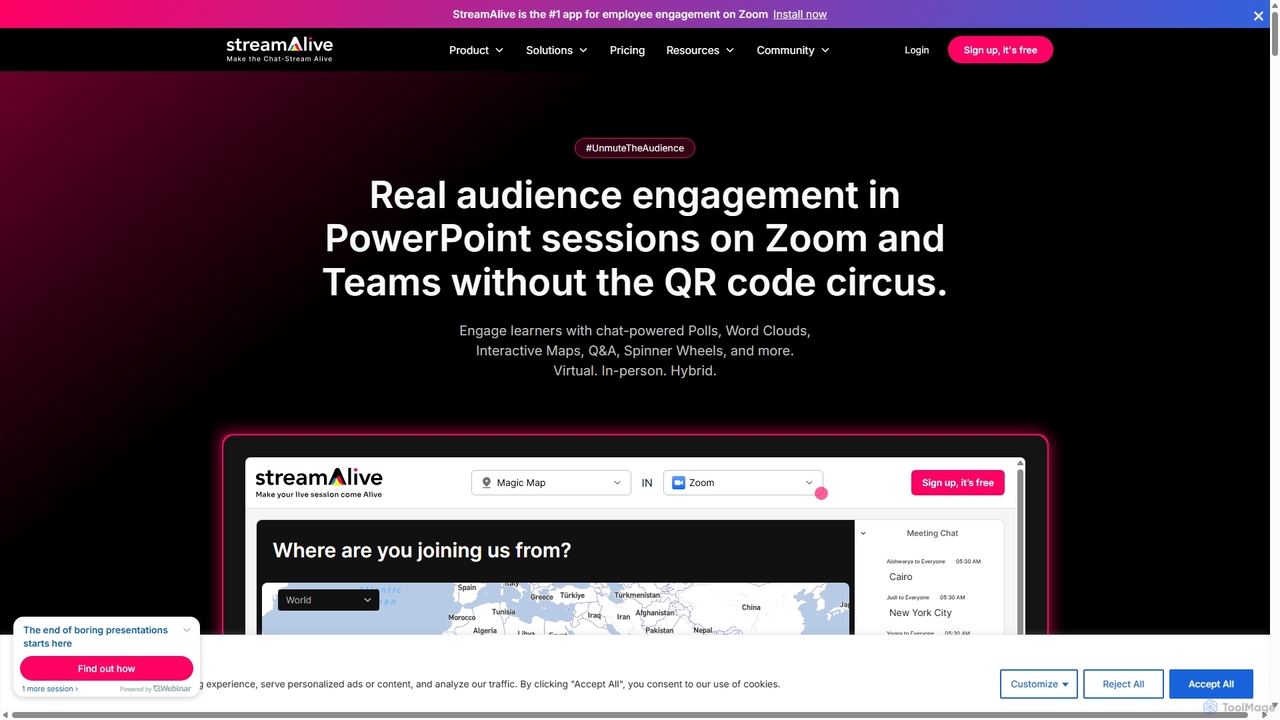
StreamAlive is an AI-powered audience engagement tool for live sessions on platforms like Zoom, Teams, and YouTube. It transforms passive presentations into interactive experiences using chat-powered features like polls, word clouds, interactive maps, and Q&A. Its AI can automatically generate engagement questions from your presentation material, making it easy for trainers, educators, and presenters to keep their audience captivated without complex setups or QR codes.

Training
Visits 48.8KFavorites 161Likes 151

About Webinars

AI Webinar tools are a class of software that uses artificial intelligence to automate and enhance the entire lifecycle of online seminars. These tools leverage technologies like natural language processing (NLP) and generative AI to assist in content creation, promotion, post-event analysis, and content repurposing. Their primary value lies in significantly reducing the manual effort required to produce high-quality webinars, maximizing audience engagement, and extending the value of a single event by transforming it into multiple marketing assets. This allows marketing teams to scale their webinar programs efficiently.

Core Features

  • Automated Content Creation: Generates presentation slides, speaker scripts, and talking points from a simple topic or document.
  • Promotional Campaign Generation: Creates email sequences, social media posts, and landing page copy to drive event registrations.
  • Post-Webinar Analysis: Automatically transcribes sessions, creates concise summaries, and identifies key moments or popular questions.
  • Content Repurposing: Transforms a single webinar recording into various formats like blog posts, short video clips, and social media carousels.
  • Engagement Intelligence: Analyzes attendee interaction data (chat, Q&A, polls) to identify key topics and sales-ready leads.

Use Cases

These tools are primarily used by marketing departments, demand generation specialists, and content creators in B2B and B2C companies. They are essential for teams that rely on webinars for lead generation, product demonstrations, customer education, and thought leadership. For instance, a tech company can use these tools to streamline its weekly product demo webinars, while a consulting firm can repurpose a single thought leadership session into a month's worth of content.

How to Choose

When selecting an AI Webinar tool, consider its integration capabilities with your existing webinar platform (e.g., Zoom, Microsoft Teams). Evaluate the scope of its AI features—whether it focuses more on content creation, post-event analysis, or both. Assess the quality and variety of its content repurposing options. Finally, consider the depth of its analytics and its ability to provide actionable insights for sales and marketing follow-up.

Webinars use cases

1

Automate Webinar Content Creation

A product marketer is tasked with creating a launch webinar for a new software feature but has limited time. Using an AI webinar tool, they input a product requirements document and a brief outline. The AI generates a complete 20-slide presentation deck, including visuals, data points, and speaker notes for each slide. This process reduces content creation time from days to a few hours, ensuring a professional and comprehensive presentation is ready for the live event, allowing the marketer to focus on promotion and delivery.

2

Repurpose a Webinar into a Multi-Format Content Campaign

A content marketing team hosts a successful one-hour panel discussion webinar. Instead of letting the recording sit unused, they upload it to an AI webinar tool. The tool automatically generates a full transcript, a summary blog post, identifies five key moments and clips them into short videos for social media, and creates a series of quote graphics from the panelists. This transforms a single live event into over a dozen pieces of content, maximizing its reach and extending its value for weeks without significant additional effort.

3

Identify Sales-Ready Leads from Webinar Engagement

A sales development representative (SDR) needs to follow up with attendees from a recent product demo webinar. Instead of manually sifting through chat logs, they use an AI tool that analyzes attendee engagement. The AI flags three attendees who asked specific questions about pricing and integration. It also scores leads based on poll responses and questions asked. The SDR receives a prioritized list of the most engaged and sales-ready leads, enabling them to conduct a more targeted and effective follow-up, increasing the conversion rate from webinar attendees to qualified opportunities.

4

Generate a Promotional Campaign for an Upcoming Webinar

A demand generation manager plans a webinar on 'The Future of AI in Marketing'. They provide this title and a short abstract to an AI webinar tool. The tool instantly generates a complete promotional kit, including a five-part email nurture sequence for registrants, a series of LinkedIn posts with different angles (speaker highlight, key topics, registration urgency), and compelling copy for a landing page. This automates the time-consuming task of writing promotional content, ensuring a consistent and high-quality message across all channels and freeing up the manager to focus on strategic planning.

5

Create On-Demand Webinar Highlight Reels

An event manager wants to increase the long-term value of their company's webinar archive. They use an AI tool to process recordings of past events. The AI automatically identifies and clips the most engaging segments, such as key expert insights, audience Q&A moments, and product demo highlights. It then assembles these clips into a 'best of' highlight reel for each webinar. These reels are used as lead magnets on the company website and shared on social media, attracting new viewers to the on-demand content long after the live event has ended.

6

Generate Multilingual Summaries for a Global Audience

A global company hosts a key thought leadership webinar in English, but needs to share the insights with its regional teams in Japan and Germany. After the event, they use an AI tool to transcribe and summarize the webinar. With a single click, the tool translates the summary and key takeaways into Japanese and German. This allows the company to quickly disseminate important information across different regions in the local language, ensuring all teams are aligned without the delay and cost of manual translation services.

Webinars FAQ

What are AI Webinar tools?

AI Webinar tools are specialized software designed to automate and optimize the entire webinar lifecycle, from creation to post-event analysis. Unlike traditional hosting platforms, these tools use artificial intelligence to help marketers generate presentation content, create promotional campaigns, analyze attendee engagement, and repurpose webinar recordings into multiple content formats like blog posts and video clips. Their main purpose is to increase the efficiency and ROI of webinar marketing.

How do AI Webinar tools differ from platforms like Zoom or Teams?

The key difference is function. Platforms like Zoom and Microsoft Teams are primarily for hosting and broadcasting the live webinar event. They provide the infrastructure for video streaming, screen sharing, and live interaction. AI Webinar tools, on the other hand, are designed to work around the event. They focus on automating the pre-webinar tasks (content creation, promotion) and post-webinar tasks (analysis, summarization, repurposing). Many AI tools integrate directly with platforms like Zoom to pull recordings for analysis.

How do I choose the right AI Webinar tool?

To choose the right tool, first identify your primary need. Are you struggling with content creation, or do you need more help with post-event analysis and repurposing? Consider these factors:

  • Integration: Ensure it connects seamlessly with your current webinar hosting platform (e.g., Zoom, Teams, GoToWebinar).
  • Feature Set: Does it excel at content generation, promotion, analysis, or repurposing? Choose one that aligns with your biggest pain point.
  • Output Quality: Evaluate the quality of the generated content. Does the AI create professional-looking slides, well-written copy, and accurate summaries?
  • Ease of Use: The tool should simplify your workflow, not complicate it. Look for an intuitive interface and clear processes.
What key tasks can AI Webinar tools automate?

AI Webinar tools can automate a wide range of time-consuming tasks across the webinar lifecycle. Key automations include:

  • Content Creation: Generating slide decks, speaker notes, and outlines from a simple prompt.
  • Promotional Writing: Creating email sequences, social media posts, and landing page copy.
  • Post-Event Summarization: Transcribing audio, identifying key takeaways, and writing concise summaries.
  • Content Repurposing: Automatically clipping key moments into short videos and converting recordings into blog posts.
  • Lead Scoring: Analyzing attendee engagement data to identify and prioritize high-intent leads for sales follow-up.
Who benefits most from using AI Webinar tools?

While many roles can benefit, AI Webinar tools provide the most value to marketing and demand generation teams who regularly use webinars as a core part of their strategy. Specifically:

  • Content Marketers: They can scale content production by repurposing a single webinar into numerous assets.
  • Demand Generation Managers: They can automate promotional campaigns and better identify qualified leads, improving conversion rates.
  • Product Marketers: They can quickly create compelling demo and launch presentations, reducing time-to-market for new features.
  • Small Marketing Teams: These tools act as a force multiplier, allowing smaller teams to execute sophisticated webinar programs that would typically require more staff.