ToolMage
Sign in

Best 1 Image Generation AI tools for Multimedia Creation

Popular Image Generation AI tools in Multimedia Creation include Wawoo AI, helping you work more efficiently.

Wawoo AI
Freemium

Wawoo AI

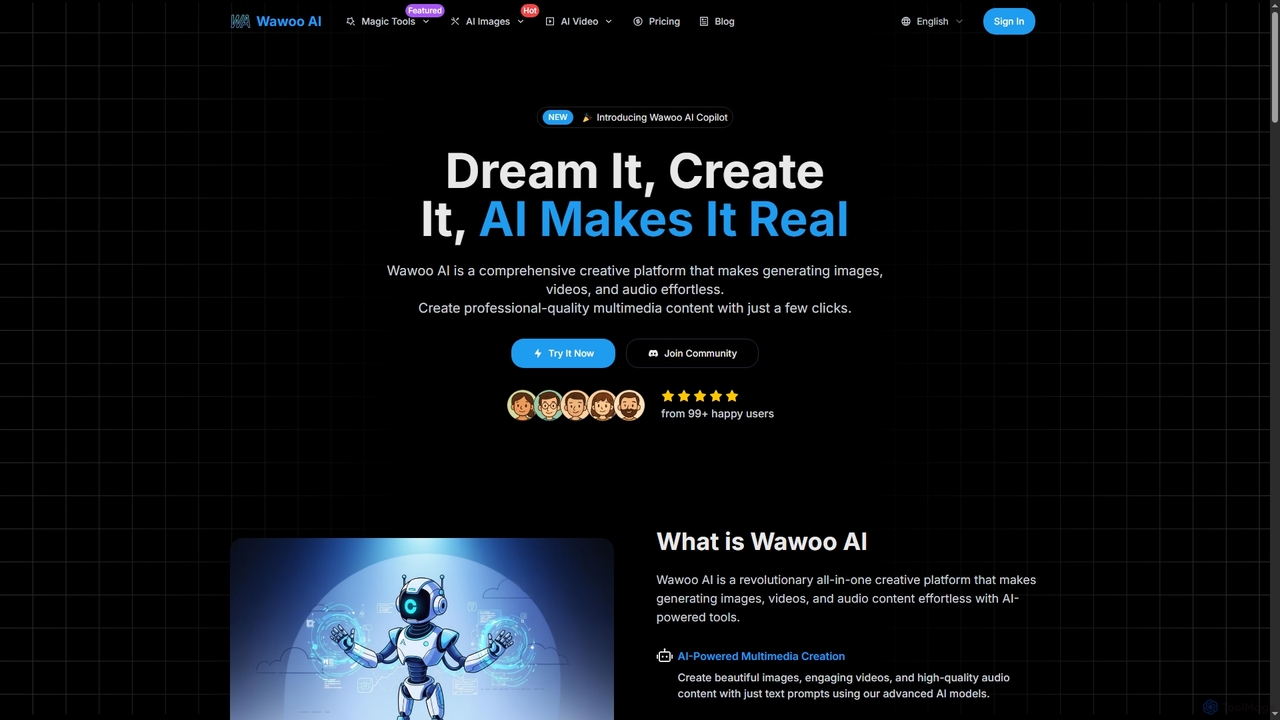
Wawoo AI is an all-in-one creative platform leveraging advanced AI to effortlessly generate professional-quality images, videos, and audio from simple text prompts. It empowers creators of all skill levels to produce stunning multimedia content rapidly, offering features like AI Copilot, multiple AI models, and commercial usage rights.

Digital Art
Visits 5.9KFavorites 113Likes 103

About Image Generation

Image Generation tools are a category of AI-powered applications within Multimedia Creation that automatically produce visual content from various inputs. These tools leverage advanced deep learning models, such as Generative Adversarial Networks (GANs) and Diffusion Models, to transform text prompts, sketches, or existing images into novel, high-quality visuals. They empower creators, marketers, and developers to rapidly prototype ideas, personalize content, and overcome creative blocks, significantly accelerating the visual content production pipeline.

Core Features

  • Text-to-Image Synthesis: Generate diverse images purely from textual descriptions and prompts.
  • Image-to-Image Transformation: Convert existing images into new styles, variations, or compositions.
  • Style Transfer: Apply the artistic style of one image to the content of another.
  • Inpainting & Outpainting: Fill in missing parts of an image or extend its boundaries with AI-generated content.
  • Control over Composition: Utilize advanced controls like pose estimation, depth maps, or segmentation masks to guide image generation.

Applicable Scenarios

Graphic designers use these tools to quickly iterate on design concepts and create unique assets for branding. Marketing professionals generate diverse visuals for ad campaigns and social media content, tailoring them to specific audiences. Game developers leverage image generation for rapid prototyping of character concepts, environmental assets, and textures, accelerating the game art pipeline.

How to Choose

When selecting an Image Generation tool, consider the quality and realism of its output, the level of control it offers over the generation process (e.g., prompt engineering, control parameters), and its speed and cost-effectiveness. Evaluate the diversity of styles it can produce, its integration capabilities with existing workflows, and the ethical guidelines or content moderation policies it adheres to.

Featured tool rankings

Image Generation use cases

1

Generate Marketing Campaign Visuals

Marketing teams can input text descriptions of desired ad concepts, brand elements, and target aesthetics to instantly generate a wide array of unique images for social media posts, banner ads, and email campaigns. This allows for rapid A/B testing of visual content, reducing reliance on stock photos and accelerating content creation cycles, leading to more engaging and personalized campaigns.

2

Design Game Character Concept Art

Game artists and designers can use AI image generation to rapidly create multiple concept art variations for characters, creatures, or environments. By providing textual prompts or rough sketches, they can explore diverse styles, poses, and attributes in minutes, significantly accelerating the initial ideation phase of game development and providing a rich pool of visual references for further refinement.

3

Create Unique Blog Post Illustrations

Content creators and bloggers often need unique visuals to accompany their articles. Image generation tools allow them to input keywords or themes from their blog posts to produce custom illustrations, infographics, or header images that perfectly match the content's tone and message. This eliminates the need for generic stock photos and enhances reader engagement with original, contextually relevant visuals.

4

Visualize Architectural & Interior Designs

Architects and interior designers can leverage image generation tools to quickly visualize design concepts for clients. By inputting floor plans, material preferences, or stylistic descriptions, they can generate photorealistic renderings of spaces, explore different lighting conditions, or experiment with various furniture arrangements. This streamlines the design review process, helps clients better understand proposals, and reduces the time spent on manual rendering.

5

Create Product Variations for E-commerce

E-commerce businesses can use image generation to create numerous product variations (e.g., different colors, textures, or environments) without the need for extensive photoshoots. By providing a base product image and specific modification prompts, AI can generate high-quality visuals that showcase the product in various contexts or styles. This helps expand product catalogs quickly, offers more choices to customers, and reduces photography costs and time-to-market.

6

Craft Personalized Avatars and Digital Art

Individual artists and enthusiasts can utilize image generation tools to create unique personalized avatars, profile pictures, or digital artworks. By describing desired aesthetics, themes, or even uploading a reference image, users can generate highly customized visual content that reflects their personal style or creative vision. This democratizes digital art creation, allowing anyone to produce professional-looking visuals without extensive artistic skills.

Image Generation FAQ

What are AI Image Generation tools?

AI Image Generation tools are software applications that use artificial intelligence, primarily deep learning models, to create new images from various forms of input like text descriptions or existing images. They are a subset of Multimedia Creation tools focused specifically on synthesizing visual content. These tools can produce photorealistic images, artistic illustrations, and abstract designs, revolutionizing how visual content is created and enabling rapid prototyping and creative exploration.

How to choose the right AI Image Generation tool?

To choose the right AI Image Generation tool, consider several factors. First, evaluate the quality and realism of the generated images, as some models excel in specific styles. Second, assess the control options available, such as prompt engineering capabilities, style transfer features, or advanced composition controls. Third, compare speed and cost-effectiveness, especially for high-volume needs. Finally, check for integration capabilities with your existing creative software and the tool's ethical guidelines regarding content moderation and data usage.

What is the difference between AI Image Generation and AI Image Editing?

AI Image Generation focuses on creating entirely new images from scratch based on prompts or parameters, synthesizing visuals that didn't exist before. This is about pure creation. In contrast, AI Image Editing tools modify or enhance existing images, performing tasks like background removal, object manipulation, color correction, or upscaling. While both fall under the broader category of Multimedia Creation, generation is about producing original content, and editing is about refining or altering pre-existing visuals.

What are the common challenges in AI Image Generation?

Common challenges in AI Image Generation include maintaining coherence and consistency across multiple generated images or within complex scenes, especially with abstract prompts. Ethical concerns regarding deepfakes, copyright infringement, and bias in training data are also significant. Achieving precise control over specific elements of the output can be difficult, and the computational resources required for high-quality generation can be substantial. Furthermore, the output may sometimes contain unexpected or undesirable artifacts.

How do AI Image Generation tools ensure originality and avoid plagiarism?

AI Image Generation tools are designed to create novel images, not to copy existing ones directly. They learn patterns and styles from vast datasets but synthesize new combinations. To ensure originality and avoid plagiarism, many tools implement features like content moderation filters, watermarking, and usage policies that prohibit the generation of copyrighted material. Users are also encouraged to use ethical prompts and verify the originality of outputs, especially for commercial use. The underlying algorithms aim for creative synthesis rather than direct replication.

Can AI Image Generation tools be used for professional design work?

Yes, AI Image Generation tools are increasingly being integrated into professional design workflows. They serve as powerful aids for rapid ideation, concept exploration, and asset creation, allowing designers to quickly generate variations, mockups, or unique textures. While they may not fully replace human creativity and refinement, they significantly enhance productivity and open new avenues for artistic expression. Many professionals use them to overcome creative blocks, generate inspiration, or automate repetitive visual tasks, making them valuable assets in a designer's toolkit.